
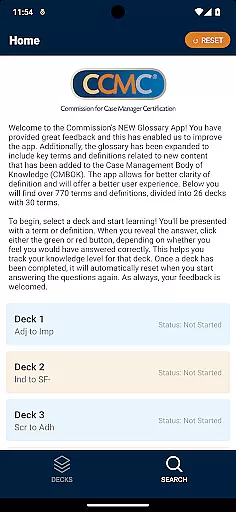
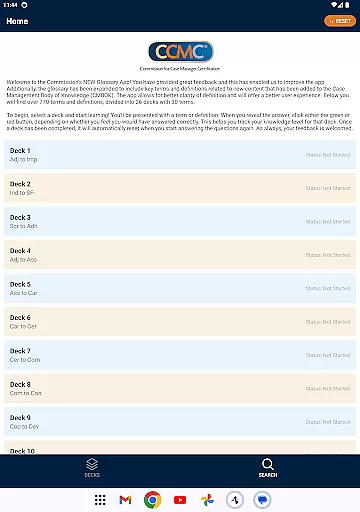
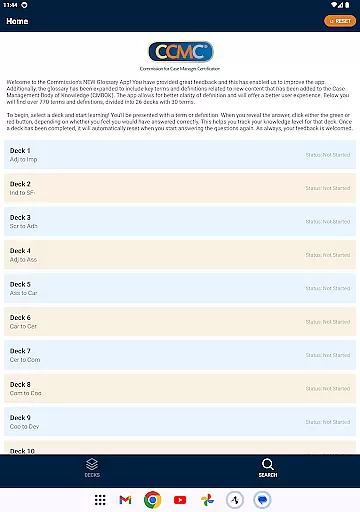
The CCM Glossary App is an educational tool designed to help users master key terms and definitions in case management. With over 770 terms divided into 26 decks, this app provides a structured learning experience for professionals and students alike.
Each deck contains 30 terms, allowing users to focus on specific areas of the Case Management Body of Knowledge (CMBOK). The app tracks user progress through a simple feedback mechanism, helping learners identify their strengths and areas for improvement.
This app is particularly useful for those preparing for certification exams or seeking to deepen their understanding of case management terminology. By offering expanded content and improved usability, the CCM Glossary App delivers a valuable educational resource.
The CCM Glossary App offers several notable features that enhance the learning experience. First, its comprehensive glossary includes key terms and definitions from the latest CMBOK content, ensuring users have access to up-to-date information.
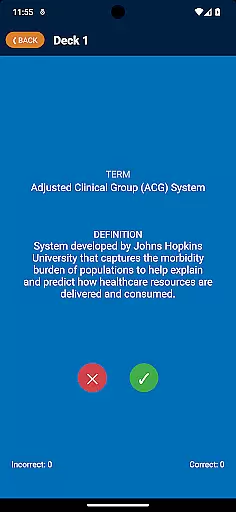
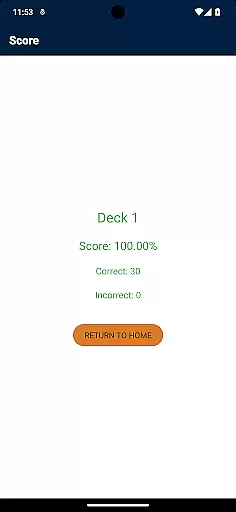
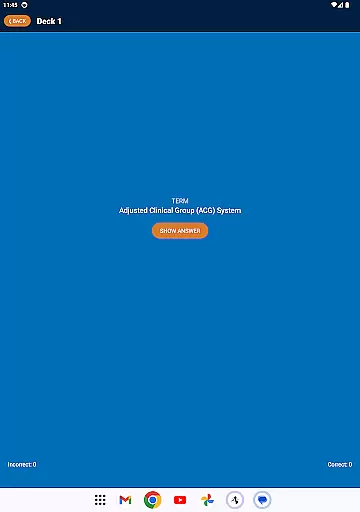
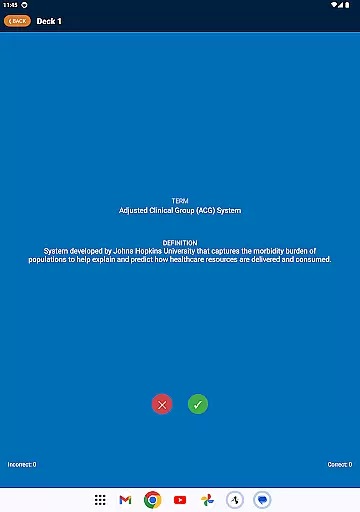
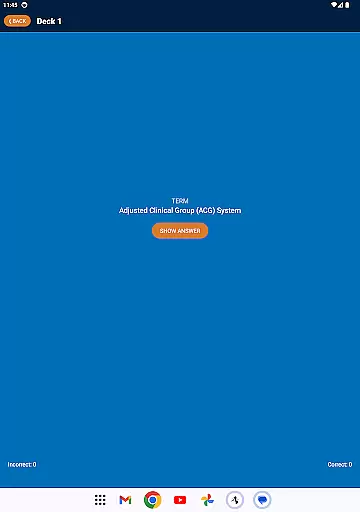
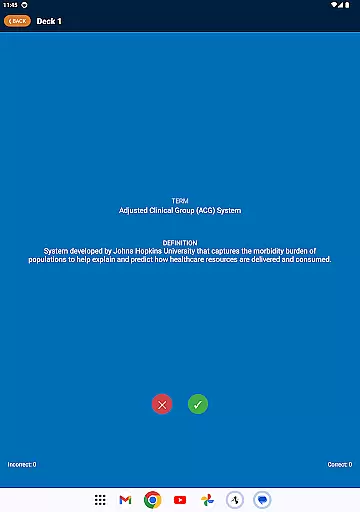
A unique tracking system helps users monitor their knowledge level. As users work through each deck, they can indicate whether they answered correctly using green or red buttons. This feature provides immediate feedback and helps track overall progress.
Additional features include automatic deck reset functionality and a user-friendly interface. These elements combine to create an intuitive and effective learning tool that adapts to different study styles and needs.
In the realm of education applications, content accuracy is paramount. The CCM Glossary App offers over 770 terms and definitions which are carefully curated and expanded from the Case Management Body of Knowledge (CMBOK). This ensures that learners have access to verified and relevant educational content.
The app's content is not only extensive but also authoritative. With key terms and definitions related to new content added to the CMBOK, users can trust that they are learning from a reliable source. This level of detail supports better clarity of definition, enhancing the overall understanding of complex concepts.
Accuracy in educational tools fosters an environment where users can confidently build their knowledge. By engaging with the CCM Glossary App, students and professionals alike benefit from a resource that has been shaped by user feedback and expert oversight, ensuring the information is both precise and current.
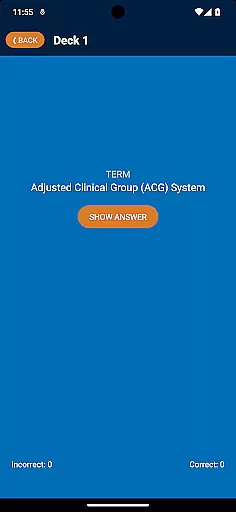
Personalization in learning is transforming how individuals acquire knowledge. The CCM Glossary App facilitates personalized learning paths through its interactive deck system. Users can select from 26 decks, each containing 30 terms, allowing them to focus on specific areas of interest or need.
As users progress through the decks, they engage with terms or definitions and self-assess their understanding. Clicking the green or red button based on their perceived correctness enables them to track their knowledge level for that deck. This feature promotes active learning and retention.
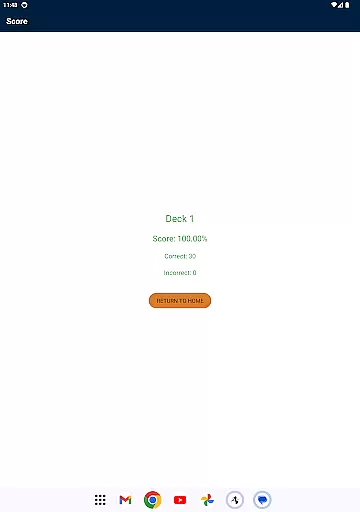
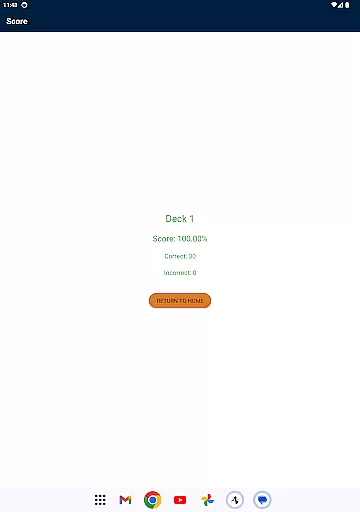
Upon completing a deck, the app automatically resets it, enabling continuous learning and improvement. This approach empowers learners to take control of their educational journey, tailoring their experience to their unique pace and preferences while reinforcing their comprehension through repetition and self-evaluation.
User-friendly interface
Comprehensive glossary
Progress tracking system
Regular content updates
Valuable certification prep
Limited to case management
No offline functionality
Basic design aesthetics
Deck size not adjustable
Single learning mode

Gain new skills in 10 minutes
 4.70
4.70
Perform physics experiments with your phone. (by the RWTH Aachen University)
4.70
Age-Related Child Developmental Milestones
4.80
Explore the City of the Sun in Augmented Reality
3.70
THE ESTABLISHED "GO TO" ARMY BOARD PREPARATION APP!
4.30
Your best partner for learning Japanese words. Based on a best-selling textbook.
2.80
The "Go To" app for Airmen studying for promotion to SSgt and TSgt
4.30
Learn Japanese in an immersive educational game set in Japan!
4.90
Learn to pass DMV permit tests. Driver license practice test 2025.
4.60
Explore myths and gods across cultures with in-depth insights and stories.
5.00
Engage in learning science and math with the award-winning PhET simulations!
4.70
2026 DVSA Driving Theory Test revision with Hazard Perception + Highway Code
4.60
Stargazing Guide App. Stars and constellations map. Solar system planets finder.
4.60
Astronomy Guide to the Night Sky
4.40
Monkey Preschool Lunchbox: 7 exciting educational games for your preschooler.
4.30
Astronomy app ? Discover the universe scope, explore solar system model in 3D.
4.20
A magical world of fun, building, and learning with Mickey Mouse and more!
4.20
For medical training - Visualize complex vein maps and structures in real-time.
4.10
A must-have app for mastering Japanese verb/adjective conjugations.
3.60


User Reviews