
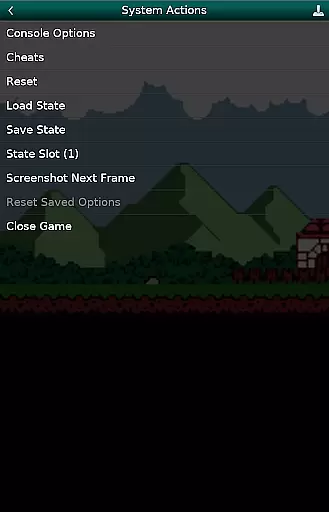
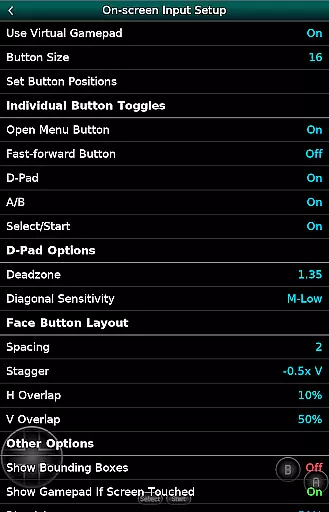
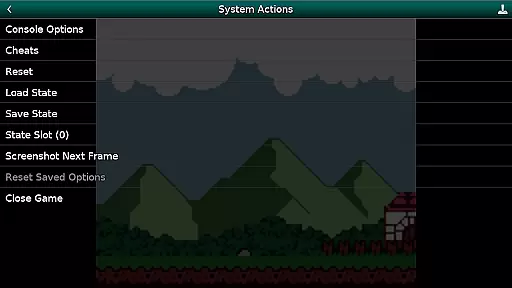
GBC.emu is an advanced open-source Game Boy and Game Boy Color emulator based on Gambatte. It features a minimalist UI with a focus on low audio and video latency, making it suitable for a wide range of devices from the original Xperia Play to modern devices like the Nvidia Shield and Pixel phones. The app supports multiple color palettes for original GB games, cheat codes in Game Genie and Gameshark formats, and various file formats including .gb, .gbc, ZIP, RAR, and 7Z.
With configurable on-screen controls and support for Bluetooth/USB gamepads and keyboards, GBC.emu offers a versatile gaming experience. Users can enjoy their favorite retro games on both internal and external storage through Android's storage access framework. No ROMs are included, and users must supply their own. This emulator is ideal for gamers who want a seamless and responsive emulation experience on their Android devices.
GBC.emu stands out with its multiple color palettes for original Game Boy games, allowing users to customize their visual experience. The inclusion of cheat codes in Game Genie and Gameshark formats adds an extra layer of fun and challenge. Supporting .gb and .gbc file formats, optionally compressed with ZIP, RAR, or 7Z, ensures compatibility with a broad range of game files.
The app provides configurable on-screen controls, giving users the flexibility to adjust the interface to their preference. With robust support for Bluetooth and USB gamepads, as well as keyboards, GBC.emu caters to different gaming styles and setups. Its compatibility with any HID device recognized by the OS, such as Xbox and PS controllers, enhances the overall user experience. This feature set makes GBC.emu a top choice for Game Boy enthusiasts looking for a reliable and customizable emulator.
Arcade authenticity and nostalgia are crucial elements for any gaming emulator, as they ensure the original experience is faithfully recreated. GBC.emu achieves this by offering a minimalist UI that focuses on low audio/video latency, providing an immersive experience akin to playing on original Game Boy hardware.
The emulator supports both GB and GBC file formats, including those optionally compressed with ZIP, RAR, or 7Z. This wide compatibility ensures users can enjoy a vast library of games while maintaining the nostalgic feel of classic titles. Additionally, features like multiple color palettes for original GB games enhance the visual experience without compromising authenticity.
With configurable on-screen controls and support for Bluetooth/USB gamepads, GBC.emu allows players to choose their preferred control scheme. This flexibility caters to both purists seeking a traditional setup and modern gamers who prefer contemporary controllers. The result is an authentic arcade experience that bridges the gap between past and present gaming technologies.
Control responsiveness is a vital aspect of any gaming experience, especially in emulators where precision and timing can significantly impact gameplay. GBC.emu excels in this area by focusing on low audio/video latency, ensuring that user inputs are registered instantly and accurately.
The emulator's support for Bluetooth/USB gamepads and keyboards compatible with any HID device recognized by the OS, such as Xbox and PS controllers, enhances its control responsiveness. Players can enjoy seamless interaction with their games, whether using on-screen controls or physical peripherals, resulting in a more engaging and precise gaming session.
Furthermore, the configurable on-screen controls allow users to customize their layout for optimal performance. This level of customization ensures that every player can achieve the perfect setup for their playstyle, making GBC.emu not only responsive but also adaptable to individual preferences and needs.
Low audio/video latency
Multiple color palettes
Cheat code support
Wide device compatibility
Configurable controls
No ROMs included
Requires technical knowledge
Limited customer support
Interface not intuitive
Occasional crashes

GBA Emulator
 4.40
4.40
Get into your tractor to cut grass and harvest the crops in our mowing simulator
4.10
Amid the vastness of the universe, you are a Black Hole about to be swallowed!
5.00
Stack the blocks as high as you can!
4.30
The only Sega Saturn emulator for Android
4.40
Premium version. Save the galaxy from alien shooter in this classic game
4.50
A fast, full-featured GB/GBC emulator with link cable emulation.
3.80
Full featured version of Pizza Boy A (GBA emulator)
4.80
Crazy games: Kick your buddies, beat the boss, and turn the office into chaos!
4.40
This is an emulator for a certain 64 bit console with online cloud backup.
4.80
Meet Snake Run Race! Slither through an obstacle course in our fun running game!
4.70
Jump and fly your way through danger in this rythm-based action platformer!
4.50
Playing venom RPG alien games? Set spider alien isolation base, with no survivor
4.30
Mine & Craft Block Mini World! Survival Crafting and Building & Creative Online.
4.30
Running game: dance in a twerk battle and become the twerk hero in our fun race!
4.30
Genesis, Mega Drive, Mega CD, Master System, Game Gear Emulator!
4.20
Dad doesn’t let you go out, can you outwit your parents and escape?
4.00
Protect the balloon! Only 1% of players can reach lvl 100 with all the balloons!
3.70
Infinite Arcade
4.5


User Reviews