
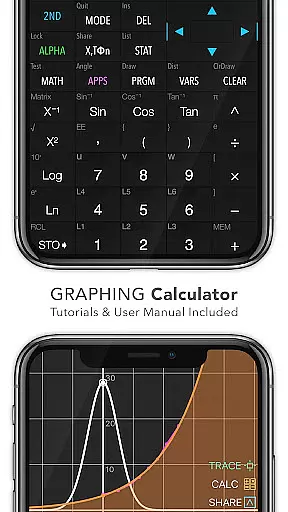
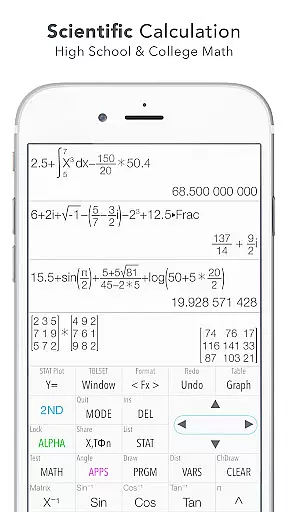
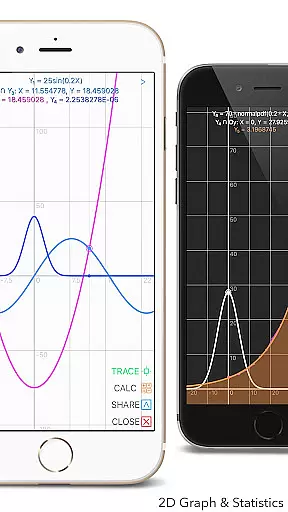
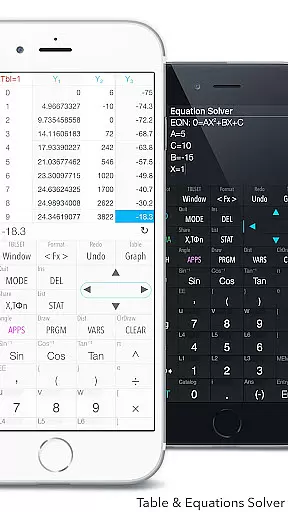
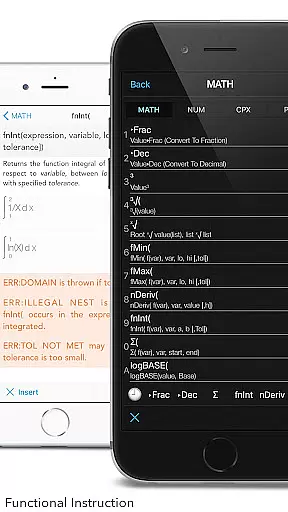
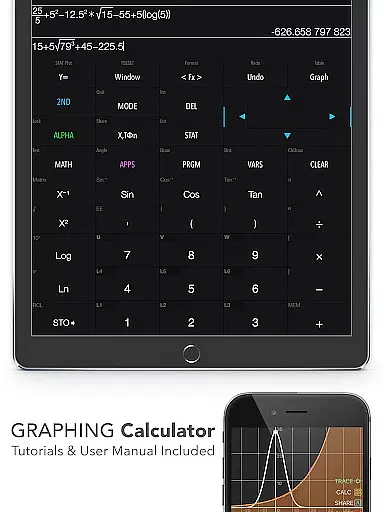
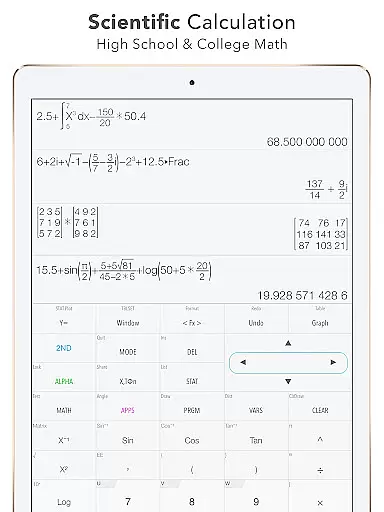
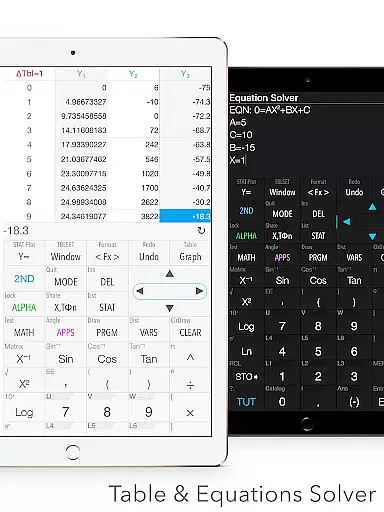
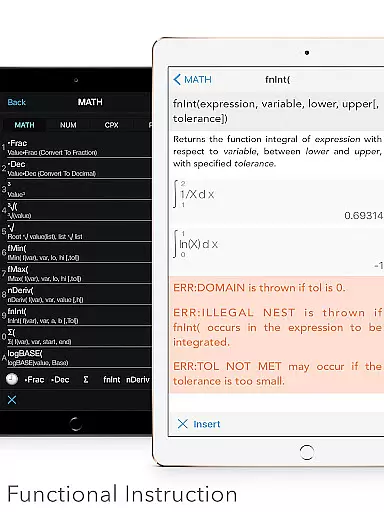
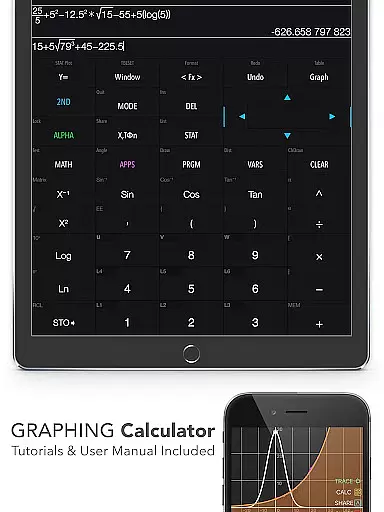
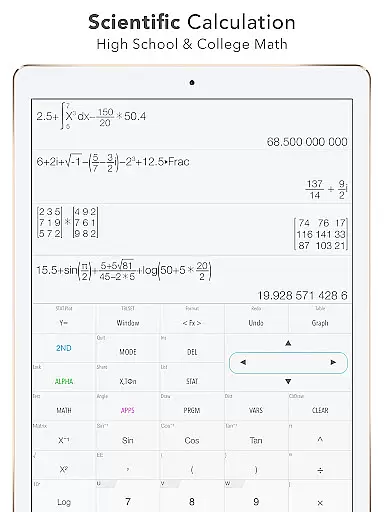
Graphing Calculator Plus stands as a versatile and powerful educational tool designed to cater to the needs of students, educators, and professionals in mathematics and engineering fields. This app mirrors the functionality of traditional TI-84 and TI-83 calculators while enhancing their capabilities with modern mobile technology. Users can perform basic calculations alongside advanced mathematical operations such as statistical analysis, equation solving, and graphing functions.
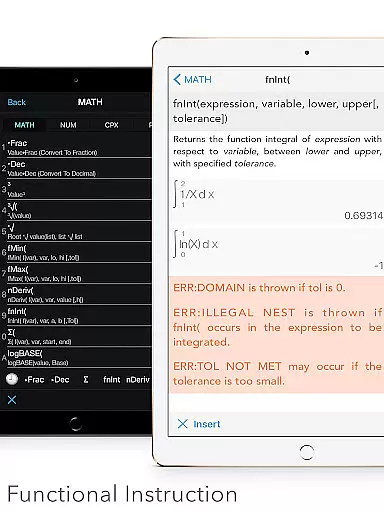
The application's robust MATH CORE ensures accurate computations and supports complex number calculations, matrix operations, and programming features. Its intuitive interface allows for easy navigation through various modes including 2D graphing, statistical regression, and matrix manipulation. With built-in documents and tutorials, users can quickly grasp how to utilize its extensive features effectively.
Ideal for academic and professional settings, Graphing Calculator Plus facilitates learning and problem-solving by providing tools like unit conversion, financial calculations, and geometry applications. Whether you're tackling calculus problems or analyzing data sets, this app serves as an indispensable companion that streamlines mathematical processes and enhances productivity.
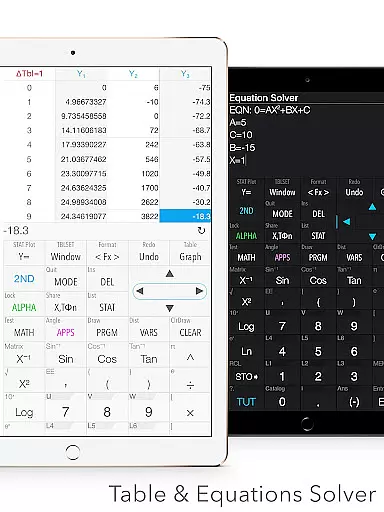
Graphing Calculator Plus boasts an impressive array of features tailored to meet diverse mathematical needs. The app includes a universal calculator with a mathematical display that supports complex number calculations, equations solving, and customizable functions. It offers advanced functions such as trigonometric, logarithmic, and exponential operations, alongside fraction and degree/angle calculations.
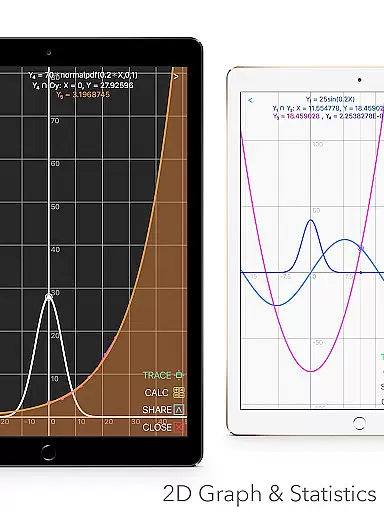
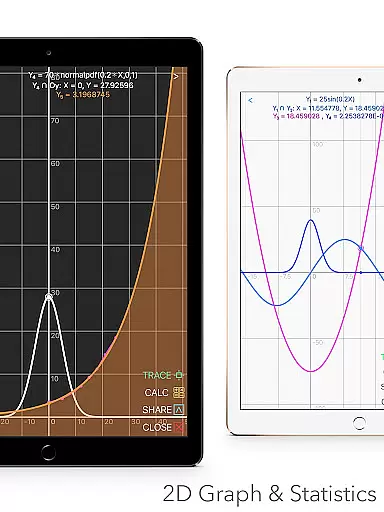
In addition to its calculation prowess, the app provides robust graphing capabilities. Users can create simultaneous graphs, apply smooth zoom and transformations, and explore intersections, minima, maxima, and special points. The app also supports parametric, polar, and sequence graphing, making it suitable for higher-level mathematics courses.
Beyond standard calculator functions, Graphing Calculator Plus incorporates specialized tools for statistics, regression analysis, and hypothesis testing. It enables users to create and edit lists and matrices, perform linear and non-linear regressions, and conduct various statistical tests. Furthermore, the app includes programming functionalities, number base-N modes, and additional features like financial calculations and geometry applications, ensuring comprehensive coverage of mathematical disciplines.
When it comes to educational tools like Graphing Calculator Plus, content accuracy is paramount. This app ensures precise calculations across various mathematical domains, from basic arithmetic to advanced calculus functions. The inclusion of a comprehensive set of constants and the ability to perform complex number calculations contribute to its reliability as an educational resource.
The app's adherence to mathematical standards and its compatibility with TI-84 and TI-83 calculators make it a trustworthy companion for students and professionals alike. With built-in documents covering a wide array of mathematical operations, users can rely on the app to deliver accurate results that align with academic and professional requirements.
Furthermore, the depth of features such as statistics, regression analysis, and matrix operations are indicative of the app's authoritative stance in the realm of educational technology. Users benefit from having a dependable tool that supports learning and application in advanced mathematics, reinforcing the app's role as an essential aid in education.
Graphing Calculator Plus offers personalized learning paths by providing a versatile platform that caters to individual learning styles and paces. Its programmable functionality allows users to create custom functions, essentially tailoring the calculatoru2019s capabilities to their specific needs or coursework requirements.
The app includes a variety of specialized modes including Number Base-N mode which supports different numerical bases, catering to computer science or engineering students who require these skills for their studies. This flexibility empowers learners to explore mathematical concepts relevant to their field of study at their own pace.
Moreover, with dual themes and customizable user interfaces, students can adjust the visual presentation according to their preferences, enhancing focus and comprehension during problem-solving sessions. These adaptive features ensure that each user's experience is optimized for their personal educational journey, making Graphing Calculator Plus not just a tool but a personalized tutor in advanced mathematics.
User-friendly interface
Comprehensive math functions
Advanced graphing capabilities
Extensive documentation
Versatile usage scenarios
Premium pricing model
Occasional performance lags
Limited offline support
Complex for beginners
Heavy on system resources

2026 DVSA Driving Theory Test revision with Hazard Perception + Highway Code
 4.60
4.60
Welcome to the Speak Navajo Language Application - Volume 1
4.50
Intuitive Transformer Lab - By a Lineman, For Linemen & Apprentices
4.50
Engage in learning science and math with the award-winning PhET simulations!
4.70
Hasbro's Classic Board Game - Make Cavity Sam better or get the buzzer!
3.50
Listen, request and record pronunciations in more than 450 languages. Everywhere
3.90
A collection of favorite stories from Daniel Tiger's Neighborhood
2.00
The "Go To" app for Airmen studying for promotion to SSgt and TSgt
4.30
Train, track, and reward potty training using Potty with Pull-Ups® ft. Disney®
4.70
Stack the States makes learning about the 50 states fun!
4.70
Guitar chord finder, analyzer, smartly visualized theory, progressions, quizzes.
4.70
A fast and fun way to learn guitar - works with any guitar.
4.60
Explore numbers the Starfall way!
4.00
THE MOST COMPREHENSIVE JUMPMASTER STUDY RESOURCE AVAILABLE.
3.40
Visit Daniel's house & make believe. Play doctor, make music, & feed fish.
3.20
scanner body part for fun Prank friends realistic scan effects
3.00
Your best partner for learning Japanese words. Based on a best-selling textbook.
2.90
Your best partner for learning Japanese words. Based on a best-selling textbook.
2.80
Test prep for Indiana students
4.1


User Reviews