
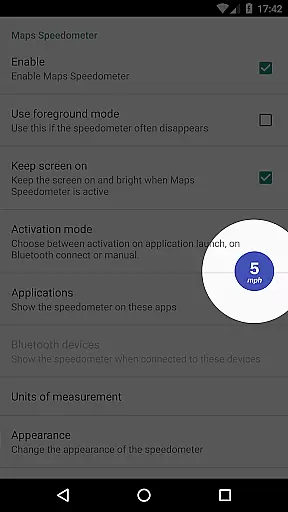
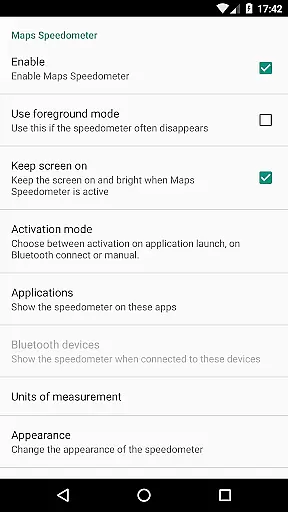
Maps Speedometer is a versatile travel companion that displays your current speed in real-time as an elegant overlay on your device. This innovative app automatically activates when your selected apps are in use or when connected to a Bluetooth device, ensuring you always have access to your speed information without interrupting your primary activities. Designed with flexibility in mind, it supports various units of measurement including mph, km/h, and knots, catering to different user preferences and regions.
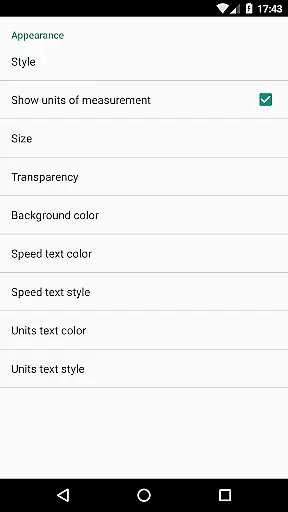
The app's customizable features allow users to adjust the transparency, size, position, and color of the speedometer overlay, providing a personalized experience that fits seamlessly into any app or interface. Whether navigating through unfamiliar roads or simply monitoring your speed during daily commutes, Maps Speedometer offers a practical solution for travelers and drivers who prioritize both functionality and aesthetics in their mobile applications.
Maps Speedometer stands out with its comprehensive set of features designed to enhance user experience. One of its key attributes is the automatic display and hiding functionality, which intelligently shows the speedometer overlay only when specific apps are active or when a Bluetooth connection is detected. This ensures minimal interference with other applications while maintaining constant access to crucial speed data. Additionally, the app operates independently of internet access, safeguarding user privacy by eliminating potential backdoors for data sharing.
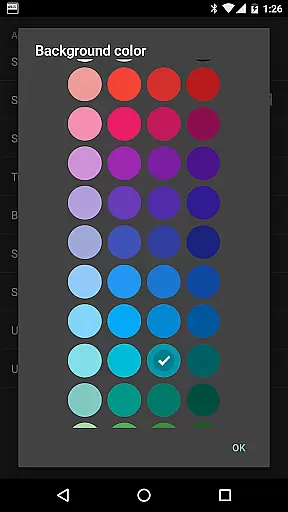
Customization is at the heart of Maps Speedometer's design philosophy. Users can choose from multiple units of speed measurement (mph, km/h, knots), adjust the overlay's transparency and size, and even select from various color schemes and styles. The ability to temporarily hide the overlay by tapping it adds another layer of convenience, allowing for uninterrupted viewing when needed. These thoughtful features collectively create a powerful yet unobtrusive tool that enhances navigation and driving experiences across different scenarios and devices.
Booking authenticity is crucial for travel applications, ensuring that all reservations and bookings are legitimate and trustworthy. Maps Speedometer enhances this aspect by providing real-time speed information directly on your device without the need for additional bookings or reservations.
The app automatically displays an elegant overlay with a speedometer when a chosen navigation app is active, ensuring that users receive accurate speed data during their travels. This feature eliminates the need to cross-check multiple apps for speed verification, thus streamlining the travel experience.
By using Maps Speedometer, travelers can trust that the speed information they see is both current and reliable, enhancing their confidence while driving. The app's ability to show and hide based on app activity or Bluetooth connection ensures that users only see the speedometer when it is relevant, reducing unnecessary distractions.
Price transparency in travel apps refers to clear and upfront information about costs associated with services. While Maps Speedometer does not involve direct monetary transactions, it offers unparalleled value through its transparent feature set and absence of hidden costs.
This app operates without advertisements or the need for internet access, ensuring that users are not subjected to unexpected charges or data usage fees. Users can enjoy features like adjustable transparency, size, position, and color options without worrying about premium version upcharges or in-app purchases.
Additionally, Maps Speedometer supports various units of measurement including miles per hour, kilometers per hour, and knots, catering to a global audience without additional costs. This commitment to openness and user empowerment makes Maps Speedometer a reliable tool for travelers seeking clarity and control over their journey.
User-friendly interface
Highly customizable settings
No ads or hidden fees
Privacy-focused design
Seamless integration with apps
Limited Android Auto support
Requires Accessibility permissions
Bluetooth detection may vary
Overlay might obstruct some content
Initial setup can be complex

Listen live to pilots and air traffic controllers around the world
 3.80
3.80
Find the best prices, pay for the cheapest gas, and save on every fill up
3.30
MyTSA gives you 24/7 access to info that passengers frequently request from TSA.
4.10
It drives. You ride.
4.90
Maps, Wait Times, Park Hours
4.40
Guest how you guest when you book one of our 6,800+ hotels and earn rewards.
4.90
Booking your bus tickets has never been easier
4.70
Rent the perfect car for wherever you’re going
4.90
Stack Upside with your current credit & debit rewards for even more cash back!
4.50
Plan where to stand and shave minutes off your trip!
4.80
Manage your travel on Delta with access to boarding passes, flight info & more.
4.80
Book rooms at any of 4.2M properties worldwide. Find flight deals every day!
4.60
Explore our parks like never before with the completely reimagined Six Flags app
4.30
A tool for outdoor activities.
4.30
Examine the planet
3.80
View US public land boundary maps on your device.
3.70
A Camino de Santiago Guidebook from St. Jean Pied de Port to Santiago
3.60
Get Moving Made Easier® with the official U-Haul® Moving & Storage app.
3.40
The official app of Allegiant Travel & Allegiant Airlines
3.30


User Reviews