
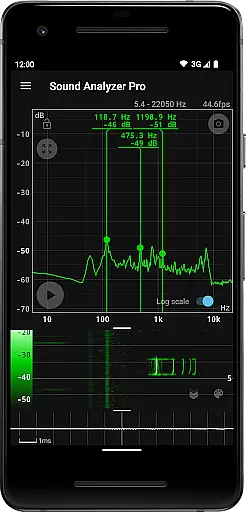
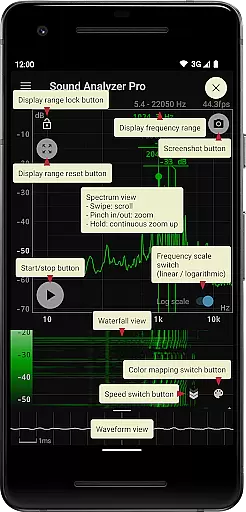
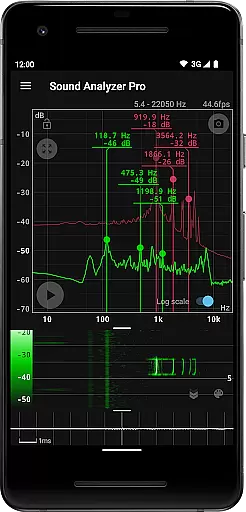
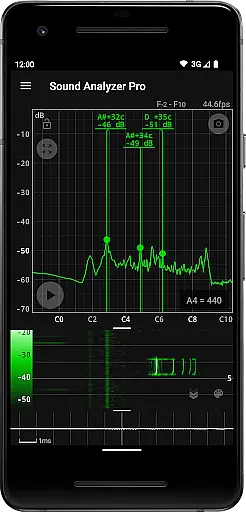
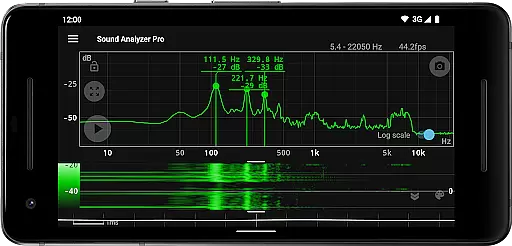
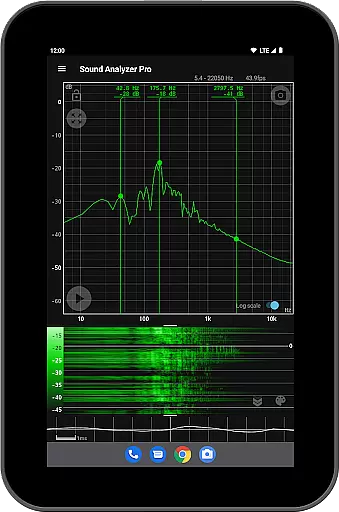
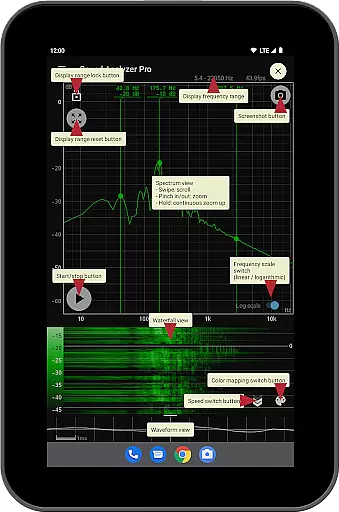
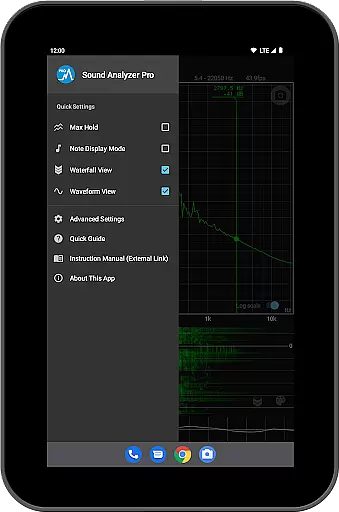
Sound Analyzer is a powerful audio analysis tool designed for both professionals and enthusiasts in the music and audio field. The app's core functionality lies in its ability to display real-time frequency (Hz) and amplitude (dB) spectra directly on your mobile device, eliminating the need for bulky external equipment. Its high measurement accuracy, with errors typically within 0.1 Hz in low-noise environments, ensures reliable data for critical audio tasks.
In addition to real-time spectrum analysis, Sound Analyzer offers advanced features such as waterfall view for tracking spectral changes over time, waveform view for visualizing sound waveforms, and note display mode that translates frequencies into musical notes. These capabilities make it an ideal companion for tuning instruments, diagnosing audio issues, or conducting detailed sound research. Whether you're a musician fine-tuning your performance or an audio engineer analyzing soundscapes, this app provides the precision and versatility needed for professional-grade work.
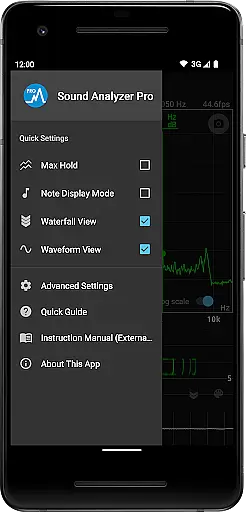
Sound Analyzer distinguishes itself through a comprehensive suite of audio analysis tools. The app's peak frequency display function provides real-time information about prominent spectral components, while its innovative touch-based interface allows users to easily adjust display ranges and switch between logarithmic and linear frequency scales. The max hold function ensures that transient peaks aren't missed during analysis sessions.
Additional features include multiple viewing modes that cater to different analysis needs. The waterfall view effectively tracks how spectra evolve over time, while the waveform view offers precise visualization of sound waveforms. The unique note display mode helps musicians by showing pitch in standard musical notation with cent accuracy. Practical features like screenshot functionality with timer support and an ad-free experience enhance usability, making it suitable for both quick checks and extended analysis sessions.
Sound Analyzer does not focus on providing a vast music library but rather emphasizes real-time audio signal analysis. The app allows users to analyze audio signals directly through their mobile devices, presenting frequency (Hz) and amplitude (dB) spectra in real time.
While it doesn't offer a traditional music library, its ability to display changes in spectra over time (waterfall view) and waveforms (waveform view) ensures that users can deeply engage with audio content. This makes the app an invaluable tool for those interested in understanding the intricacies of sound beyond conventional music playback.
The app's main strength lies in its high measurement accuracy, with errors typically within 0.1 Hz in low-noise environments. This precision underscores the app's commitment to delivering authentic and reliable audio data, which is crucial for accurate sound analysis.
Sound Analyzer excels in offering various audio quality options, allowing users to adjust settings to suit their specific needs. One notable feature is the ability to modify the frequency axis scale between logarithmic and linear, catering to different analytical preferences and requirements.
In addition to flexible display options, the app supports high-frequency spectrum settings up to 96 kHz. While this feature is primarily designed for high-performance devices, it showcases the app's dedication to providing superior audio quality options for advanced users.
Despite the limitations of most devices in acquiring data above 22 kHz, Sound Analyzer ensures that users can explore the full range of their device's capabilities. This commitment to maximizing audio quality options makes the app a powerful tool for both casual users and audio professionals alike.
High measurement accuracy
Real-time spectrum analysis
Multiple viewing modes
Ad-free experience
Musical note translation
Complex for beginners
Requires high-end device
Limited high-frequency support
No cloud integration
Advanced features overwhelming

SqueezePlayer turns your Android phone or tablet into a SqueezeBox on its own!
 4.60
4.60
Time Guru will strengthen your internal sense of musical time via random muting.
4.30
VB-AUDIO Software / VBAN-Receptor allows listening to any VBAN Streams
4.10
Enhance the sound quality of your devices, listen to what you want
4.50
Permanently backup Now Playing. Maps, filters & listening stats.
4.00
Simple & Intuitive Metronome
4.70
The best music and audio player, with beautiful UI, music search and equalizer.
4.60
Learn to play the piano using falling notes!
3.80
Slow music down without changing pitch.
3.70
More downloads than any other metronome. Includes drum machine & tempo trainer.
4.80
Unleash your creativity! Turn simple prompts into full fledged songs.
4.70
Pay Once, no monthly payment
4.60
Guzheng Master supports many playing techniques as an acoustic Guzheng
4.50
Formerly known as Spotistats! View your top tracks, artists, albums and more!
4.40
DJ Music Mixer Pro is a real DJ controllers and DJ Music Studio to remix DJ.
4.40
Next generation modular control surface
4.10
The official Sonos app
4.10
Sheet music reader, piano & music note player. Play music score & learn to read.
3.90
Music Streaming suite for Ampache, Nextcloud Music and compatible backends.
4.3


User Reviews