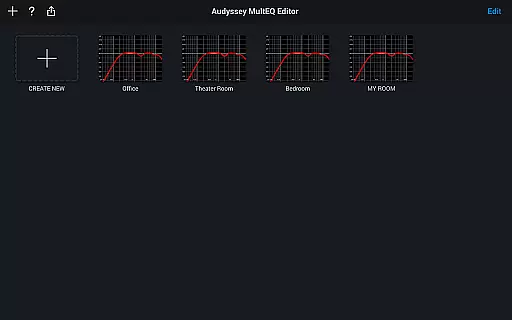
The Audyssey MultEQ Editor app is a powerful tool for audio enthusiasts who want to fine-tune their home cinema sound. Designed for specific Denon and Marantz AV receivers, this app allows users to go beyond the standard calibration process by providing access to detailed settings and advanced tuning options.
With features like speaker detection results, before-and-after calibration comparisons, and customizable target curves, the app empowers users to address room-specific acoustics and tailor the sound to their preferences. It also supports multi-language functionality and works with a range of Android devices, ensuring broad compatibility and ease of use.
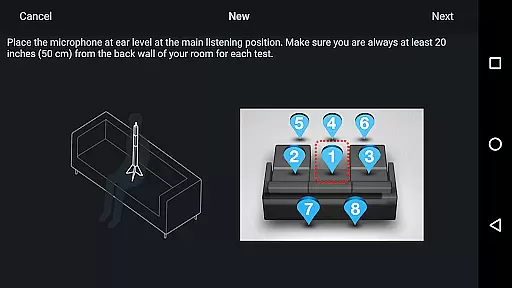
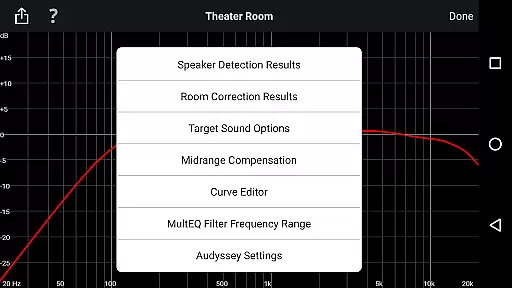
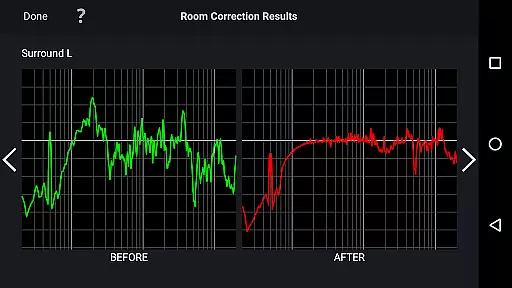
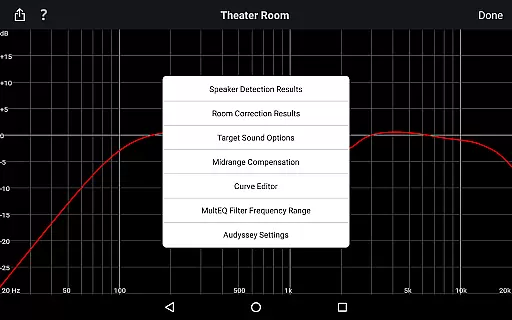
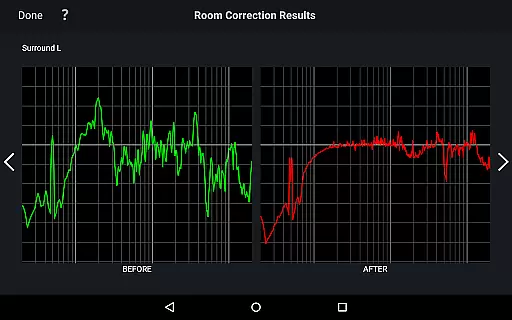
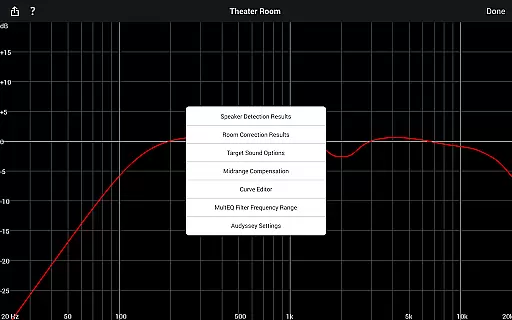
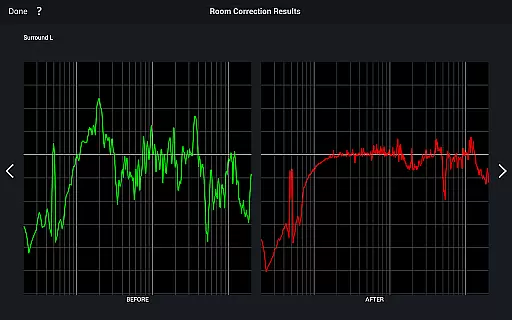
The Audyssey MultEQ Editor app offers an array of advanced features that cater to audiophiles seeking precise control over their sound systems. Users can view detailed speaker detection results, ensuring correct installation and optimal performance. The app provides visual representations of calibration outcomes, making it easier to identify and resolve room acoustics issues.
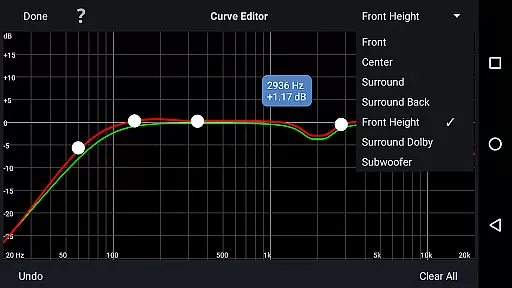
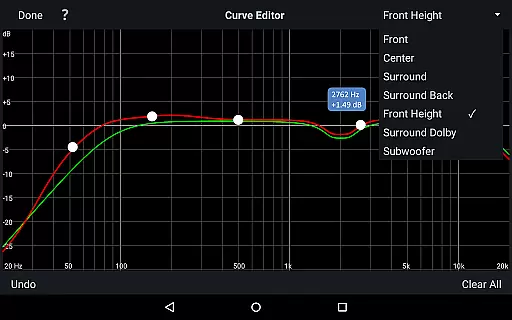
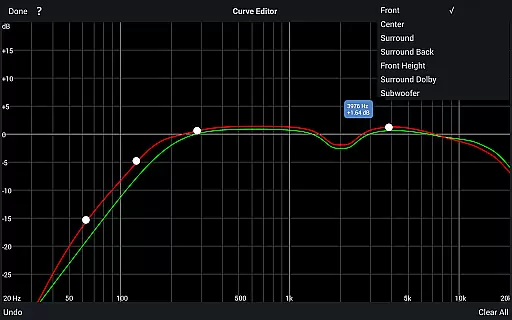
One standout feature is the ability to edit the Audyssey target curve for each channel pair, allowing users to adjust EQ frequency rolloffs and switch between high-frequency rolloff target curves. Additionally, midrange compensation can be toggled to achieve brighter or smoother sound. These capabilities, combined with the ability to save and load calibration results, make this app an indispensable tool for achieving professional-grade audio customization.
The Audyssey MultEQ Editor app provides a comprehensive and detailed approach to sound calibration, though it doesn't directly manage a music library. Instead, its focus is on allowing users to fine-tune their audio-visual systems for optimal performance in any room setting. This customization ensures that all music, regardless of source, is heard as accurately as possible.
With the ability to adjust the Audyssey target curve for each channel pair, users can tailor the sound to match their personal preferences or compensate for specific acoustic issues within their space. This level of control over your audio environment ensures that every piece of music played through your system maintains the integrity and intent of its creators.
Moreover, the app supports multi-language functionality, which not only broadens its user base but also reflects the global nature of music distribution. By ensuring compatibility with various Denon and Marantz models, the app guarantees that users' investments in high-quality audio equipment are protected and enhanced.
One of the standout features of the Audyssey MultEQ Editor app is its ability to significantly enhance audio quality options. Users have access to advanced settings such as editing the overall EQ frequency rolloff for each channel pair, switching between two high-frequency rolloff target curves, and enabling or disabling midrange compensation. These tools collectively ensure that the sound output is not only clear but also perfectly suited to individual tastes and room acoustics.
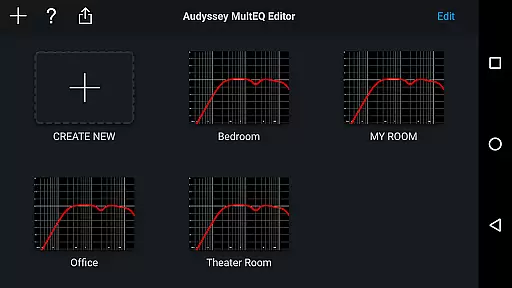
By offering functionalities like viewing before and after results of the Audyssey calibration, the app makes it easy to identify and correct room problems that could affect audio quality. This feature empowers users to make informed decisions about their sound setup, leading to an improved listening experience across all audio content.
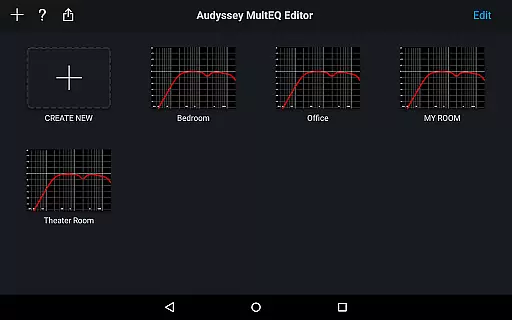
Additionally, the capability to save and load calibration results means that once you've achieved your perfect sound profile, you can replicate it effortlessly. This consistency in audio quality across different sessions or even different environments underscores the app's commitment to delivering top-notch sound fidelity tailored to each useru2019s unique requirements.
Advanced tuning options
Multi-language support
Customizable target curves
Save and load calibrations
Wide device compatibility
Limited to specific models
Requires compatible hardware
No iOS support
Complex for beginners
High system requirements

Equalizer, Bass Booster and Volume Booster (Eq & Bass) improve sound quality
 4.30
4.30
Formerly known as Spotistats! View your top tracks, artists, albums and more!
4.40
Tune in to the greatest hits on UK Radio | The home of Capital, Smooth & Heart.
4.90
Gorgeous UI, Powerful music Search and Equalizer, the great choice for you!
4.70
Walkout Song DJ is the most intuitive app to manage your sports music.
4.70
Advanced 10-Band Audio Graphic Equalizer Sound Booster Pro
4.30
Simple mp3 and mp4 player with advanced features.
3.40
Turn Every Moment into Music
3.60
Be a true music maker: create beats, mix and make music like a real DJ!
4.30
Make songs with AI! Any genre, custom lyric, song generator for music creation!
4.80
Brian Eno and Peter Chilvers’ acclaimed music app Bloom, radically reinvented.
4.80
Performance-Synthesizer & Multi-Track-Sequencer, polyphonic + multi timbral!
4.70
Recording studio w/ 10k beats, pro vocal FX and a network of 20M rappers & fans!
4.60
Learn the notes on the guitar fretboard fast with this easy and fun app
4.60
Reverse your voice & songs instantly! Fun singing challenge with cool effects.
4.60
Time Trainer: accurate metronome w tools to help you develop your internal time!
4.20
A High-Precision Audio Spectrum Analysis App
4.20
Turn your phone into a musical instrument from the future!
3.90
Offline Tunes, Unlimited Vibes
3.90


User Reviews