
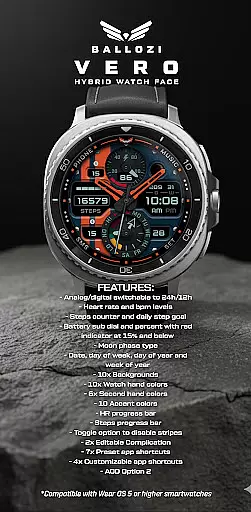
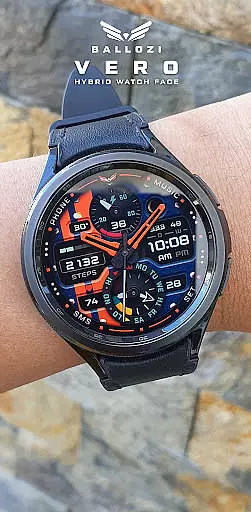
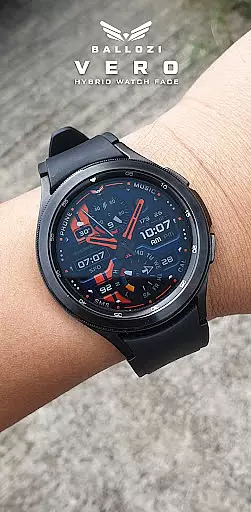
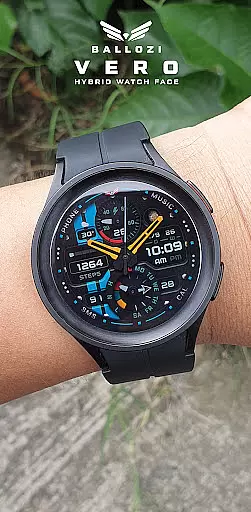
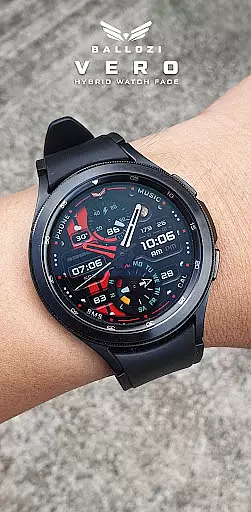
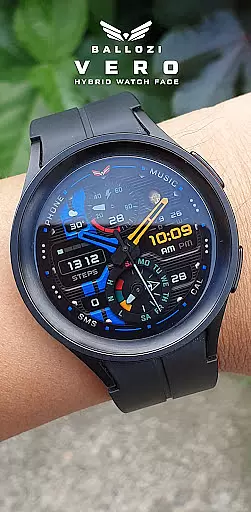
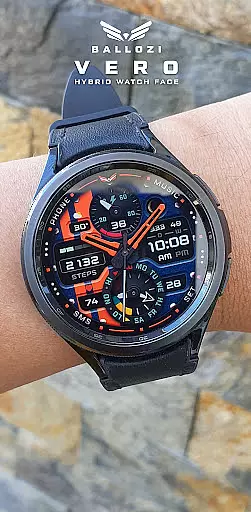
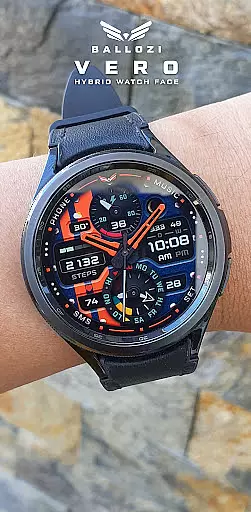
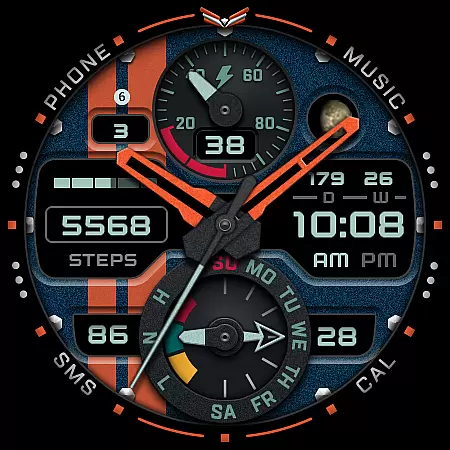
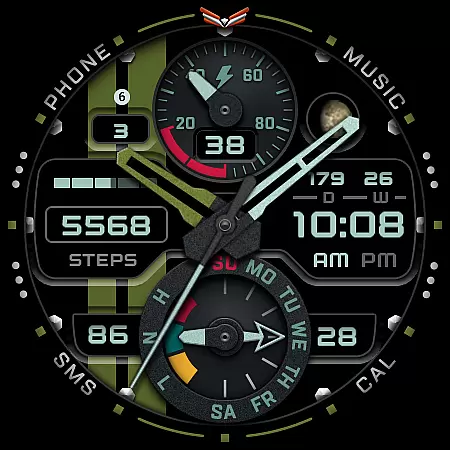
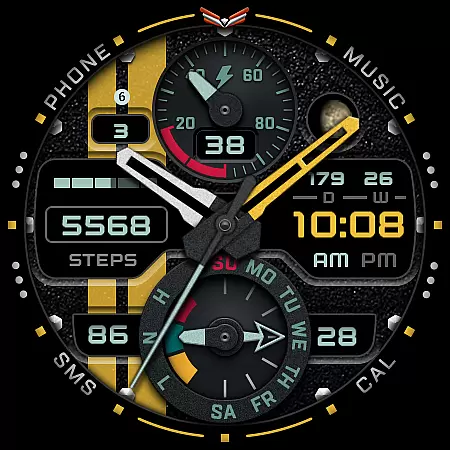
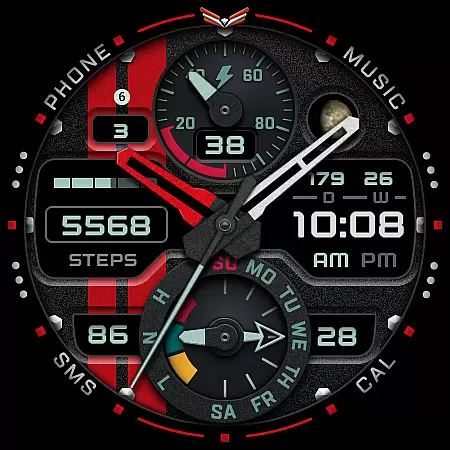
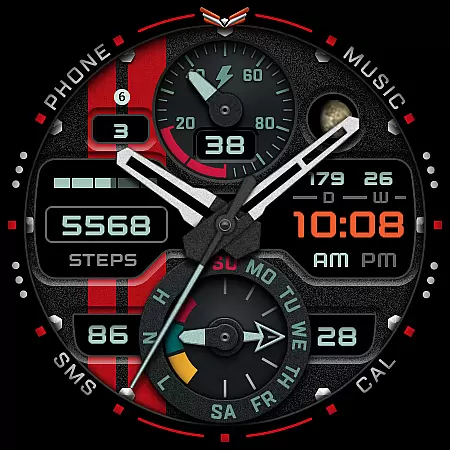
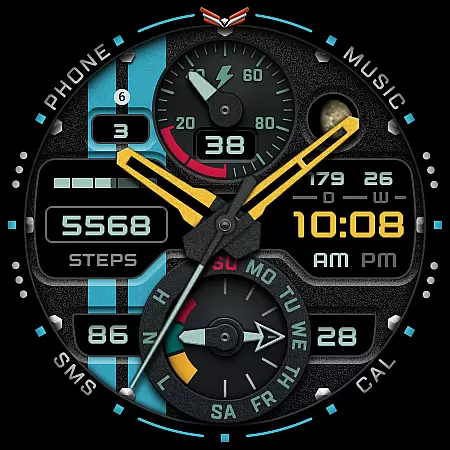
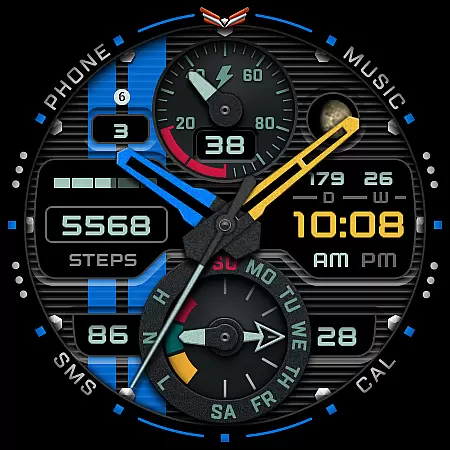
Ballozi VERO is a versatile hybrid watch face designed specifically for Wear OS devices, offering both analog and digital display options. This military-style timepiece stands out with its sporty aesthetic and customizable features, making it ideal for round watches. The design has been meticulously crafted using the Watch Face Studio tool and tested on Galaxy Watch 4 and Galaxy Watch 5 Pro models.
With compatibility limited to Wear OS 5.0 or higher (API level 34+), this app provides users with an array of functionalities including heart rate monitoring, step counting, battery indicators, moon phases, and more. Its customization options allow users to tailor their watch face experience according to personal preferences, ensuring both functionality and style are at the forefront of your wearable technology.
Ballozi VERO boasts an impressive list of features that cater to various user needs. Users can switch between analog and digital displays in 24h/12h formats, track heart rate and bpm levels, monitor daily steps against goals, and view battery status with visual cues when low. Additional elements like date, day of week, day of year, week of year, and moon phase type provide comprehensive timekeeping.
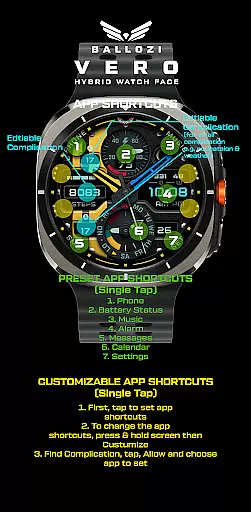
The app offers extensive customization with 10 background options, multiple color choices for watch hands, second hands, and accent colors. Progress bars for heart rate and steps add a dynamic touch while toggle options let users disable stripes for a cleaner look. With two editable complications and eleven app shortcuts—seven preset and four customizable—users have quick access to essential functions such as phone, music, alarm, messages, calendar, settings, and battery status.
Companion app integration is essential for a seamless wearable experience. Ballozi VERO ensures that your watch face settings are perfectly synchronized with your smartphone application. This allows users to make customizations directly from their phone, which then reflects instantly on the paired Wear OS device.
The installation process is designed to be user-friendly. After installing the companion app on your phone, you can easily locate the newly installed watch face by pressing and holding the watch display. The intuitive interface lets you customize various aspects of the watch face, including background, hand colors, and accent colors, all from your mobile device.
This synchronization extends beyond mere aesthetics. Functional features like heart rate monitoring, step counting, and battery indicators are also linked between devices. Users can set daily goals, track progress, and receive important health notifications directly on their wrist, making the companion app an indispensable tool for managing both style and functionality.
With support for multiple smartwatch brands and detailed customization options, this integration represents a significant advancement in wearable technology management. The ability to control all aspects of the watch face through a single mobile application streamlines the user experience and enhances the overall utility of the wearable device.
Device compatibility is crucial when selecting a Wear OS application. Ballozi VERO is specifically designed for smartwatches running Wear OS 5.0 or higher (API level 34+), ensuring optimal performance on supported devices. This compatibility range guarantees that users with modern Galaxy Watch models and other Wear OS devices will experience the full feature set without performance issues.
The watch face demonstrates exceptional adaptability across different devices. While it's primarily optimized for round watches, the design maintains its quality and functionality on various screen sizes. During development, Galaxy Watch 4 and Galaxy Watch 5 Pro served as primary test devices, ensuring consistent performance across Samsung's latest wearable technology.
For users concerned about installation, the developer provides comprehensive guidance. The official documentation includes detailed instructions for both Samsung and other Wear OS devices, complete with visual aids and troubleshooting tips. This approach helps users overcome common installation challenges and ensures proper functionality across different hardware configurations.
It's important to note that while the application supports multiple Wear OS devices, it doesn't compromise on quality or features. Each compatible device receives the complete set of customization options, from analog-digital switching to complex complications, maintaining the integrity of the original design concept across all supported platforms.
User-friendly interface
Extensive customization options
Comprehensive health tracking features
Versatile display modes
Quick access to essential apps
Limited to Wear OS devices
Not suitable for rectangular watches
Requires specific OS version
Complex setup process
Potential battery drain from features

Watch the sharpness of the sky on your wrist..
 3.70
3.70
Embrace the holiday spirit with this magical animated watch face!
4.40
Christmas - Festive - Christmas Village - Winter - Christmas lights
5.00
A full-featured Amazon Alexa voice assistant that can show you things.
3.70
Embrace the festive spirit with our Christmas Countdown watchface for Wear OS
4.10
Fitness interactive virtual pet super fighter boy watch face
4.3
Kia Access makes getting your vehicle information easier than ever
4.60
Monitor health with the stress test and pulse checker in the heart rate app.
4.60
Professional weather radar and more
3.90
Hyperlocal rain alerts by MyRadar using patent-pending technology, radar & more
4.80
The Chevron App allows you to pay for fuel from the comfort of your car!
4.80
Deck out your Wear OS Watch face with a beautifully decorated pine wreath!
4.50
Current temperature, weather hourly, weather radar by the weather forecast app
4.40
Beautiful artistic animated digital watch face, with a customizable layout!
4.40
Digital watch face with big numbers and many customization for Wear OS devices
4.40
Connect, create, and collaborate with Gmail, part of Google Workspace.
4.10
Analog watch face with 8 complications and expedition styling
4.4
Contemporary digital watch face with five complications
4.2
Minimalistic design modern digital watch face.
4.5


User Reviews