
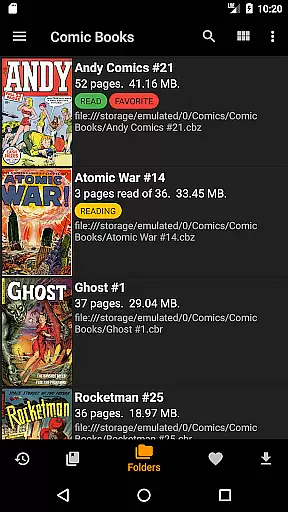
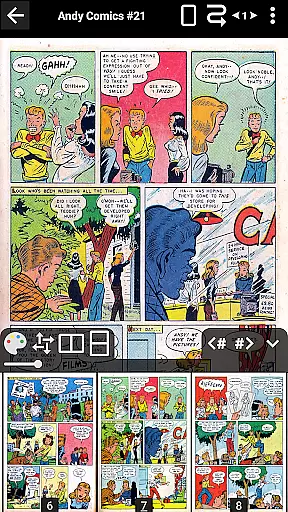
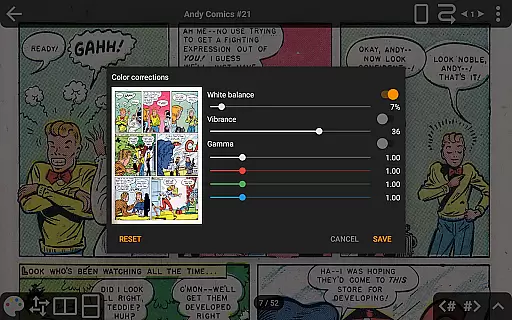
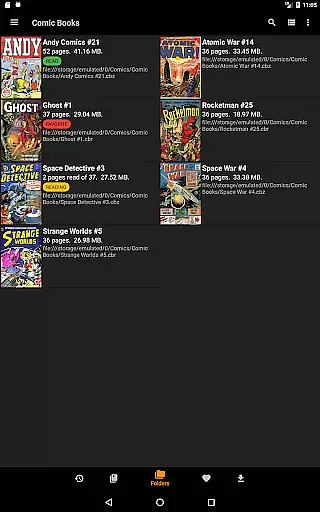
CDisplayEx Comic Reader is a versatile and efficient comic book reader designed for comic enthusiasts. This application supports all major comic formats including .cbr, .cbz, and .pdf files, providing an optimal reading experience. The app loads comics instantly and ensures smooth page transitions, making reading fluid and comfortable.
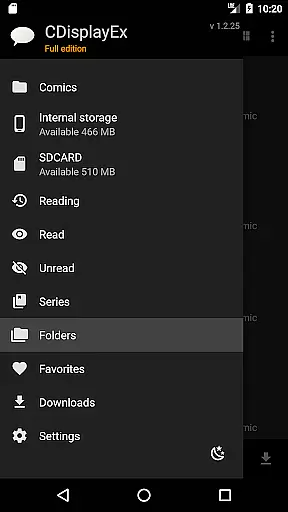
One of the standout features of CDisplayEx is its library management system. Users can browse through their folders to read comics or use the integrated library management to organize collections by series. Additionally, it offers network share connectivity, allowing users to preload files on their devices. With support for advanced page scaling options and continuous horizontal and vertical scrolling, this app caters to various reading preferences.
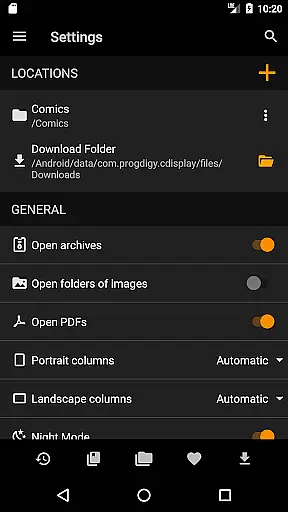
The Pro version enhances the experience further with access to cloud services like OneDrive, Dropbox, and Mega. It also includes night mode, S-Pen support, and interface language customization. Whether you're reading locally stored comics or accessing them via network shares, CDisplayEx provides a seamless and enjoyable experience.
CDisplayEx Comic Reader boasts a wide array of features that make it the go-to choice for comic aficionados. Firstly, it supports multiple comic formats such as .cbr, .cbz, and .pdf, ensuring compatibility with virtually any comic file you may have. Its instant loading capability and fluid page transitions provide a seamless reading experience, which is crucial for maintaining immersion.
Another significant feature is the integrated library management system. This allows users to organize their collections efficiently by grouping comics into series and suggesting the next album to read. The app also supports network shares (Samba), enabling users to access comics stored on remote servers without downloading entire files. Advanced page scaling options let users customize their reading experience by presetting the number of moves to reach the opposite edge of a page.
The Pro version unlocks additional functionalities such as cloud service integration with OneDrive, Dropbox, and Mega. Continuous horizontal and vertical page scrolling, image export functions, bookmarks, and S-Pen support are other notable features. Moreover, users can enjoy night mode and change the interface language, adding to the app's versatility and user-centric design.
CDisplayEx Comic Reader offers an extensive and versatile comic library that caters to a wide array of preferences. The application supports all popular comic book formats including .cbr, .cbz, and .pdf files, ensuring that users can access their favorite comics without compatibility concerns.
The integrated library management system allows users to organize their collections efficiently. By simply indicating where your comics are stored, the reader groups them by series or suggests the next album to read in your collection. This feature not only enhances the user experience but also simplifies navigation through vast libraries.
An advanced search function is included, enabling readers to find specific volumes instantly. Whether you're looking for a particular issue or exploring new series, CDisplayEx provides quick and easy access to your entire comic collection.
Authenticity and proper licensing are crucial aspects of any digital content platform, and CDisplayEx Comic Reader takes these seriously. The app ensures that all comics available through its supported services like Onedrive, Dropbox, Komga, Kavita, and Mega are properly licensed and authorized for distribution.
While the recent removal of Google Drive access was due to certification costs, this change underscores the app's commitment to maintaining high standards of content legality and security. Users can continue to enjoy legally obtained comics from other verified sources within the application.
By supporting various cloud storage options and network shares, CDisplayEx ensures that users have legitimate ways to access and manage their digital comic collections. This approach not only respects intellectual property rights but also enhances trust between the user and the platform.
User-friendly interface
Supports multiple formats
Instant loading
Advanced scaling options
Integrated library management
No Google Drive support
Pro version is paid
Limited free features
Occasional bugs
Ads in free version

A free paradise specially built for comic lovers. When you step into this comic universe full of surprises, it is like opening a door to endless joy. You are immediately immersed in the wonderful world brought by reading and enjoy the infinite charm of reading.
 4.2
4.2
Read manga, comics, and manhwa
4.4
Your key to unlocking manga and webtoons on the go
3.50
You can create comics, manga and manwha using AI with Arcstory comic book maker
2.70
The pure application on the Manga SWAT website
4.80
File management and show images, comics and pictures in compressed cbr, pdf file
4.70
Toomics is a premium comic service with every genre for all readers to enjoy!
4.00
Read official webcomics, webtoons, Korean manga & webnovels
3.70
The largest manga, comics, and manhwa community with millions of fans!
4.50
Catalog your collection. Just scan covers with your device camera. (US $20/yr)
4.80
Official from Japan
4.80
Comics and stories from Japan
4.60
Draw the comics with glow brushes! Easy and relax!
4.40
Manga Reader for Comics, Webtoons & Manhwa. Read Mangas, Chat Stories and Novel.
4.30
Daily updates & FREE chapters
4.00
Pose Tool 3D for the Artists, create any human figure pose quickly for your art.
4.00
More fun from BOM! Hurry up and do the following self-test, if you meet more than one item, come and experience the brand new world of comics!
3.40
Goat sound simulator. This app makes for fun.
4.5
Welcome to SnapSaga - your ultimate manga and novel destination!
4.1


User Reviews