
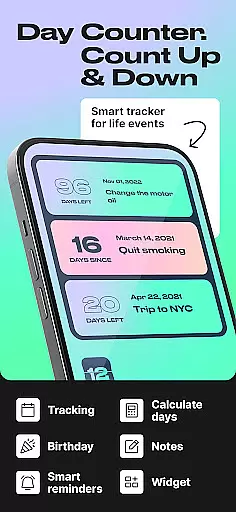
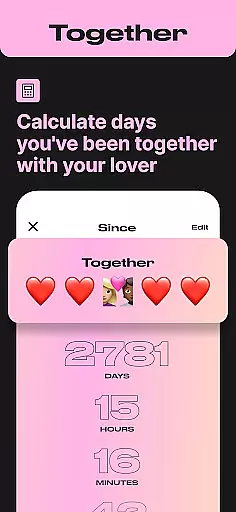
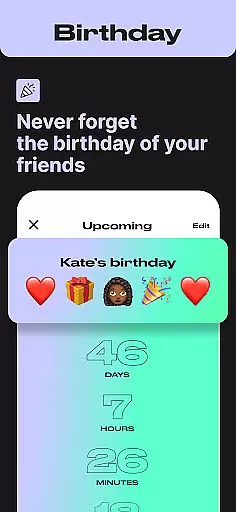
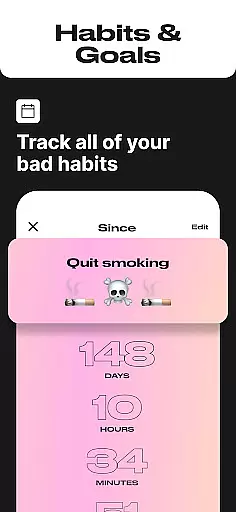
Day Counter is an intuitive and versatile Events app designed to help users track important dates and milestones with ease. The core functionality revolves around two powerful modes: count up and countdown timers, allowing you to monitor days since or until any significant event. Whether it's personal goals, work deadlines, or special occasions like birthdays and holidays, this app keeps you organized and prepared.
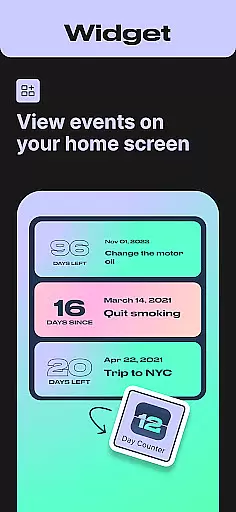
Beyond basic date tracking, Day Counter offers advanced features such as unlimited counters, custom notifications, and a clean minimal design. These elements ensure that users can manage multiple events simultaneously without distractions. The app also integrates seamlessly into daily life through widgets and reminders, making sure no important moment is missed. This makes Day Counter particularly valuable for those seeking better time management and habit tracking in both their personal and professional lives.
Day Counter stands out in the Events category due to its comprehensive feature set tailored for efficient time tracking. One of the key highlights is the dual-mode system that supports both count up and countdown functionalities. This allows users to either look forward to future events or reflect on past milestones, providing a holistic approach to time management.
The app enables the creation of unlimited counters, empowering users to track everything from work projects to personal achievements effortlessly. Custom notifications play a crucial role by alerting users about upcoming events or milestones, ensuring they never miss an important date. Additionally, the clean and minimal design enhances user experience by eliminating unnecessary distractions, thus focusing solely on effective time tracking. With practical widgets and reminders, Day Counter ensures that staying on top of your schedule becomes second nature.
These features collectively contribute to improved productivity and organization. Users can easily plan weeks or months ahead, set meaningful goals, and even build healthier habits by monitoring streaks or sobriety milestones. Such capabilities make Day Counter not just an Events app but a personal productivity assistant suitable for various aspects of life.
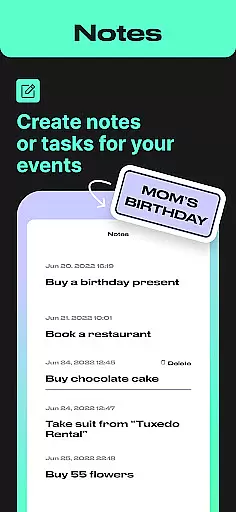
Task creation and detail customization are essential features for any event management app, and Day Counter excels in this area. This functionality allows users to create specific countdowns or count-ups for various events with tailored details that suit their needs.
Day Counter provides a streamlined process for creating tasks. Users can effortlessly set up countdowns for events like birthdays, holidays, or personal goals. The ability to customize each counter with unique names and dates ensures that every important occasion is tracked accurately and personally.
The benefits of this feature are numerous. Users can manage an unlimited number of events, ensuring no important date is missed. Custom notifications further enhance the experience by alerting users in advance, allowing them to prepare or celebrate accordingly.
This level of customization not only keeps users organized but also adds a personal touch to event tracking. Whether it's a professional deadline or a personal milestone, Day Counter's detailed customization options ensure that every event is remembered and celebrated, enhancing both productivity and personal satisfaction.
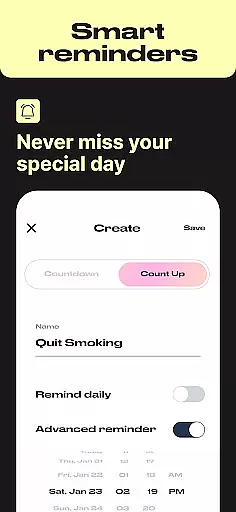
Reminder settings in Day Counter play a crucial role in ensuring users never miss an important event or milestone. These settings allow for personalized notifications that keep users informed and prepared for upcoming events or deadlines.
With Day Counter, users can set custom reminders for each counter they create. Whether it's a birthday, work deadline, or personal goal, the app sends timely notifications to ensure users stay on top of their schedules. This flexibility in setting reminders enhances time management and reduces the stress of forgetting important dates.
The advantages of these reminder settings are significant. Users receive alerts that help them plan and prioritize their activities effectively. By integrating reminders into daily routines, Day Counter promotes better time management and helps maintain focus on long-term objectives.
Ultimately, the reminder settings in Day Counter contribute to a more organized and mindful lifestyle. By keeping users alerted and engaged with their schedules, the app fosters improved productivity and peace of mind, making sure every important moment is acknowledged and celebrated.
User-friendly interface
Customizable notifications
Unlimited event tracking
Clean minimalistic design
Effective habit-building tool
Limited advanced analytics
No collaborative features
Premium version costs extra
Occasional widget glitches
Basic reminder options

Manages display and transfer of tickets from the Mundo Tickets platform
 3.80
3.80
The Official App
4.1
Create Birthday Cards in Birthday Invitation Maker and Birthday Card Creator App
3.00
Create Wedding Invitation and Wedding Anniversary Cards using our app
4.60
Beautiful invitation cards + easy RSVP tracking for any event. Design Invites.
4.80
The official app of the Carmel Christkindlmarkt!
4.5
Microsoft Ignite is an event that showcases latest advancements in technology
4.00
Introducing the official Magic: The Gathering app for mobile.
4.20
Octrober 2025: We've updated the MyGenMobile App with a new look and feel!
4.40
Plan your wedding for free on the go: vendors, budget, website and checklists!
4.80
Find tickets to upcoming concerts, sports events, festivals, shows, attractions
4.70
Discover events & experiences in NYC, LA, Chicago, DC, Miami and more!
4.70
Wedding planner app with wedding venues, wedding checklist, countdown & budget.
4.60
PheedLoop Go! is the mobile event app for events powered by PheedLoop.
4.40
Get live football here
4.30
Local events, contests, and giveaways for local dads
3.70
Audio guide companion APP for SEE's Michelangelo's Sistine Chapel
3.50
RAISE-365 makes fundraising easy and fun!
3.20
Mobile Event Guide for Greater NY Dental Meeting
4.5


User Reviews