
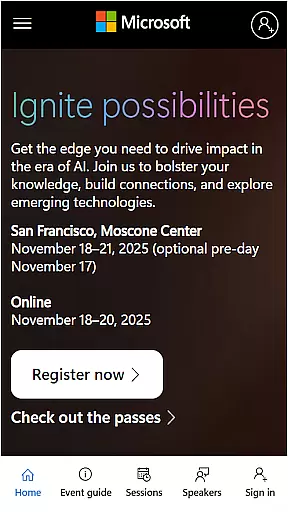
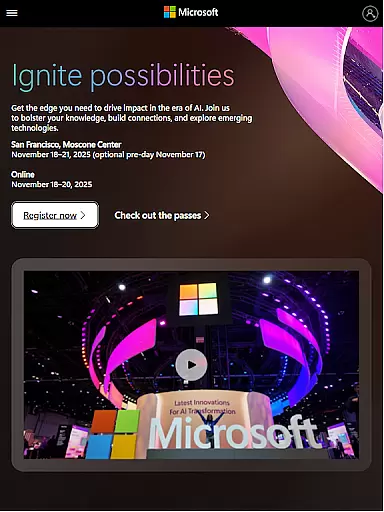
Microsoft Ignite is a premier annual event hosted by Microsoft, designed to showcase the latest advancements in technology. This event serves as a crucial platform for tech enthusiasts, developers, and industry leaders to explore new solutions, enhance their skills, and connect with the broader tech community.
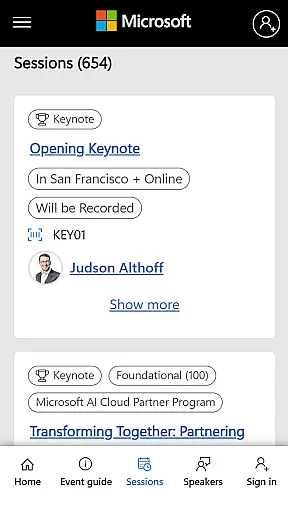
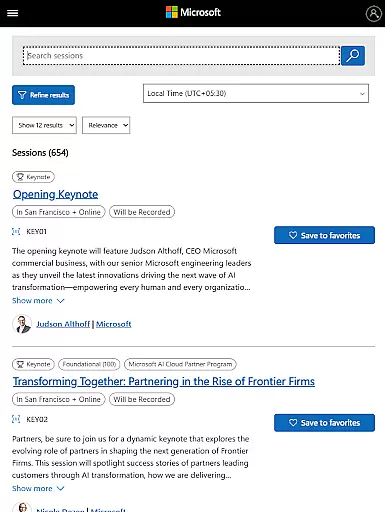
The app provides comprehensive access to event schedules, session details, speaker information, and networking opportunities. Users can create personalized agendas, receive real-time updates, and engage with fellow attendees. Whether you're looking to deepen your technical expertise or expand your professional network, Microsoft Ignite offers invaluable resources and connections.
Microsoft Ignite app offers a range of features tailored to enhance the event experience. Users can access detailed schedules, allowing them to plan their attendance effectively. The app includes comprehensive speaker bios and session descriptions, ensuring attendees can make informed choices about which sessions to attend.
Networking is made easy through integrated social engagement tools that facilitate connections with other participants. Additionally, the app supports personalized agendas, enabling users to bookmark sessions and receive reminders. These features collectively ensure that attendees maximize their event experience, gaining both knowledge and valuable industry contacts.
Task creation and detail customization are essential features for any event management app, including Microsoft Ignite. This functionality allows users to create tasks with specific details that cater to their unique needs, ensuring a personalized and efficient planning experience.
Microsoft Ignite offers an intuitive interface where users can easily set up tasks related to sessions they want to attend or networking opportunities they wish to explore. The app provides options to add descriptions, set reminders, and even link related sessions or resources, making it easier for attendees to manage their schedules effectively.
The benefit of such detailed task customization is multifold. Attendees can prioritize their activities based on personal interests or professional requirements, ensuring they make the most out of the event. Additionally, having all necessary information in one place enhances productivity and helps users stay organized throughout the event.
Ultimately, the ability to create and customize tasks within Microsoft Ignite empowers users to tailor their event experience precisely how they want it. This feature not only boosts attendee engagement but also significantly improves overall satisfaction by providing a structured yet flexible approach to navigating the extensive offerings of Microsoft Ignite.
Reminder settings play a crucial role in ensuring that attendees do not miss out on important sessions, meetings, or deadlines during events like Microsoft Ignite. These settings allow users to configure notifications according to their preferences, thus enhancing time management and participation efficiency.
In Microsoft Ignite, reminder settings offer various customization options. Users can choose when they want to be remindedu2014whether it's minutes before an event starts or hours aheadu2014and select which types of activities should trigger alerts. This flexibility ensures that each user receives timely reminders without feeling overwhelmed by unnecessary notifications.
By leveraging these reminder features, attendees can optimize their schedules and focus more on engaging with content rather than worrying about timing. Moreover, well-timed reminders contribute to better preparation and punctuality, enabling participants to fully immerse themselves in learning opportunities and networking engagements.
Overall, robust reminder settings in Microsoft Ignite provide significant value by keeping users informed and prepared. They help maintain high levels of engagement and ensure that every participant maximizes their potential gains from attending this premier annual technology event.
User-friendly interface
Comprehensive event coverage
Real-time updates
Personalized agenda options
Integrated networking tools
Limited to event dates
Requires stable internet
Few offline features
Platform-specific content
Advanced features need login

Manage all your events, leads, ticketing, payments and check-ins.
 4.30
4.30
Community for Mods, Addons, Melsaves, Melmods for Melon Playground
4.5
Local events, contests, and giveaways for local dads
3.70
Track birthdays, habits & goals. Unlimited countdowns and count-ups
4.20
Beautiful invitation cards + easy RSVP tracking for any event. Design Invites.
4.80
RAISE-365 makes fundraising easy and fun!
3.20
Fast Scans. Happy Fans. For Every Hometown!
4.60
Freebie Games for Epic Games, Steam, Amazon, Rockstar etc.
4.40
Find Live Event Ticket Deals to Sports, Concerts, Festivals, & Comedy For Less!
4.80
Birthday Greetings provides Birthday Card, Frames, Gifs & Father's day Wishes
4.80
Plan your wedding for free on the go: vendors, budget, website and checklists!
4.80
Create Wedding Invitation and Wedding Anniversary Cards using our app
4.60
Get live football here
4.30
The calendar app in this 2026 year see all dates.
4.20
The official app for Sched events! View your event schedule here.
4.20
The world's largest selection of tickets is now at your fingertips
3.90
The Official App
3.70
TV.Garden is a video player to play your own TV streams from around the world!
3.40
Mobile Event Guide for Greater NY Dental Meeting
4.4


User Reviews