
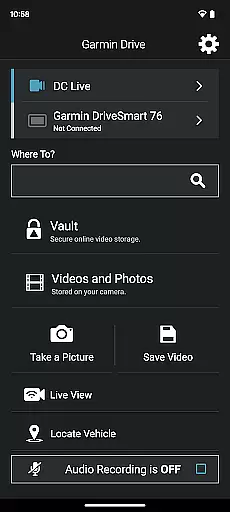
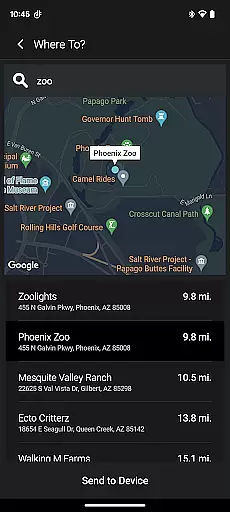
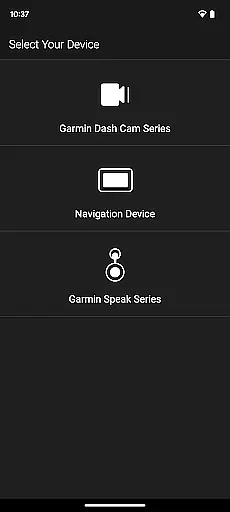
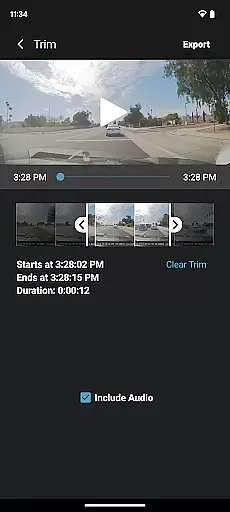
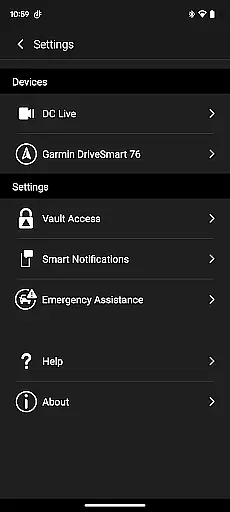
The Garmin Drive app serves as a versatile companion for Garmin automotive navigators and dash cams, offering real-time traffic updates, parking information, advanced weather alerts, and access to photoLive traffic cameras. It also enables users to manage calls, texts, and notifications from their Bluetooth-enabled devices directly through the navigator.
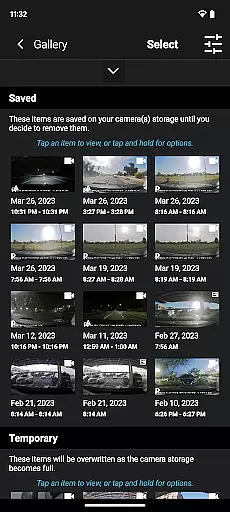
For dash cam users, the app provides intuitive controls for camera settings and recorded footage management. With support for up to four wireless dash cams via Dash Cam Auto Sync, it ensures 360-degree vehicle coverage. The unique 'picture-in-picture' feature allows simultaneous viewing of two camera perspectives, enhancing video review and sharing capabilities with ease.
Whether you're navigating city streets or reviewing dash cam footage after a road trip, Garmin Drive enhances both convenience and safety on the road.
Garmin Drive stands out with its comprehensive integration capabilities. For navigators, it offers real-time data such as traffic conditions, parking availability, and weather updates, ensuring drivers are well-informed at all times. The inclusion of photoLive traffic cameras provides visual context to traffic reports, making navigation more reliable.
When paired with compatible dash cams, the app transforms into a powerful video management tool. Users can control up to four cameras simultaneously, accessing settings and footage effortlessly. The 'picture-in-picture' functionality is particularly innovative, allowing users to merge two video streams for easier analysis or sharing with relevant parties like insurance companies or legal authorities.
Additionally, Garmin Speak™ integration brings Amazon Alexa into your vehicle, combining voice-controlled entertainment and navigation assistance. This seamless blend of technologies makes every journey safer and more enjoyable.
The Garmin Drive app provides comprehensive vehicle-related information through its integration with compatible Garmin navigators and dash cams. This includes real-time traffic updates, parking availability, and advanced weather conditions, ensuring drivers have the latest data to make informed decisions on the road.
For users with compatible dash cams, the app allows access to camera controls, settings, and recorded footage. The Dash Cam Auto Sync feature supports up to four cameras, offering full coverage around the vehicle. This functionality is crucial for maintaining vehicle safety and security while providing multiple viewpoints for incident analysis.
Additionally, the app enables users to create a 'picture-in-picture' view from any two camera perspectives. This feature not only simplifies video review but also facilitates easy sharing of videos with relevant parties such as insurance agencies or legal authorities, enhancing transparency and accountability in driving scenarios.
One of the key advantages of the Garmin Drive app is its ability to provide clear and accessible pricing information for various services. For instance, real-time parking data includes details about parking costs, helping drivers anticipate expenses before they reach their destination.
While the app itself is free to download, it offers insights into potential costs associated with using connected services like advanced weather reports or photoLive traffic cameras. This ensures that users are fully aware of any subscription fees or additional charges linked to premium features.
Furthermore, by integrating with devices such as Garmin Speak with Amazon Alexa, the app enhances user experience without hidden costs. Users can enjoy music, news, and navigation features without unexpected expenses, making it a reliable choice for those seeking transparent pricing in their automotive applications.
User-friendly interface
Real-time traffic updates
Multi-camera support
Picture-in-picture video
Voice-controlled navigation
Limited device compatibility
Requires stable internet
Premium feature costs
Complex initial setup
Occasional sync issues

The Smarter Way Forward
 3.30
3.30
Realtime Charts is a plugin for the Torque Pro App (OBD 2 & Car)
4.20
Wonder how much horsepower and torque your car/truck makes? Look no further.
3.40
Discover new and used cars in Syria easily! Browse ads and connect with sellers.
3.70
Get your personalized financing options and shop for used cars today!
4.20
Oil change service & coupons for car maintenance at Valvoline Instant Oil Change
4.70
Blink Charging Mobile app makes finding an EV charger an intuitive experience.
3.80
Get more out of your AAWireless adapter with this companion app | aawireless.io
4.80
Find Your Local Store or Shop Online for the Car, Truck, or SUV Parts You Need
4.70
DMV practice test 2025: Driver License permit test & written test for all states
4.70
View your car’s service records and find out when maintenance is due.
4.70
Your go-to app for car, truck & SUV parts, DIY tools, and expert repair help.
4.70
Listings of Tesla's with FSD - Included package
4.60
A smarter way to park and reserve your spot ahead of time.
4.40
* This app needs an adapter cable and a certain OBD2 adapter to work *
4.20
myAudi offers users services and Audi connect services for Audi drivers
4.10
OBD diagnostics, Live Data, DPF regeneration for BMW
4.00
By enthusiasts, for enthusiasts
4.00
O'Reilly Pro will streamline your parts lookup and ordering process!
3.20


User Reviews