
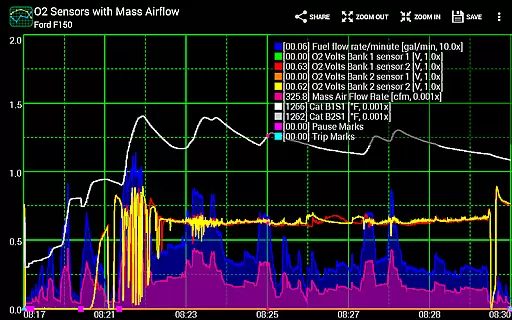
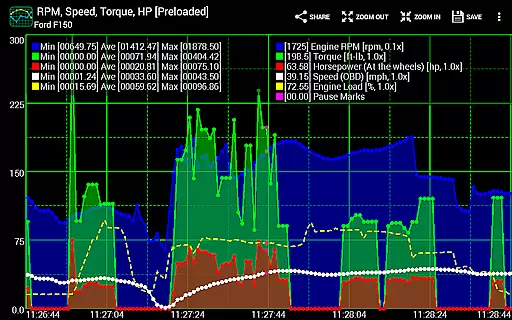
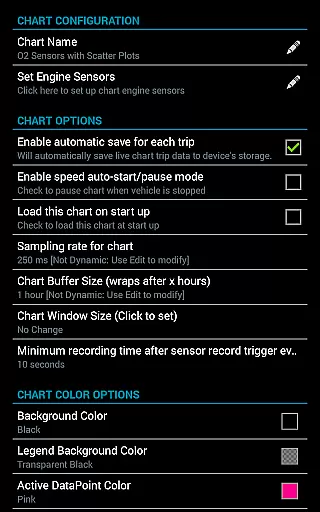
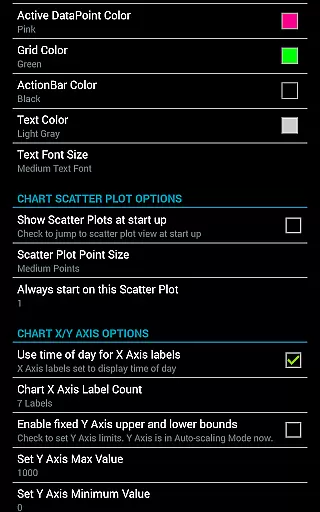
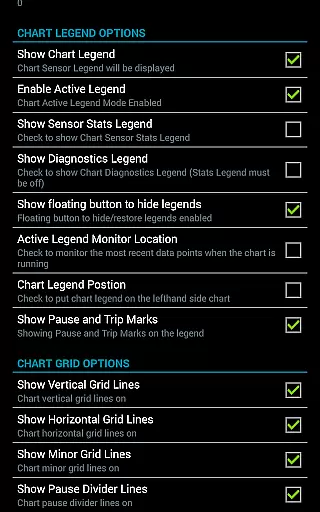
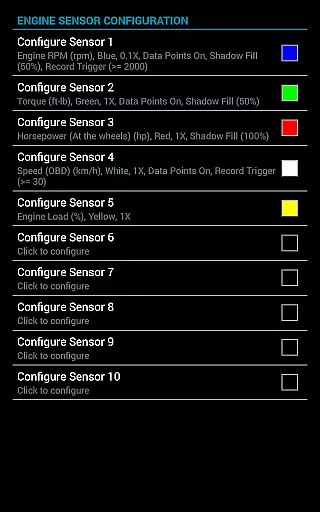
Realtime Charts for Torque Pro is an advanced plugin designed specifically for automotive enthusiasts who require detailed performance monitoring of their vehicles. This application allows users to visualize up to 10 engine sensors simultaneously, providing critical insights into vehicle performance on Android devices. By graphing parameters such as RPM, speed, and MPG in real-time, the app serves as a powerful diagnostic tool for hobbyists, DIY mechanics, and professionals alike.
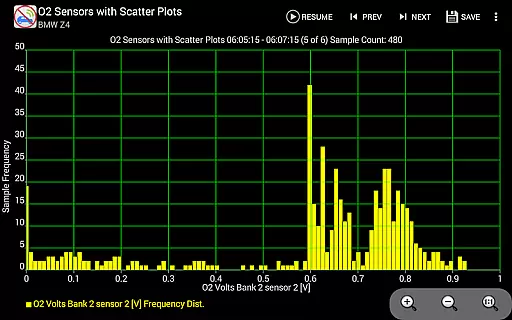
One standout feature is its ability to create custom charts tailored to specific needs, with adjustable sampling frequencies, colors, and sensor combinations. Additionally, new functionalities like scatter plot analysis and conditional data capture enhance its analytical capabilities. Whether tuning a car's engine or diagnosing issues, this app offers both depth and flexibility, making it indispensable for anyone serious about automotive performance.
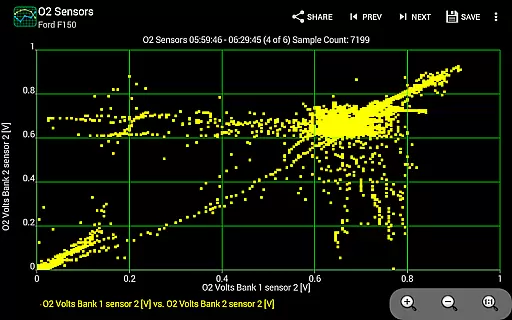
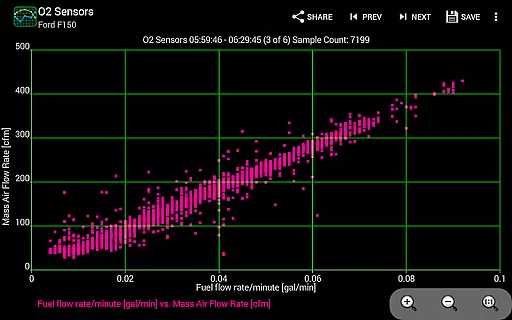
Realtime Charts for Torque Pro stands out due to its extensive feature set that caters to both casual users and professionals. The app supports real-time graphing of multiple engine sensors, enabling users to monitor everything from horsepower to torque effortlessly. Its scatter plot analysis functionality provides deeper insights by visualizing relationships between different parameters, which is crucial for performance tuning.
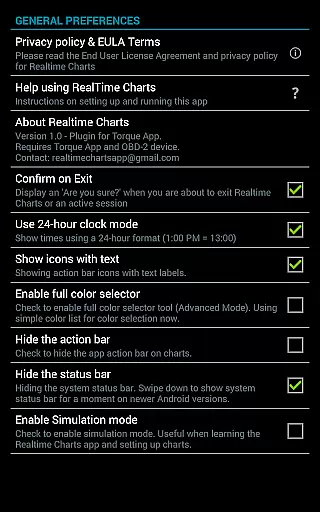
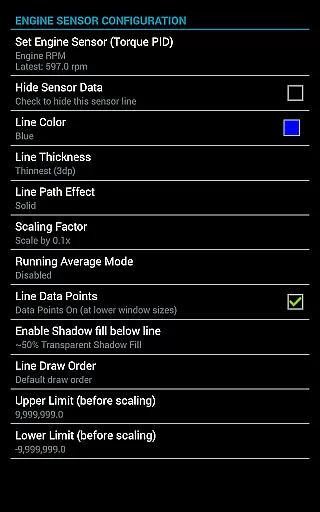
Customization is at the heart of this app's design. Users can create up to 100 personalized charts, each capable of displaying unique sensor combinations. Advanced options include dynamic scaling, auto-pause during stops, and trigger-based data capture. Furthermore, exporting data in Excel CSV format ensures compatibility with external analysis tools. These robust features make Realtime Charts not just a monitoring tool but also a comprehensive solution for automotive diagnostics and optimization.
Realtime Charts for Torque Pro offers unparalleled access to detailed vehicle information by allowing users to monitor and graph up to 10 engine sensors in real-time. This includes critical data such as RPM, speed, MPG, horsepower, and torque, providing automotive enthusiasts with comprehensive insights into their vehicle's performance.
The application supports the creation of custom charts, enabling users to specify which sensors to monitor, the sampling frequency, chart colors, and series attributes. With support for scatter plot analysis and dynamic scaling of data points, users can perform in-depth analysis of their vehicle's performance metrics under various conditions.
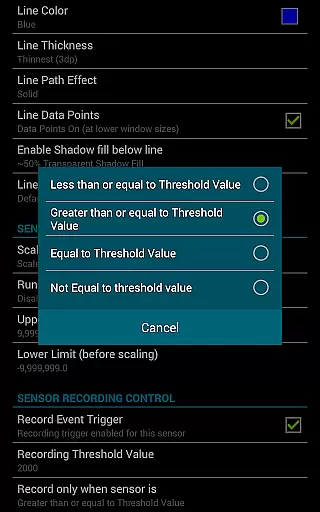
By offering features like auto-pause when the vehicle is stopped and the ability to trigger data capture based on specific sensor thresholds, Realtime Charts ensures that users receive relevant and actionable data. These capabilities make it an essential tool for anyone looking to fine-tune their vehicle's performance or diagnose potential issues.
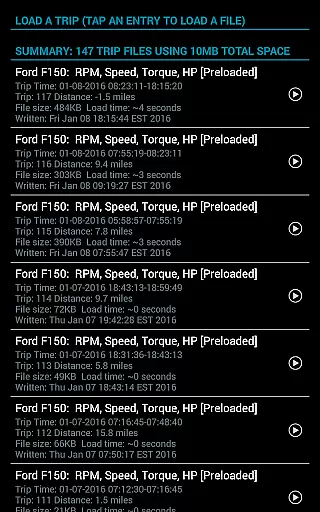
Furthermore, the app allows exporting data in Excel CSV format and saving sessions for later review, making it a versatile tool for both hobbyists and professionals who require accurate and detailed vehicle information at their fingertips.
While Realtime Charts for Torque Pro itself does not directly deal with monetary transactions, it promotes price transparency through its requirement of a wireless OBD2 adapter and the Torque Pro app. Users are encouraged to explore different purchasing options for these prerequisites, ensuring they can make informed decisions about their investment in automotive diagnostic tools.
The app provides extensive resources for setting up Torque Pro and selecting compatible OBD2 adapters, including links to third-party sites and alternative products like Carista's adapter. This openness helps users understand the associated costs and choose solutions that best fit their budget and needs.
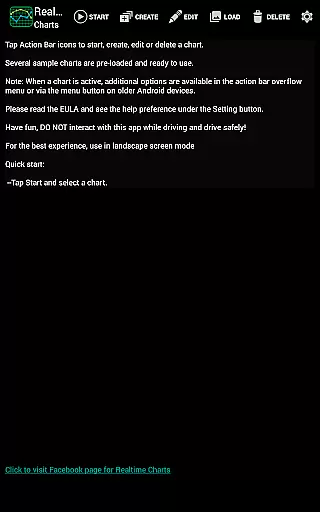
Additionally, Realtime Charts offers a simulation mode that lets users design charts without needing an ECU connection. This feature allows potential buyers to evaluate the app's functionality before committing to purchasing additional hardware, further enhancing the transparency of the overall cost of ownership.
By clearly outlining its dependencies and offering robust support resources, Realtime Charts ensures that users have all the necessary information to assess the true cost of utilizing its powerful vehicle monitoring capabilities.
User-friendly interface
Highly customizable charts
Real-time data visualization
Advanced scatter plot analysis
Supports wide range of sensors
Requires Torque Pro app
Needs OBD-II adapter
Complex for beginners
Limited to Android
No iOS support

Ultimate OBD2 Car Scanner: Diagnostics, Service and Modification Tool
 4.30
4.30
CVT diagnostics with ELM327 for Nissan-based vehicles
4.40
Club Car Wash Mobile App—the fast lane to managing your wash membership.
3.30
Blink Charging Mobile app makes finding an EV charger an intuitive experience.
3.80
Shop cars & see your financing
4.60
Your car is talking. Start listening.
4.30
Find Fast EV Chargers | Charge Your Vehicle at 1,100+ Fast Car Charging Stations
4.60
Marathon ARCO Rewards members earn rewards & apply the rewards for fuel savings!
4.80
Easy connect & control your cars from afar. Remote Lock & unlock car and carplay
4.60
Practice the drills within MotoJitsu Master Riding Program Volume 1 & 2!
4.80
1M+ high-quality auto parts at your fingertips. Fitment guaranteed.
4.70
Quick and easy car diagnostics to get you the right fix.
4.70
Instant diesel savings. No credit checks or fees. Nationwide growing network.
4.40
A smarter way to park and reserve your spot ahead of time.
4.40
Control maps, media and messaging, with the Google Assistant while you drive
4.10
Simplify your drive
3.90
Take state-specific DMV permit tests and ace the exam.
3.90
Mobile Phone Parking - So easy to park
3.70
App Mirroring for Tesla Car's Browser
2.80


User Reviews