
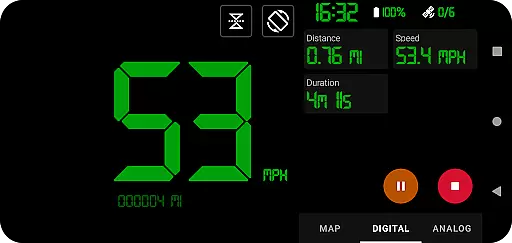
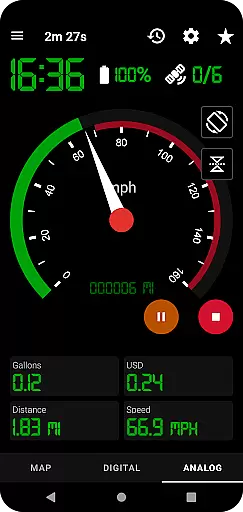
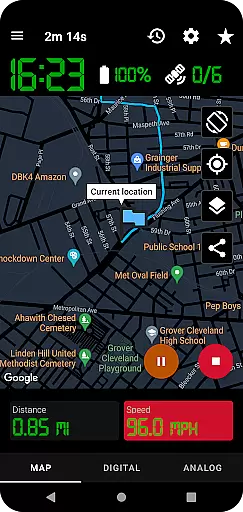
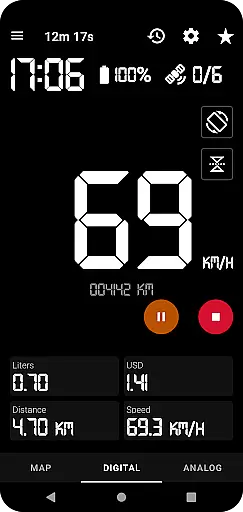
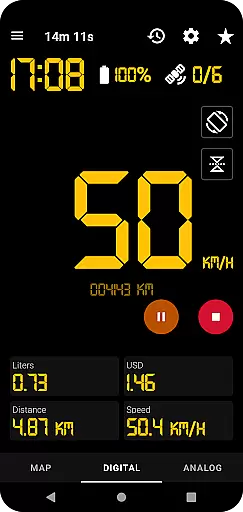
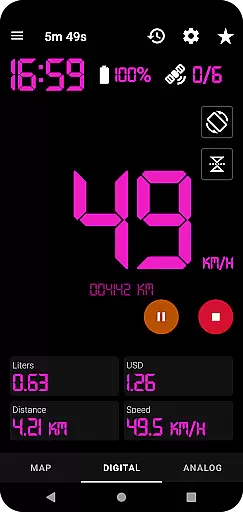
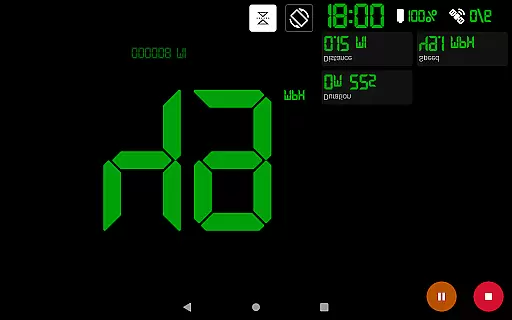
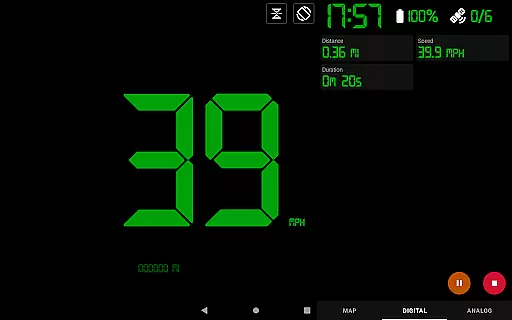
GPS Speedometer Pro is a comprehensive navigation and tracking application designed to monitor your speed, distance, and routes using your phone's built-in GPS. The app offers multiple display modes including analog, digital, and head-up display (HUD) options, making it versatile for various activities like driving, running, or cycling. With its ability to function in the background, users can multitask without interrupting their tracking sessions.
The application stands out with features such as fuel cost estimation, over-speed alerts, and odometer readings. It also allows users to download their tracked routes in .gpx format for use with third-party software. Whether you're commuting or engaging in outdoor activities, GPS Speedometer Pro provides an accurate and reliable way to track your movements while offering customization options like dark/light themes and map types.
GPS Speedometer Pro boasts an impressive array of features tailored for both casual and advanced users. One of its key strengths is the ability to switch between different speedometer styles—digital, analog, and HUD—offering flexibility based on user preference. Additionally, the app supports one-tap shortcuts for starting, pausing, or stopping recordings, ensuring ease of use even during busy commutes or workouts.
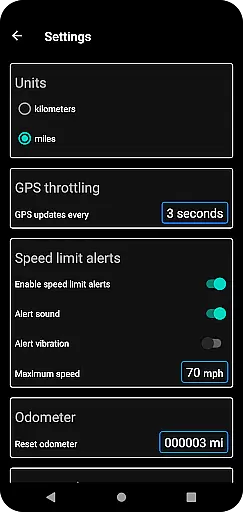
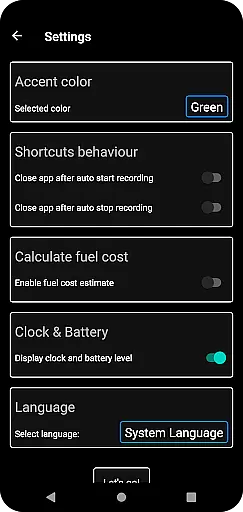
Advanced functionalities include fuel cost estimation, which helps users budget their trips more effectively, and over-speed alerts that enhance safety by notifying drivers when they exceed set limits—even when the app runs in the background. Users can also download their route data in .gpx format and replay saved routes within the app, providing valuable insights into past journeys. With privacy being a priority, the app ensures no personal information is collected or shared, giving users peace of mind while tracking their activities.
Map accuracy is crucial for any navigation app, and GPS Speedometer Pro excels in this area. The application leverages your phone's built-in GPS to provide precise tracking of your routes, speed, and location.
Whether you're on a bike ride, walking, or driving, the app delivers real-time data with remarkable precision. It offers various map types including light, dark, and terrain views, ensuring you have the best possible visual experience tailored to different environments and lighting conditions.
One of the standout features is the ability to set maximum speed alerts. Even when the app runs in the background, it continues to monitor your speed and provides over-speed notifications, enhancing your safety during travels.
Additionally, the app allows users to download their tracked routes in .gpx file format. This feature not only aids in viewing routes via third-party software but also supports replaying saved routes within the app, showcasing recorded speeds and providing an accurate post-journey analysis.
Effective route planning can significantly enhance travel efficiency, and GPS Speedometer Pro offers several tools to assist with this. The app provides multiple views such as map, digital, or analog speedometers, allowing users to choose their preferred method of monitoring progress.
Users benefit from advanced functionalities like the head-up display (HUD) mode, odometer, and fuel cost estimation. These features collectively contribute to better trip management by offering insights into distance covered, estimated costs, and current speed without needing to switch screens constantly.
The pause, stop, and resume functionality adds another layer of convenience. You can manage your tracking session effortlessly, whether you need a break or wish to conserve battery life. This flexibility ensures that route planning isn't just about getting from point A to B but doing so efficiently and comfortably.
Moreover, sharing capabilities extend its utility beyond personal use. Users can share their current location or recorded routes as images or text directly from the map view. This makes coordination with others seamless, whether for group activities or emergency situations where quick communication of location details is vital.
User-friendly interface
Accurate GPS tracking
Customizable display options
Background functionality
Privacy-focused design
Limited offline maps
Occasional GPS inaccuracies
No social sharing
Premium feature costs
Battery consumption

Fully offline 1:50k New Zealand topographical map North Island
 4.0
4.0
Play in the outdoors with Android as your Handheld GPS and offline topo maps!
3.50
Find shortest way and save energy . Distance and area calculator.
4.70
All of NHSA's trail information at your fingertips for the 2025-2026 season
4.1
Find EV & Tesla charging stations with PlugShare
4.70
Plan routes, share locations, and set custom alert zones
4.40
GPS Speedometer & Odometer: Track car, bike, truck speed & distance in real-time
4.70
Navigate via GPS Maps of GPS Voice Navigation, driving directions to find routes
3.60
Lets explore the world's famous places by using Live Cams, GPS & Satellite View.
4.20
Find trails, organize your locations and navigate with offline maps.
4.60
ParkWhiz, an Arrive Mobility brand, part of the Arrive Network
4.30
GPS navigation offers route finder, compass, translator, currency converter, etc
4.30
Navigate seamlessly with Real-Time Traffic, Offline Maps, and Voice Navigation.
4.10
Use GPS Maps and GPS Voice Navigation to find your way and get directions
4.10
Route Planner is travel map to get turn by turn navigation & driving directions
3.90
NJ TRANSIT information and ticketing at your fingertips
3.70
Explore Earth with live GPS, satellite view & street navigation
3.60
Turn your tablet or Android powered unit into a full blow Android Auto headunit.
2.30
Find 93 Octane Gas: Locate Gasoline Stations Selling Premium 93 Octane or Higher
4.5


User Reviews