
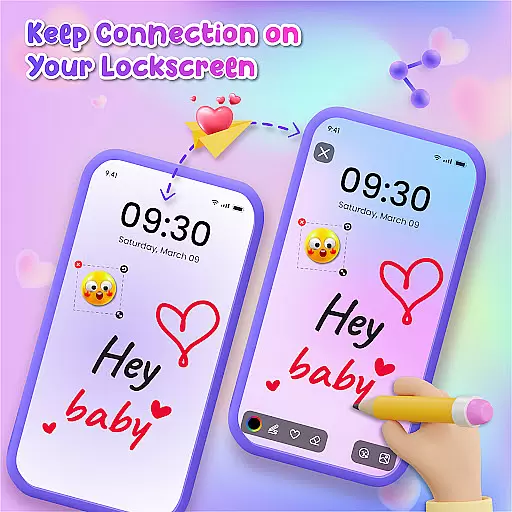
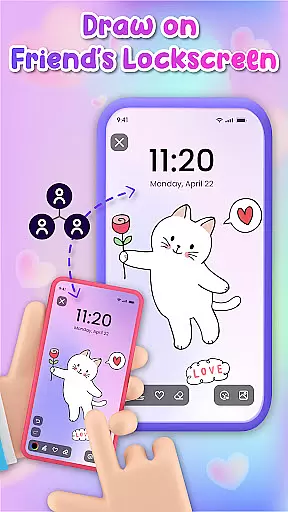
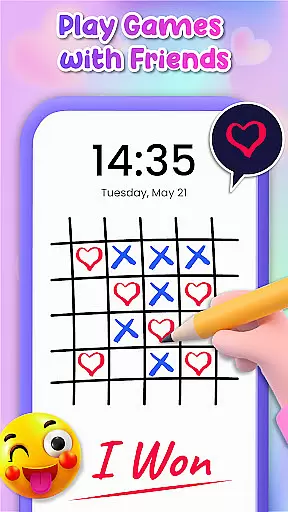
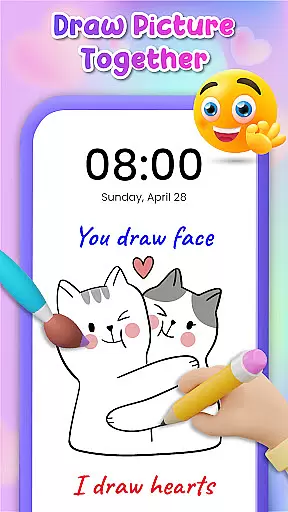
Lockscreen Drawing is a unique personalization app that transforms your phone's lock screen into an interactive canvas. This innovative application allows users to draw directly on their lock screens, share creations instantly with friends, and collaborate in real-time.
The app offers multiple drawing options including lock screen doodling, widget art, and in-app canvas creation. With over 100 stickers and 20 themed backgrounds, it provides endless creative possibilities while enabling social connection through art sharing.
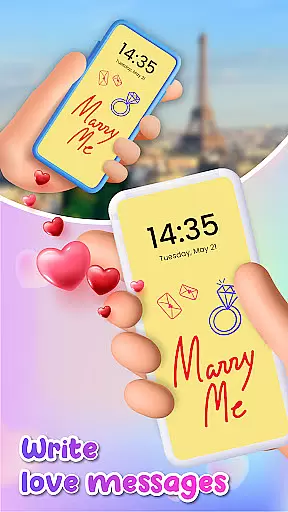
This app is perfect for artistic expression during daily commutes or collaborative projects with friends. Its real-time sharing feature makes it especially valuable for couples and close friends who want to surprise each other with personalized messages and drawings.
Lockscreen Drawing stands out with its comprehensive set of creative tools. The app's signature feature is its live lock screen collaboration, where users can draw simultaneously with connected friends, watching strokes appear in real-time across devices.
Beyond basic drawing capabilities, the app includes a robust collection of customization options. Users can choose from various background themes, utilize over 100 free stickers, and access a dedicated in-app canvas for more detailed artwork. The handy widget keeps users updated on friends' latest creations without opening the main app.
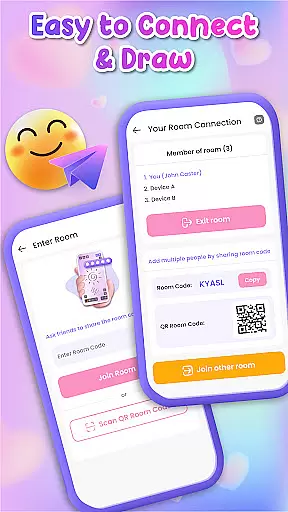
Additional features include multiple connection methods using QR codes or special links, automatic saving of artwork, and easy sharing options. These elements combine to create a complete personalization experience that extends beyond simple lock screen modification.
Lockscreen Drawing offers a rich array of customization options that allow users to personalize their lock screens like never before. With over 100 unique stickers and more than 20 themed backgrounds, the app provides endless possibilities for creative expression. Whether you're looking to add a touch of whimsy or create something truly romantic, these tools enable you to set the perfect scene for your doodles.
The app's versatility extends beyond static images; it includes dynamic elements such as live collaboration on lock screens. This feature lets users connect with friends in real-time, turning their devices into shared canvases where each stroke appears instantly. Such interactive capabilities make every use case not only personalized but also socially engaging.
Moreover, Lockscreen Drawing supports various methods of personalization through its handy widget and in-app canvas functionalities. The widget keeps you updated with your friends' latest creations without needing to open the app fully, while the in-app canvas offers a dedicated space for detailed artwork using an extensive collection of backgrounds. These options ensure that whether you are doodling casually or crafting intricate designs, there is always a way to tailor the experience exactly how you want it.
Theme compatibility within Lockscreen Drawing ensures that all visual elements work seamlessly together, providing users with a cohesive aesthetic experience across different themes and styles. Users can choose from various pre-designed themes ranging from playful to sophisticated, knowing that each element will blend harmoniously with others they select.
This attention to detail enhances user satisfaction by allowing them to switch between themes effortlessly without compromising on quality or design integrity. For instance, if someone selects a whimsical theme, they can be confident that the available stickers and background options will complement this choice perfectly, maintaining consistency throughout their creation process.
Furthermore, theme compatibility extends to functional aspects like sharing and saving artworks. Regardless of which theme one chooses, exported files retain high-quality resolution and accurate color representationu2014ensuring that what looks good on-screen translates beautifully when shared digitally or printed physically. By prioritizing both form and function, Lockscreen Drawing guarantees an optimal user experience tailored specifically towards creativity and connection.
User-friendly interface
Real-time collaboration
Variety of creative tools
Free to use
Social connection features
Limited advanced tools
Potential battery drain
Privacy concerns
Occasional glitches
Basic sharing options

Ultra realistic gold analog watch face with lots of customization options.
 4.50
4.50
Adult video chat, dating, making friends, random matching
4.20
Add cute Shimeji pets to screen, interact with them and relax with cute motions
4.60
Adorable pets roam and play right on your phone screen!
3.30
300+ Beautifully crafted widgets inspired by OneUI.
4.60
200+ Material Inspired Widgets
4.50
A minimalist productivity launcher. One-hand-friendly. Zero ads.
4.70
set a new experience for the Android mobile phone
4.20
Amazing letter fonts in your messages and social statuses
4.70
One 8 icons glass color version
4.80
Classic analogue watch face. For wear os devices.
4.60
Ultimate Gallery Lock App - Hide Pictures, Videos and Lock Apps Instantly!
4.60
Zip lock screen with magic wallpaper to decorate your phone with fun zipper lock
4.60 4.50
4.50 4.50
4.50
Fingerprint Lock Screen & Live Animations with 4K Wallpapers as Live Wallpaper
4.40
Transfer your live wallpapers from Windows to Android using Wallpaper Engine!
4.00
Crystal-clear, square icon provides a sleek and sophisticated visual upgrade
4.00
Your go to Weather App & Home Screen. Get your weather at a swipe of a finger!
3.80


User Reviews