
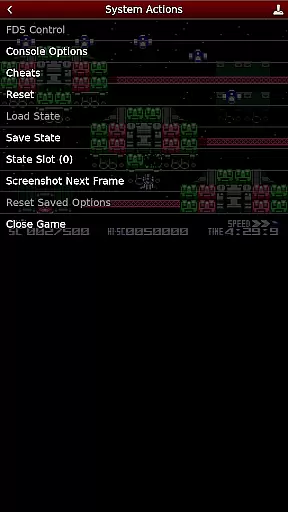
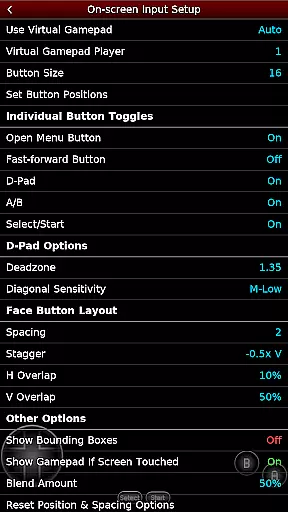
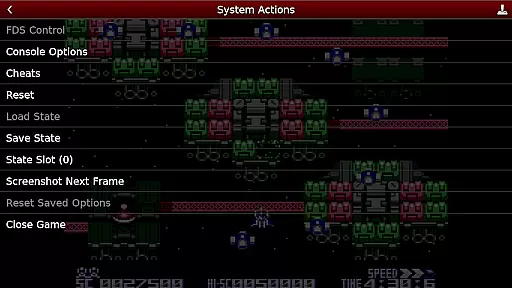
NES.emu is an advanced open-source NES emulator, also known as Famicom in Japan. It offers a minimalist UI with a focus on low audio and video latency, making it suitable for a wide range of devices from the original Xperia Play to modern devices like the Nvidia Shield and Pixel phones.
With support for various file formats including .nes, .unf, and .fds, NES.emu provides users with a versatile emulation experience. The app supports both touch controls and external gamepads, ensuring a seamless gaming experience across different platforms.
Whether you're reliving childhood memories or discovering classic NES games for the first time, NES.emu delivers an authentic and responsive emulation solution that brings your favorite retro titles to modern devices.
NES.emu stands out with its comprehensive feature set tailored for NES enthusiasts. The app supports multiple file formats such as .nes, .unf, and optionally compressed files with ZIP, RAR, or 7Z. For Famicom Disk System fans, it includes .fds file support with BIOS selection options.
Gamers can enjoy VS UniSystem support with virtual coin insertion and utilize FCEU-compatible cheat files (.cht extension) complete with editing capabilities. Unique Zapper/Gun functionality allows touch-to-fire interaction, while configurable on-screen controls cater to individual preferences.
The app's compatibility with Bluetooth/USB gamepads and keyboards ensures a console-like experience using HID devices recognized by the OS, such as Xbox and PS4 controllers. With Android's storage access framework integration, users can conveniently access their game files stored on internal or external storage.
NES.emu brings the authentic arcade experience to your fingertips by emulating the original Nintendo Entertainment System, known as Famicom in Japan. This emulator is meticulously crafted to recreate the classic gaming environment that many grew up with, ensuring an immersive nostalgic journey.
The app supports a wide array of NES game files including .nes and .unf formats, even when compressed within ZIP, RAR, or 7Z archives. By incorporating Famicom Disk System emulation through .fds files, it captures the full spectrum of the NES gaming era. Users can relive the excitement of inserting coins in VS UniSystem games simply by pressing start, enhancing the retro feel.
With its minimalist UI and focus on low audio/video latency, NES.emu ensures that players experience games as they were originally designed, without unnecessary distractions or delays. The attention to detail extends to supporting peripherals like Zapper/Gun, where touch controls simulate the original gun mechanics, providing an engaging and true-to-life arcade interaction.
Control responsiveness is at the heart of NES.emu's design, ensuring that every action translates instantly into gameplay. The emulator supports configurable on-screen controls, allowing users to customize their interface for optimal performance and comfort. This flexibility caters to individual preferences, making each gaming session more enjoyable and intuitive.
In addition to touch controls, NES.emu offers extensive support for external devices such as Bluetooth and USB gamepads, including popular models from Xbox and PS4. This compatibility ensures that players can use their preferred controllers, benefiting from precise input recognition and seamless integration with any HID device recognized by the OS.
By prioritizing low-latency responses and accommodating various control schemes, NES.emu delivers a fluid and reactive gaming experience. Gamers can expect immediate feedback during gameplay, which is crucial for maintaining immersion and achieving high performance in fast-paced arcade classics.
Low latency performance
Versatile file support
Customizable controls
Wide device compatibility
Active development and support
No included ROMs
Complex setup for beginners
Limited touchscreen optimization
Occasional crashes reported
Advanced features require technical knowledge

Turn-based pixel game where jumping is the only weapon!
 4.4
4.4
Play retro games with ease – NES, SNES, PSX, PSP & more supported
4.4
Gameboy Color Emulator
4.60
Catch ghosts, shoot monsters and defeat bosses in this RPG idle shooting game.
4.70
A fluid, action-packed arcade space shootout!
4.5
Reach high, and shine in the neon world in 3D!
4.3
Shoot the web, jump and teleport! Be a stickman hero and destroy your enemies!
4.50
Full featured version of Pizza Boy A (GBA emulator)
4.80
Merge bowmasters to win the bow and arrow war! Play the fun archery game!
4.60
Join the breathtaking chase!
4.80
Flip and flail a rag doll through endless levels and plunge into outlandish fun!
4.60
Master the hills in this extreme downhill racing game!
4.60
Challenge your friends across the world to see who can jump the farthest!
4.50
Relax and catch fish for your aquarium while earning rewards in these tank games
4.40
The only Sega Saturn emulator for Android
4.40
Millions of crafters have smashed billions of blocks! Now you can join the fun!
4.40
Granny keeps you locked in her house.
4.30
Antistress & relaxing games,stress relief; Antistress toys, calming games.
4.20
Sega Saturn Emulator
4.20


User Reviews