
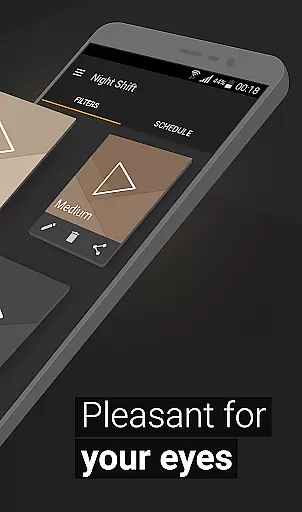
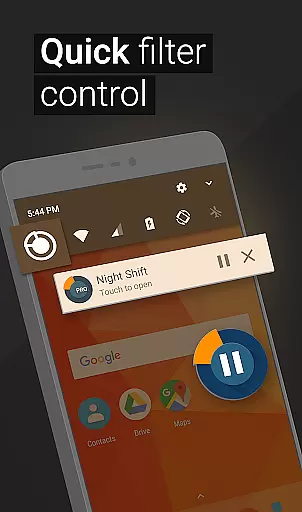
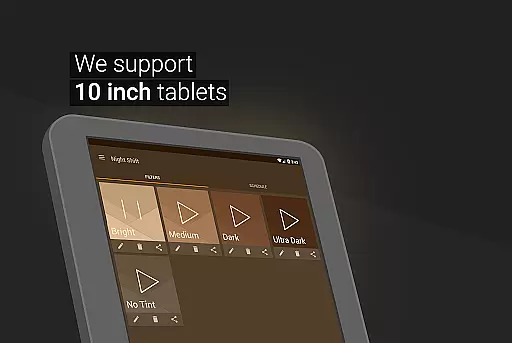
Night Shift is a specialized Health & Fitness application designed to protect users' eyes during nighttime device usage. The app functions as an advanced blue light filter that not only improves sleep quality but also helps alleviate headaches caused by screen exposure. By dimming the screen below system minimum levels and offering customizable temperature and color settings, it ensures optimal eye protection.
What sets Night Shift apart is its comprehensive approach to digital eye strain prevention. Users can create personalized filters with precise RGB customization or choose from premade options. The app's automatic scheduling feature intelligently manages filter activation based on user preferences. With its accessibility service for continuous protection, including notification and lock screen filtering, this application provides complete eye care without compromising device functionality.
This solution is particularly valuable for individuals who frequently use their devices in low-light conditions or before bedtime. By maintaining proper light flux and reducing blue light exposure, Night Shift helps prevent serious eye conditions such as glaucoma while promoting better sleep patterns and overall well-being.
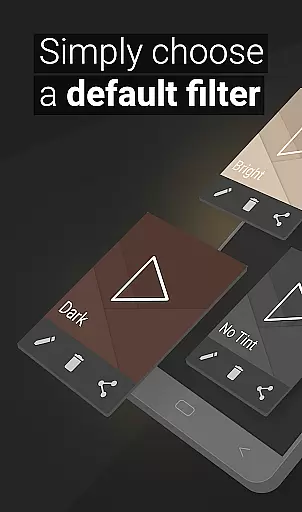
The application offers an impressive array of features that cater to various eye protection needs. Its premade filters provide instant protection against harmful blue light, while the saving and editing functionality allows users to create unlimited custom dark mode configurations. The dimming capability extends beyond standard system settings, enabling deeper screen dimming for maximum comfort.
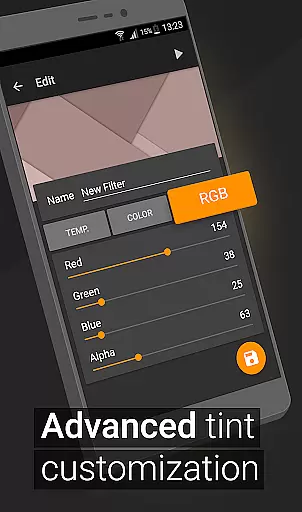
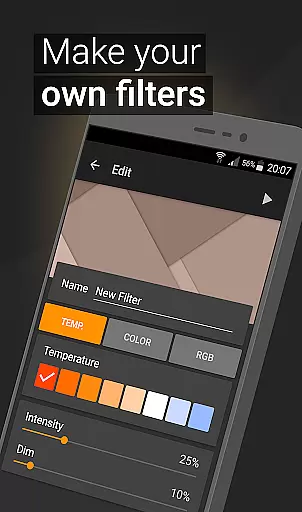
Advanced customization options include precise temperature adjustment and full RGB control, letting users fine-tune their viewing experience. The color customization feature enables selection of optimal intensity levels across different hues, ensuring the most comfortable display settings for any situation. These granular controls allow for personalized protection tailored to individual preferences and environmental conditions.
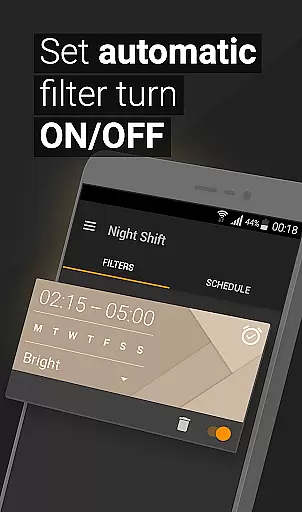
Perhaps most convenient is the automatic filter scheduling system, which intelligently manages protection throughout the day. Users can program specific times for filter activation, ensuring consistent eye care without manual intervention. The integrated Accessibility Service further enhances protection by maintaining filtering across notifications and lock screens, providing comprehensive coverage while respecting user privacy through its non-intrusive data policy.
In the realm of eye care and sleep improvement, personalized planning plays a pivotal role in tailoring a user's experience to their specific needs. Night Shift excels in this area by offering customizable options that cater to individual preferences and requirements.
The application provides premade filters as a starting point, but its true strength lies in the ability for users to create their own blue light filters. With features such as temperature customization, color selection, and RGB adjustments, you can design a dark mode that perfectly suits your environment and comfort level.
Moreover, with an automatic filter schedule, Night Shift ensures that your personalized settings are applied at the right times without manual intervention. This means you can set it up once and trust that your eyes will be protected during nighttime use, leading to better sleep patterns and reduced risk of headaches.
By empowering users to take control over how their screens adapt throughout the day, Night Shift not only enhances visual comfort but also contributes significantly to overall well-being. The app's comprehensive approach makes certain that each personu2019s interaction with digital devices is both safe and enjoyable.
Progress visualization is essential for users to understand the impact of their actions on personal health goals. In Night Shift, this concept is brought to life through intuitive feedback mechanisms that highlight improvements in eye care and sleep quality over time.
With every adjustment made using the app's extensive customization toolsu2014be it dimming below system minimum or fine-tuning RGB valuesu2014users receive immediate visual confirmation of changes. This direct correlation between user input and screen output fosters a deeper understanding of how different settings affect one's visual experience.
Night Shift goes further by allowing users to track when and how often they utilize specific filters. By reviewing usage patterns alongside built-in scheduling features, individuals gain valuable insights into their habits, which can lead to more informed decisions about screen time management.
Ultimately, progress visualization within Night Shift serves as both motivation and education, encouraging sustained engagement with its protective features while reinforcing positive behavioral shifts towards healthier device usage.
Effective blue light reduction
Customizable filter options
Automatic scheduling feature
Comprehensive eye protection
User-friendly interface
Premium features locked
Initial setup required
May affect color accuracy
Battery consumption increased
Learning curve present

Power-lifting, weightlifting and Wendler 531 app to track your workout program.
 4.90
4.90
Optimization for TRT & Enhanced Athletes
4.0
Using Recognise™ has been shown to reduce pain, and improve performance.
4.5
Wall Pilates at home & Pilates workout for beginners for core and weight loss.
4.80
Grow with self-tests and personal routine.
4.30
Step Counter, track steps when you walk or run
4.70
Medbridge GO gets you moving - get back to doing what you love, faster!
4.90
GloryFit is a companion app for the smart bracelet.
3.60
Workouts for everyone
4.70
Meditation app, head space app provides calm music to help you meditate & sleep
5.00
Period Tracker, the easiest way to track your periods!
4.50
Personal step counter for you, private and accurate
4.50
Eat smarter with Eato, your personal calorie counter and nutrition tracker!
4.40
Pack of 66 calming lullabies for smooth fall asleep and relaxation
4.10
Get alert about getting out of desired heart rate zone.
4.10
beat yesterday.
4.00
Turn your steps into cash, gift cards & rewards with our step counting pedometer
3.80
Focus on BP & Health
3.80
Your plan in your pocket 24/7
3.00


User Reviews