
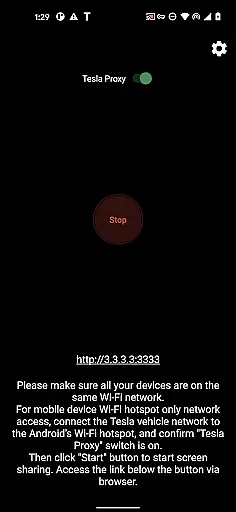
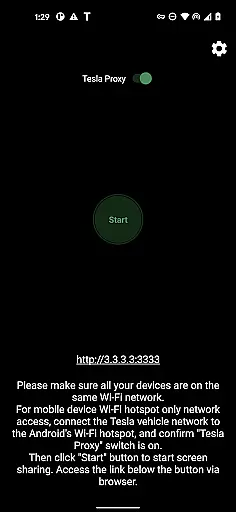
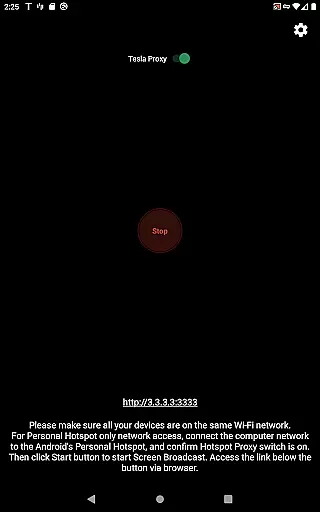
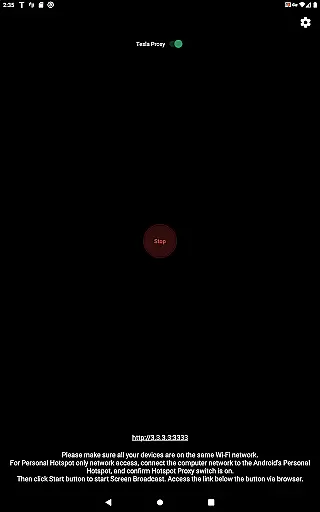
TeslaMirror is a specialized application designed to mirror your Android device's screen to your Tesla vehicle's infotainment system. This app supports Tesla models with MCU2/3 hardware, ensuring compatibility with newer vehicles or those upgraded from MCU1. With a 144-hour free trial available upon purchase through Google Play, users can test its functionality extensively.
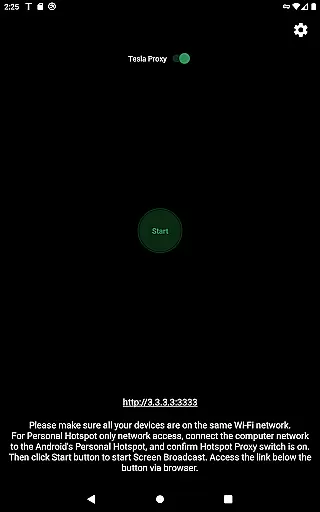
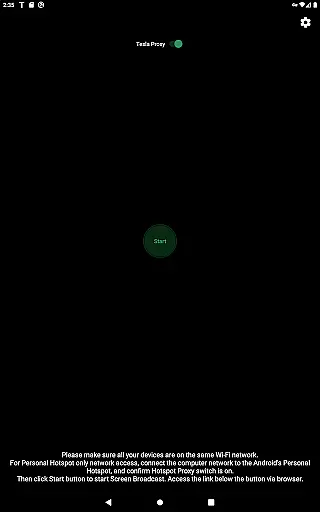
The core feature of TeslaMirror is its ability to project your Android screen onto the Tesla display, allowing for seamless integration and control. Whether you're looking to stream content, use navigation apps, or simply manage your phone hands-free, TeslaMirror facilitates this by connecting via a mobile hotspot. The app also offers remote control capabilities, letting users interact with their phones directly from the Tesla touchscreen.
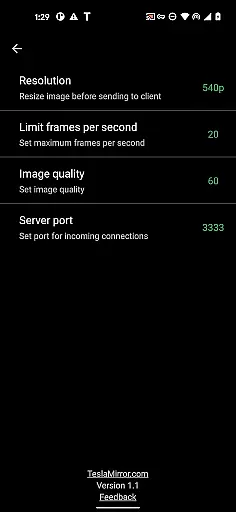
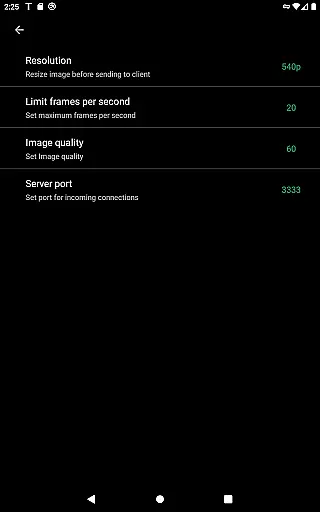
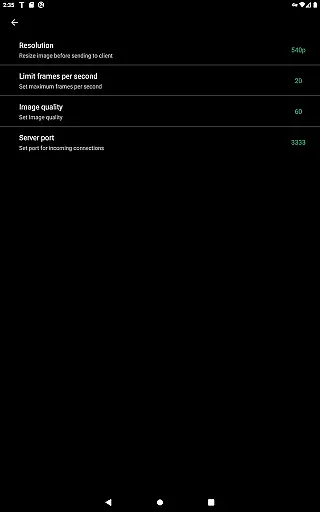
TeslaMirror stands out with its support for both H.264 and H.265 video codecs, catering to different hardware capabilities within Tesla models. For vehicles equipped with MCU3 (AMD Ryzen), H.265 at 720p@60fps is recommended for optimal performance, while MCU2 (Intel Atom) users should opt for H.264 at 540p@30fps. This ensures high-quality video streaming tailored to your specific Tesla model.
In addition to video mirroring, TeslaMirror provides lossless audio transmission for devices running Android 10 and above when using H.264/H.265 modes. This delivers superior sound quality compared to Bluetooth or low-bitrate alternatives. Furthermore, the Remote Control feature allows users to operate their Android device directly from the Tesla touchscreen, enhancing convenience and accessibility while parked.
TeslaMirror provides comprehensive integration with Tesla vehicles, ensuring users can access detailed vehicle information seamlessly. The app supports Tesla's MCU2 and MCU3 systems, which are available in Model 3, Model Y, and newer versions of Model S and X. This compatibility ensures that users with different Tesla models can utilize the app effectively.
The application facilitates the mirroring of an Android device to a Tesla's infotainment system, allowing users to view essential vehicle data directly on their car's screen. By connecting the Tesla to the phoneu2019s mobile hotspot, preferably using a 5 GHz network, users ensure optimal performance and minimal latency. This setup enables real-time updates and accurate representation of vehicle metrics.
With TeslaMirror, users can monitor various parameters such as speed, battery status, and navigation details conveniently from their vehicle's display. This feature is crucial for maintaining awareness of the vehicle's condition and enhancing the driving experience without needing to check the phone constantly.
Overall, TeslaMirror transforms the vehicle's infotainment system into an extended display for the user's Android device, providing not only entertainment but also essential vehicle information. This functionality empowers Tesla owners with greater control and insight into their vehicle's operations, making every journey more informed and enjoyable.
One of TeslaMirror's notable features is its clear pricing model, offering a straightforward 144-hour (6-day) free trial period for new users who purchase the app on Google Play. This transparent approach allows potential users to explore the app's capabilities without any initial financial commitment. If unsatisfied, users can request a refund by contacting TeslaMirror support with their order details.
The app does not employ hidden fees or complex subscription tiers, ensuring that users understand the cost structure from the outset. This openness about pricing builds trust and encourages users to try out the service with confidence. Moreover, TeslaMirror's one-time purchase grants unlimited access to its features, including future updates and enhancements.
For users seeking additional functionalities, TeslaMirror provides advanced options like H.265 video streaming at higher resolutions, which require compatible hardware. These premium features are clearly outlined, allowing users to make informed decisions based on their specific needs and vehicle capabilities.
By maintaining price transparency and offering a risk-free trial, TeslaMirror establishes itself as a trustworthy solution for Tesla owners looking to enhance their in-car experience. This honest approach to pricing ensures that users feel valued and respected, fostering long-term loyalty and satisfaction.
High-quality video streaming
Lossless audio transmission
Remote control functionality
MCU2/MCU3 compatibility
Free 144-hour trial
No DRM content support
Requires vehicle to be parked
Complex setup process
Limited to Android devices
Dependent on hotspot stability

Easily notify car owners in urgent situations, safe, fast, multilingual.
 4.1
4.1
On the CarShield app, you can view contracts, make payments, & request roadside.
4.40
Theme for Car Launcher
4.0
Launcher for use in the car
4.40
myAudi offers users services and Audi connect services for Audi drivers
4.10
Oil change service & coupons for car maintenance at Valvoline Instant Oil Change
4.70
Monitor your behind-the-wheel behavior to become a safer driver and save.
4.10
O'Reilly Pro will streamline your parts lookup and ordering process!
3.20
Autotrader is your online solution for buying and selling new and used cars.
4.40
Take Control of Your Car
4.80
Practice the drills within MotoJitsu Master Riding Program Volume 1 & 2!
4.80
Listings of Tesla's with FSD - Included package
4.60
Shop cars & see your financing
4.60
Instantly redesign your car with AI. From sporty to futuristic, try it all.
4.50
Find, search, and browse 40,000+ used cars, SUVs, and trucks.
4.50
Car Sounds Engine Sounds app welcomes Auto Lovers to feel Car Simulator Sound
4.20
By enthusiasts, for enthusiasts
4.00
The Smarter Way Forward
3.30
DIY Vehicle Wheel Alignment
4.4


User Reviews