
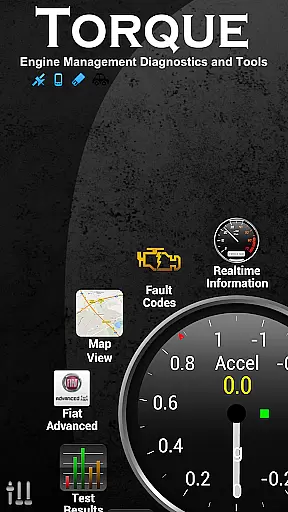
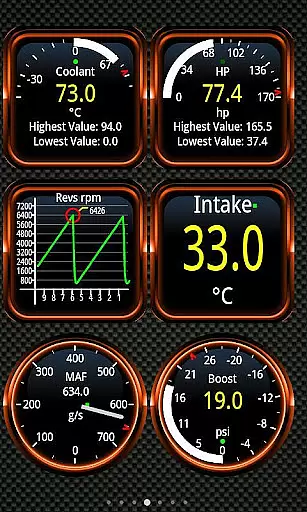
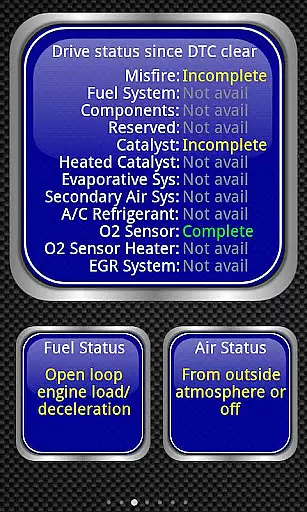
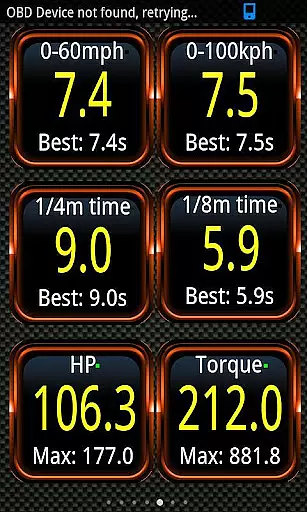
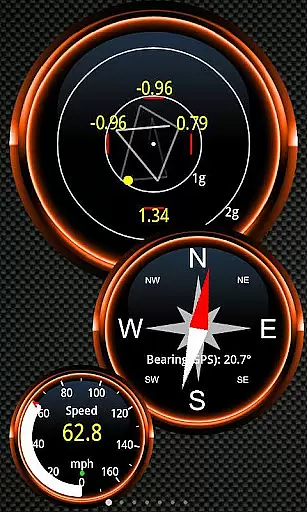
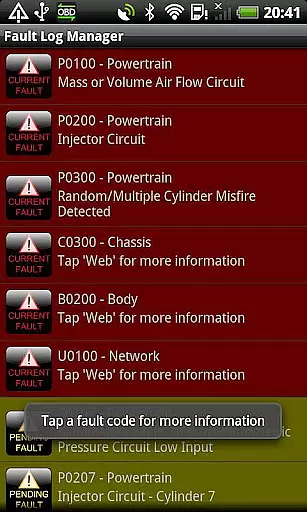
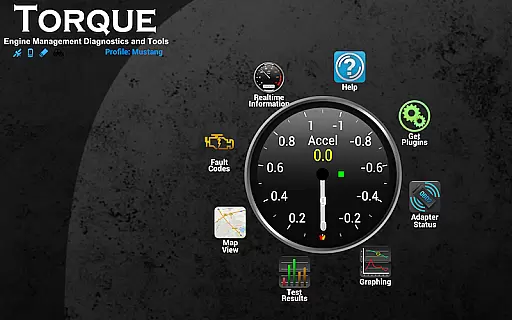
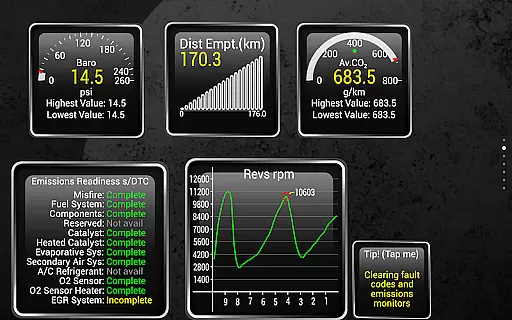
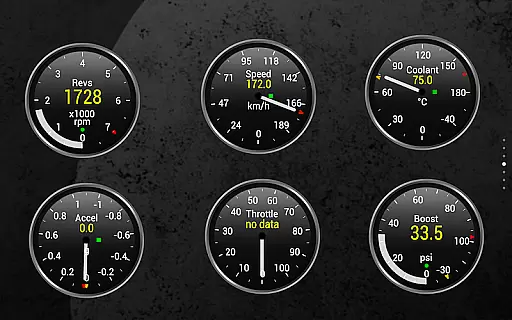
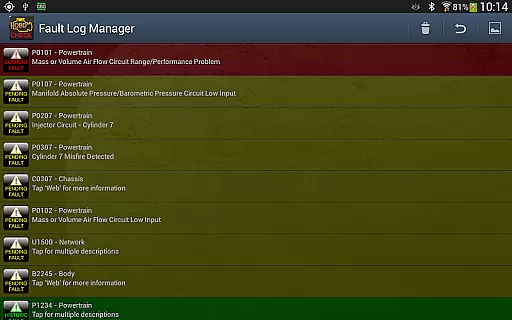
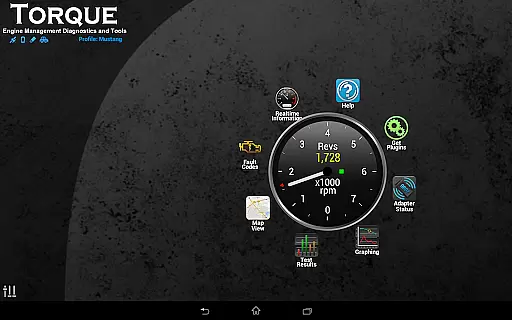
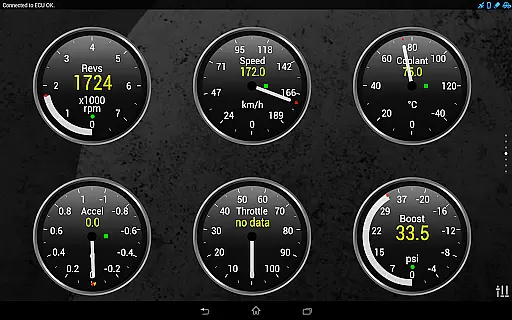
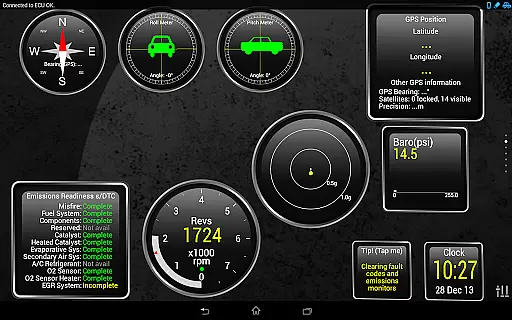
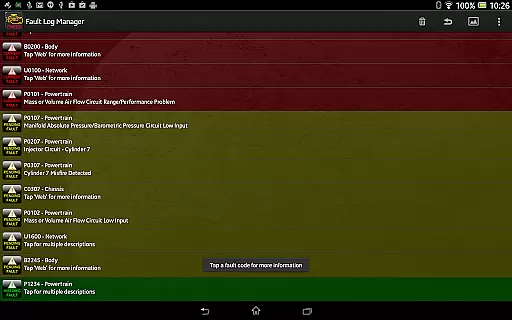
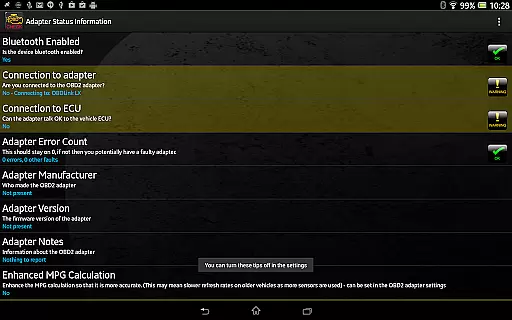
Torque Pro is a comprehensive vehicle diagnostics and performance monitoring tool designed for car enthusiasts and professionals alike. This app utilizes an OBD II Bluetooth adapter to connect to your vehicle's engine management system, providing real-time data on fault codes, car performance, and sensor readings. With its customizable dashboard, users can create personalized layouts with desired widgets and gauges, making it easy to monitor specific parameters that matter most to them.
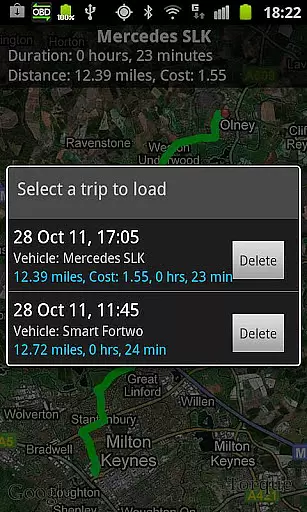
One of the standout features of Torque Pro is its ability to log and track GPS-tagged journeys, allowing users to review their driving history alongside corresponding OBD engine data. Whether you're diagnosing issues or simply tracking your vehicle's performance over time, this app offers invaluable insights. Additionally, Torque Pro supports advanced functionalities such as dyno testing, transmission temperature readings, and CO2 emissions tracking, catering to a wide range of automotive needs.
The app is compatible with a variety of vehicles manufactured after 2000 that support the OBD 2 standard, including models from Ford, VW, GM, Chrysler, Mercedes, Audi, and many others. By offering detailed diagnostic information and tools like DTC code reading and resetting, Torque Pro empowers users to better understand and maintain their vehicles, potentially saving on repair costs. Its versatility extends to tablets and smartphones, ensuring a seamless experience across different devices.
Torque Pro stands out with its extensive array of features tailored for in-depth vehicle analysis. The app provides real-time monitoring of various engine parameters, including fault codes, performance metrics, and sensor data. Users can customize their dashboards with widgets and gauges, enabling them to focus on the most relevant information for their needs. This level of personalization ensures that each user can tailor the app to their specific requirements, whether they are professional mechanics or hobbyists.
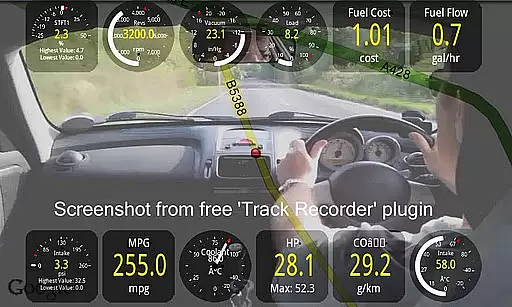
In addition to its diagnostic capabilities, Torque Pro offers advanced functionalities such as dyno testing, which measures horsepower and torque, and turbo boost monitoring for supported vehicles. The app also includes a video recorder plugin that overlays OBDII data onto videos of your journeys, creating a black box for your car. Furthermore, Torque Pro allows users to automatically send GPS-tagged tweets, share logging information via email or web, and even graph data for detailed analysis.
Torque Pro's compatibility with a wide range of vehicles and its support for multiple adapters, including Scantool.net, OBDKey, and PLX Devices, make it a versatile choice for vehicle diagnostics. The app's active community forums provide a platform for users to request new features and report issues, ensuring continuous improvement and adaptation to user needs. With regular updates and a robust feature set, Torque Pro remains at the forefront of mobile vehicle diagnostic solutions.
Real-time messaging speed and reliability are crucial for any communication app, especially one that connects to your vehicle's OBD II system. Torque Pro ensures that the data from your car is relayed to your device without delays.
This application uses a Bluetooth adapter to maintain a steady stream of information flow between your vehicle's engine management system and your smartphone or tablet. This constant connection allows users to receive updates on their vehicle's performance as it happens.
With real-time alerts and alarms for various engine parameters, Torque Pro provides immediate notifications if something requires attention, which can be vital for preventing damage to the vehicle. The instant feedback helps drivers take prompt action when needed.
Moreover, the reliability of the connection means that even while driving, the app continues to provide consistent data, ensuring that you're always informed about your vehicle's status. This steadfast performance makes Torque Pro an essential tool for monitoring your car's health efficiently.
Media sharing support in Torque Pro enhances the user experience by allowing the sharing of diagnostic information and performance logs with mechanics or car enthusiasts. This feature simplifies the process of getting advice or assistance by providing detailed vehicle data.
The app enables users to export logging information via email in CSV or KML formats, making it accessible for analysis in spreadsheet software like Excel or OpenOffice. This capability is particularly useful for those who want to delve deeper into their vehicle's analytics.
Torque Pro also supports video recording of your journey using the Track Recorder plugin, overlaying OBDII data onto the video. Sharing these videos can offer others insight into your driving experience and the vehicle's response under different conditions.
In addition, the ability to share screenshots to social media platforms such as Facebook, Twitter, Google+, and others means that users can easily show off their custom dashboards or significant diagnostic findings. This aspect of media sharing adds a social dimension to vehicle diagnostics and performance tracking.
Real-time diagnostics
Customizable dashboard
Wide vehicle compatibility
Advanced performance metrics
Active community support
Requires separate adapter
Complex for beginners
Occasional bugs reported
Some features vehicle-specific
Premium version costly

BiP is a fast, secure, free messaging and HD video calling app!
 4.10
4.10
Messenger for SMS - texting message app, faster, simpler & safer, for you.
4.70
Fast and mini browser with Ad Blocker,Video Downloader and Video Player
4.40
Fast Dialer & Contact Manager with Caller ID and Spam Protection
4.00
Smart and simple anti-wiring application - IMSI-catchers catcher
4.40
An app dedicated solely to marriage, not dating, and supported by a rigorous verification mechanism to ensure seriousness.
4.5
Read OBD2 data and DTCs Create custom dashboards Enhanced diagnostics available
4.70
Fast internet with AI, Adblock & VPN. Browse on a safe, incognito web browser.
4.70
Say “hello” to privacy.
4.60
Use this Dialer app alone or as a TREK: Total Interface companion.
4.70
Experience real private browsing without tracking, surveillance, or censorship.
4.50
Create a secure hotspot on-the-go with Portable WiFi - Mobile hotspot.
4.40
Simple tool for businesses to talk to their customers.
4.40
Our Black Friday sale is here. Unlock special discounts on Proton Mail now.
4.30
Fast and simple walkie talkie app
4.20
Google's fast and secure browser
4.10
A softphone with crystal clear SIP Calling & Reliable VoIP dialer
4.00
Telegram is a messaging app with a focus on speed and security.
4.00
Watchgram for Telegram: Experience seamless Telegram messaging on your watch
1.80


User Reviews