
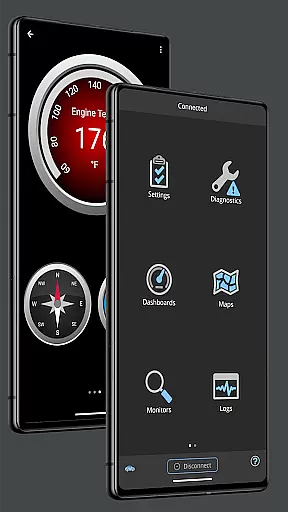
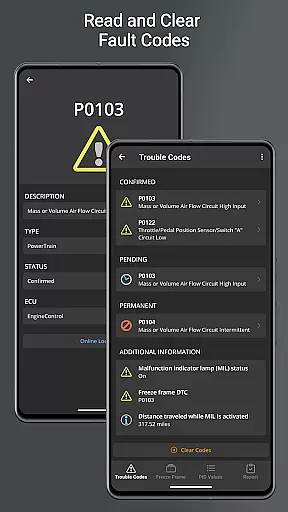
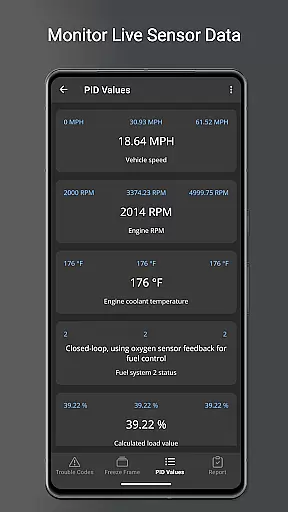
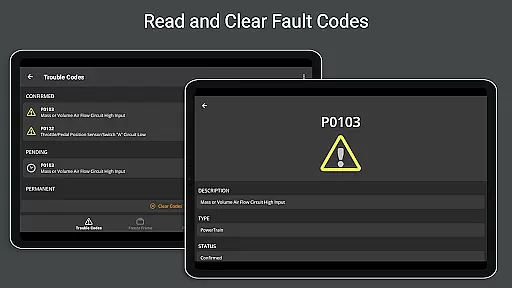
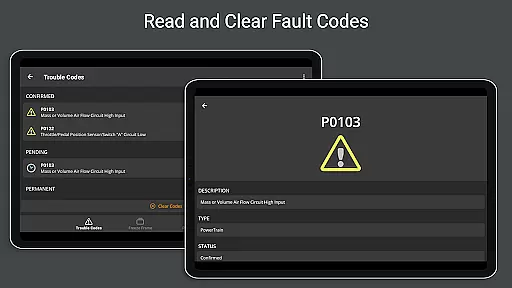
OBD Fusion is a comprehensive vehicle diagnostics application designed for Android users, enabling direct access to OBD2 vehicle data through compatible scan tools. The app's core functionality revolves around reading and clearing diagnostic trouble codes, monitoring real-time vehicle sensor data, and providing detailed diagnostic reports. It caters to both professional mechanics and automotive enthusiasts who require accurate vehicle performance metrics.
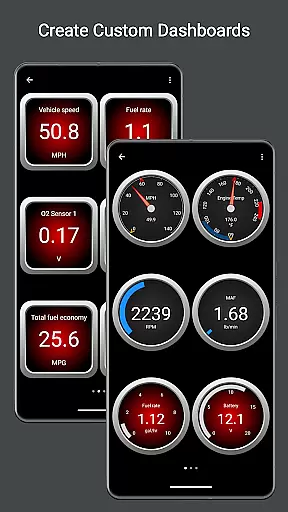
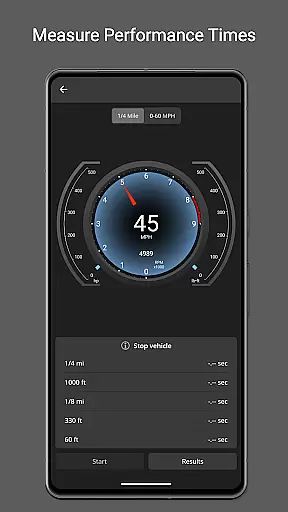
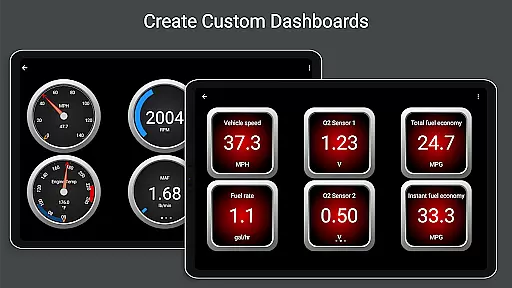
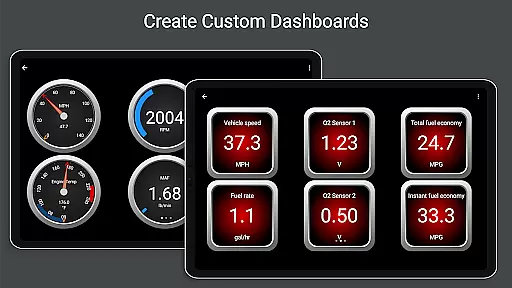
Beyond basic diagnostics, OBD Fusion offers advanced features including customizable dashboards, fuel economy calculations in multiple units, and specialized readouts for engine power and turbo boost pressure. The application supports various connection methods such as Bluetooth, USB, and Wi-Fi adapters, making it versatile across different devices and vehicles. Its value extends to everyday drivers seeking to monitor their vehicle's health and performance while driving.
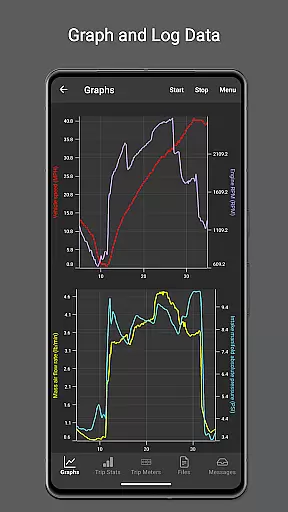
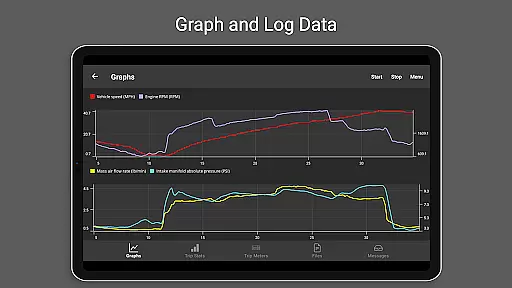
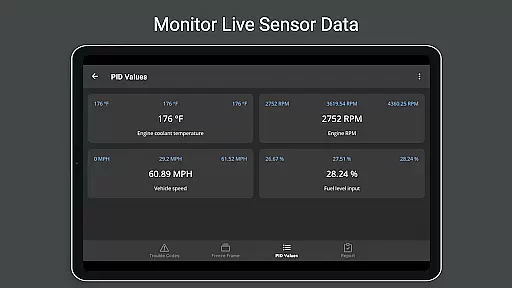
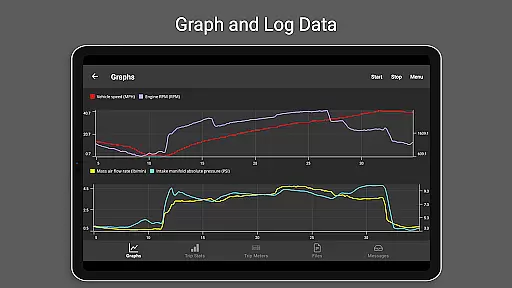
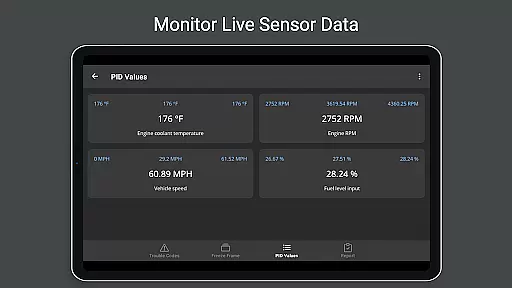
The hallmark of OBD Fusion lies in its extensive feature set tailored for in-depth vehicle analysis. One standout capability is the real-time graphing of vehicle sensors, allowing users to visualize critical parameters like engine torque, air-to-fuel ratio, and oxygen sensor results dynamically. This feature proves invaluable for tracking performance trends over time or diagnosing intermittent issues that traditional scanning might miss.
Another significant aspect is its support for enhanced PIDs, particularly beneficial for Ford and GM vehicle owners. These custom parameters enable monitoring of specific metrics such as transmission temperature and oil temperature, which aren't typically available in standard OBD2 applications. Additionally, the app's ability to log data to CSV format and export it ensures that users can maintain detailed records for future reference or share them with mechanics during service visits.
Real-time messaging speed and reliability are crucial for effective vehicle diagnostics. OBD Fusion excels in this area by providing instant feedback on your vehicle's status.
The application connects seamlessly with compatible scan tools, ensuring that diagnostic trouble codes and check engine lights are read and cleared without delay. This immediacy allows users to address vehicle issues promptly.
Furthermore, the app supports multiple communication methods including Bluetooth, Bluetooth LE, USB, and Wi-Fi adapters. This versatility ensures stable connections across various devices, enhancing the reliability of data transfer during diagnostic sessions.
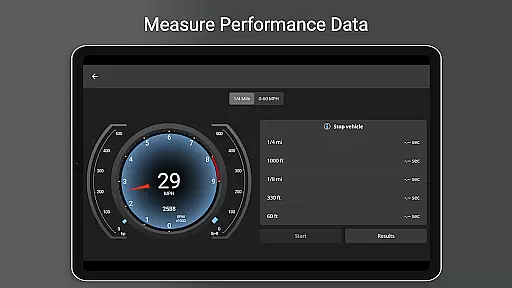
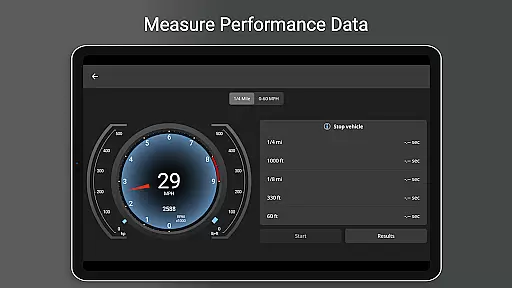
With real-time dashboard displays and graphing capabilities, users can monitor their vehicle's performance metrics as they happen. This feature is particularly beneficial for tracking fuel economy, engine parameters, and other critical data points essential for maintaining optimal vehicle health.
Media sharing support in OBD Fusion enhances user experience by allowing easy export and sharing of diagnostic data. The ability to log data to CSV format and export it for analysis in spreadsheet applications is a standout feature.
This functionality enables users to maintain comprehensive records of their vehicle's performance over time. By exporting logs, users can analyze trends, identify recurring issues, and make informed decisions about maintenance and repairs.
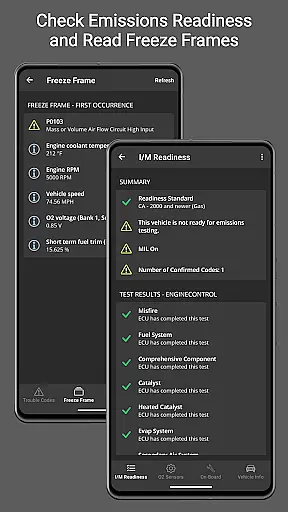
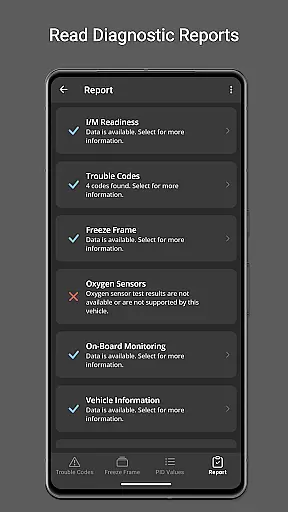
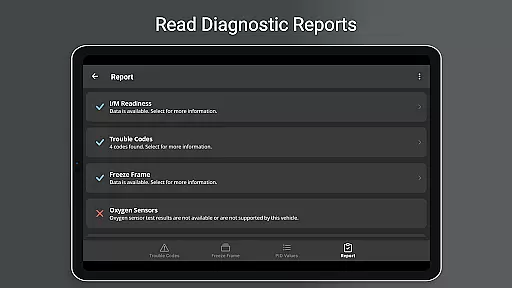
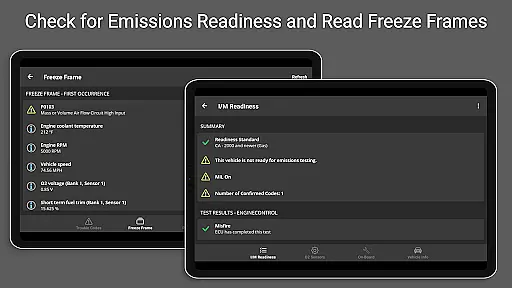
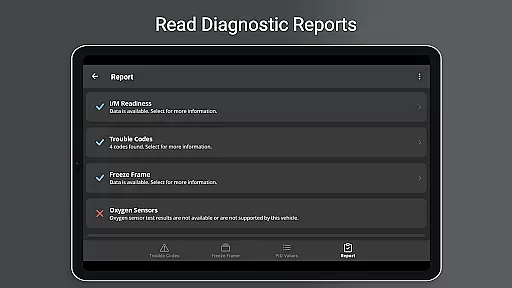
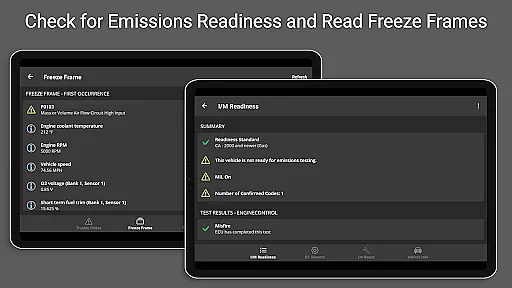
In addition to data logging, OBD Fusion provides detailed diagnostic reports that can be stored and emailed directly from the app. These reports include vital information such as fault code definitions, freeze frame data, and emissions readiness statuses.
Such robust media sharing capabilities ensure that users can easily share critical vehicle information with mechanics or car enthusiasts. This not only facilitates better communication but also empowers users to take proactive steps in managing their vehicle's health effectively.
User-friendly interface
Comprehensive diagnostic tools
Customizable dashboard options
Real-time data visualization
Multiple connection methods
Requires compatible scan tool
Some features need premium adapters
Limited Android Auto support
Potential connectivity issues
Advanced settings may overwhelm beginners

BiP is a fast, secure, free messaging and HD video calling app!
 4.10
4.10
Save 10% automatically on your first international mobile top up.
4.60
Fast and mini browser with Ad Blocker,Video Downloader and Video Player
4.40
Manage and Fund Calling Accounts and Schedule and Join Video Sessions
3.60
Messenger, an MMS & SMS messages app with Blockers, Driving mode & Private box
4.60
Create a secure hotspot on-the-go with Portable WiFi - Mobile hotspot.
4.40
2nd Phone Number Line for Anonymous Texting, Calling, and Picture Messages
4.30
Watchgram for Telegram: Experience seamless Telegram messaging on your watch
1.80
Use this SMS app standalone or as a TREK: Total Interface companion.
4.30
Fast internet with AI, Adblock & VPN. Browse on a safe, incognito web browser.
4.70
Manage BoostMobile Account
4.60
Manage your data, talk & text - affordable phone plans & data usage made simple
4.30
Simplify texting with Messages SMS, offline messaging, themes & smart tools!
4.30
Enjoy secure messaging & calling. Safe Messenger: group chats, calls, messages.
4.20
Messages is Private SMS Messenger 2023 with text message, instant messaging.
4.00
A softphone with crystal clear SIP Calling & Reliable VoIP dialer
4.00
Measure BHP, Torque & 0-60 Clear car OBD faults View engine data in Google Earth
4.00
Call & Text Anywhere With A Canadian Number.
3.60
TeamSpeak - Secure Chat for Gaming & Business
3.10


User Reviews