
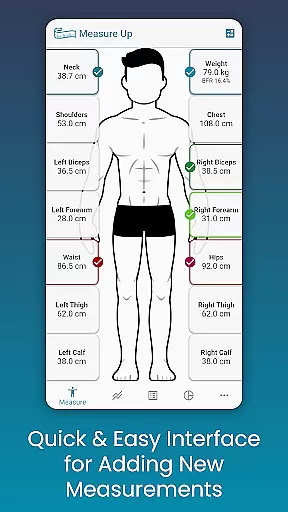
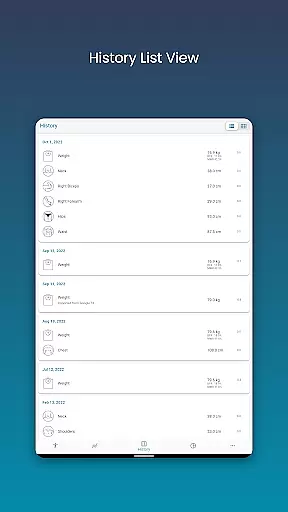
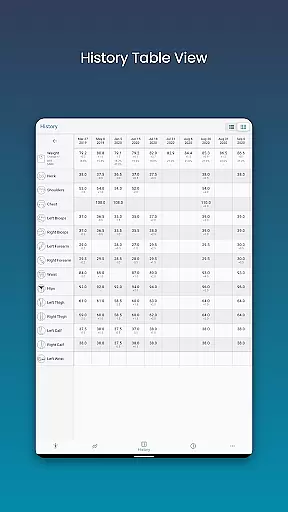
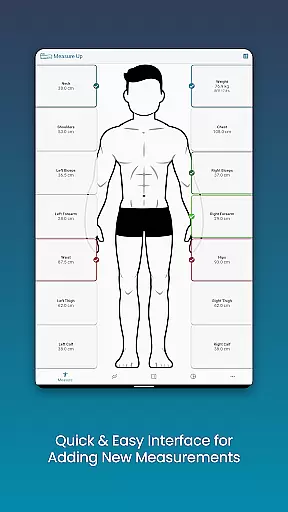
Body Measurement Tracker is a specialized health and fitness application designed to simplify the process of monitoring weight loss or muscle gain progress. The app's core functionality revolves around its easy-to-use interface that allows users to quickly record body measurements, track their history, and visualize progress through intuitive charts and tables.
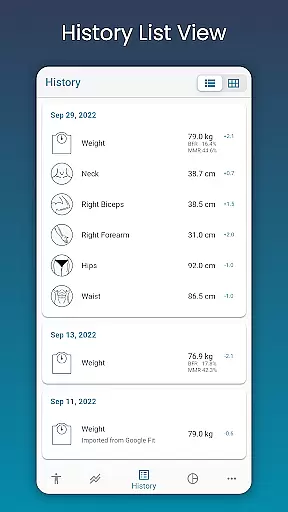
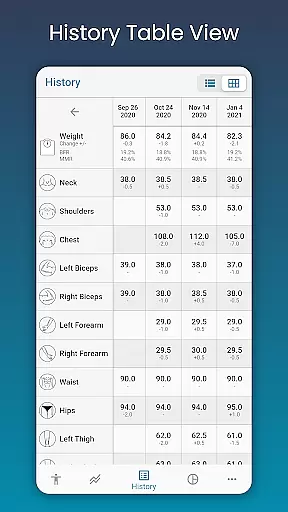
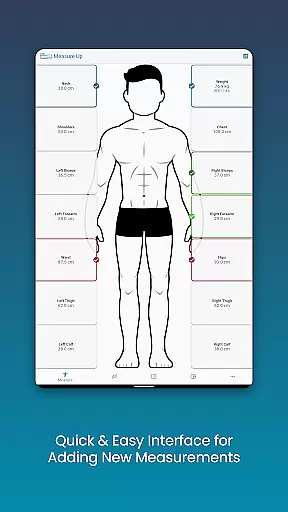
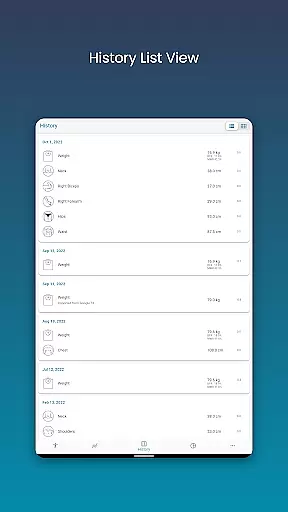
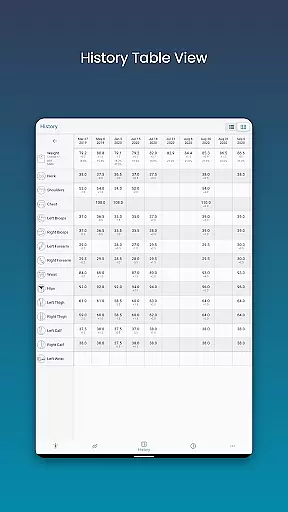
A standout feature of this app is its ability to display which body parts have been measured on a given day, ensuring consistent tracking. It also offers integration with Google Fit, enabling synchronization with other health apps. Users can view their data in various formats including chart, table, and list views, making it adaptable to different preferences. Whether you're focused on weight management or muscle building, this app provides a comprehensive solution for tracking and analyzing body composition changes.
The app is particularly useful for fitness enthusiasts who need a reliable way to monitor their progress over time. By providing clear visualizations and easy data entry, Body Measurement Tracker helps users stay motivated and make informed decisions about their fitness routines.
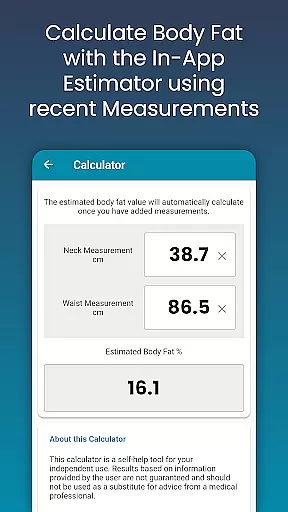
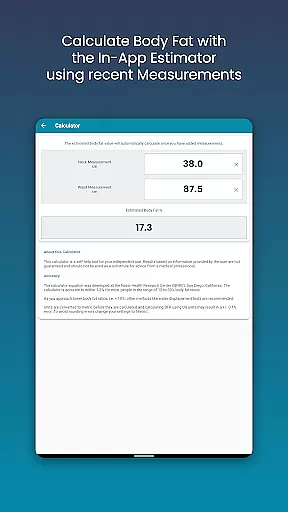
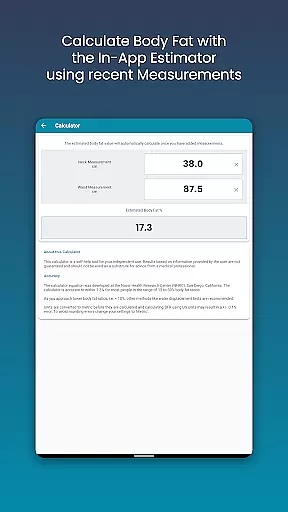
Body Measurement Tracker stands out with its robust set of features tailored for health and fitness tracking. One of its primary strengths is the streamlined measurement recording system. Users can quickly input current or past measurements, with the flexibility to adjust dates as needed. The inclusion of a body fat calculator adds extra value, allowing for quick estimations without needing external tools.
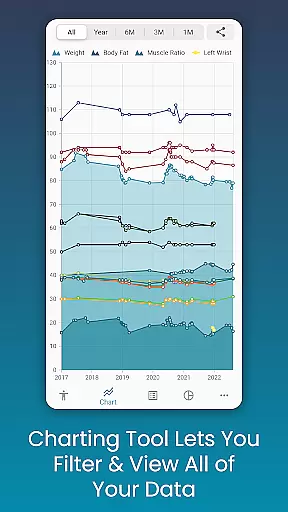
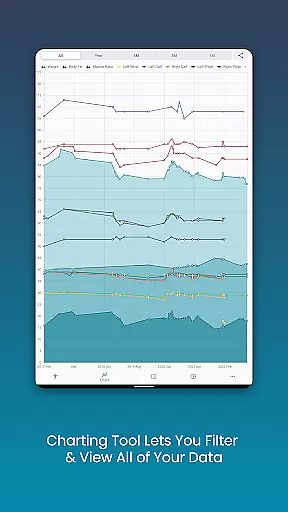
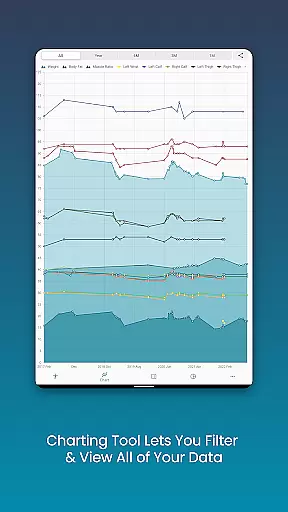
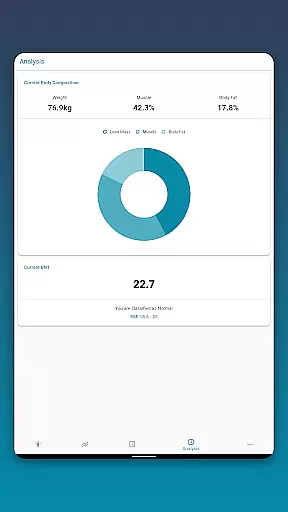
Data visualization is another key aspect where this app excels. The unique charting system lets users toggle different measurements on and off, creating customized views of their progress. This feature is especially helpful for those tracking multiple metrics like lean mass, body fat, and muscle gain. The ability to export these charts as PNG images enhances sharing capabilities, whether for personal records or consultations with fitness professionals.
Customization options further enhance the user experience. The app allows creation of custom measurement types and color-coding of different metrics. Additional features like data backup and restore functionality ensure peace of mind regarding data security. These comprehensive tools collectively create a powerful platform for managing and analyzing personal fitness data effectively.
Personalized planning in health and fitness applications refers to the app's ability to create tailored workout and diet plans based on individual user data. This feature is crucial as it adapts the fitness journey according to personal goals, body metrics, and progress.
Body Measurement Tracker excels in personalized planning by allowing users to input specific body measurements and track changes over time. The app provides an intuitive interface for recording various metrics such as weight, muscle gain, and body fat percentage. By integrating with Google Fit, it ensures that all health data is synchronized, providing a comprehensive view of the user's fitness status.
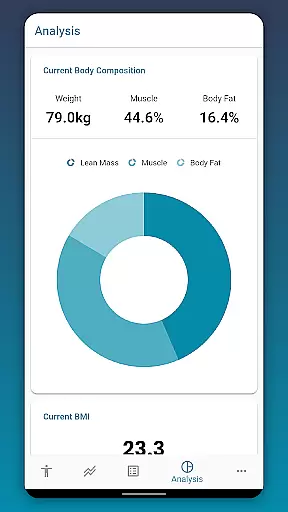
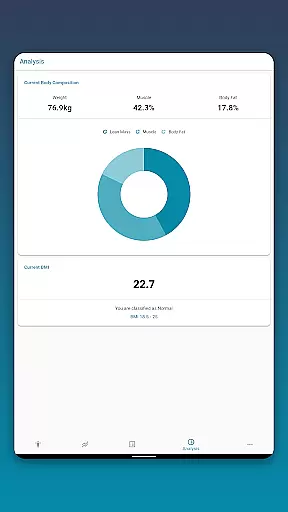
Users benefit from this feature by receiving customized insights into their progress. The app highlights which body parts have been measured on a given day, ensuring consistent tracking. It also offers chart analysis tools that display lean mass, body fat, and muscle, giving users a clear understanding of their development.
The true value of personalized planning in Body Measurement Tracker lies in its adaptability and precision. Users can set unique goals, view historical data in multiple formats, and adjust their plans based on accurate feedback. This results in a more effective and engaging fitness experience, ultimately helping users achieve their health objectives efficiently.
Progress visualization is a critical component of any fitness application, transforming raw data into understandable and actionable insights through graphical representations. This feature helps users to see their advancements over time, maintaining motivation and refining goals.
In Body Measurement Tracker, progress visualization is executed through various analytical tools. Users can view their measurement history in Chart, Table, and List formats, each offering a different perspective on their data. The unique chart feature allows toggling of different metrics on and off, enabling a focused analysis of specific areas like body fat or muscle gain.
This app stands out by providing stackable charts that show lean mass, body fat, and muscle progression. Such visual tools make it easy for users to interpret complex data effortlessly. Additionally, the ability to export charts as PNG images means users can share their progress across social platforms or with fitness coaches.
The impact of robust progress visualization is profound. Users gain clarity on their fitness journey, seeing exactly how far they've come and what remains to be achieved. With customizable views and detailed analytics, Body Measurement Tracker empowers users to maintain momentum and stay committed to their health and fitness goals.
User-friendly interface
Comprehensive charting tools
Google Fit integration
Customizable measurement options
Secure data backup system
Limited advanced analytics
No built-in workout plans
Premium features require subscription
Occasional syncing issues
Basic UI design

Text notifications, button control, heart monitor & more for your Amazfit.
 2.40
2.40
App to stop smoking slowly or now with a motivational badges and helpful tips
4.80
Transform your body and soul with DBFFitness, with a 40-day fitness journey.
4.5
Sync your activities of the most popular sports tracking services
2.70
Using Recognise™ has been shown to reduce pain and improve performance.
4.2
3D Body Measurement System
3.60
The most accurate heart rate app to monitor and track your heart rate & pulse.
4.40
Jogging app for calorie counter and distance tracker. Running app to lose weight
4.20
Workouts for everyone
4.70
Power-lifting, weightlifting and Wendler 531 app to track your workout program.
4.90
Medbridge GO gets you moving - get back to doing what you love, faster!
4.90
Drink water reminder app. Track water intake. Smart simple hydration tracker.
4.70
Relax. Sleep Better. Feel Better.
4.50
Memory, mind & logic exercises. Puzzle games, IQ & brain test for kids & adults
4.50
Download MadMuscles to start your positive body transformation!
4.30
Fast Body building & Weight Loss. Home Workouts with Daily Coach, No Equipment.
4.30
Pack of 66 calming lullabies for smooth fall asleep and relaxation
4.10
Create powerful subliminal audio with custom affirmations and background music.
4.00
Live Heart Rate Pro - Real Time Heart & Workout Data For Wear OS & Bluetooth BLE
3.20


User Reviews