
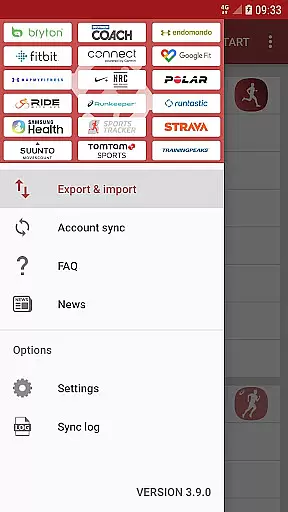
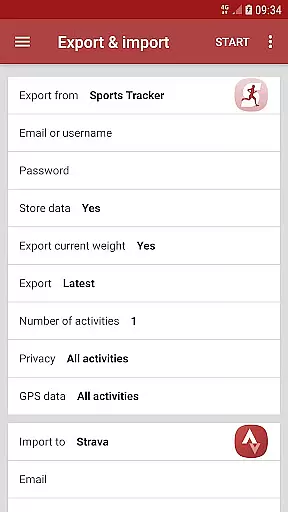
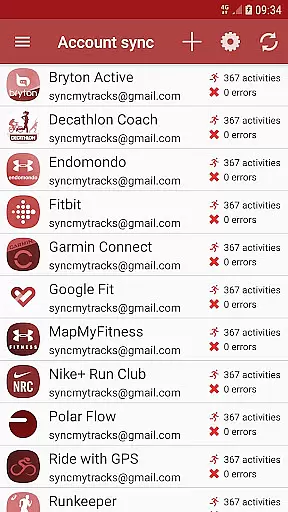
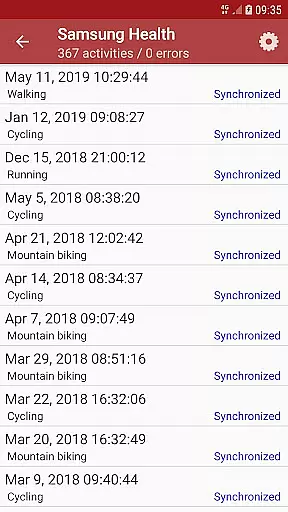
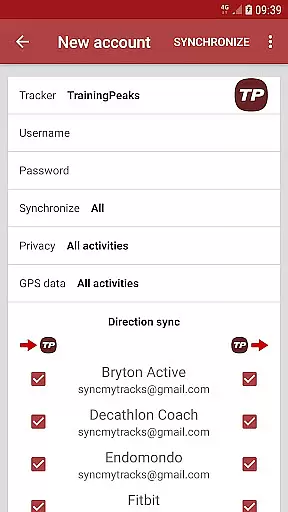
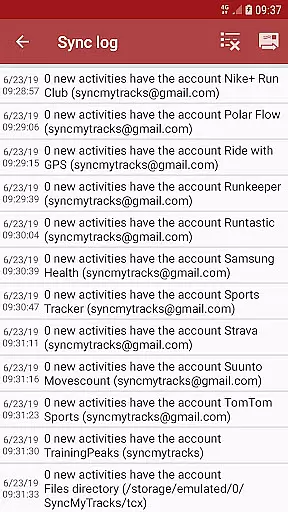
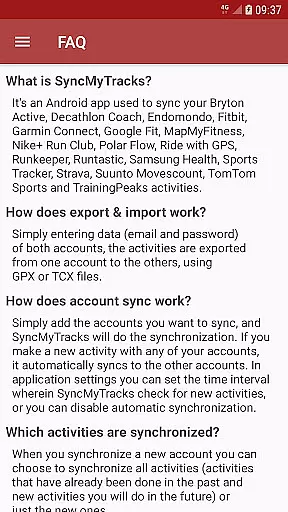
SyncMyTracks is a powerful Android application designed to synchronize fitness activities across multiple sports tracking platforms. The app supports the most popular tracking services, allowing users to seamlessly transfer their workout data between different accounts. By using standardized GPX or TCX file formats, SyncMyTracks ensures accurate export and import of activity details including time, distance, pace, and even advanced metrics like heart rate and power when supported.
The application's standout feature is its automatic synchronization capability, which enables real-time updates across connected accounts. Whether you're switching fitness trackers or maintaining multiple accounts, SyncMyTracks provides a reliable solution for consolidating your workout history. The app implements smart duplication prevention and stores user credentials securely through encryption, making it an essential tool for fitness enthusiasts who value data integrity and security.
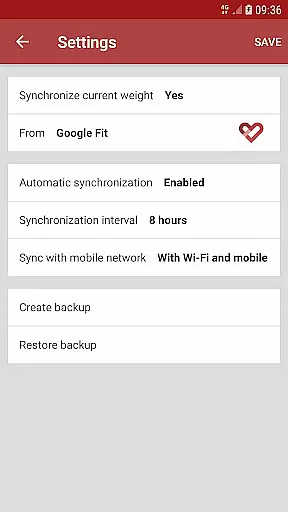
SyncMyTracks offers several distinctive features that set it apart in the fitness tracking space. The account sync functionality works on customizable intervals, allowing users to control how frequently the app checks for new activities. Users can choose between syncing all historical data or just new activities, providing flexibility in managing their fitness records. The app maintains high data fidelity by transferring comprehensive activity details including GPS paths, performance metrics, and environmental data.
Advanced configuration options enable users to fine-tune their synchronization preferences. The app intelligently prevents activity duplication by analyzing start times and maintains original activity data without modification. Security-conscious users will appreciate the local storage of account credentials with robust encryption protocols. While the free version offers basic export/import capabilities, the premium version unlocks unlimited synchronization and removes advertisements, providing professional-grade functionality for serious athletes and casual users alike.
SyncMyTracks offers a personalized approach to fitness tracking by allowing users to synchronize their activities across multiple sports tracking services. This ensures that all your fitness data is consolidated in one place, providing a comprehensive overview of your performance.
The app supports the most popular sports tracking platforms, enabling you to choose which activities to sync. Whether you want to include past activities or only future ones, SyncMyTracks adapts to your specific needs. This flexibility allows for a tailored experience that aligns with individual fitness goals.
By syncing essential metrics such as time, duration, distance, pace, and even advanced data like heart rate and cadence, SyncMyTracks delivers a detailed analysis of your workouts. This level of personalization empowers users to track their progress accurately and make informed decisions about their training routines.
One of the standout features of SyncMyTracks is its ability to visualize your fitness progress through synchronized data. By exporting and importing activities using GPX or TCX files, users can see their workout history mapped out clearly and accurately.
The app provides a visual representation of your activities, displaying crucial information such as maps and performance metrics. This visualization helps users understand their progress over time, offering insights into improvements in speed, endurance, and overall fitness levels.
With SyncMyTracks, users can set synchronization intervals and manage their accounts efficiently. The prevention of activity duplication based on start times ensures that your progress charts remain clean and reliable. This meticulous attention to detail enhances the user experience by delivering precise and meaningful progress tracking.
User-friendly interface
Secure data encryption
Automatic sync scheduling
Comprehensive metric support
Cross-platform compatibility
Limited free version
No social login support
Premium subscription required
Manual account setup needed
Occasional sync conflicts

Your plan in your pocket 24/7
 3.00
3.00
“Overcoming pain based on EMDR” helps you to alleviate chronic pain and stress.
4.10
Enjoy the Gluten Free living with the best app. SCAN the barcodes & SEARCH.
3.60
50 HD sounds to help you relax during the day and sleep great at night!
4.40
Show your support for the development of FitNotes - Gym Workout Log
4.90
Measure your Pupil Distance for Eyeglasses and VR headsets in 3 quick steps.
4.70
Get lasting results with Chair Yoga, Wall Pilates, and Walking workouts!
4.60
Download MadMuscles to start your positive body transformation!
4.30
Your Health Assistant
3.90
Load the bar with this barbell & plate calculator. It's leg day, not brain day!
4.70
Step Counter, track steps when you walk or run
4.70
Personal Measurements - Track your gains!
4.50
Relax. Sleep Better. Feel Better.
4.50
Memory, mind & logic exercises. Puzzle games, IQ & brain test for kids & adults
4.50
See what's really going on inside your head! Real time EEG graphs from your Muse
4.40
Fast Body building & Weight Loss. Home Workouts with Daily Coach, No Equipment.
4.30
SportWerks - Workout Tracker for Wear OS Watches
3.90
Text notifications, button control, heart monitor & more for your Amazfit.
2.40
Using Recognise™ has been shown to reduce pain and improve performance.
4.3


User Reviews