
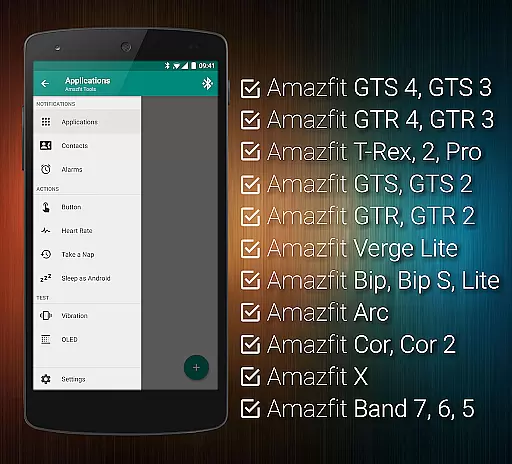
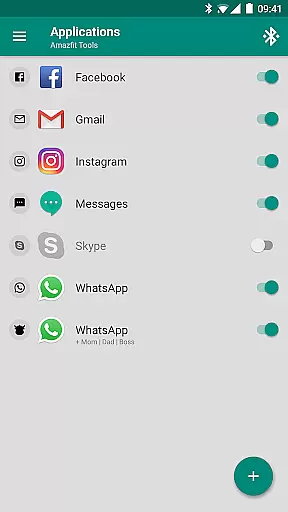
Tools & Amazfit is a comprehensive utility application designed to maximize the functionality of your Amazfit smart bracelet. This app allows users to customize notifications for calls and apps, set up power naps, configure notification patterns, and fine-tune content filters. It works seamlessly with Zepp/Mi Fit to provide advanced features while ensuring you have the latest firmware.
Whether you're looking to enhance your fitness tracking or streamline daily notifications, Tools & Amazfit offers a versatile platform that caters to various needs. Its compatibility spans multiple Amazfit models and Android versions, making it an essential tool for optimizing your wearable experience.
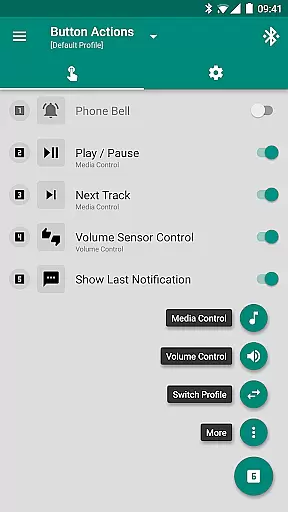
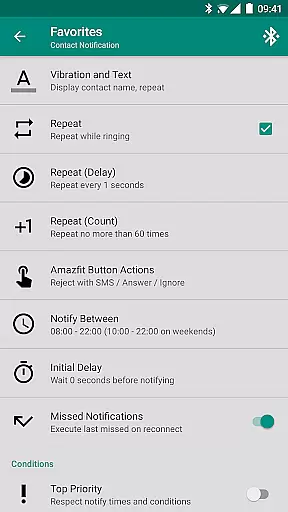
Tools & Amazfit boasts an array of features tailored to enhance user interaction with their smart bracelets. Key functionalities include Display Text Support, which shows caller names and full notification contents directly on your Amazfit device. Button and Sensor Control options allow for personalized actions through button presses or hand movements.
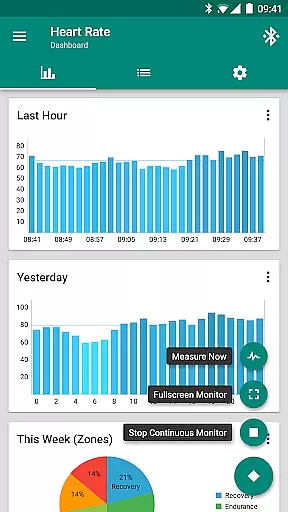
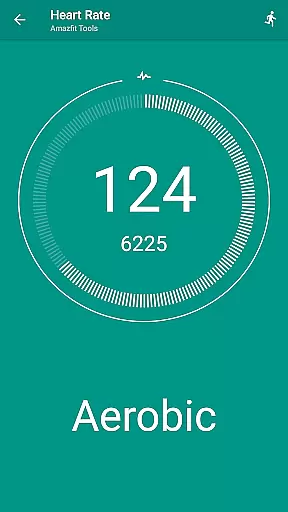
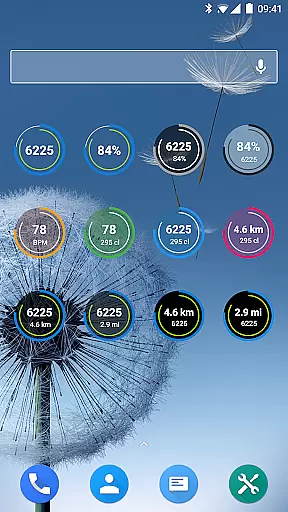
Advanced capabilities such as Continuous heart rate monitoring, Sleep as Android Integration, and fully customizable widgets offer users extensive control over their health metrics and device settings. With support for Tasker and other automation apps, this tool provides limitless customization possibilities, ensuring a personalized and efficient user experience.
Personalized planning in health and fitness applications refers to the ability to create tailored workout and wellness routines based on individual user data. This feature is crucial as it adapts the fitness experience to the unique needs and goals of each user.
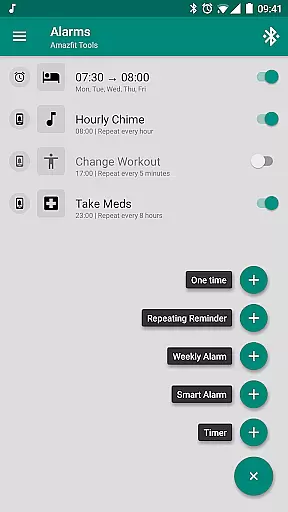
Tools & Amazfit leverages personalized planning by offering features like continuous heart rate monitoring, customizable notifications for reminders, and idle alerts. These tools allow users to set up specific health goals and receive timely prompts to help them stay on track with their fitness journey.
Users benefit from this feature through improved adherence to their fitness plans, thanks to timely reminders and customized feedback. The app's ability to notify users when they've been inactive or when it's time for a scheduled activity ensures that personal health objectives are met consistently.
The true value of personalized planning in Tools & Amazfit lies in its comprehensive approach to health management. By integrating advanced metrics and customizable options, the app empowers users to take control of their fitness routines, leading to better overall health outcomes.
Progress visualization is an essential aspect of any fitness application, providing users with graphical representations of their achievements and milestones. This feature helps users understand their progress over time and maintain motivation.
In Tools & Amazfit, progress visualization is executed through detailed dashboard charts for heart rate monitoring, daily fitness goal tracking, and battery usage of the device. Users can visually track their performance metrics, such as steps taken, calories burned, and active minutes, which are displayed in an easy-to-understand format.
By having access to clear visual data, users can make informed decisions about their fitness routines. This visibility allows them to adjust their activities to reach their health goals more efficiently, ensuring continuous improvement and engagement with their fitness journey.
Ultimately, the progress visualization tools in Tools & Amazfit enhance user experience by making health data not only accessible but also actionable. This leads to sustained motivation and a more personalized approach to achieving fitness milestones.
User-friendly interface
Extensive customization options
Wide device compatibility
Advanced health tracking features
Regular updates and improvements
Premium features require payment
Occasional bugs reported
Complex setup for beginners
Limited iOS support
High battery consumption

“Overcoming pain based on EMDR” helps you to alleviate chronic pain and stress.
 4.10
4.10
Power-lifting, weightlifting and Wendler 531 app to track your workout program.
4.90
For Absolute Novices to Strength Training. Simple. Effective.
4.40
Show your support for the development of FitNotes - Gym Workout Log
4.90
Your AI pet BFF. Talk, play, and beat anxiety in this calming game.
4.60
Step Counter, track steps when you walk or run
4.70
You deserve easy access to important insurance information. Download for FREE.
4.70
Focus on BP & Health
3.80
Monitor blood sugar, gain insights, and manage diabetes with ease.
3.20
Easy access to health benefits
4.70
Effortlessly and naturally release anxiety by harnessing the power of your brain
4.60
The OFFICIAL Couch to 5K® running training app! A 9 week walk-run workout plan.
4.50
Relax to calm sounds, white noise, music, guided meditation and bedtime stories
4.40
50 HD sounds to help you relax during the day and sleep great at night!
4.40
Eat smarter with Eato, your personal calorie counter and nutrition tracker!
4.40
Download MadMuscles to start your positive body transformation!
4.30
Walk, track, and burn calories with step counter & GPS walking tracker
4.20
Control your sleep in real-time wearing Garmin device
3.60
3D Body Measurement System
3.60


User Reviews