
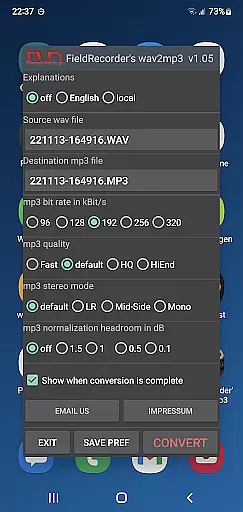
FieldRecorder's wav2mp3 is a streamlined audio conversion tool designed specifically for users who need to convert WAV files to MP3 format without any hassle. The app eliminates common frustrations such as intrusive ads, unnecessary rating prompts, and confusing options that often clutter similar applications. With its minimalist one-screen interface, users can effortlessly select source and destination files, then initiate the conversion process with a single tap.
What sets this app apart is its commitment to user privacy and efficiency. It operates without collecting user data, contacting external servers, or embedding hidden spyware, ensuring a secure and private experience. Additionally, the app boasts an impressively small download size of under 1.3MB due to its use of consistent native code, making it significantly lighter than comparable converter apps which average around 20MB. Whether used independently or in conjunction with the professional audio recorder app 'Field Recorder,' FieldRecorder's wav2mp3 delivers reliable performance and high-quality conversions tailored to meet various user preferences.
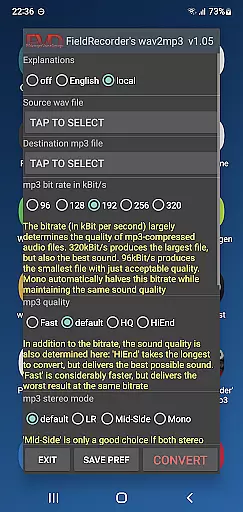
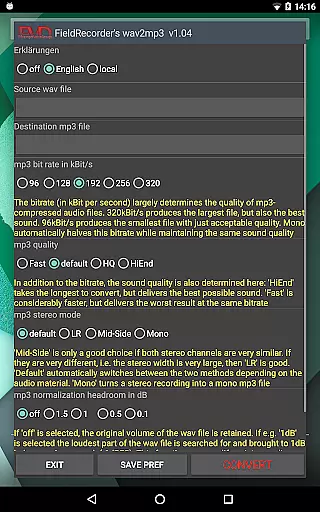
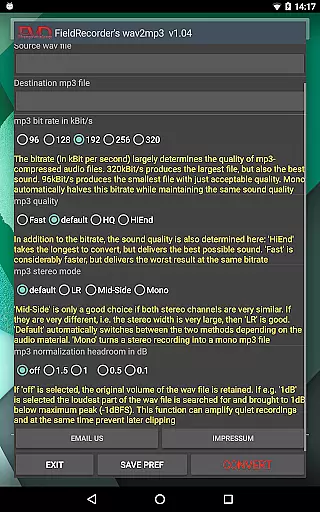
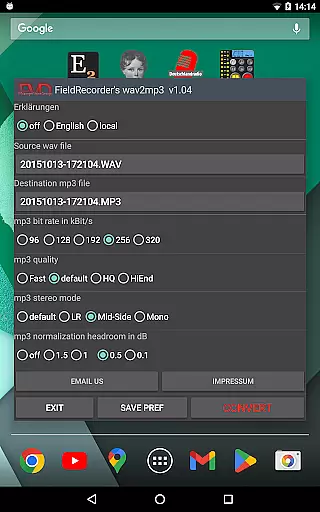
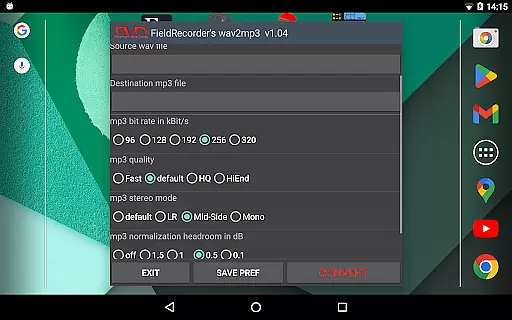
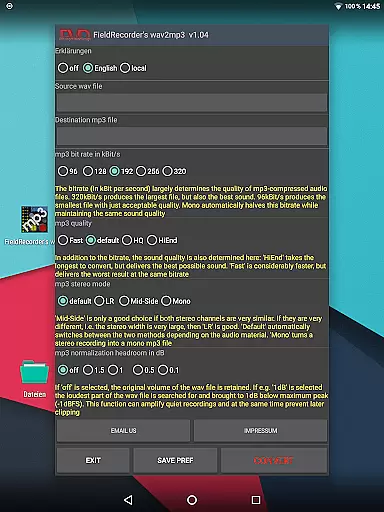
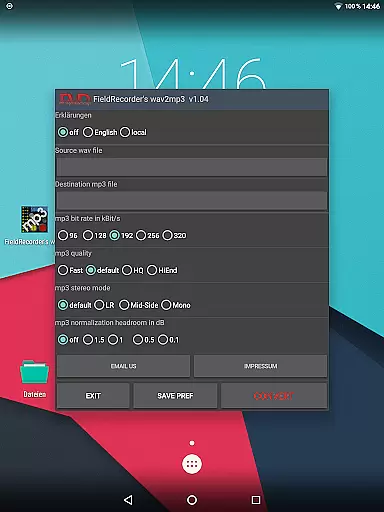
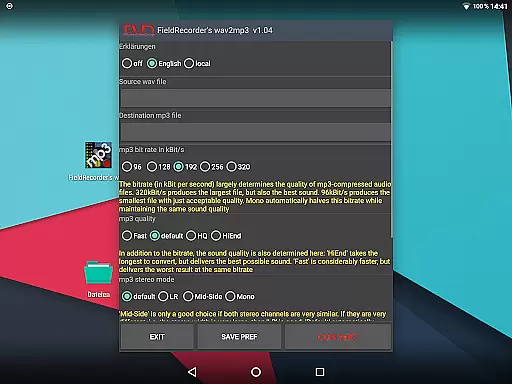
FieldRecorder's wav2mp3 offers a range of features that cater to both novice and advanced users seeking efficient audio file conversions. One of its standout capabilities is the ability to customize conversion settings according to individual needs. Users can choose from five preset bit rates, adjust encoding complexity for better sound quality, and select stereo modes including LR, Mid-Side, or default options that adapt during the conversion process. These settings ensure flexibility and control over the output quality of the MP3 files.
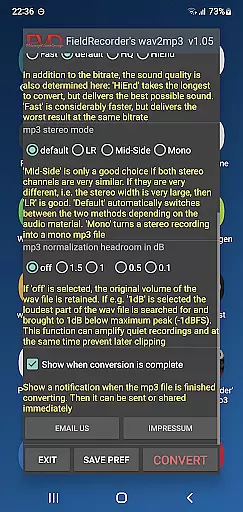
In addition to customizable options, the app provides practical functionalities like language selection for explanatory texts, volume normalization, and end-of-conversion notifications that facilitate immediate sharing or further processing of the converted files. Furthermore, the app supports remote control functionality when paired with 'Field Recorder,' allowing seamless integration and operation without being visible on the screen. This combination of user-friendly design, robust feature set, and dedication to privacy makes FieldRecorder's wav2mp3 a top choice for anyone looking to convert audio files efficiently and securely.
FieldRecorder's wav2mp3 may not boast an extensive music library, but it excels in providing a streamlined and focused experience for converting WAV files to MP3. This app ensures that each conversion is authentic and true to the original audio file, preserving the quality and integrity of your music.
The application does not collect data or infringe on copyright, as its primary function is to convert personal audio files. It respects user privacy and content ownership, making it a reliable tool for managing your personal audio collection without concerns about copyright infringement.
With consistent native code, the app maintains a small download size under 1.3MB, which speaks to its efficiency and lack of unnecessary bloat. Comparable converter apps are on average 20MB in size, highlighting FieldRecorder's wav2mp3 commitment to simplicity and performance.
Users can trust that their converted files will be free from any unwanted alterations or watermarks, ensuring that the output is exactly what they expect. The absence of ads and rating requests further reinforces the authenticity of the user experience.
FieldRecorder's wav2mp3 offers several options to control the audio quality of your converted files. Users can choose from five preset bit rates, which cater to different needs for sound fidelity and file size. In mono mode, these bit rates are effectively halved, allowing for even more compact files when stereo sound is not necessary.
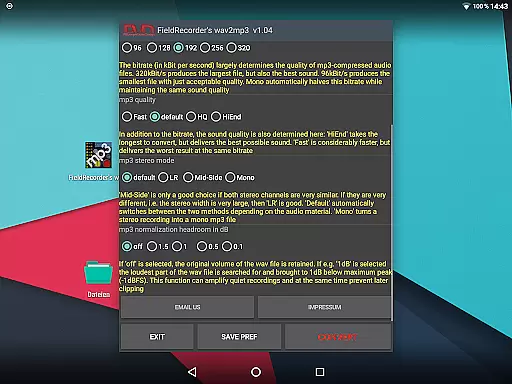
The complexity of the MP3 encoding process can also be adjusted, giving users the ability to balance between conversion speed and audio quality. More complex settings will take longer to process but can yield better sound results, catering to audiophiles who demand the highest standards.
Stereo mode selection allows for encoding both channels separately ('LR') or together if they are similar ('Mid-Side'), with an option for the software to decide based on the material ('default'). Mono file creation is also possible, offering flexibility depending on the source material and desired outcome.
Volume normalization features let users maximize the volume while avoiding clipping, ensuring clear playback without distortion. With understandable error messages and support available, users have all the tools needed to achieve their desired audio quality with confidence.
User-friendly interface
No ads or data collection
Small download size
Customizable settings
Remote control capability
Limited to WAV to MP3 conversion
No batch processing option
Basic UI design
Fewer features than some competitors
Paid app with no free version

Over 100 million tracks available for high quality streaming and download
 4.60
4.60
Tune in to the greatest hits on UK Radio | The home of Capital, Smooth & Heart.
4.90
Full-featured, High-Quality Groovebox Workstation, perfect for Live Performance!
4.80
Permanently backup Now Playing. Maps, filters & listening stats.
4.00
Bass Booster Pro takes auto-equalizing to the next level!
4.30
24,000 free audio books and no ads!
4.90
A sleek, no-frills player designed for true music lovers.
4.20
Turn your Android phone into a professional audio analyser with up to 120 bands.
4.00
Learn the notes on the guitar fretboard fast with this easy and fun app
4.60
Make songs with AI! Any genre, custom lyric, song generator for music creation!
4.80
Offline Music Player & MP3 Player.Powerful equalizer, Lyrics, Themes, Tag Editor
4.80
Help you quickly get started with Shokz headphones
4.40
Powerful 10-Band equalizer pro with sound booster improves Android audio quality
4.30
The alternative folder based music player.
4.20
Offline Tunes, Unlimited Vibes
3.90
Learn to play the piano using falling notes!
3.80
The iconic iOS metronome app is now on Android.
3.70
Simple mp3 and mp4 player with advanced features.
3.40
Make music anywhere. Turn your device into an instrument.
4.5


User Reviews