
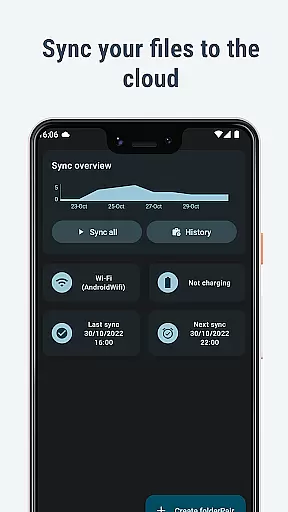
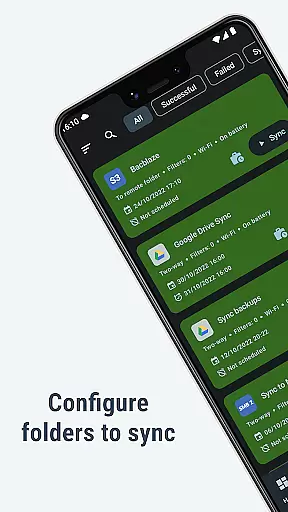
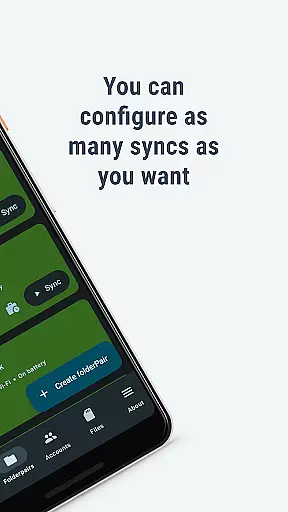
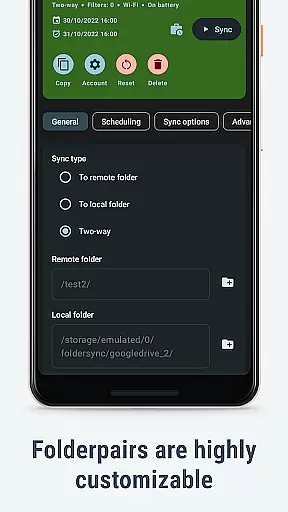
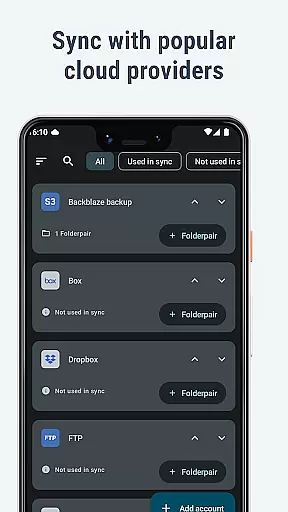
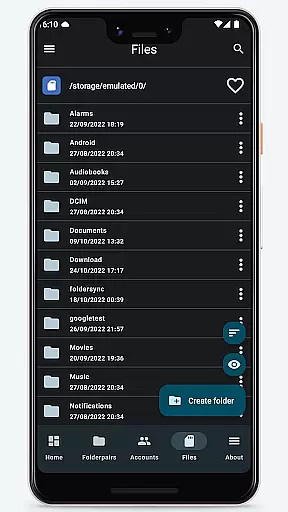
FolderSync Pro is a powerful communication and file management application designed to simplify cloud storage synchronization. The app enables users to effortlessly sync files between local folders on their device and various cloud platforms. With support for a wide range of cloud providers like Google Drive, Dropbox, and OneDrive, as well as multiple protocols including FTP, SFTP, and WebDAV, FolderSync ensures comprehensive compatibility. Rooted devices can even take advantage of root file access, making it an ideal solution for advanced users who need full control over their data.
Beyond basic synchronization, FolderSync Pro offers advanced automation features through integration with Tasker and similar programs. This allows users to create customized sync schedules or triggers based on specific conditions. Additionally, the built-in full-featured file manager lets users manage both local and cloud files directly from their mobile device. Whether you're backing up important documents, pictures, or music, FolderSync Pro provides a seamless experience that combines ease of use with robust functionality.
FolderSync Pro stands out with its extensive feature set tailored for both casual and power users. One of the key highlights is its support for over 20 cloud storage providers, including popular services like Amazon S3, Google Drive, and Dropbox, as well as lesser-known but equally capable platforms such as Kolab Now and MinIO. This versatility ensures that no matter which cloud service you use, FolderSync has you covered. Furthermore, the app supports multiple file transfer protocols such as FTP, SFTP, SMB, and WebDAV, providing flexibility in how you connect to remote servers.
The app also includes advanced automation capabilities, allowing users to automate their sync processes using Tasker or similar tools. This means you can schedule regular backups or trigger syncs based on events like connecting to a specific Wi-Fi network. Another standout feature is the integrated file manager, which not only allows you to browse and organize your files locally and in the cloud but also supports operations like creating or deleting buckets in Amazon S3. With these comprehensive features, FolderSync Pro empowers users to take complete control of their data management while ensuring security and reliability.
Real-time messaging speed and reliability are crucial for any communication app, ensuring that users can send and receive messages without delays or interruptions. FolderSync Pro excels in this area by providing seamless synchronization between cloud storage and local folders on your device.
The application supports a wide array of cloud providers and file protocols, making it versatile for different user needs. Whether you're uploading files to Google Drive or downloading documents from Dropbox, the process is swift and dependable. This ensures that your data is always up-to-date across all devices.
Moreover, FolderSync Pro's automation capabilities, which integrate with programs like Tasker, allow users to set up precise controls over their syncs. This means you can schedule syncs during off-peak hours or when your device is connected to a specific network, enhancing both speed and reliability further.
Media sharing support is an essential feature for apps in the Communication category, allowing users to easily exchange photos, videos, and other media files. FolderSync Pro offers robust media sharing capabilities through its comprehensive support for various cloud providers and file protocols.
With FolderSync Pro, users can effortlessly upload and download media files from popular services such as Amazon S3, OneDrive, and Google Drive. The app's full file manager enables easy management of these files, whether they are stored locally or in the cloud. You can copy, move, and delete files within your cloud accounts, streamlining the media sharing process.
In addition to supporting multiple cloud platforms, FolderSync Pro also accommodates a range of file transfer protocols including FTP, SFTP, and WebDAV. This flexibility ensures that regardless of the source or destination of your media files, FolderSync Pro provides a reliable solution for sharing them efficiently.
Wide cloud support
Advanced automation
Root file access
Integrated file manager
Multi-protocol support
Complex for beginners
Paid version only
No free trial
Requires setup time
Limited UI customization

SMS Messenger ensures that communication become effortless and accessible.
 3.80
3.80
Enjoy secure messaging & calling. Safe Messenger: group chats, calls, messages.
4.20
Browse fast on Opera Mini, with Data Saving, News, Football Scores, and Download
4.60
Messages: Fast, simple SMS app with scheduling and smart features.
4.00
Block spam calls & scam - no more annoying calls with the call blocker function
4.30
Fun, free app that lets kids video call and message family and close friends.
3.80
Manage Phone Calls, call history, and contacts easily with Phone Pro.
4.5
Build your web browser around you with private search, and more.
4.60
Useful. Social. Expressive.
4.70
Read OBD2 data and DTCs Create custom dashboards Enhanced diagnostics available
4.70
Use this Dialer app alone or as a TREK: Total Interface companion.
4.70
A browser that does more than load page, like keeping your privacy safe.
4.70
Experience real private browsing without tracking, surveillance, or censorship.
4.50
Talk & text free with a second phone number plus unlimited 5G data, no fees.
4.50
A web browser that respects your privacy.
4.30
Phone Dialer with Caller ID, Address Book & Contacts Manager.
4.30
Federated instant messaging for your mobile device (Jabber, XMPP, Snikket)
4.10
WazzapMigrator: transfer your WhatsApp history from iPhone to Android
4.00
Telegram is a messaging app with a focus on speed and security.
4.00


User Reviews