
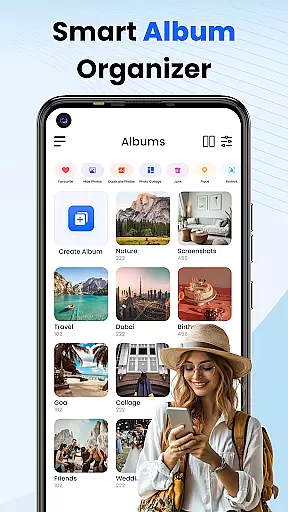
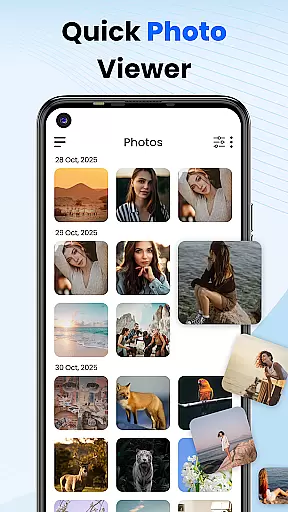

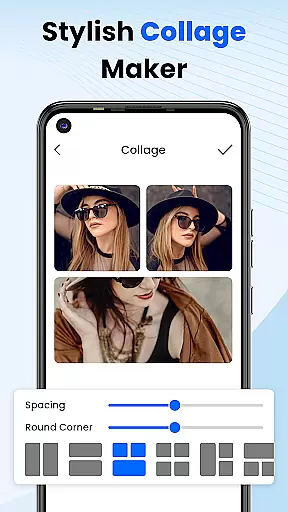
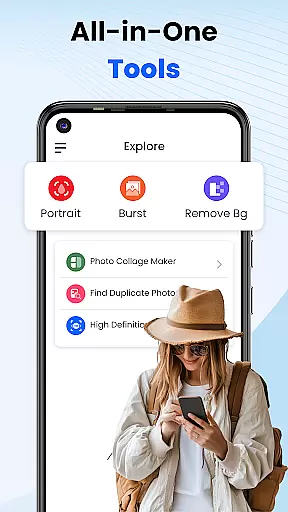
Gallery 2025 is a feature-rich photo management app designed to streamline the organization and enhancement of your photos and videos. With its smart organization capabilities, users can automatically categorize media by timeline, location, and path, making it easy to manage large collections. The app also includes built-in editing tools that allow you to enhance your pictures with simple adjustments.
A key highlight of Gallery 2025 is its robust privacy protection features. It offers a secure vault where users can hide and encrypt sensitive photos and videos, accessible only through a PIN, pattern, or security question. This ensures that personal memories and confidential images remain private. Additionally, the lightweight design provides functionalities like album locking, collage creation, and video playback, making it an all-in-one solution for photo management.
Whether you're looking to organize your media library, edit photos, or protect private content, Gallery 2025 delivers a comprehensive toolset that combines usability with top-tier security. Its intuitive interface and powerful features make it ideal for anyone seeking an efficient way to manage their digital memories while ensuring complete privacy.
Gallery 2025 stands out with its wide array of features tailored to simplify photo and video management. One of its core strengths is the Smart Organization system, which automatically sorts media files by timeline, location, and directory path. This allows users to easily navigate through years of memories without manual tagging. Additionally, the app supports seamless file transfers to and from SD cards, providing flexibility in storage management.
The app also excels in privacy and security. Its Private Vault feature lets users move confidential media into an encrypted space, protected by a numeric PIN, pattern, or security question. For added peace of mind, the Gallery Lock functionality secures entire albums behind a password or pattern, ensuring only authorized access. Furthermore, accidental deletions are no longer a worry thanks to the integrated recovery options, allowing users to restore lost files from the recycle bin.
Beyond organization and security, Gallery 2025 serves as a capable photo editor. Users can crop, adjust lighting, apply filters, and create collages directly within the app. These creative tools, combined with smooth performance and an intuitive interface, make Gallery 2025 a versatile choice for both casual photographers and privacy-conscious individuals who value efficiency and control over their digital assets.
Customization is at the heart of Photo Gallery, allowing users to tailor their photo management experience to their personal preferences. This app offers a wide array of customization options that cater to different user needs, from organizing media by timeline, location, and path, to creating personalized collages.
The Smart Organization feature automatically categorizes your photos and videos, making it easy to navigate through years of memories. Users can also copy and transfer files to and from SD Cards with ease, providing flexibility in storage management.
With the Effortless Search functionality, users can quickly locate specific photos or videos sorted by places or dates. This saves time and enhances the overall user experience by ensuring that precious moments are always at your fingertips.
Additionally, the Recovery Options provide peace of mind by allowing users to restore accidentally deleted media from the recycle bin. These diverse customization features ensure that Photo Gallery is not just a tool, but a personalized photo album solution.
Photo Gallery ensures seamless Theme Compatibility, enabling users to enjoy a consistent and visually pleasing experience across various themes. Whether you prefer a light or dark theme, this app maintains its functionality and aesthetic appeal without compromising on performance.
The app's design supports a multitude of themes, which means that no matter how you customize your deviceu2019s appearance, Photo Gallery will adapt accordingly. This level of compatibility enhances user satisfaction by providing an uninterrupted and cohesive visual experience.
Beyond just looks, the Theme Compatibility extends to functional elements as well. For instance, the secure Vault feature remains accessible and user-friendly, regardless of the theme applied. This ensures that privacy and security settings are always within reach.
Ultimately, Photo Gallery's commitment to Theme Compatibility underscores its dedication to delivering a versatile and adaptive photo management tool. Users can personalize their interface while retaining full access to the app's comprehensive suite of features.
User-friendly interface
Advanced privacy controls
Comprehensive editing tools
Lightweight and fast performance
Secure vault encryption
Limited cloud integration
No facial recognition
Premium features require subscription
Occasional ads in free version
Basic video editing tools

Fingerprint Lock Screen & Live Animations with 4K Wallpapers as Live Wallpaper
 4.40
4.40
Personalize your phone with stunning HD and 4K wallpapers!
4.70
Crystal-clear, square icon provides a sleek and sophisticated visual upgrade
4.00
One 8 icons glass color version
4.80
300+ Stunning and well-designed widgets inspired by NOTHING.
4.70
200+ Material Inspired Widgets
4.50
Transform your device in a game console
4.40
A minimalist productivity launcher. One-hand-friendly. Zero ads.
4.70
Transform your phone with stylish zipper lock themes and 4D live wallpaper
4.10
Customizable Glass widgets. Over 360+ stunning widgets and more!
4.70
A launcher for Samsung Good Lock and Good Guardians modules without ads
4.70
Bring adorable pets to life on your screen. Playful, interactive and full of fun
4.60
Try creating your own keyboard with "Keyboard theme for android" app now!
4.50 4.50
4.50
Wear Os Watch Face - Seasonal - Animated Snow Effect - 9 Animals
4.20
Unleash Your Creativity and Connect with Loved Ones with Lockscreen Drawing!
4.20
More than 3000+ themes and 9000+ wallpapers for everybody!
4.10 3.50
3.50
⭐ OneUI inspired Fluffy Icon Pack – Soft. Stylish. Standout. ⭐
4.5


User Reviews