
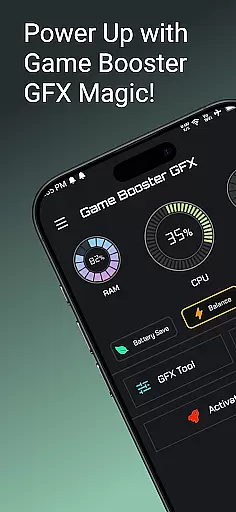
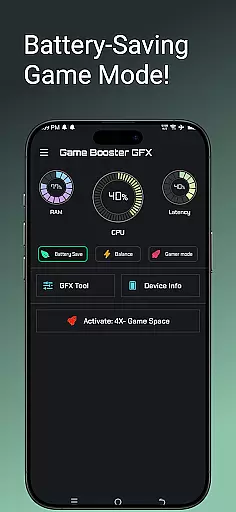
Game Booster GFX 4x is a performance optimization tool designed specifically for mobile gamers. The app focuses on enhancing gaming experiences by providing smoother gameplay with up to 120 FPS on supported devices. It offers features like 4x Game Space, Gamer Mode, and an advanced GFX Tool that allows users to customize resolution settings, unlock extreme frame rates, and choose from multiple graphics styles such as Realistic, Colorful, Soft, and Classic. With Ultra HD and HDR support, this app ensures high-quality visuals while maintaining optimal device performance.
The app is particularly useful for competitive gamers who require precision and speed in their gameplay. By optimizing device resources and unlocking higher frame rates, Game Booster GFX 4x helps reduce lag and improve responsiveness during intense gaming sessions. Whether you're playing battle royale games or other graphically demanding titles, this app ensures your device performs at its best, delivering a professional-level gaming experience.
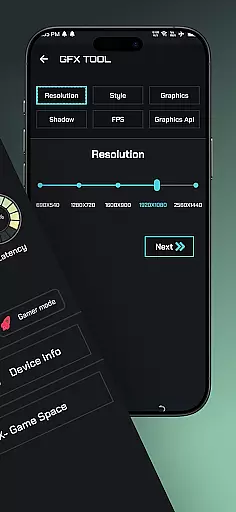
Game Booster GFX 4x stands out with its comprehensive suite of gaming optimization tools. One of the key highlights is the GFX Tool, which enables users to fine-tune their gaming experience by customizing resolution settings without introducing lag. This feature also supports unlocking extreme frame rates of up to 90 and 120 FPS, allowing gamers to enjoy ultra-smooth gameplay on compatible devices. Additionally, users can select from various graphics styles including Realistic, Colorful, Soft, and Classic, ensuring personalized visual experiences tailored to individual preferences.
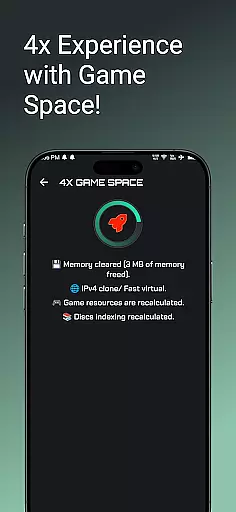
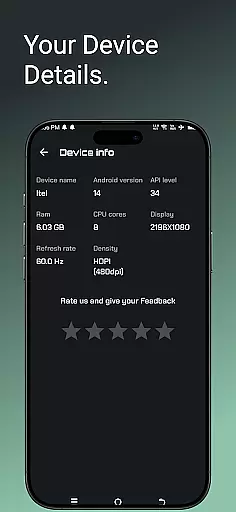
Another notable feature is the 4x Game Space, which optimizes device memory allocation to prioritize gaming performance. Alongside this, the Gamer Mode enhances focus by minimizing distractions during gameplay. These features collectively ensure that users can maximize their device's potential while enjoying visually stunning games with reduced latency. The app also provides detailed device information, giving users insights into their hardware capabilities and limitations.
Game Booster GFX 4x offers a comprehensive suite of features designed to enhance gaming performance. The app includes 4x Game Space, Device Info, Gamer Mode, and an advanced GFX Tool.
The GFX Tool allows users to customize resolution settings without experiencing lag, making it ideal for supported devices. It also enables unlocking extreme FPS levels up to 90 and 120, providing a smoother gameplay experience.
With options to choose from various graphics styles such as Realistic, Colorful, Soft, and Classic, the app ensures that gamers can tailor their visual experience according to personal preferences. Additionally, Ultra HD and HDR graphics support delivers stunning image quality.
Usability is at the core of Game Booster GFX 4x, ensuring that even novice users can easily navigate and utilize its features. The intuitive interface provides seamless access to powerful tools like resolution customization and FPS adjustment.
Gamer Mode enhances focus by optimizing device resources specifically for gaming sessions. This feature helps in reducing background activity, thus improving overall operational smoothness during gameplay.
By offering detailed device information and easy-to-use settings, the app empowers users to make informed decisions about their gaming setup. These thoughtful design elements contribute significantly to an uninterrupted and enjoyable gaming session.
High FPS support
Customizable graphics
User-friendly interface
Optimized game space
Multiple graphic styles
Limited device compatibility
Premium features locked
Battery consumption high
Occasional crashes
No cross-platform support

Do you want to drive easy ? do you wanna full mirror link Mobile with your car
 4.10
4.10
SmartCast mirrors Android phone to TV screen With Cast Screen, Chromecast.
4.80
The Free Catholic Latin American Bible in complete Spanish
4.60
Identify securely online
3.10
Android secret code for smart phone, mobile codes, with secret codes app
4.20
An essential GFX utility developed for specific FPS mobile games
4.50
You can remote control and play much easier.
4.10
Game booster GFX may reduce interruptions and improve gaming experience.
4.50
A Pydroid Quick Install repository provider.
4.00
Tune your game graphics with our GFX optimizer for optimal gaming experience
4.50
Popular mods fnaf mods for melon playground
4.50
Phone Software Update Quick Checker helps you to keep your phone apps up to date
4.50
Easily evaluate the performance of Scandit's barcode and ID scanning SDK
4.10
Connect and find your Smarttag devices through our app.
4.00
The best PS2 games from your childhood come to life in their mobile version!
4.00
a wireless controller that provides a seamless and gaming experience for players
3.80
Mirror link car connector to share your screen with car dashboard
3.80
Mirror phone to TV effortlessly! Stream, share & connect with Airplay ease.
3.60
Now Available on Android ™
3.40


User Reviews