
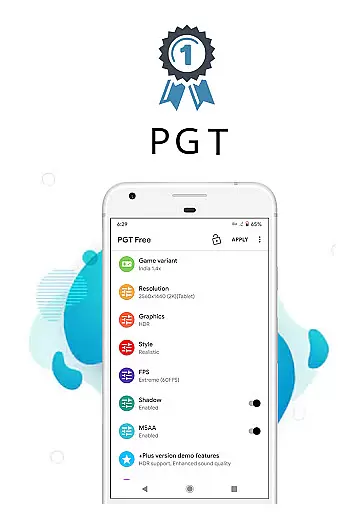
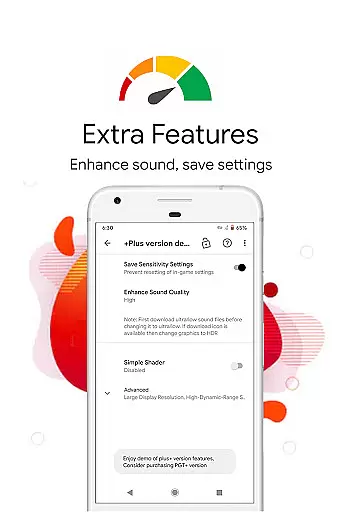
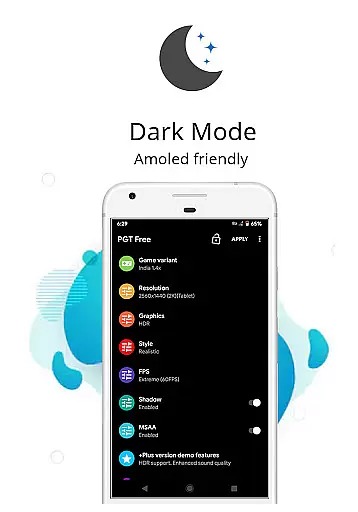
PGT is a powerful launcher utility designed to enhance mobile gaming performance through advanced graphics optimization. This app allows users to change resolution, apply HDR and UHD graphics even on low-end devices, and unlock FPS levels up to 90 FPS. With support for all major Android OS versions (4.3 to 13+), it provides gamers with the tools to customize their experience.
The app features unique functionalities such as Potato Graphics and Simple Shaders, enabling users to optimize fps and boost gaming performance. Whether you're looking to adjust shadows, enable anti-aliasing, or set ultra audio quality, PGT offers comprehensive control over both basic and experimental graphics settings. Its intuitive interface makes it accessible for casual and hardcore gamers alike.
PGT is particularly useful for players seeking to maximize their device's potential without upgrading hardware. By allowing full customization of game graphics, it delivers smoother gameplay and visually stunning results across all supported versions including Global, CN, LITE, KR, VN, TW, and BETA.
PGT stands out with its extensive range of features tailored for gamers who demand optimal performance. The app supports all major Android OS versions, ensuring compatibility across devices. One of its key capabilities is the ability to change resolution and apply advanced graphics settings like HDR and UHD, even on lower-end devices. This feature democratizes access to high-quality visuals that were previously limited to flagship models.
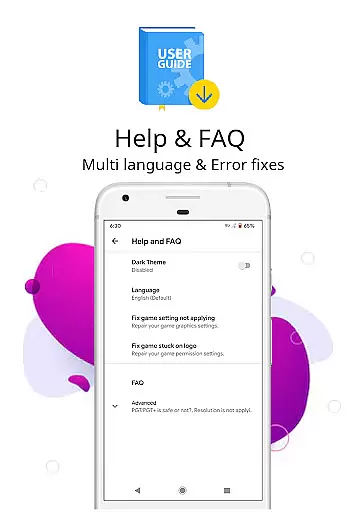
Gamers can unlock various FPS levels, going as high as 90 FPS, providing unprecedented smoothness in gameplay. The app also includes customizable shadow settings, anti-aliasing options, and ultra audio quality adjustments. These features collectively contribute to an immersive gaming experience. Additionally, PGT offers helpful tips through its Help & FAQ section, guiding users to make the most of its functionalities.
Another notable aspect is its broad device support, covering all versions including Global, CN, LITE, KR, VN, TW, and BETA. With permissions for storage, internet, and background app management, PGT ensures seamless operation while maintaining necessary security protocols. Users can confidently optimize their gaming setup knowing they have complete control over their device's graphical output.
When evaluating a utility app like PGT, functionality completeness is crucial for ensuring users can achieve their desired outcomes. This app offers an extensive range of features that cater to gamers looking to enhance their gaming experience on Android devices.
PGT supports all major Android OS versions from 4.3 to 13+, providing broad compatibility. It allows users to change resolution, apply HDR and UHD graphics even on low-end devices, unlock various FPS levels up to 90 FPS, customize shadows, enable anti-aliasing, and set ultra audio quality. These capabilities ensure that no matter what device you're using, you'll be able to optimize your gaming performance significantly.
The inclusion of unique features such as Potato Graphics and Simple Shaders demonstrates the app's commitment to covering niche needs within its user base. By offering these specialized options alongside more common settings adjustments, PGT ensures it has something valuable for every type of gamer.
Usability in an application refers to how easily users can navigate through the interface and execute tasks without frustration or confusion. For PGT, usability is enhanced by intuitive design choices that make accessing advanced graphic settings straightforward for both novice and experienced users alike.
One notable aspect contributing to operational smoothness is permission handling; PGT requests only necessary permissionsu2014storage access for applying and backing up graphics settings, internet connectivity for loading configurations from servers, and background app termination for memory boosting purposes. Such streamlined permission management reduces clutter and potential security concerns while maintaining essential functionalities.
Additionally, helpful resources like FAQs provide useful tips directly within the app, aiding users in making informed decisions about their graphic customizations. With clear instructions and support available at hand, PGT not only simplifies complex processes but also empowers users with knowledge, enhancing overall satisfaction and engagement with the tool.
Extensive OS support
High FPS unlocking
Customizable graphics
User-friendly interface
Comprehensive FAQs
Requires multiple permissions
Potential stability issues
Complex for beginners
Limited offline functionality
Device compatibility varies

Use your Phone as Drone Controller.
 3.70
3.70
Easily evaluate the performance of Scandit's barcode and ID scanning SDK
4.10
You can remote control and play much easier.
4.10
Block, disable and secure phone camera from secretly taking photos by spyware.
4.50
Connect and Find your smart tag via our app.our app is compatible with smarttag.
3.30
Looking to connect your phone to your car screen? Mirror Link is the solution.
3.20
CloudEye 365 is a easy-handling APP
3.60
The best PS2 games from your childhood come to life in their mobile version!
4.00
Expo is a free & open source platform to build apps using JavaScript and React.
4.70
Demo for Key Attestation feature of the Android system.
4.80
Study Bible King James Version: the correct way to learn the Bible with audio
4.80
Explore The Holy Quran Majeed for Muslim. Listen to MP3 Quran & Al Quran Kareem.
4.80
MirrorLink for connecting your Android phone to your car’s infotainment screen.
4.50
Phone Software Update Quick Checker helps you to keep your phone apps up to date
4.50
Do you want to drive easy ? do you wanna full mirror link Mobile with your car
4.10
A Pydroid Quick Install repository provider.
4.00
Endoscope camera an app to connect with endoscope cam or any device
3.30
If you are looking for melon playground mod that fun you deffinitely try our app
2.70
Turn your phone into a wireless Xbox controller – play, stream & control anytime
4.4


User Reviews