
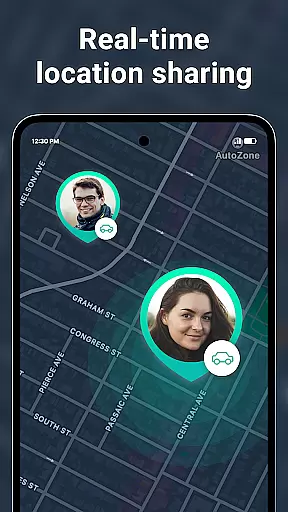

Geozilla is a comprehensive family safety and location-sharing app designed specifically for Android Wear devices. This innovative application allows families and trusted groups to stay connected through real-time GPS tracking, geofencing alerts, and driving behavior reports. With its smartwatch compatibility, users can conveniently monitor their loved ones' locations directly from their wrists, ensuring peace of mind no matter the distance.
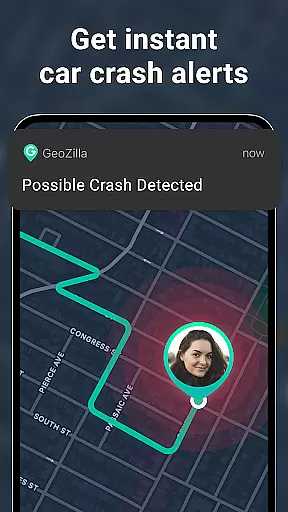
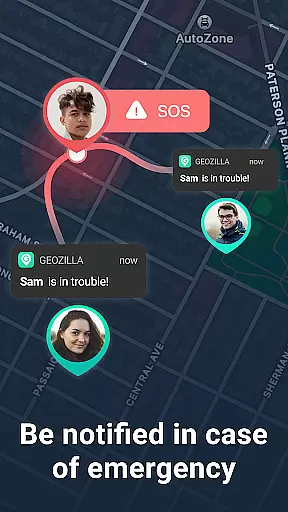
The app's core functionality revolves around creating private family circles where members can share their live locations only with explicit consent. Geozilla supports crucial safety features like arrival and departure notifications, low battery alerts, and even crash detection with emergency SOS capabilities. These functions make it an essential tool for modern families who prioritize both safety and transparency in their daily lives.
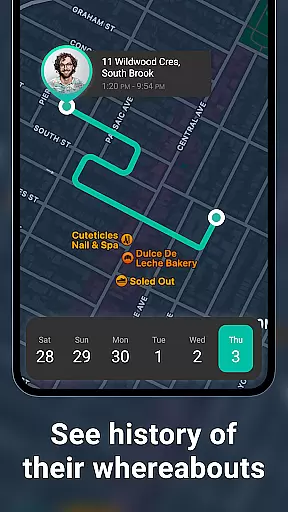
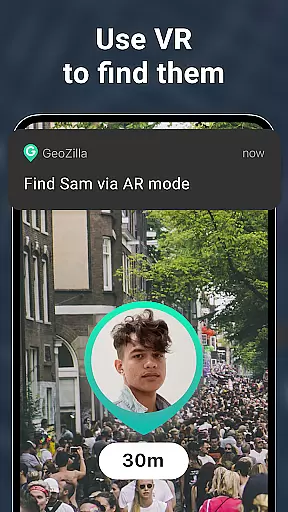
Beyond basic location sharing, Geozilla offers advanced features including location history tracking, safe driving insights, and an AR Finder. The application's commitment to privacy and user consent is evident in its transparent permission system and clear communication about data usage. Whether you're a parent monitoring your child's school commute or caring for an elderly family member, Geozilla provides a reliable solution while maintaining strict adherence to privacy standards and responsible usage policies.
Geozilla distinguishes itself through its comprehensive suite of safety features tailored for family use. The app's real-time location tracking system operates seamlessly across both mobile devices and Wear OS smartwatches, providing continuous monitoring capabilities. Its geofencing technology enables customizable alerts for specific locations such as home, school, or work, notifying users when their family members arrive or depart these areas.
What sets Geozilla apart is its sophisticated safety ecosystem. The app incorporates driving behavior analysis that generates detailed reports on family members' driving habits, helping promote safer road practices. Its emergency response system includes automatic crash detection and instant SOS alerts, which can be crucial in critical situations. Additionally, the battery monitoring feature ensures users are aware when their family members' devices are running low on power.
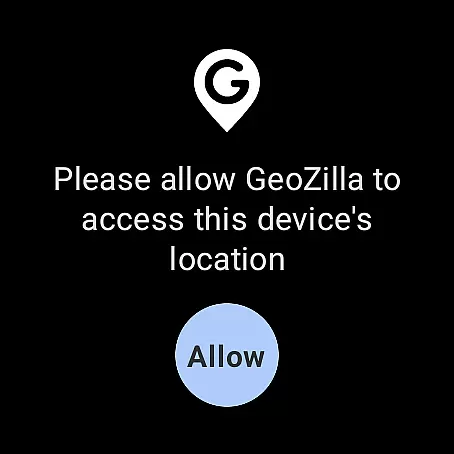
The application's technical implementation demonstrates careful consideration of privacy and security. All location sharing requires explicit mutual consent, and users maintain complete control over their data. The app's permission structure is transparent, requesting only necessary access for features like motion tracking and background location services. Furthermore, Geozilla's compatibility with Wear OS extends its functionality to smartwatches, allowing users to view locations and receive alerts directly on their wrist devices, making it particularly valuable for active lifestyles and quick accessibility.
Companion app integration is essential for wearable devices to function seamlessly with smartphones. Geozilla excels in this area by ensuring that its Android Wear application works in harmony with its mobile counterpart.
Through the companion app, users can access all of Geozilla's core features directly from their smartwatch. This includes real-time location sharing, geofenced alerts, and battery monitoring, which are crucial for maintaining family safety on the go.
The integration allows for effortless synchronization of data between the phone and watch, meaning that whether you're tracking a family member's location or receiving an emergency alert, the information is up-to-date and readily available on your wrist.
By providing Wear OS compatibility, Geozilla ensures that even when the phone isn't accessible, important notifications and location data are still within reach, thus enhancing the overall user experience without compromising on functionality or convenience.
Device compatibility is a critical aspect of any wearable technology, and Geozilla has been optimized to work with Wear OS, ensuring broad device support across different manufacturers and models.
Geozilla's compatibility with Wear OS means that regardless of whether family members use different brands of smartwatches, they can still benefit from Geozilla's safety features as long as their devices run on Wear OS.
This wide-ranging compatibility not only simplifies the setup process but also ensures that every family member can participate in the shared safety network without worrying about device-specific limitations.
Moreover, Geozilla's commitment to compatibility extends to regular updates that align with Wear OS advancements, guaranteeing ongoing performance improvements and feature enhancements tailored for the best possible user experience on wearable devices.
User-friendly interface
Real-time tracking
Emergency alerts
Driving reports
Wear OS support
Requires constant data
Limited free features
Background battery use
Complex permissions
Family consent needed

WTW M17 is a premium and luxurious hybrid watch face
 4.70
4.70
Wear Os Watch Face - Animated Snow Effect & Magic Spark - 6 Scenes
4.10
Artistic Digital Watchface
4.2
Stylish digital watch face for Wear OS devices with customizable features
4.4
Gym & home workout plans with strength training, exercise tracking, HIIT & more.
4.60
Real-time weather radar with temperatures, warnings, hurricanes, and widgets
4.80
Simple, helpful messaging by Google
4.60
Fitbit is dedicated to helping people lead healthier, more active lives.
4.10
Toyota app currently supports 2010 or newer vehicles (2018 or newer for Hawaii).
4.50
Digital, flexibly customizable watch face. For Wear OS 5.0, API 34+ and later.
5.00
Hybrid watch face for Wear OS with customizable complications by Matteo Dini MD
4.70
Walking app for weight loss: walk & step tracker, pedometer, indoor treadmill
4.60
Bold, Modern Hybrid Watch Face for Wear OS. 10 Colors, Rich Info Display.
4.30
A customizable Christmas watch face for Wear OS with a countdown.
4.20
Elegant animated Christmas tree with multiple customization options
4.20
"PER27 Galaxy Digital" is a digital Wear OS watch face designed by PERSONA
4.10
Viewer for Wyze/Yi/Eufy/Arlo/ONVIF/RTSP/P2P IP cams w/ adv. features & DIY DVR
4.00
Authentic military-tactical design with ZULU time! Realistic and functional!
3.80
Your local weather forecast, storm tracker, radar maps & live weather news
3.40


User Reviews