
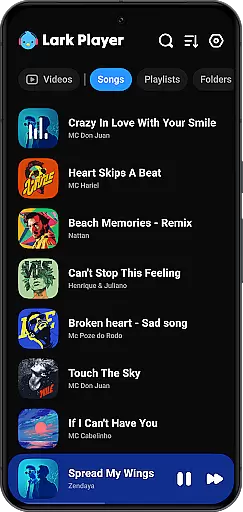
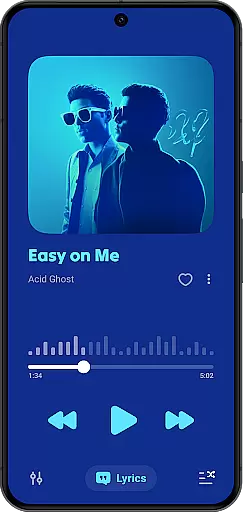
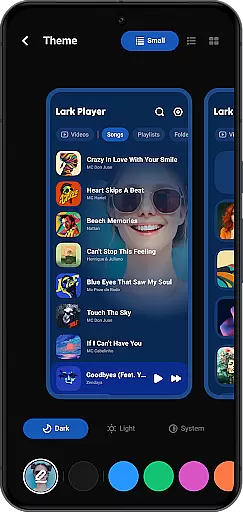
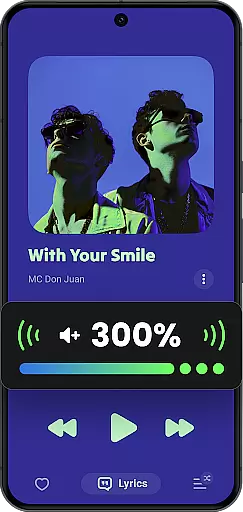
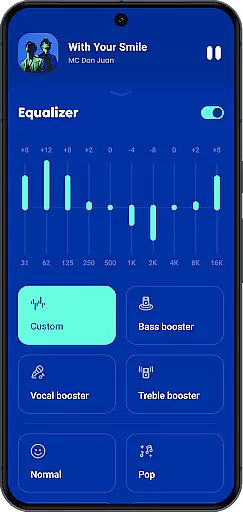
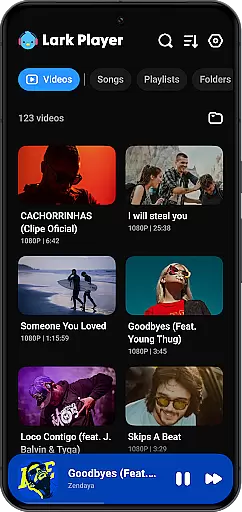
Lark Player is a versatile offline music and video player for Android devices, supporting all major audio and video formats. This free application features a powerful equalizer, customizable sound effects, and an intuitive user interface that has garnered over 100 million users worldwide.
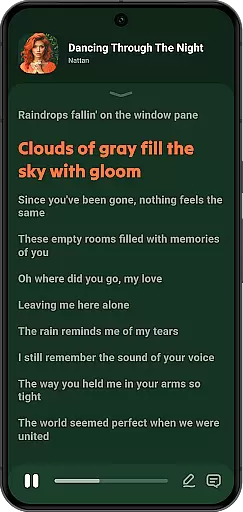
With dedicated modes for various music genres and support for lyrics, Lark Player allows users to personalize their listening experience. The floating window feature enables multitasking, while file management capabilities include playlist creation and music organization by song, artist, album, or genre.
Lark Player stands out with its extensive format compatibility for both audio and video files, including MP3, WAV, FLAC, MP4, and MKV. The integrated equalizer offers bass enhancement, reverb settings, and sound field adjustments, ensuring high-quality playback tailored to individual preferences.
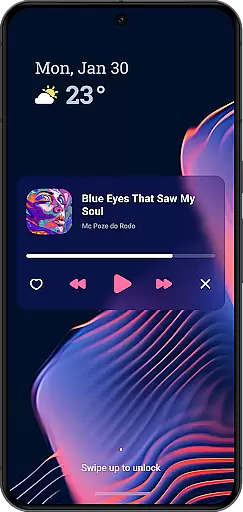
Users can enjoy additional functionalities such as day/night theme switching, setting local music as ringtones, and using a sleep timer. The app also supports background play, notification controls, and sharing music via Bluetooth or social media platforms, making it a comprehensive media solution.
Lark Player offers an extensive music library that supports all major audio formats including MP3, MIDI, WAV, FLAC, AC3, AAC, M4A, and ACC. This ensures users have the flexibility to play any offline music file on their Android devices without compatibility issues.
The application takes copyright seriously by allowing users to play only their legally owned files. It does not offer a music download feature, thus respecting copyright laws and encouraging users to manage their personal collections responsibly.
With over 100 million users worldwide, Lark Player has proven its reliability as a comprehensive music player. The vast user base indicates the app's capability to handle large music libraries efficiently while maintaining performance and stability.
Users can organize their music by creating playlists and browsing through categories such as song, artist, album, and genre. This organizational structure helps in managing extensive music collections effectively, enhancing the overall user experience.
One of Lark Player's standout features is its powerful equalizer, which provides users with preset modes for various music genres like Classical, Dance, Hip-hop, Jazz, Pop, and Rock. These presets allow users to customize their listening experience according to their preferences.
In addition to the preset modes, the equalizer includes advanced settings such as bass enhancement, reverb adjustment, and sound field customization. These options ensure that users can fine-tune the audio output to match their desired sound quality and enjoy high-fidelity music playback.
The app also supports high-quality music playback, ensuring that users experience the best possible audio fidelity from their offline music files. Whether it's enjoying the deep bass in electronic music or the intricate details in classical compositions, Lark Player caters to audiophiles seeking premium sound quality.
Moreover, the floating video and music player feature enables multitasking, allowing users to adjust the window size and position while enjoying high-quality audio. This functionality enhances convenience without compromising on the audio experience, making Lark Player a versatile choice for discerning listeners.
User-friendly interface
Extensive format support
Powerful equalizer
Lyrics integration
Floating player
No music downloading
Ads present
Occasional bugs
Limited editing
Notification issues

Tune in to the greatest hits on UK Radio | The home of Capital, Smooth & Heart.
 4.90
4.90
10-Band Audio Equalizer, Sound / Bass Booster for Spotify Users & Music Players
4.40
Permanently backup Now Playing. Maps, filters & listening stats.
4.00
Network/Cloud Streaming, Visualization, Graphic Equalizer and Sound Effects.
4.20
Bass Booster & Volume Equalizer Pro improves your music and video sound quality
4.60
Voice recorder - Audio recorder. Best recorder for recording
4.90
Smart piano keyboard, Classical to Pop, Real-time multiplayer connection!
4.20
Help you quickly get started with Shokz headphones
4.40
Customize Your Favorite Songs and Videos with booster.
4.70
Simple & Intuitive Metronome
4.70
Unleash your creativity! Turn simple prompts into full fledged songs.
4.70
Reverse your voice & songs instantly! Fun singing challenge with cool effects.
4.60
A synth that really lets you shape your sounds!
4.50
Let your Android device with the sound effects you want
4.50
Ringtone Maker is free app create ringtone from music files or your recording.
4.40
Equalizer, Bass Booster and Volume Booster (Eq & Bass) improve sound quality
4.30
The only true audiophile music player with Hi-Fi audio rendering and DSP engine
3.90
The ultimate media player for Android devices
3.90
Offline Tunes, Unlimited Vibes
3.90


User Reviews