
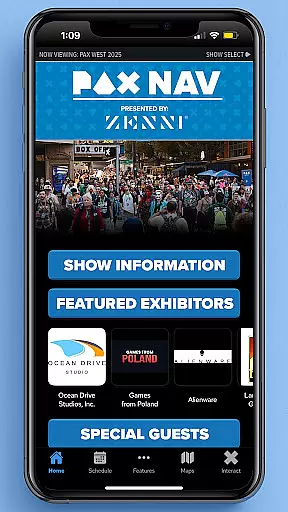
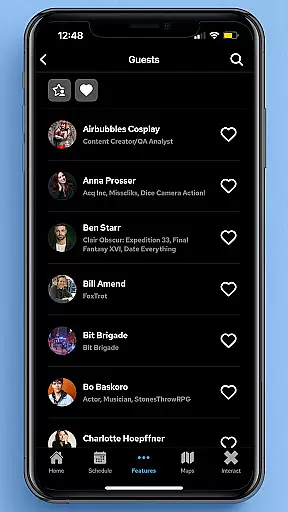
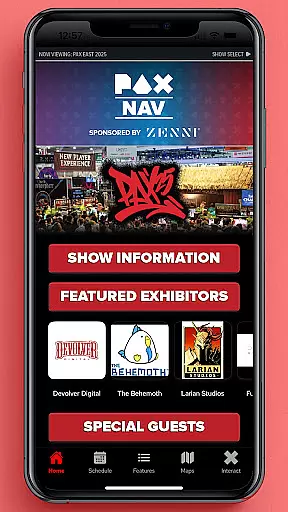
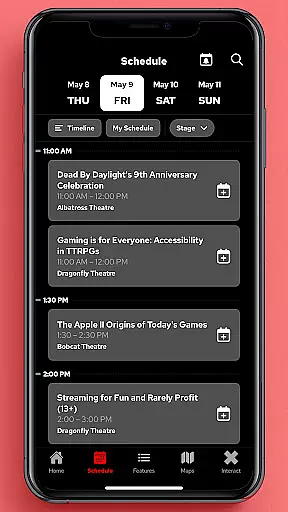
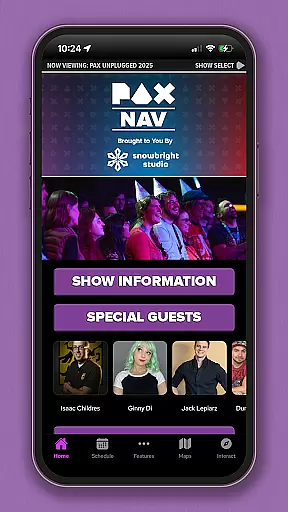
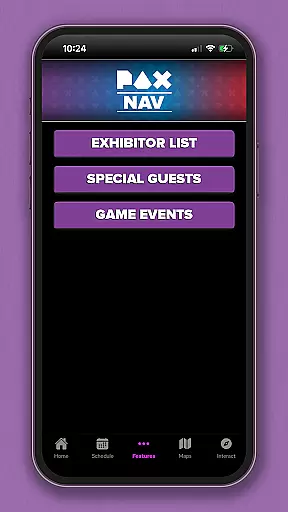
PAX Nav is the official app for PAX West, PAX East, and PAX Unplugged events. It provides users with comprehensive access to event schedules, exhibitor lists, interactive maps, exclusive show specials, and entry into the PAX XP program. Designed specifically for event attendees, this app serves as an all-in-one guide to enhance your PAX experience across multiple platforms including iOS and Android.
With its intuitive interface and robust functionality, PAX Nav ensures you never miss an important session or activity. Whether you're a seasoned PAX attendee or a first-time visitor, this app helps you navigate through the vast array of offerings at each event, making sure you get the most out of your visit.
PAX Nav offers a variety of features tailored to meet the needs of PAX event attendees. The app includes a fully interactive schedule that allows users to browse and filter sessions by time, location, and interest. Additionally, it provides detailed exhibitor information, enabling users to plan their visits to booths and demonstrations effectively.
One standout feature is the interactive map, which helps attendees navigate the event space with ease. Users can also take advantage of exclusive show specials available only through the app. Furthermore, PAX Nav integrates seamlessly with the PAX XP program, allowing users to track their experiences and earn rewards. These features collectively ensure that attendees have a personalized and optimized event experience.
Task creation and detail customization are essential features for event management applications like PAX Nav. This functionality allows users to create personalized schedules by selecting specific panels, workshops, or exhibitors they want to see.
The app provides a seamless process for adding events to your personal agenda. Users can browse through the full schedule, filter by categories, and select their preferred activities. Each selection comes with detailed information including time, location, and description, ensuring attendees can make informed decisions.
Customization options extend beyond simple scheduling. Attendees can set priority levels for different events, add personal notes, and even create alternative plans in case of scheduling conflicts. This level of detail helps maximize the convention experience while avoiding missed opportunities.
The value of this feature lies in its ability to transform overwhelming event information into manageable, personalized itineraries. By enabling users to tailor their experience, PAX Nav ensures that each attendee can focus on what matters most to them, making their PAX experience more enjoyable and productive.
Reminder settings in event applications serve as crucial tools for time management and planning. In PAX Nav, this feature ensures that users never miss an important panel or meeting by providing timely notifications and alerts.
The app offers flexible reminder options that can be customized according to user preferences. Attendees can set multiple reminders for different events, choose the notification timing that suits them best, and even enable persistent alerts until the reminder is acknowledged. This flexibility accommodates various personal schedules and preferences.
Beyond basic notifications, the reminder system integrates with the app's other features. When a reminder triggers, users receive not only an alert but also quick access to event details, location maps, and any relevant updates or changes. This comprehensive approach keeps attendees well-informed and prepared.
By implementing robust reminder settings, PAX Nav enhances the overall event experience. The combination of customizable alerts and integrated information ensures that users can navigate large conventions with confidence, knowing they have reliable tools to keep them on track throughout the event.
User-friendly interface
Comprehensive event coverage
Interactive maps
Exclusive show specials
Seamless PAX XP integration
Limited to PAX events
Requires internet connection
Occasional bugs reported
No offline mode
Heavy on battery usage

The Official App
 4.5
4.5
Audio guide companion APP for SEE's Michelangelo's Sistine Chapel
3.50
Microsoft Build is an annual developer conference hosted by Microsoft
4.20
Purchase line-skip passes, drinks, cover, and more at bars and clubs
3.50
Create invitation cards for birthdays, weddings, Christmas and more.
4.80
The KRUU app - plan, celebrate, remember
4.80
For weddings, parties & events
4.60
Discover events, experiences, and things to do near you - Anytime, Anywhere!
4.70
Introducing the official Magic: The Gathering app for mobile.
4.20
Find EDM shows near you! See your favorite artists live, and discover new music.
4.90
The Ultimate Tournament Hub
4.70
Discover events & experiences in NYC, LA, Chicago, DC, Miami and more!
4.70
Freebie Games for Epic Games, Steam, Amazon, Rockstar etc.
4.40
The calendar app in this 2026 year see all dates.
4.20
Rocket Monkey - Space rocket launch schedule for launch sites around the world
4.20
Microsoft Ignite is an event that showcases latest advancements in technology
4.00
Manages display and transfer of tickets from the Mundo Tickets platform
3.80
Browse events, find transportation, keep up with the latest news from your team
4.2
Thanksgiving Wishes, Thanksgiving Stickers & Animated GIF for Whatsapp Stickers
4.0


User Reviews