
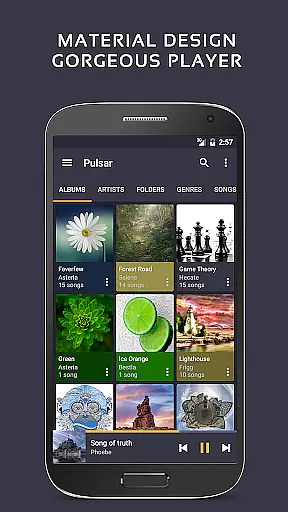
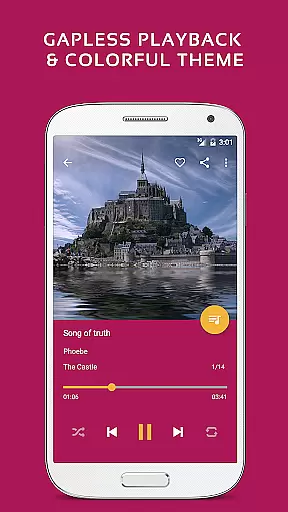
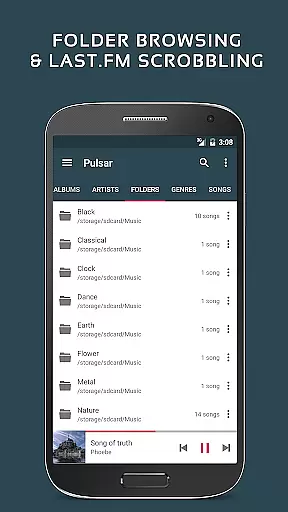
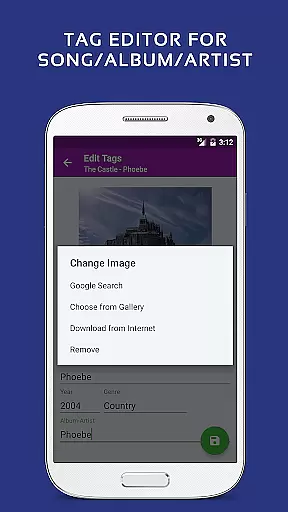
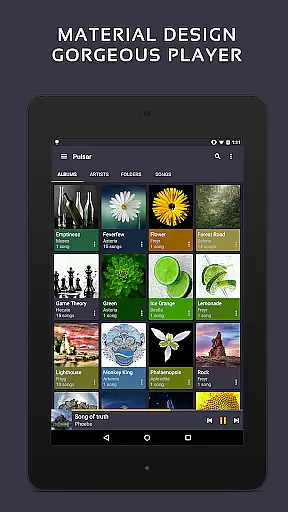
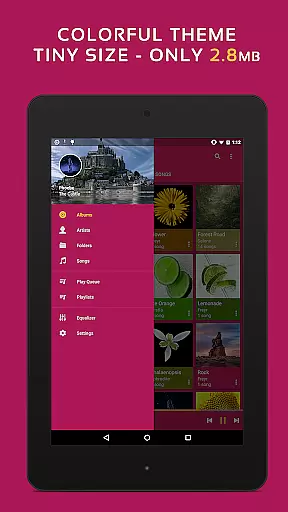
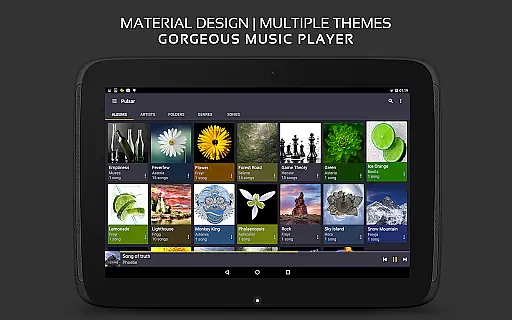
Pulsar Music Player Pro stands as a premium music player for Android, offering an ad-free offline listening experience. Designed with meticulous attention to detail, it embraces Google's material design principles, providing users with a visually stunning interface. The app is packed with essential features such as gapless playback, crossfade, and play speed adjustment, alongside advanced functionalities like tag editing and last.fm scrobbling.
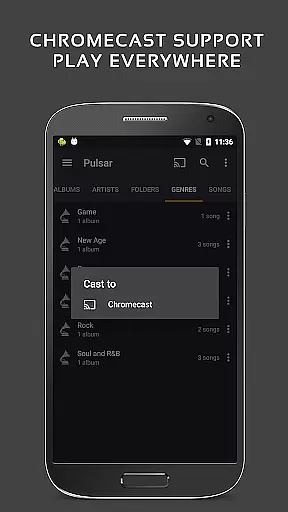
With support for Chromecast, voice commands, and Android Auto, Pulsar ensures seamless integration across various devices. Its equalizer, music visualizer, and ReplayGain options allow for personalized audio experiences. Whether you're managing your library by album, artist, or genre, or enjoying smart playlists, Pulsar caters to diverse musical needs. This makes it an ideal choice for audiophiles seeking both functionality and aesthetics in their music player.
Pulsar Music Player Pro distinguishes itself through its comprehensive feature set tailored for music enthusiasts. The app provides exquisite material design animations and supports music management by album, artist, folder, and genre. Smart playlists help users access most played, recently played, or newly added tracks effortlessly.
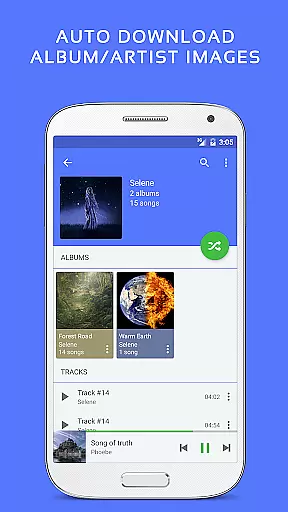
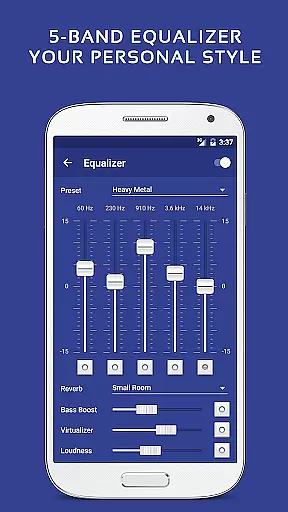
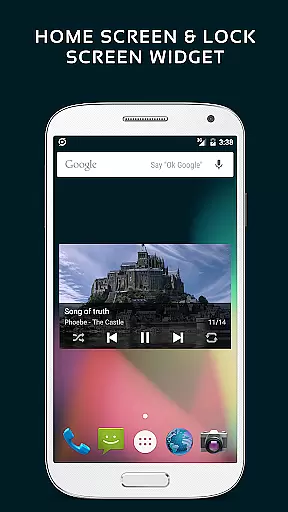
Advanced functionalities include automatic syncing of missing album/artist images, fast search capabilities, and resizable home screen widgets. Notably, the Pro version offers 16 extra themes, theme customization, and a 5-band equalizer with 9 pre-built presets. With bass boost, reverb effects, and support for high-quality formats like FLAC, Pulsar delivers an unmatched auditory experience. Integration with Chromecast, Android Auto, and voice commands further enhances user convenience.
Pulsar Music Player Pro offers an extensive music library that supports various file formats including MP3, AAC, FLAC, OGG, and WAV. This ensures users can access and enjoy a wide range of audio content without compatibility issues.
The application emphasizes copyright authenticity by enabling users to manage and play their legally acquired music files. With features like automatic syncing of album and artist images, Pulsar enhances the listening experience while respecting intellectual property rights.
Additionally, Pulsar's offline playback capability allows users to enjoy their music library without an internet connection, ensuring privacy and eliminating the risk of unauthorized data sharing. This makes it an ideal choice for audiophiles who value both convenience and legal integrity.
One of Pulsar Music Player Pro's standout features is its superior audio quality options. The app includes a 5-band equalizer controller with nine pre-built presets, allowing users to customize their sound experience according to personal preferences or specific audio tracks.
Beyond basic equalization, Pulsar offers advanced audio effects such as bass boost, reverb, and more. These features ensure that listeners can fine-tune their music playback to achieve studio-quality sound, making it comparable to professional audio equipment.
Moreover, the player supports high-resolution audio formats and includes ReplayGain volume normalization, which maintains consistent playback levels across different tracks. This attention to audio detail provides an immersive listening experience that satisfies even the most discerning audiophiles.
Ad-free experience
Gapless playback
Customizable themes
Advanced equalizer
Chromecast support
Paid version only
No cloud streaming
Limited playlist sharing
Occasional bugs
Heavy on resources

Fun & Easy Voice Changer – Record, Edit & Add Hilarious Effects!
 4.50
4.50
SqueezePlayer turns your Android phone or tablet into a SqueezeBox on its own!
4.60
Offline and always ad-free - stream in the highest quality available.
4.10
DJ Music Mixer Pro is a real DJ controllers and DJ Music Studio to remix DJ.
4.40
The only true audiophile music player with Hi-Fi audio rendering and DSP engine
3.90
Bass Booster & Volume Equalizer Pro improves your music and video sound quality
4.60
A sleek, no-frills player designed for true music lovers.
4.20
Sheet music reader, piano & music note player. Play music score & learn to read.
3.90
Sing, record, and create music together — enhanced by smart voice tools.
4.00
24,000 free audio books and no ads!
4.90
Voice recorder - Audio recorder. Best recorder for recording
4.90
Gorgeous UI, Powerful music Search and Equalizer, the great choice for you!
4.70
Over 100 million tracks available for high quality streaming and download
4.60
Ringtone Maker is free app create ringtone from music files or your recording.
4.40
The original SP-1200 experience on your iPad
4.20
PowerAudio is a powerful offline music player.
4.20
The official Sonos app
4.10
USB audio recording and playback finally possible on Android 3.1 or higher!
3.90
Offline Tunes, Unlimited Vibes
3.90


User Reviews