

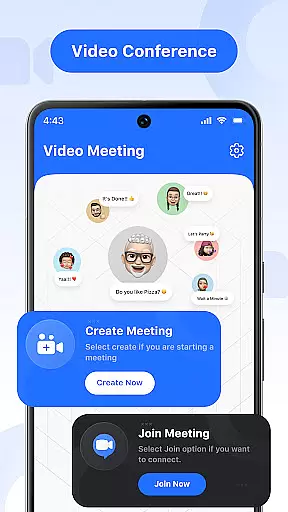
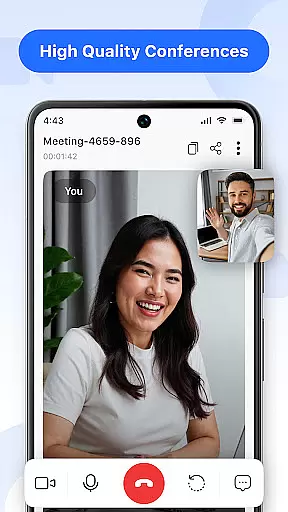
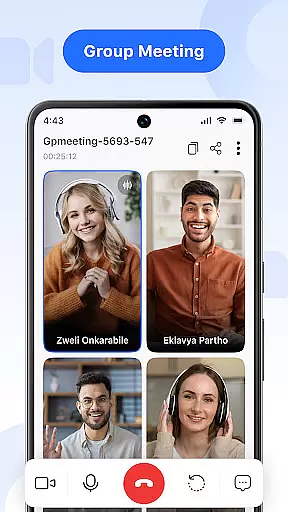
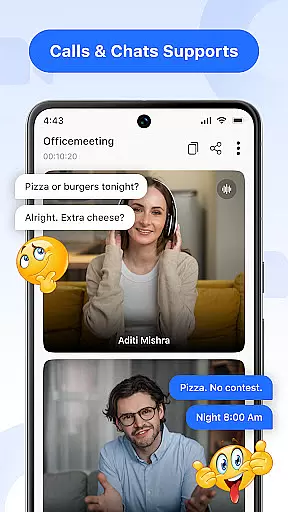

Video Meeting is a cutting-edge video conferencing app designed to enhance virtual communication and collaboration. With features like HD video calls, real-time team interaction, and secure meeting access, it ensures seamless connectivity for both professional and personal use. The app supports various meeting formats including one-on-one chats, group hangouts, and large-scale webinars.
What sets Video Meeting apart is its user-friendly interface combined with powerful functionalities. Users can easily host or join meetings, share screens, toggle video and audio, and communicate through real-time chat. Its multi-language support breaks communication barriers, making it suitable for global teams. Whether for business meetings, virtual classrooms, or casual chats, Video Meeting provides a reliable platform that adapts to diverse needs.
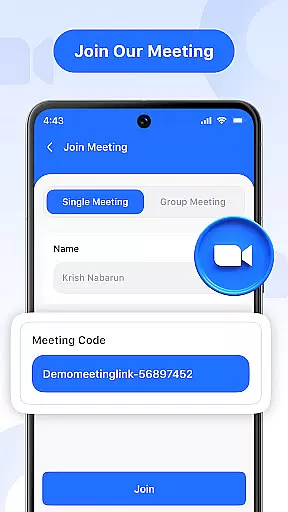
The application's value lies in its ability to create productive and secure online environments. By offering encrypted access via unique meeting codes and supporting high-quality video/audio transmission, it enables users to connect confidently from anywhere in the world. This makes Video Meeting an essential tool for modern remote work, distance learning, and social interactions.
Video Meeting boasts an impressive array of features that cater to different communication needs. One of its standout capabilities is the instant meeting hosting function, which allows users to launch video sessions quickly and invite participants effortlessly. The Quick Join feature enables seamless entry into meetings using shared links or secure codes, eliminating unnecessary delays.
The app excels in providing flexible communication options. Users can engage in private one-on-one chats or organize group hangouts for social interactions. Real-time chat functionality lets participants exchange messages without interrupting ongoing calls. Advanced controls permit easy muting/unmuting of audio and toggling of video feeds based on individual preferences and privacy requirements.
Screen sharing capability is another significant advantage, allowing users to present documents, slides, or applications live with just a single tap. The app also offers convenient meeting management tools such as Easy Exit for individual departures and End for All to conclude sessions for all participants simultaneously. These comprehensive features make Video Meeting a versatile solution for various virtual communication scenarios.
Real-time messaging speed and reliability are crucial for effective communication in video conferencing applications. This feature ensures that messages are delivered instantly and consistently, without delays or failures.
Video Meeting app excels in this area by providing a robust infrastructure that supports uninterrupted message delivery. Whether you're sending a quick text during a meeting or sharing important files, the app guarantees that your communications reach the recipients immediately.
The benefit to users is significant. With reliable real-time messaging, participants can engage in discussions seamlessly, ask questions, provide feedback, and collaborate on projects without worrying about technical hiccups. This enhances productivity and ensures smooth interaction among team members.
Moreover, the app's commitment to maintaining high standards of performance means that even during peak usage times, message delivery remains swift and dependable. This reliability fosters trust and confidence in using Video Meeting as a primary tool for virtual collaboration.
Media sharing support is an essential feature in modern communication apps, allowing users to exchange various types of content beyond plain text. This includes images, videos, documents, and other file formats that enrich conversations and facilitate comprehensive information exchange.
In Video Meeting, media sharing is integrated seamlessly into the platform. Users can share their screens, present slideshows, showcase documents, or stream videos directly within a call. The app supports multiple file formats, ensuring compatibility and ease of use across different devices and operating systems.
This functionality offers numerous advantages to users. It enables more dynamic and interactive meetings where visual aids and multimedia presentations enhance understanding and engagement. Participants can collaborate more effectively by viewing shared materials simultaneously, leading to better decision-making and problem-solving outcomes.
Furthermore, the ability to share media effortlessly contributes to a versatile communication experience. Whether it's for educational purposes, business presentations, or casual sharing with friends, Video Meeting provides a flexible and efficient solution for all media sharing needs.
User-friendly interface
High-quality video/audio
Secure meeting access
Multi-language support
Versatile meeting options
Limited free features
Occasional connectivity issues
Device compatibility constraints
Advanced options require subscription
Learning curve for new users

Adblock & VPN Browser: Blocks banners, pop-ups and video ads, fast downloader!
 4.60
4.60
Google's fast and secure browser
4.10
Manage and Fund Calling Accounts and Schedule and Join Video Sessions
3.60
Call Blocker app: Identify unknown callers, block spam calls, fraud & robocalls
4.30
An agentic AI browser for Android, built by Perplexity
4.50
Smart and simple anti-wiring application - IMSI-catchers catcher
4.40
Federated instant messaging for your mobile device (Jabber, XMPP, Snikket)
4.10
Weargram is an unofficial Telegram Client for Wear OS.
3.50
FolderSync enables easy sync of files between cloud storage and Android devices.
4.60
A browser that does more than load page, like keeping your privacy safe.
4.70
Fast and mini browser with Ad Blocker,Video Downloader and Video Player
4.40
Our Black Friday sale is here. Unlock special discounts on Proton Mail now.
4.30
Block spam calls & scam - no more annoying calls with the call blocker function
4.30 3.90
3.90
Tether to Windows, OS X, Linux PCs or Android tablets. No root. No tether fees.
3.90
This app enables the phone to receive and send FT8 traffic!
3.80
Message and video call your family and friends in HD!
3.80
Pure modern IRC experience for Android
3.70
Secure Messaging App to Enhance Messenger Texting Experience and Organize SMS.
3.50


User Reviews