








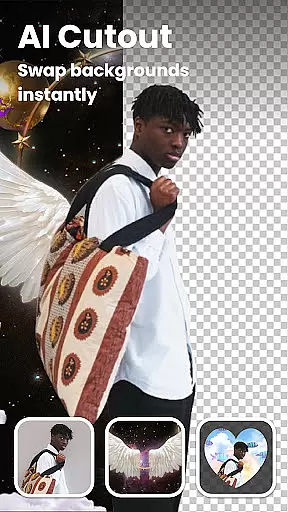


Lumii is an advanced AI-powered photo editing application that combines professional-grade tools with intelligent automation to deliver exceptional image enhancement capabilities. The app offers a comprehensive suite of features including automatic background removal, AI-based photo quality improvement, and artistic effects like bokeh and double exposure.
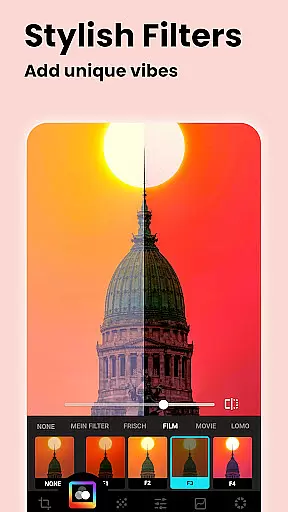
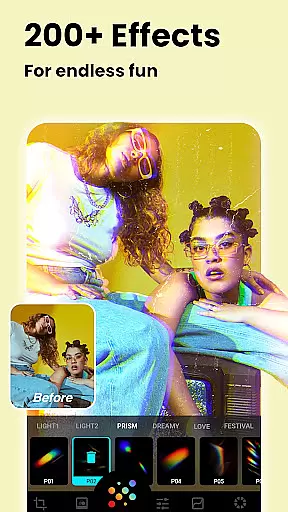
With over 100 customizable filters and effects, users can create stunning visuals for social media platforms like Instagram. The app's standout features include AI avatar creation, object removal, and advanced color adjustments through HSL and curves tools. These capabilities make Lumii particularly valuable for both amateur photographers looking to enhance their photos and professionals seeking efficient editing solutions.
The application's intuitive interface and powerful tools enable users to produce high-quality edits without requiring extensive technical expertise. From basic adjustments to complex compositions, Lumii streamlines the editing process while maintaining professional standards, making it an essential tool for modern digital creators.
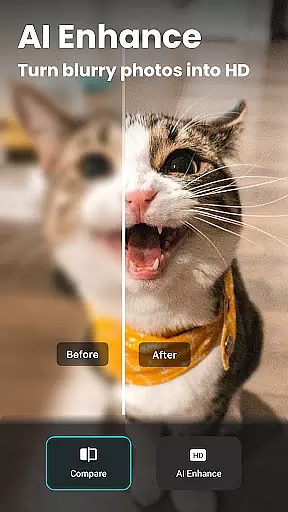
Lumii distinguishes itself through its comprehensive feature set that caters to various photo editing needs. The application's AI Photo Enhancer automatically improves image quality, while the Background Eraser tool provides precise object removal with minimal effort. These smart tools are complemented by traditional editing features such as brightness, contrast, and color adjustments.
The app offers specialized tools including Double Exposure effects, Glitch photo filters, and professional-grade HSL adjustments. Users can experiment with creative techniques like light leaks and film emulation while maintaining control over detailed parameters. The inclusion of text overlay functionality with multiple font options adds versatility to content creation.
What sets Lumii apart is its seamless integration of AI-powered tools with manual editing capabilities. The combination of automated enhancements and precise manual controls allows users to achieve professional results efficiently. This hybrid approach makes the application suitable for both quick edits and more elaborate creative projects.
Real-time capture and preview functionality is essential for any photography app as it allows users to see exactly what the camera is capturing before taking a shot. This feature ensures that users can make necessary adjustments to achieve the desired outcome without any surprises.
Lumii, with its advanced AI capabilities, enhances this experience by providing real-time previews of photo edits. Users can instantly see the effects of filters, effects, and adjustments applied to their images, making the editing process more intuitive and efficient.
The benefit of Lumii's real-time capture and preview is that it empowers users to take full control over their photo editing. Whether adjusting brightness, applying a bokeh effect, or experimenting with color curves, seeing these changes in real time allows for precise and creative edits.
This immediate feedback loop not only saves time but also enhances user satisfaction by delivering professional-quality results with minimal effort. With Lumii, every photo can be perfected on the spot, ensuring that users are always satisfied with their final creations.
AI beauty and enhancement features have become a staple in modern photo editing apps, offering tools that improve image quality while maintaining a natural look. The importance of this feature lies in its ability to enhance photos without making them appear overly processed or artificial.
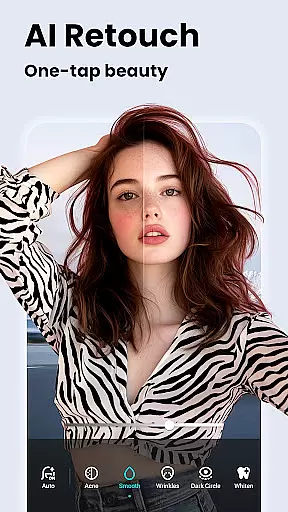
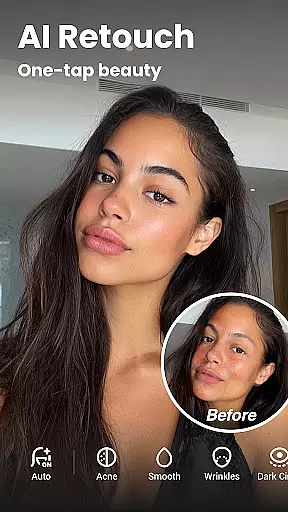
Lumii stands out by integrating sophisticated AI algorithms that focus on natural enhancement. Its AI Photo Enhancer unblurs and sharpens images, turning portraits into high-definition masterpieces while preserving skin texture and facial details. Additionally, features like Auto Retouch smooth the skin, whiten teeth, and remove blemishes seamlessly.
Users benefit from Lumii's AI enhancements through achieving polished yet authentic-looking results. The app intelligently detects facial features and applies enhancements that complement the subject's natural beauty, avoiding the pitfalls of over-editing.
Ultimately, Lumii's commitment to natural enhancement ensures that edited photos retain their original charm and character. This approach not only boosts user confidence in sharing their work but also sets Lumii apart as a leader in realistic photo editing solutions.
User-friendly interface
Powerful AI tools
Wide range of effects
Professional color tools
No ads during editing
Advanced features locked
Occasional processing delays
Limited free templates
Subscription required
Storage intensive

HD Photo gallery and photo manager to edit, hide private photos, videos & albums
 4.0
4.0
Cut and paste photo editor & eraser to customize photos easy and swap faces fun
4.50
Natural Beauty, Selfie Retouch
4.30
Edit like a pro with Hypic. Apply filters, AI effects, & magic touch.
4.40
Transform photos into videos! Create realistic or anime-style images easily!
4.50
AI photo enhancer with Sora 2! Enhance, descratch, and colorize your old photos.
4.50
Use AI Video Generator to turn your words to ai generated videos.
4.50
Transform Photos: Edit, Beautify and Craft Memories & Make Collages!
4.10
A light meter for true photographers.
4.20
Photo editor: AI filters, photo enhancer, pic collage maker, AI art generator.
4.80
1M influencer's special filter
4.60
Take videos and pictures with the popular TikTok TIME WARP SCAN filter.
4.60
Add Watermark - Sign your pictures with a text or logo. Effective, quick, easy!
4.50
Create AI photos & videos with Enhancer; restore, fix, beautify, enhance photos
4.50
Search, tag and rate your way to an organized image gallery
4.40
RAW video capture with advanced controls
4.40
Professional camera app that brings DSLR manual photography controls to Android.
4.20
Catch sunlight, sunrise sunset times and sun phases with the AR sun tracker.
4.10
How would you look like with a differently shaped nose, chin or lips?
3.90


User Reviews