
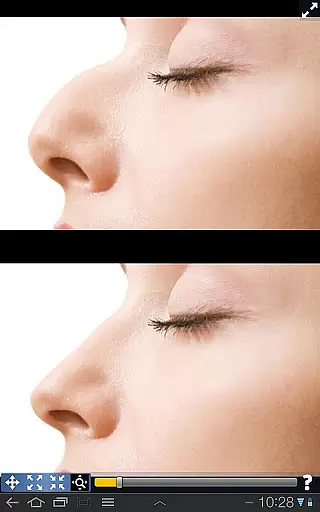
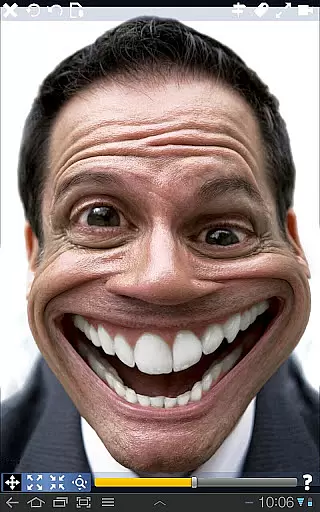
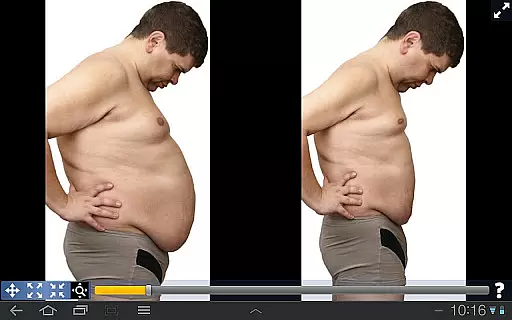
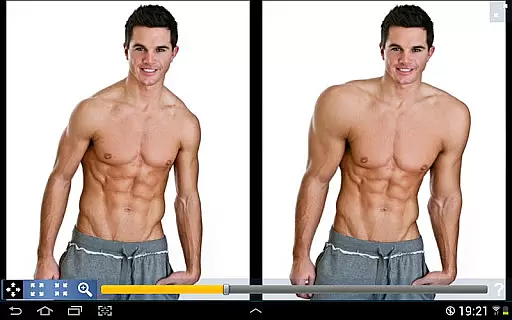
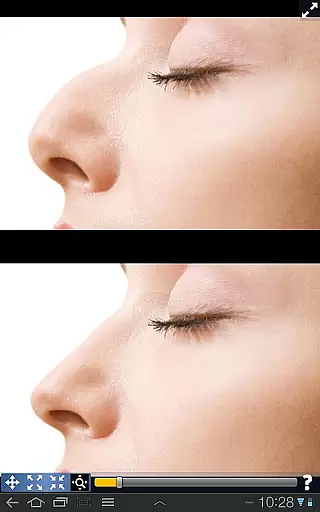
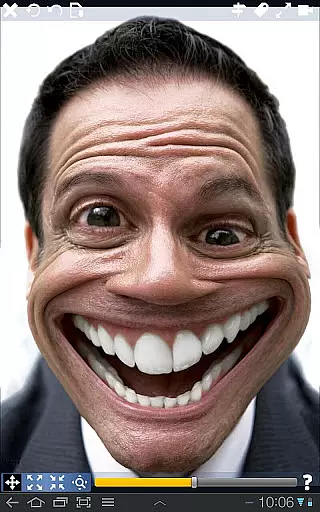
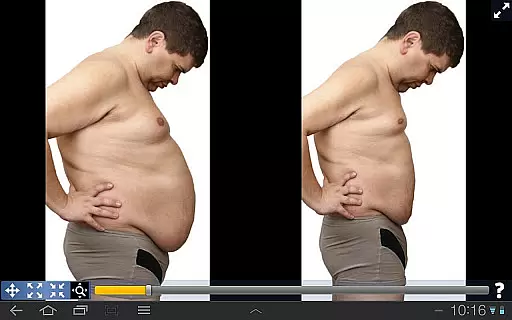
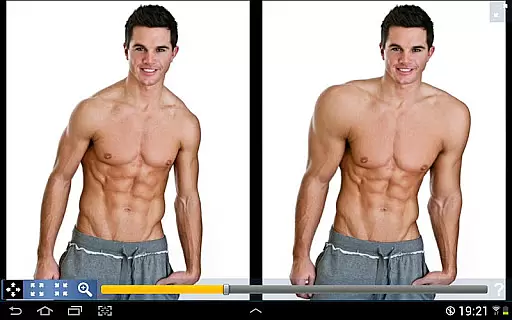
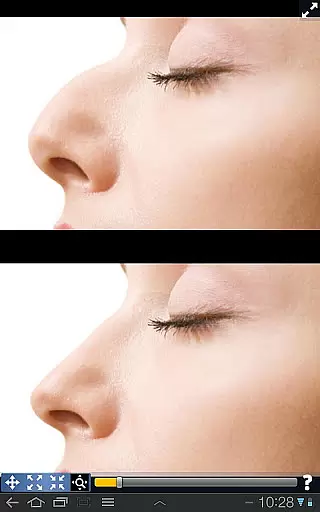
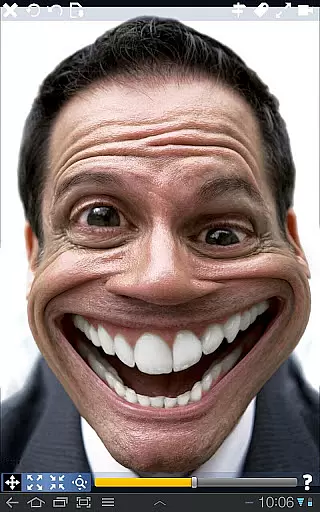
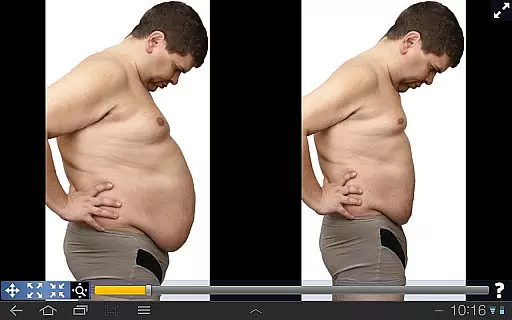
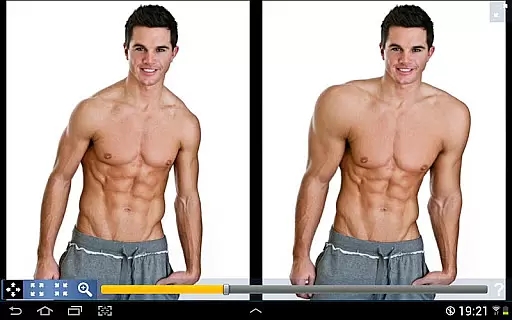
Plastic Surgery Simulator is a versatile photo editing application designed for creative image manipulation. The app's core functionality lies in its powerful distortion tools that allow users to simulate physical transformations with remarkable smoothness. Whether you want to experiment with facial features like reshaping your nose or chin, or enhance body proportions by adding muscle definition, this app provides the tools to visualize these changes instantly.
A standout feature of the app is its dual display mode, which intelligently mirrors your image when the device is rotated. This allows users to edit their photos without their fingers obstructing the view, making it especially useful on smaller touchscreens. With its intuitive interface and innovative features, Plastic Surgery Simulator is perfect for social media enthusiasts, professional photographers, or anyone looking to explore creative photo editing.
Plastic Surgery Simulator offers an array of advanced features tailored for both casual users and photography professionals. At the heart of the app is its cutting-edge photo distortion algorithm, which ensures that all transformations appear natural and seamless. Users can easily drag, grow, or shrink specific areas of an image to achieve their desired effect, whether it’s enhancing facial features or altering body shapes.
In addition to its primary editing capabilities, the app includes a unique dual display mode. When the device is rotated into landscape orientation, the image is cloned onto the opposite side of the screen. This innovative approach enables precise edits without any visual obstruction from the user's hand. Such functionality sets Plastic Surgery Simulator apart from other photo editing apps, as it enhances usability while maintaining high-quality results. These features collectively make the app a valuable tool for experimenting with creative ideas or improving images for personal and professional use.
Real-time capture and preview functionality is essential for photography apps as it allows users to see the effects of their edits instantly. Plastic Surgery Simulator excels in this area by providing immediate visual feedback as users manipulate different facial and body features.
The app's powerful photo distortion algorithm ensures that all transformations appear smooth and natural in real time. This feature is crucial for users who want to simulate realistic body changes without any delay, offering a seamless experience while modifying their images.
With the dual display mode, users can view their original and edited images side by side when they rotate their device. This innovative approach enhances the editing process by allowing users to make precise adjustments without their fingers obstructing the view.
Overall, the real-time capabilities of Plastic Surgery Simulator not only improve user engagement but also provide an intuitive way to achieve desired aesthetic results quickly and efficiently.
AI beauty and enhancement features are becoming increasingly popular in photography apps, aiming to beautify images while maintaining a natural look. Plastic Surgery Simulator incorporates advanced algorithms to ensure that all modifications enhance the user's appearance realistically.
The app stands out by offering smooth transformations that do not distort the image unnaturally, preserving the integrity of the original photo. This is particularly important for users who wish to improve their appearance on social networks without compromising authenticity.
Additionally, the dual display mode aids in achieving natural enhancements by giving users a clear view of their edits. This feature helps in making subtle adjustments that retain the natural essence of the image, which is vital for creating believable simulations.
By focusing on natural-looking enhancements, Plastic Surgery Simulator provides users with tools that boost confidence and creativity, ensuring that every edit looks genuine and aesthetically pleasing.
User-friendly interface
High-quality distortion
Dual display convenience
Social media ready
Creative experimentation
Limited advanced tools
No batch processing
Few tutorials available
Premium feature costs
Occasional lag

Remote control of the phone camera from your Wear OS smartwatch
 3.70
3.70
Photo Album Watch Face shows your favorite pictures as a Watchface.
1.90
Search, tag and rate your way to an organized image gallery
4.40
Find time and duration of different sunlight phases at any location
4.90
Viewfinder, Light meter, Reciprocity failure time, DOF & Bellows Extension
4.60
A reflected light meter with spot metering and incident light metering.
4.40
Raw Image Viewer. Gallery with support of raw images (.cr3, .cr2, .nef, .raf).
2.00
Easily create custom gifts, cards, photo books & more on the Shutterfly app!
4.60
Photo & Video Gallery app to manage albums and save WA Status easily.
4.70
Photo prints, cards, & gifts at Walgreens. Easy ordering & fast local pickup !
4.80
Cartoon and artistic effects for your photos and videos
4.70
A must-have app for landscape photographers
4.60
Photo Exif Editor allows to view, add and modify EXIF data of multiple photos
4.50
Use AI Video Generator to turn your words to ai generated videos.
4.50
Effortlessly organize, view and share your photos & videos with Gallery app!
4.40
Natural Beauty, Selfie Retouch
4.30
Professional photography on your mobile phone
4.20
All-in-One Editor & AI Photo Enhancer, Collage, Cartoonify, Funny Stickers & BGS
4.10
USB Storage Access for Photos, Videos, Music and Documents
3.80


User Reviews