
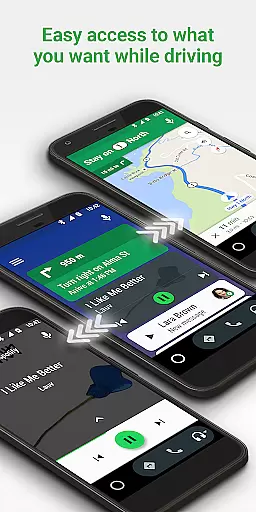
Android Auto is a driving-focused companion app that seamlessly integrates your smartphone with your car's infotainment system. The app provides a simplified interface with large, easy-to-tap buttons and voice commands powered by the Google Assistant. This ensures you stay connected while keeping your focus on the road.
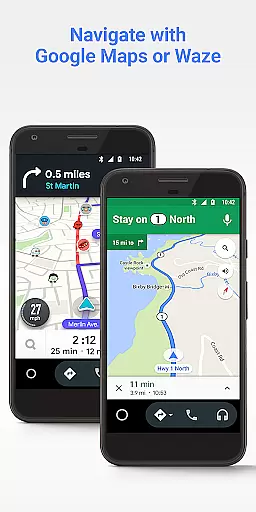
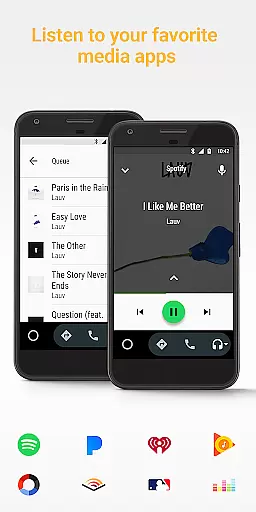
Core functionalities include real-time GPS navigation through Google Maps or Waze, hands-free calling and messaging, media playback from popular apps like Spotify and Pandora, and access to news, weather, and other updates. Android Auto also supports over 400 car models, making it widely accessible for drivers who want an enhanced in-car experience.
With features like do-not-disturb mode and voice-activated controls, Android Auto helps reduce distractions during drives. Whether commuting to work or embarking on a road trip, this app ensures you have all essential information at your fingertips without compromising safety.
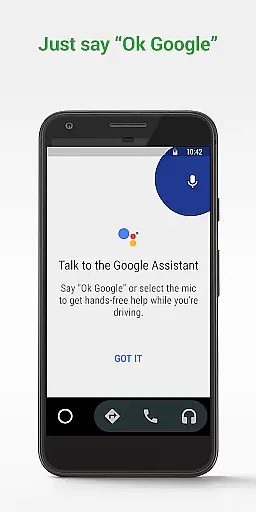
Android Auto offers several standout features designed specifically for safer driving experiences. One of its key aspects is the integration with Google Assistant, allowing users to perform tasks such as setting destinations, checking calendars, sending messages, and controlling media playback using simple voice commands.
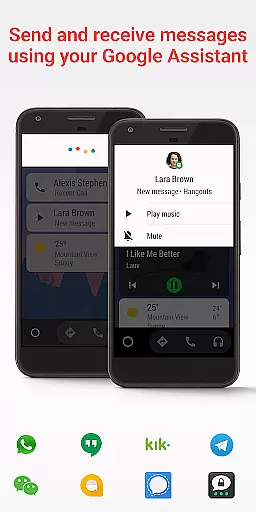
The app supports multiple navigation services including Google Maps and Waze, providing real-time traffic alerts and route guidance. It also connects with various messaging platforms like WhatsApp, Hangouts, Skype, and more, enabling hands-free communication. Additionally, Android Auto works with numerous audio streaming services such as Spotify, Pandora, and Google Play Music, giving users access to their favorite tunes directly from the car's display.
Another notable feature is the customizable do-not-disturb mode which sends automated responses to incoming calls and texts while driving. Furthermore, compatibility extends across hundreds of vehicle models, ensuring broad usability. These comprehensive capabilities make Android Auto an indispensable tool for modern drivers seeking convenience and safety.
Accessing detailed vehicle information is crucial for drivers who want to stay informed about their car's status and performance. Android Auto provides essential details through its interface, ensuring that users can easily monitor their vehicle's parameters while driving.
The app integrates with your car's systems to display important notifications such as fuel levels, tire pressure, and engine temperature directly on the simplified dashboard. This seamless connection allows drivers to maintain optimal vehicle health without distraction.
By using Android Auto, drivers benefit from real-time updates and alerts, which contribute to safer and more efficient driving. The ability to quickly glance at these vital stats means you're always aware of your vehicle's condition.
This feature enhances the driving experience by providing peace of mind and allowing drivers to focus on the road while still having critical vehicle information at their fingertips.
Price transparency in automotive services ensures that drivers are fully aware of costs associated with using navigation and entertainment features. Android Auto offers clear information regarding any potential expenses tied to its usage.
While the application itself is free, it provides access to various media and navigation services, some of which may require subscriptions. Users can clearly see which services are free and which might incur charges before they subscribe or make purchases within supported apps.
Android Auto empowers users by presenting all necessary financial information upfront, allowing them to make informed decisions about which services to use during their journeys. This openness builds trust and enhances user satisfaction.
With no hidden fees and comprehensive details on service costs, Android Auto ensures that drivers can enjoy their drive with full knowledge of any monetary commitments they choose to make.
User-friendly interface
Voice command support
Wide app compatibility
Real-time navigation
Hands-free operation
Limited iOS support
Requires Android 6+
Dependent on data connection
USB cable needed
Few customization options

Ultimate OBD2 Car Scanner: Diagnostics, Service and Modification Tool
 4.30
4.30
ODB2 based monitoring application for the Chevy Bolt (2017-2021)
4.00
Realtime Charts is a plugin for the Torque Pro App (OBD 2 & Car)
4.20
Launcher for use in the car
4.40
Discover new and used cars in Syria easily! Browse ads and connect with sellers.
3.70
Blink Charging Mobile app makes finding an EV charger an intuitive experience.
3.80
Instant diesel savings. No credit checks or fees. Nationwide growing network.
4.40
7-Day Returns on All Cars
4.80
Marathon ARCO Rewards members earn rewards & apply the rewards for fuel savings!
4.80
Find Your Local Store or Shop Online for the Car, Truck, or SUV Parts You Need
4.70
Autolist - The Largest Selection of Local Used Cars and Trucks
4.50
Instantly redesign your car with AI. From sporty to futuristic, try it all.
4.50
On the CarShield app, you can view contracts, make payments, & request roadside.
4.40
Secure mobile payments & fuel savings at Phillips 66®, Conoco® and 76® stations
4.40
PayByPhone: A quick and easy way to pay for parking.
3.80
Wonder how much horsepower and torque your car/truck makes? Look no further.
3.40
Club Car Wash Mobile App—the fast lane to managing your wash membership.
3.30
O'Reilly Pro will streamline your parts lookup and ordering process!
3.20
Theme for Car Launcher
4.2


User Reviews