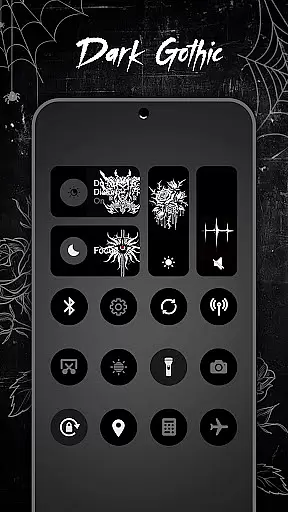
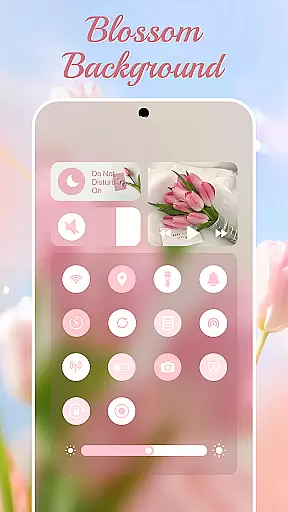
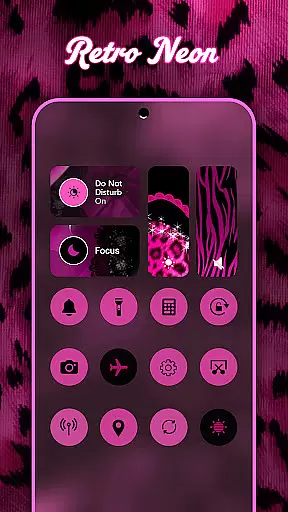
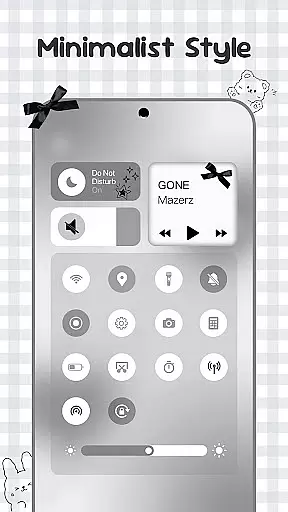
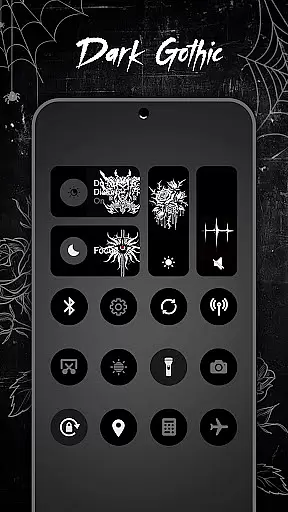
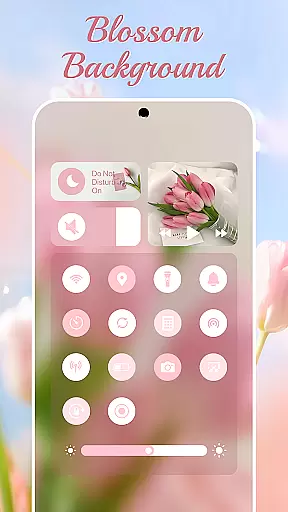
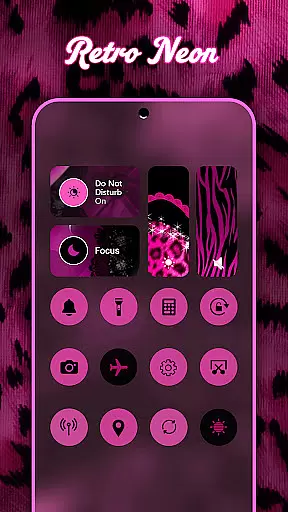
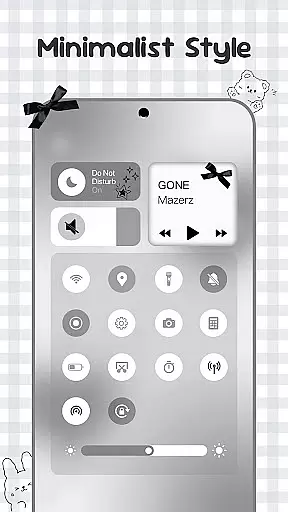
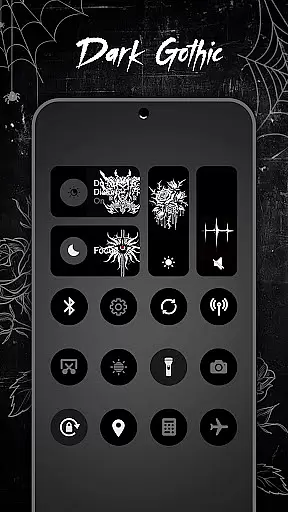
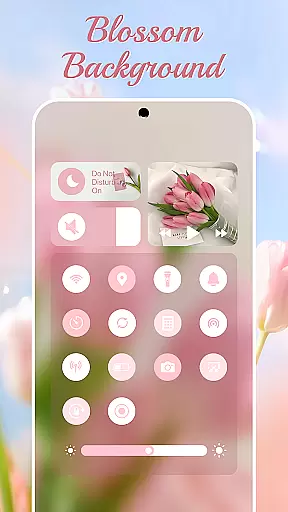
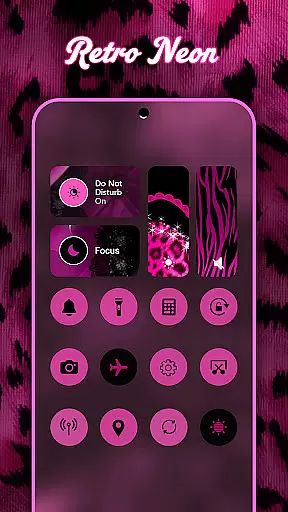
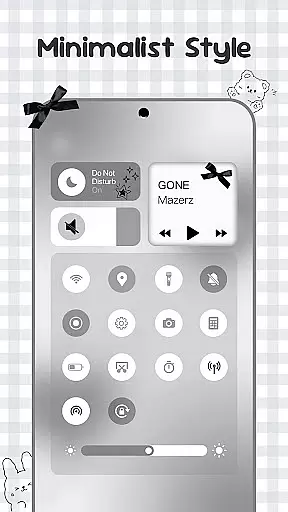
Control Widget is a highly customizable quick settings panel for Android devices, offering users the ability to personalize their control center with thousands of aesthetic themes. These include popular options like Anime, K-pop, neon gradients, and minimalism, allowing users to match their device's look to their personal style or mood. The app provides one-tap access to essential functions such as Wi-Fi, Bluetooth, brightness adjustment, and more.
Beyond its visual appeal, Control Widget delivers practical functionality by integrating smart tools that enhance user convenience. With features like smooth sliders for precise adjustments, instant access to Do Not Disturb mode, and quick activation of the flashlight, this app transforms the Android control panel into an efficient hub for device management. Its seamless compatibility with various wallpapers and icon packs makes it an ideal choice for users seeking both form and function in their mobile experience.
Control Widget stands out with its extensive theming capabilities, offering users thousands of aesthetic options including Anime, K-pop, and minimalistic designs. The app's live style updates enable users to switch themes effortlessly, ensuring their control panel always matches their current preferences and home screen aesthetics. This level of personalization extends to custom theme requests, where users can actively participate in designing their unique control panel layout.
The application integrates essential device controls through intuitive interfaces, featuring smooth sliders for precise brightness and volume adjustments. It provides instant access to critical functions such as Wi-Fi, Bluetooth, and Airplane Mode toggles, alongside practical tools for screen recording, screenshot capture, and rotation lock. The inclusion of Accessibility Services enables advanced features like music control and enhanced volume management, while maintaining strict privacy standards by not storing any user data related to these services.
Control Widget offers an extensive range of customization options that allow users to tailor their Android device's control panel to match their personal style. With thousands of aesthetic themes available, including Anime, K-pop, neon gradients, and more, users can curate a unique look that resonates with their preferences.
The app provides live style updates, enabling users to switch panels effortlessly to align with their mood or home screen aesthetics. This feature ensures that your device remains a dynamic canvas for creativity, always reflecting your current tastes and styles.
One of the standout aspects of Control Widget is its one-tap transformation capability. Users can instantly change their entire control panel's appearance, experiencing real-time results that are both intuitive and satisfying. This seamless personalization empowers users to express themselves through their device's interface fully.
Theme compatibility in Control Widget ensures that every chosen design integrates flawlessly with your Android device. Whether you prefer minimalistic designs or vibrant themes inspired by sports, festivals, or TV/film, the app guarantees a harmonious visual experience across your smartphoneu2019s interface.
Users benefit from sleek layouts that complement any wallpaper, icon pack, or existing widget on their home screen. This compatibility enhances the overall aesthetic appeal while maintaining functional efficiency, ensuring that beauty does not compromise usability.
Moreover, Control Widget invites user participation in custom theme creation, allowing individuals to request personalized designs. This collaborative approach not only meets but anticipates user needs, making it the ultimate companion for those seeking to elevate their Android's quick-settings panel with style and precision.
Highly customizable
User-friendly interface
Extensive theme options
Quick access tools
Privacy-focused design
Requires accessibility permissions
May drain battery faster
Premium themes cost extra
Occasional bugs reported
Learning curve for new users

A light in the dark, a unique style and an andless cutomization!
 4.30
4.30
Bring adorable pets to life on your screen. Playful, interactive and full of fun
4.60
Over 28,000 high quality icons to bring color & homogeneity to your phone.
4.60
Ultimate Gallery Lock App - Hide Pictures, Videos and Lock Apps Instantly!
4.60
Transfer your live wallpapers from Windows to Android using Wallpaper Engine!
4.00 3.50
3.50
Vibrant Adaptive Icons with Material You and Enhanced Monet Colors.
4.50
200+ Material Inspired Widgets
4.50
Customize phone with anime themes, 3D icons, aesthetic widgets & wallpapers
4.80
100+ Stylish Fonts, Emojis, Symbols keyboard for Instagram & TikTok!
4.80
A minimalist productivity launcher. One-hand-friendly. Zero ads.
4.70
Make your phone look simple & luxury, like iDevice
4.60
Add cute Shimeji pets to screen, interact with them and relax with cute motions
4.60
Icons made of colorful linear lines
4.60
300+ Beautifully crafted widgets inspired by OneUI.
4.60
Color phone with cool effects for call screen, flash alert & ringtones music
4.50
Transform your device in a game console
4.40
The definitive Icon pack maker and editor
4.30
HappyLighting is a Bluetooth lamp control software.
3.40


User Reviews