
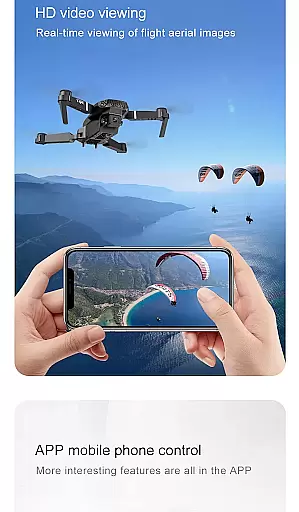
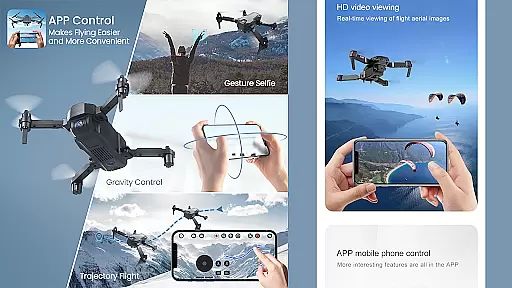
Drone Remote Controller is an innovative application that transforms your Android phone into a powerful drone control system. This app allows users to seamlessly operate various drones using their smartphones, replicating the functionality of traditional remote controls. With intuitive configuration and familiar RC Drone-like operation, it provides a comprehensive solution for both casual and advanced drone enthusiasts.
The application supports key drone functionalities including flight planning, automated takeoff and landing, live FPV streaming, and camera controls. Its compatibility with latest drone models makes it an essential tool for modern drone pilots. Whether you're looking to manage your own drone fleet or impress fellow enthusiasts, this app offers the tools needed to elevate your drone experience.
One of the standout features is its ability to maintain uninterrupted flights while mapping large areas, combined with instant manual override capabilities. The app's versatility extends to video capture and FPS control, making it suitable for both recreational and professional drone operations. For those seeking a cost-effective universal drone control solution, this application delivers exceptional value.
Drone Remote Controller stands out with its comprehensive feature set designed for optimal drone management. The app enables users to create detailed flight plans on any device, automating complex tasks such as takeoff, flight navigation, image capture, and landing sequences. Its live First Person View (FPV) streaming capability provides real-time visual feedback, crucial for precise drone operation.
A key innovation is the single-tap manual override function, allowing operators to instantly disable automated flight modes and assume direct control. The application maintains continuous flight sessions for large area mapping without interruptions. Additionally, it incorporates advanced media features including video recording and frame rate control, enhancing content creation possibilities.
The app's WiFi camera integration enables complete media management - from viewing live feeds to capturing images and recording videos. This feature-rich package demonstrates how smartphone-based drone control can match and even surpass traditional remote systems in functionality and convenience, all within a user-friendly interface.
When evaluating a drone remote controller application, functionality completeness is paramount. Drone Remote Controller offers an extensive range of features that ensure comprehensive control over compatible drones. The app allows users to create detailed flight plans on their Android devices, automate critical functions such as takeoff, flight maneuvers, image capture, and landing.
One standout feature is the ability to live stream First Person View (FPV), providing real-time visuals directly from the drone's camera. This enhances the piloting experience by giving users a more immersive view. Additionally, the option to disable auto-flight and regain manual control with just a single tap ensures that pilots can swiftly respond to unexpected situations or creative impulses during flight.
The Drone Remote Controller also supports continuous, non-interrupted flights, which are essential for mapping large areas efficiently. With functionalities encompassing video capture at varying frames per second (FPS) and integration with WiFi camera devices for photo and video recording, this app covers nearly every aspect a drone enthusiast could desire.
For any drone pilot, the usability of a remote control app is as crucial as its feature set. The Drone Remote Controller excels in delivering a user-friendly interface that simplifies the complex task of drone piloting. Its design mirrors traditional RC drone controls, making it intuitive for both novice and experienced users to configure and operate without a steep learning curve.
Compatibility with the latest drone models ensures that users can leverage cutting-edge technology seamlessly. However, it's worth noting that some older hardware may not be supported, emphasizing the app's focus on modern, high-performance drone systems. This forward-thinking approach guarantees smoother operations and reduces potential technical hiccups.
Moreover, the app's ability to connect effortlessly with WiFi camera devices adds another layer of convenience. Pilots can receive live camera views, capture images, and record videos directly through the app. Such streamlined operations enhance the overall piloting experience, allowing users to focus more on the joy of flying rather than troubleshooting technical issues.
User-friendly interface
Wide drone compatibility
Advanced automation features
Real-time FPV streaming
Cost-effective solution
Not compatible with older hardware
Limited physical controls
Requires stable connection
Learning curve for beginners
Battery consumption concerns

Do you want to drive easy ? do you wanna full mirror link Mobile with your car
 4.10
4.10
If you are looking for melon playground mod that fun you deffinitely try our app
2.70
Block, disable and secure phone camera from secretly taking photos by spyware.
4.50
a wireless controller that provides a seamless and gaming experience for players
3.80
Mobs maker Minecraft help MCPE creators make their own mob by using Blockbench
3.50
Looking to connect your phone to your car screen? Mirror Link is the solution.
3.20
Barcode scanning made simple!
4.40
A Pydroid Quick Install repository provider.
4.00
The best PS2 games from your childhood come to life in their mobile version!
4.00
Study Bible King James Version: the correct way to learn the Bible with audio
4.80
Tune your game graphics with our GFX optimizer for optimal gaming experience
4.50
Recite Quran Majeed القران with special 16 line real Kuran page in hand
4.30
An impressive collection of tools, characters, weapons, skins and more!
4.30
Game Booster GFX for smoother gaming experience. Enjoy 120 FPS and 4x Game Space
4.20
View your cameras anywhere and anytime
4.20
charging your phone by other phone easly
4.00
Endoscope camera an app to connect with endoscope cam or any device
3.30
Identify securely online
3.10
Record with Double Camera Video Recording using Dual Camera Front and Back Video
3.00


User Reviews