
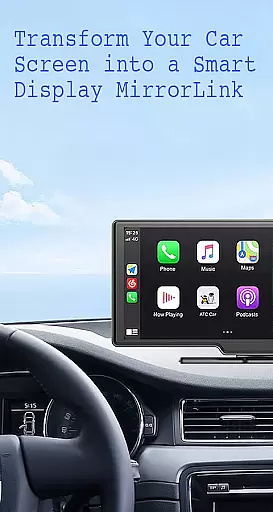
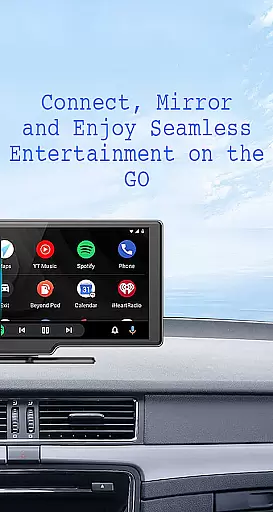
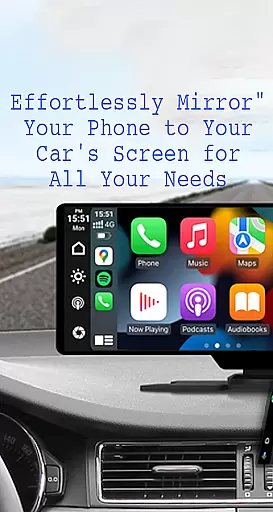
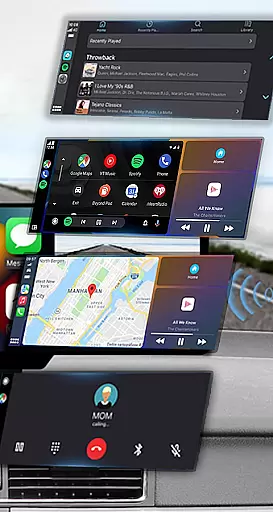
Mirror Link is a cutting-edge application designed to seamlessly connect your smartphone with your car's display system. This innovative app enables users to project their phone's screen onto the vehicle's larger display, enhancing accessibility and convenience while driving. With support for both wireless and USB connections, Mirror Link ensures a stable and responsive mirroring experience.
The app's core functionality revolves around its ability to share your phone's interface with your car's screen, allowing you to access navigation, media, and communication apps with ease. Whether you're looking to stream music, watch videos, or use navigation services, Mirror Link provides a safe and intuitive way to interact with your phone's features without taking your eyes off the road. The app also supports automation features like automatic playback of media when connected, making it an essential tool for modern drivers seeking to integrate their digital lives with their driving experience.
Mirror Link stands out with its comprehensive feature set tailored for drivers who demand connectivity and convenience. One of its key features is Static Screen Sharing, which allows for a stable projection of your smartphone's display onto your car's screen. This ensures that your phone's interface remains clearly visible and accessible at all times.
The app supports both wireless and USB connection methods, providing flexibility in how you choose to link your devices. Once connected, users can enjoy full access to their phone's multimedia capabilities, including music playback, video streaming, text messaging, calling functions, and map navigation - all through the car's touchscreen interface. Additionally, Mirror Link offers smart automation features such as automatic media playback control when connecting to compatible car displays, enhancing user convenience and safety while driving.
Functionality completeness in Mirror Link ensures that users can seamlessly integrate their smartphones with their car's display system. This app offers both wireless and USB connection options, catering to different user preferences and vehicle capabilities.
The app covers a wide range of essential features including static screen sharing, multimedia access, and automation. These functions allow drivers to listen to music, watch videos, make calls, and use navigation maps directly on their car screens, enhancing convenience and safety during drives.
Mirror Link stands out with its universal compatibility, working with all car brands and devices equipped with built-in web browsers. It also supports popular systems like MirrorLink CarPlay and Android Auto, ensuring that users can enjoy a full mirror link experience regardless of their vehicle type or smartphone model.
Usability is a critical aspect of Mirror Link, designed to provide an intuitive and hassle-free user experience. The app allows for simple and fast connections with just one click, making it easy for users to share their phone screens with their car displays without any complicated setup processes.
Operational smoothness is evident in the app's ability to automate certain tasks. For instance, music playback can automatically pause and resume based on the connection status between the phone and the car display. This feature not only enhances user convenience but also ensures a smoother overall experience.
Additionally, Mirror Link provides clear instructions on how to use the app effectively. By following straightforward steps such as enabling Miracast or Wireless Display options, users can quickly establish a stable connection. This ease of use makes Mirror Link accessible even to those who may not be tech-savvy, promoting wider adoption and satisfaction among drivers looking to enhance their in-car entertainment and communication systems.
User-friendly interface
Wireless and USB connectivity
Stable screen sharing
Automated media controls
Universal compatibility
Limited to compatible devices
Occasional connection issues
Requires Miracast support
No advanced customization
Basic automation features

If you are looking for melon playground mod that fun you deffinitely try our app
 2.70
2.70
SmartCast mirrors Android phone to TV screen With Cast Screen, Chromecast.
4.80
Sad ringtones full of feeling, sad music ringtones
3.90
Identify securely online
3.10
Block, disable and secure phone camera from secretly taking photos by spyware.
4.50
Study Bible King James Version: the correct way to learn the Bible with audio
4.80
Phone Software Update Quick Checker helps you to keep your phone apps up to date
4.50
Mirror phone to TV effortlessly! Stream, share & connect with Airplay ease.
3.60
Expo is a free & open source platform to build apps using JavaScript and React.
4.70
Explore The Holy Quran Majeed for Muslim. Listen to MP3 Quran & Al Quran Kareem.
4.80
Read Holy Quran Feel Like Real Quran & Listen Al Quran Mp3 Audio Online Offline.
4.70
MirrorLink for connecting your Android phone to your car’s infotainment screen.
4.50
Enjoy Minecraft Mod Scary Neighbor Granny for Minecraft PE.
4.30
Game Booster GFX for smoother gaming experience. Enjoy 120 FPS and 4x Game Space
4.20
Use your Phone as Drone Controller.
3.70
Now Available on Android ™
3.40
Record with Double Camera Video Recording using Dual Camera Front and Back Video
3.00
Collection of high-quality, trendy skins and outfits!
4.2
Mirror Link Car Display to share your screen with car dashboard wirelessly
4.3


User Reviews