
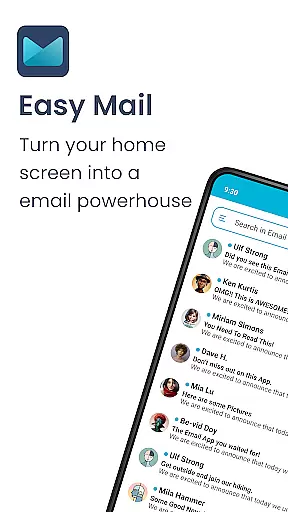
Easy Mail is a personalized email launcher designed to simplify and streamline your daily email management. This innovative app transforms your homescreen into an efficient workspace by integrating a clutter-free interface with essential productivity tools. With features like AI-powered email assistance, unlimited account support, and seamless web search integration, Easy Mail ensures you can handle all your communication needs without unnecessary distractions.
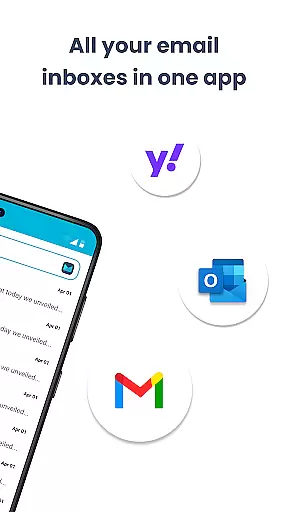
The app's user-centric design focuses on privacy and ease of use. It allows users to add multiple email accounts from providers like Gmail, Outlook, and Yahoo into a unified inbox while maintaining complete data security. The built-in AI assistant helps craft professional emails quickly, making communication not just faster but also smarter. Whether you're a busy professional or someone looking to reduce screen time, Easy Mail offers a refreshing approach to managing digital correspondence.
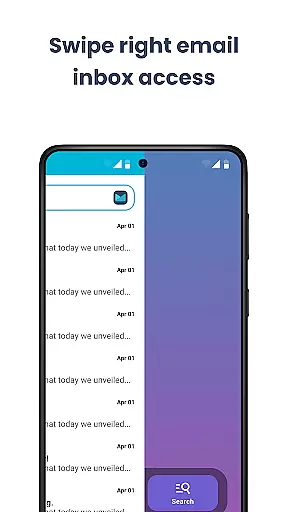
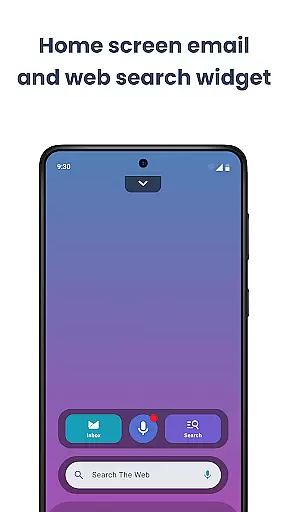
Easy Mail stands out with its comprehensive feature set tailored for modern email users. The app's homescreen is meticulously designed to prioritize what matters most - your emails. Unlike traditional launchers filled with widgets and shortcuts, Easy Mail provides a clean interface that keeps you focused on your inbox while still offering quick access to other apps through an organized app drawer.
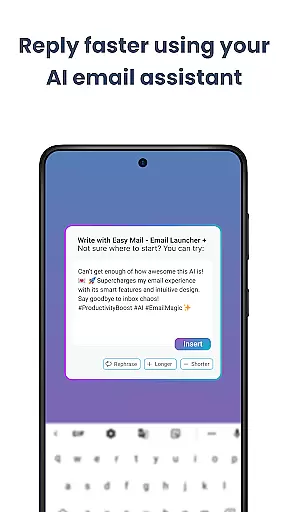
One of the most impressive capabilities is the AI Email Assistance. This feature doesn't just help you write emails faster; it understands your writing style and suggests improvements that maintain your personal tone. The app supports unlimited email accounts across various providers, giving you the flexibility to manage both personal and professional communications in one place. Additionally, the integrated web search functionality, powered by Yahoo Search, lets you find information without leaving your email environment, significantly boosting your productivity.
Customization is at the heart of Easy Mail, offering users a versatile way to tailor their email experience. With a clean homescreen built around productivity, you can organize your email just the way you like it.
The app allows for unlimited email accounts from various providers such as Gmail, Outlook, and Yahoo, which can be managed in a unified inbox or viewed separately. This flexibility ensures that personal or professional accounts remain distinct yet accessible.
Easy Mail also includes AI Email Assistance, enhancing the writing process by helping rephrase, shorten, or polish emails while maintaining your natural tone. This feature adds another layer of customization to suit individual communication styles.
Moreover, with widget support and an organized app drawer, users have the freedom to create a personalized and clutter-free homescreen that caters to their unique workflow and aesthetic preferences.
Theme compatibility in Easy Mail ensures that visual consistency is maintained across different devices and user interfaces. The application supports a range of themes so users can select one that best fits their style or mood.
Whether you prefer a light theme for daytime use or a dark theme to reduce eye strain at night, Easy Mail has got you covered. This thoughtful design aspect helps in reducing screen time without compromising on readability or comfort.
In addition to aesthetic choices, Easy Mail's theme settings are engineered to work seamlessly with launcher essentials. This means whether you're swiping through your inbox or browsing through a content feed, the transition remains smooth and visually coherent.
By prioritizing both form and function, Easy Mail makes certain that its theme compatibility enhances the overall user experience, making daily interactions with emails not only efficient but also enjoyable.
User-friendly interface
AI-powered assistance
Unified inbox
Privacy-focused design
Customizable homescreen
Limited widget options
No dark mode
Occasional sync issues
Basic theming
Learning curve

Beautiful realistic hybrid watch face with numerous customization options.
 4.50
4.50
Ultra realistic high quality analog watch face for Wear OS.
4.60
Customizable flower power digital watch face for Wear OS watches.
4.00
A launcher for Samsung Good Lock and Good Guardians modules without ads
4.70
Customizable screen pets that play, climb, and keep you company.
4.50
Icons made of colorful linear lines
4.60
Yandex Browser — stylish and secure, with voice search and data compression
4.40
One 8 icons glass color version
4.80
300+ widgets inspired by Material You and Material 3 expressive design.
4.60
Sparkle your screen with Glitter Wallpapers For Girls and Cute Backgrounds!
4.80
A Colorful and Minimal icon pack in an Outline Style - Over 13,600 icons!
4.70
300+ Stunning and well-designed widgets inspired by NOTHING.
4.70
Unique Android Launcher
4.60
Embrace the Night. Unleash the power of darkness with Raven Dark Icon Pack
4.60
Ninja Turtles Cowabunga SE watch face for Wear OS
4.50
Turn text & photos into stunning AI videos, art, and creative visual stories.
4.50
Romantic Kiss Stickers App. Start romantic messaging now!
4.30
Ultimate widget creator. Design custom widgets for a truly unique home screen!
3.90
HappyLighting is a Bluetooth lamp control software.
3.40


User Reviews