
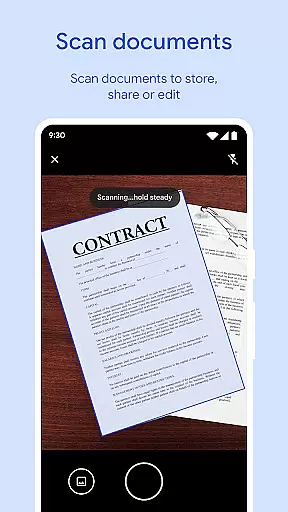
Files by Google is a powerful file management tool designed to help users efficiently organize, secure, and optimize their mobile device storage. The app offers cleaning recommendations to free up space, advanced search features for faster file discovery, and offline file sharing capabilities through Quick Share.
In addition to its core functionalities, Files by Google provides cloud backup options, secure file protection with custom PINs or patterns, and smart recommendations that improve over time. Whether you need to manage media files, documents, or app data, this tool ensures a seamless experience across Android and Chromebook devices.
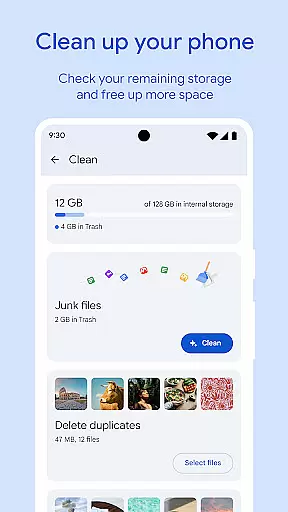
One of the standout features of Files by Google is its ability to help users free up space on their devices. It identifies old photos, duplicate files, and cached data that can be removed. The app also allows users to monitor storage usage across internal memory, SD cards, and USB drives.
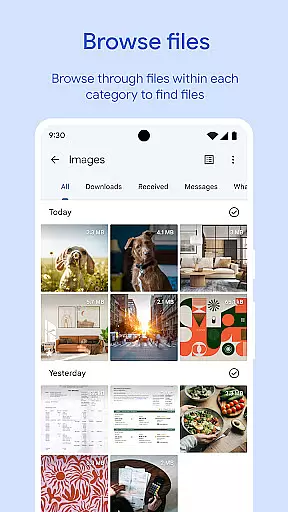
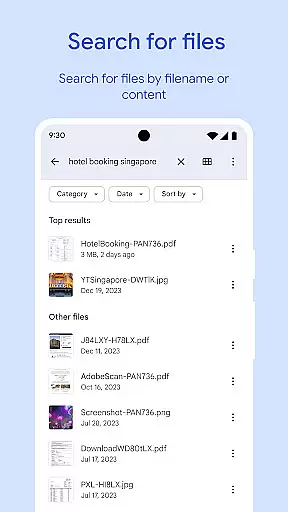
Files by Google excels in file discovery and organization. With intuitive browsing, sorting by size, and quick search functionality, finding specific files has never been easier. Additionally, the app supports offline file sharing at speeds of up to 480 Mbps, secured with end-to-end encryption, making it ideal for environments without internet connectivity.
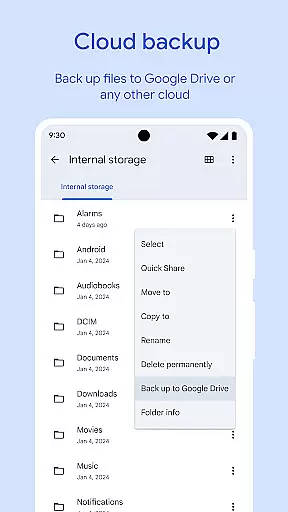
For added security, sensitive files can be protected using unique PINs or patterns separate from the device lock. Users can also back up important files to Google Drive or other cloud services, ensuring data safety while saving local storage space.
Files by Google excels in providing accurate and effective core functions that cater to users' file management needs. The app offers precise recommendations for freeing up space by identifying old photos, duplicate files, and cache data. This targeted approach ensures users can efficiently manage their device storage.
The app's search functionality allows for quick location of specific files, including photos, videos, and documents. By enabling sorting options based on file size, it helps users understand what consumes their device's space. These features collectively enhance the user experience through streamlined navigation and efficient file handling.
Additionally, Files by Google supports fast offline file sharing with speeds up to 480 Mbps using Quick Share. This feature is secured with end-to-end encryption, ensuring both speed and security during file transfers. Such capabilities highlight the app's commitment to delivering reliable and swift file operations.
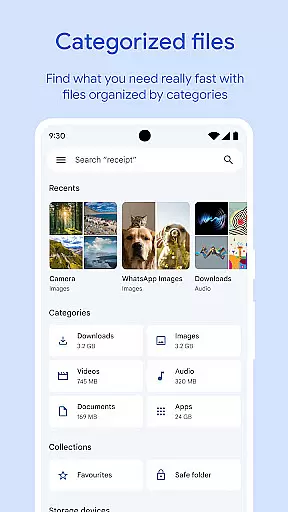
A standout aspect of Files by Google is its simple and intuitive interface, designed to make file management accessible to all users. The app provides clear visual indicators of available space on the device, SD card, and USB drive, simplifying the process of managing storage.
Users benefit from an organized layout that categorizes files into photos, videos, documents, and more, allowing for easy browsing. The straightforward design minimizes the learning curve, making it effortless for individuals to locate and manage their files without technical expertise.
Moreover, advanced media controls such as playback speed and shuffle options are integrated seamlessly, enhancing user interaction without complicating the interface. This balance between functionality and simplicity ensures a smooth and engaging user experience.
User-friendly interface
Fast offline sharing
Smart cleaning tips
Cloud backup support
Advanced file sorting
Limited to Android
No iOS compatibility
Requires Google account
Occasional bugs
Offline ads present

Unlock your Essential Key. Create custom shortcuts to your favorite apps!
 4.1
4.1
Canon PRINT is a companion app for your Canon printer.
4.60
An easy-to-use calculator designed to save time calculating and bending conduit
4.30
Smart and comfortable browsing experience.
3.80
Making emulation easy for everyone!
4.30
The one-and-only remote control for PC, Mac, and Linux
4.70
The Ultimate Bluetooth Keyboard & Mouse. Securely control your PC, Mac, and more
4.50
Mirror your screen to Fire TV - Super fast and simple
4.40
NFC Tools can read and write NFC tags.
4.70
Extremely fast, secure, and protects your privacy
4.80
WiFi Signal Strength Meter help you detect WiFi Signal Strength in real time.
4.80
The Ultimate Flex Drivers Utility App - Convenient Tapping & Block Filters
4.70
eXtended Permission Manager - a small app to manage permissions and AppOps
4.50
Screen Mirroring for Roku Sticks, Roku TCL TV and Roku Hisense TV
4.50
Universal TV remote control all TVs, Roku, LG, Samsung, Fire, Vizio, Sony, TCL.
4.40
MS-DOS in your pocket. Play old DOS games anywhere you are ;)
4.10
Unleash gamepad precision for ultimate mobile gaming dominance.
3.90
Safely recover deleted photos, videos, and files with a single easy tap.
3.70
card-reader app
2.20


User Reviews