
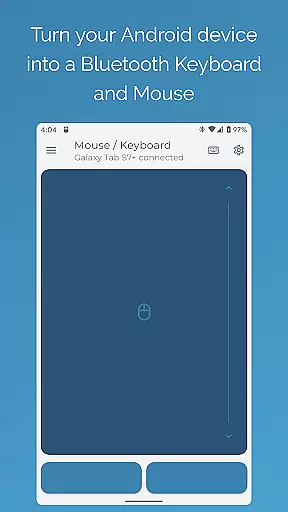

Bluetooth Keyboard & Mouse Pro revolutionizes the way you interact with your devices by turning your Android phone into a versatile remote control tool. This powerful application allows you to seamlessly operate your computer, tablet, or media center without the need for additional software or server connections. With its direct Bluetooth connectivity, you can enjoy instant response times while maintaining a private and secure connection.
The app offers an impressive array of features including precision control with a responsive keyboard, mouse, and multi-touch trackpad. It also includes specialized modes like Keep-Alive / Jiggler Mode to prevent your computer from sleeping, and Presenter Mode for confident slide navigation during presentations. Whether you're looking to enhance productivity or streamline multimedia management, this tool provides a comprehensive solution for both personal and professional use.
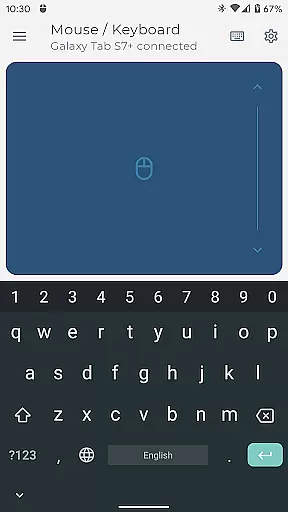
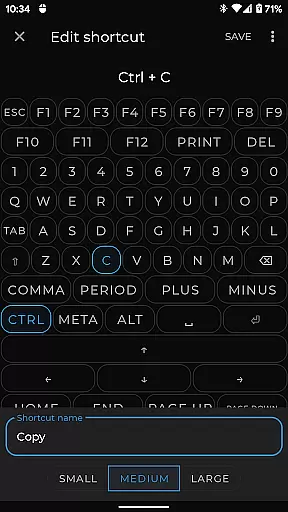
Bluetooth Keyboard & Mouse Pro stands out with its diverse feature set tailored for efficiency and convenience. The app's Precision Control functionality delivers an intuitive experience with smooth scrolling and accurate tracking. Its Full PC Keyboard support enables users to type efficiently while switching between over 100 international language layouts effortlessly.
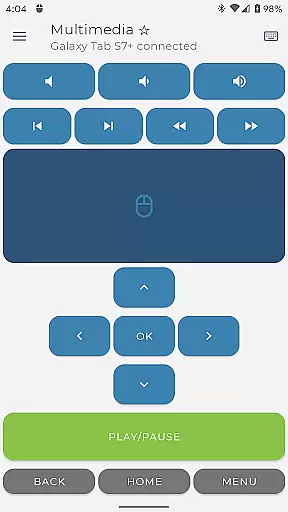
For professionals who give presentations, the Presenter Mode is invaluable, allowing confident navigation through slides and engaging audiences from anywhere in the room. Additionally, the Multimedia Control feature lets you manage playback and volume with ease. Advanced capabilities such as Integrated Scanner for QR codes and barcodes, Voice & Clipboard Sync for quick input, and Custom Layouts for personalized interfaces further enhance its utility across various applications.
Bluetooth Keyboard & Mouse Pro delivers exceptional core functionality through its versatile and precise control options. The app transforms your Android device into a powerful serverless keyboard, mouse, and presentation tool, ensuring seamless interaction with multiple devices.
The application's direct Bluetooth connection guarantees instant response times without the need for additional software, maintaining a private and secure environment. With features like Precision Control, users can enjoy an intuitive multi-touch trackpad experience complete with smooth scrolling capabilities.
Advanced functionalities such as Keep-Alive / Jiggler Mode prevent computers from sleeping during critical tasks, while Full PC Keyboard support allows efficient typing in over 100 international language layouts. These tools are essential for professionals who require reliable performance across various platforms.
Ultimately, this app enhances productivity by offering accurate and effective controls that cater to diverse user needs, making it an indispensable tool for anyone looking to streamline their digital workflow.
Achieving interface simplicity and intuitiveness is at the heart of Bluetooth Keyboard & Mouse Pro's design philosophy. The app offers a clean, user-friendly layout that ensures even first-time users can navigate its features effortlessly.
Upon launching the app, users are greeted with a straightforward setup process that connects their Android device to other gadgets via standard Bluetooth connections. This ease of use extends to controlling multimedia applications, managing presentations, or utilizing voice-to-text functionsu2014all accessible through clearly labeled buttons and menus.
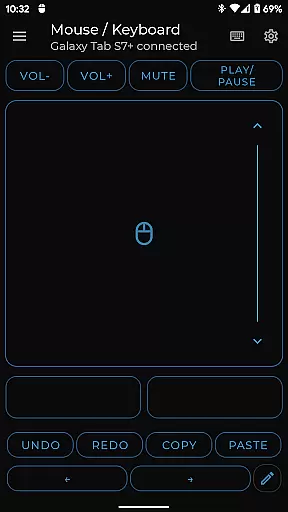
Custom Layouts allow advanced users to tailor the interface according to specific requirements, enhancing both functionality and personal workflow efficiency. Meanwhile, integrated tools like QR code scanning simplify complex tasks such as inventory management or data entry.
By focusing on an intuitive design, Bluetooth Keyboard & Mouse Pro not only meets but exceeds expectations, providing a hassle-free experience that empowers users to focus on their work rather than the mechanics of device control.
Instant Bluetooth connection
Versatile device control
Efficient typing experience
Private and secure operation
Comprehensive feature set
Premium features locked
Complex initial setup
Limited free functionality
Occasional connectivity issues
High resource consumption

Use your phone as a webcam on your computer over WiFi or USB.
 4.40
4.40
MS-DOS in your pocket. Play old DOS games anywhere you are ;)
4.10
PC precision for mobile gaming: dominate with keyboard and mouse!
4.30
Making emulation easy for everyone!
4.30
The one-and-only remote control for PC, Mac, and Linux
4.70
The Ultimate Flex Drivers Utility App - Convenient Tapping & Block Filters
4.70
A simple app to back up and restore SMS & MMS messages and call logs.
4.10
Automate everything from settings to photos, SMS to speech. ADC2 prize winner.
4.10
Enhance your Beats
3.70
Support Fossify apps with a warm thank you!
5.00
Navigate with Ease and Style
4.90
Bedrock Together: Join any bedrock server on Xbox/PS
4.80
Canon PRINT is a companion app for your Canon printer.
4.60 4.50
4.50
Quickly & easily calculate the spacing of handrail balusters
4.20
VESC Tool can monitor and configure VESC-compatible devices over BLE and Wifi
4.20
Screen Mirroring with sound for Samsung TV, LG TV, Sony TV, Smart TV and Browser
4.20
Safely recover deleted photos, videos, and files with a single easy tap.
3.70
PDF Reader - Document Viewer: Read, Manage & Organize Your Documents
3.10


User Reviews