
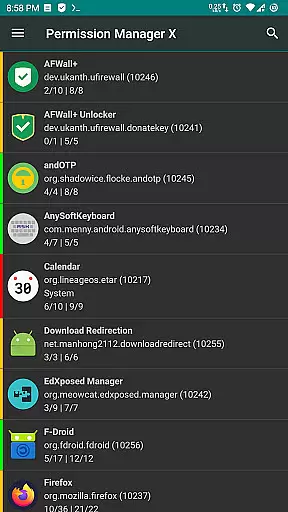
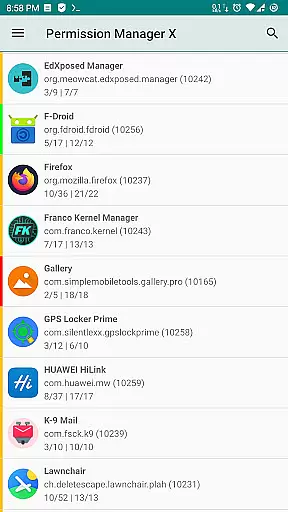
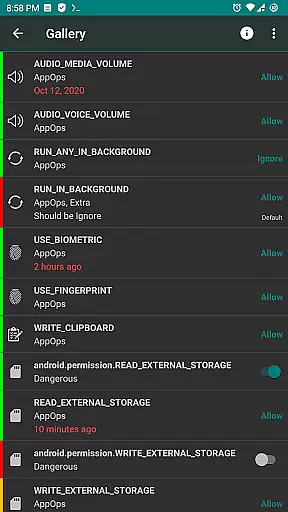
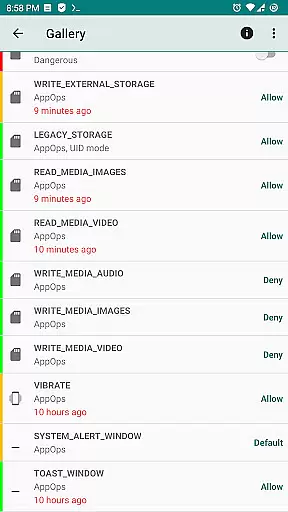
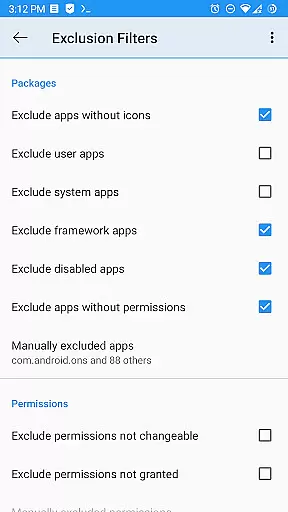
Permission Manager X is a powerful tool designed to give users complete control over app permissions on their Android devices. With its intuitive interface, users can easily view, grant, or revoke both manifest permissions and AppOps permissions for each installed application. This level of granular control allows users to manage privacy settings effectively, ensuring that apps only have access to necessary resources.
The app offers advanced features such as setting reference states for permissions, enabling quick backups and restores. Its unique colored bar system makes reviewing permissions effortless. Additionally, Permission Manager X supports paid functionalities like scheduled checks, auto-revoke capabilities, and multi-user profiles. Whether you're looking to enhance performance, protect privacy, or maintain control over your device, this tool provides comprehensive solutions tailored to individual needs.
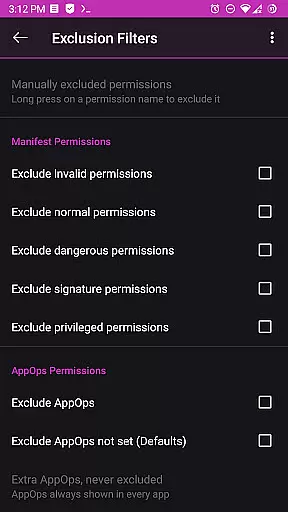
One of the standout features of Permission Manager X is its ability to handle both manifest permissions and AppOps permissions seamlessly. Manifest permissions include common access requests like storage and camera usage, while AppOps offers finer control over these permissions and adds extra layers such as background execution and clipboard access. This dual management approach ensures thorough oversight of app activities.
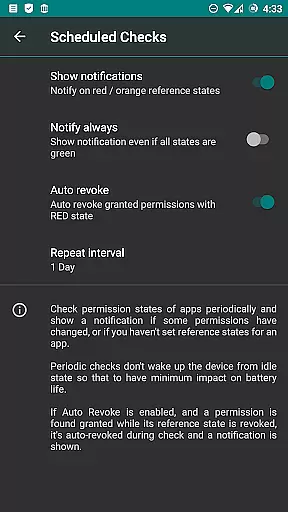
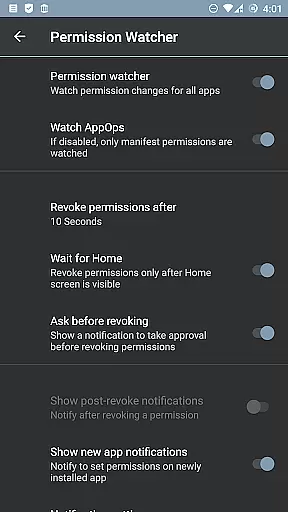
For power users, the app includes several premium features. These include sorting apps by various parameters, scheduling checks for undesirable permission states, and automatically revoking permissions marked with red states. The Permission Watcher function dynamically removes unwanted permissions when apps are not in use. Furthermore, the app supports theming options, batch operations, and detailed permission descriptions, enhancing usability and customization possibilities.
Permission Manager X offers a comprehensive suite of tools designed to manage app permissions with precision and efficiency. The core functionality allows users to view, grant, or revoke both manifest permissions and AppOps permissions from a single screen. This ensures that every permission change is executed accurately, providing users with complete control over their privacy settings.
The application's robust framework leverages Android's backend access control system, known as AppOps, which provides fine-grained control over various permissions. By integrating manifest permissions with AppOps, the app ensures that changes are applied effectively across different Android versions. This dual-layer approach enhances the overall effectiveness of permission management, making it easier for users to maintain their desired privacy levels.
For users who frequently reinstall apps or switch devices, Permission Manager X offers a unique solution by allowing them to set reference states for permissions. These reference states can be backed up and restored quickly, ensuring that users do not have to manually adjust permissions each time they make a change. This feature significantly reduces the time and effort required to manage app permissions, offering a streamlined and efficient user experience.
Despite its powerful capabilities, Permission Manager X maintains an intuitive and user-friendly interface. The design emphasizes simplicity, ensuring that even users with limited technical knowledge can navigate and utilize the app's features effectively. Each function is clearly labeled and accessible from the main screen, reducing the learning curve typically associated with advanced tools.
The app employs visual aids such as colored bars to help users quickly identify and review permission settings. These visual cues make it easy to spot irregularities or unnecessary permissions at a glance, enhancing the overall user experience. Additionally, the straightforward layout minimizes the number of steps required to execute tasks, further simplifying the permission management process.
Permission Manager X also includes helpful resources like a detailed guide and FAQs, which are accessible directly from the app. These resources provide clear explanations of complex concepts such as manifest permissions and AppOps, ensuring that users fully understand the app's capabilities. By combining a simple interface with educational content, Permission Manager X empowers users to take full control of their app permissions without feeling overwhelmed.
User-friendly interface
Comprehensive permission control
Advanced AppOps management
Quick backup and restore
No ads or trackers
Requires root access
Limited without ADB
Paid features locked
Complex for beginners
Compatibility issues

 4.10
4.10
Quickly switch to an encrypted DNS server on Android TV
4.50
1-Click close all background apps on Android TV
3.90
Unit and currency converter with easy and simple UI.
4.80
Family Locator, Share location, StayConnect with your family in real time
3.90
Detect hidden spy camera with advanced scanning {{ Premium version }}
4.00
Mirror your screen to Fire TV - Super fast and simple
4.40
Introducing Smart Printer, your ultimate destination for printing solutions!
4.00
Your personal health butler
3.60
App to pay for FUTO Keyboard
4.60
HD Video player and downloader for all formats, fast & smooth 4K video playback.
4.60 4.50
4.50
Just swipe the edge to do something!
4.40
VESC Tool can monitor and configure VESC-compatible devices over BLE and Wifi
4.20
Signal Strength, Mobile, Wifi, Speed Test, Bad Signals, Cellular, 5G, LTE, 4G
4.20
Smart and comfortable browsing experience.
3.80
Safely recover deleted photos, videos, and files with a single easy tap.
3.70
This app unlocks the Pro features of the Central for DayZ app
3.60
Transfer Files, APK from Phone to Watch & Install.
4.4


User Reviews