
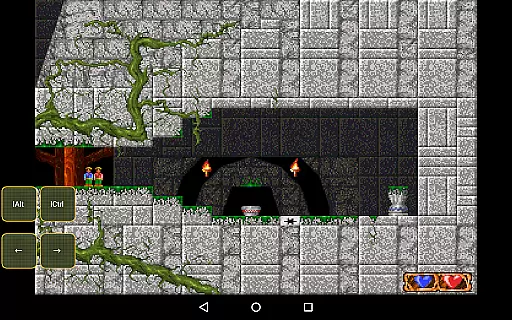
Magic DosBox is a highly optimized and fast DOSBox emulator for Android, designed to bring your favorite DOS and Windows games to mobile devices. With full support for mouse, keyboard, sound, and gamepads, it allows seamless gaming on the go.
The app features a unique control system that eliminates the need for external hardware, making it ideal for playing classic games anywhere. Its intuitive interface includes customizable widgets, multi-language support, and advanced networking capabilities through IPX. Whether you're revisiting nostalgic titles or exploring retro gaming, Magic DosBox delivers a smooth and immersive experience.
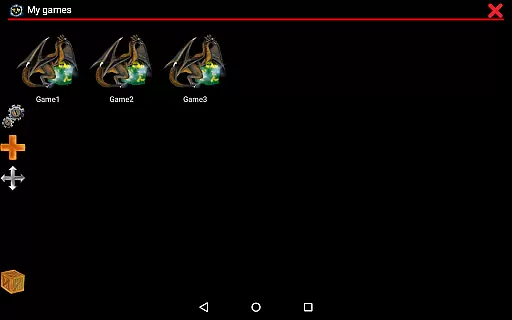
Magic DosBox stands out with its extensive customization options and user-friendly design. The app supports a game collection where each profile can be individually tailored to suit specific preferences. Users can create desktop shortcuts for quick access and easily export, import, or duplicate profiles along with their custom layouts.
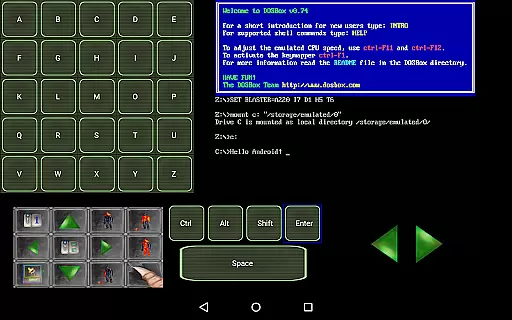
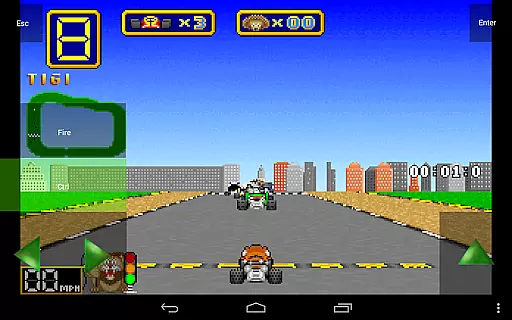
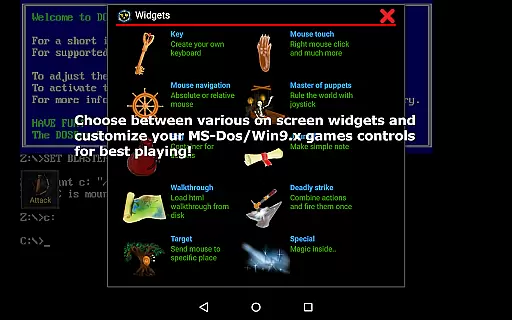
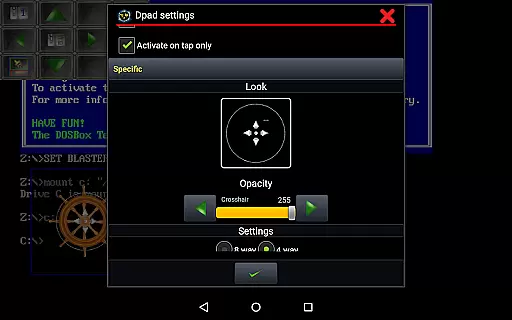
One of the key highlights is the variety of on-screen widgets available, including virtual buttons, D-pad controls, and gesture mapping. These widgets are fully customizable in terms of appearance and functionality, allowing users to replicate authentic gaming experiences. Additionally, Magic DosBox offers robust hardware compatibility, supporting external controllers like Xbox 360 and NVIDIA Shield, as well as physical mice and styluses.
Other notable features include multi-language support, sound emulation, ISO file handling, and an in-game screenshot gallery. The app also provides advanced orientation lock and screen resizing options, ensuring optimal performance across different devices.
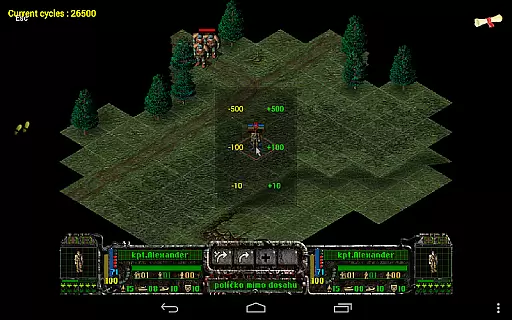
Magic DosBox is a highly optimized and fast DOSBox port for Android, designed to emulate the experience of playing DOS and Windows games on mobile devices. The core function of this app revolves around its ability to accurately emulate the original DOS environment while providing modern touch controls. This ensures that users can enjoy their favorite classic games with full mouse, keyboard, sound, and gamepad support.
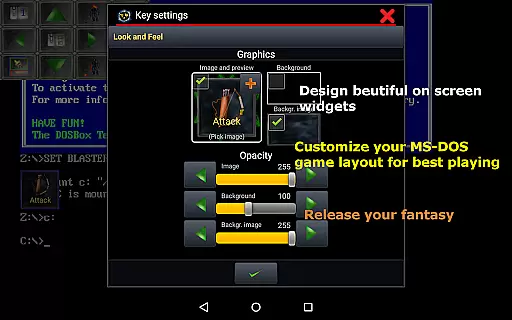
The app's effectiveness lies in its comprehensive feature set tailored for gaming enthusiasts. It supports various input methods including absolute and relative mouse modes, external gamepads like x360 joystick and NVIDIA Shield controller, as well as physical mice. Additionally, Magic DosBox offers advanced customization options such as creating on-screen widgets for keys, dpad, and other controls, which can be styled with custom images and backgrounds.
For users who want to play without external hardware, Magic DosBox provides an intuitive control system that allows them to map swipes, gestures, long presses, and double taps. This flexibility ensures that even complex games can be played seamlessly on a touchscreen. Furthermore, the app includes networking capabilities through IPX and serial modem support, enabling multiplayer experiences directly from your mobile device.
Magic DosBox excels in offering an interface that balances simplicity with powerful functionality. Despite its extensive feature set, the app maintains an intuitive design that makes it accessible for both newcomers and experienced users. The main modes include design mode, where users can customize their gaming environment, and play mode, which focuses on delivering an immersive gaming experience.
One of the standout features is the ability to create game shortcuts on the desktop, allowing quick access to frequently played titles. Users can also export, import, or duplicate game profiles complete with designed layouts, making it easy to share configurations with friends. With multi-language support covering Slovak, English, German, Russian, and French, the app caters to a global audience.
The inclusion of ten types of on-screen widgets/buttons enhances the user interface by providing versatile control options. These widgets range from simple key mappings to more complex combo commands and walkthrough notes. Each widget can be customized extensivelyu2014users can adjust text size, position, background images, and more. This level of personalization ensures that each useru2019s interface is tailored to their specific needs, enhancing overall usability and intuitiveness.
Highly optimized for touch devices
Customizable on-screen widgets
Supports multiple external controllers
Advanced networking capabilities
Regular updates and active development
No included games
Complex setup for beginners
Limited free version features
Occasional performance issues
Requires technical knowledge

 4.50
4.50
Just swipe the edge to do something!
4.40
Save any video in HD - paste the link, download fast and watch offline.
4.3
App that Recover your pictures, videos or files after you delete them.
4.20
Keep track of your Palia friendships, tasks, and inventory with Palia Notebook
4.60
Amateur Radio app for APRS: Track friends, exchange messages, get tactical info.
3.90
An easy-to-use calculator designed to save time calculating and bending conduit
4.30
Screen Mirroring for Roku Sticks, Roku TCL TV and Roku Hisense TV
4.50
The Ultimate Flex Drivers Utility App - Convenient Tapping & Block Filters
4.70
Excellent scientific calculator with symbolic algebra, integrals, derivatives
4.80
Unit and currency converter with easy and simple UI.
4.80
Quickly switch to an encrypted DNS server on Android TV
4.50
Clean up large files and similar photos, fast and easy to use
4.40
An open-source APK explorer for Android!
4.10
View detailed information about your Nissan Leaf the dealer never shows you.
4.10
1-Click close all background apps on Android TV
3.90
Undelete and recover your lost or deleted files with DiskDigger!
3.40
card-reader app
2.20
Unlock your Essential Key. Create custom shortcuts to your favorite apps!
4.5


User Reviews