
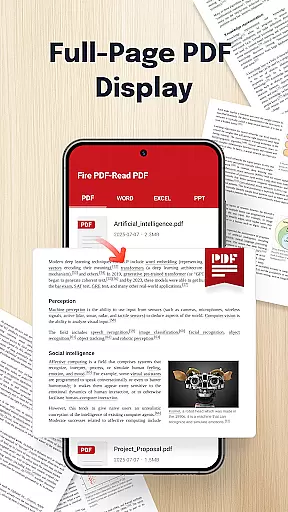
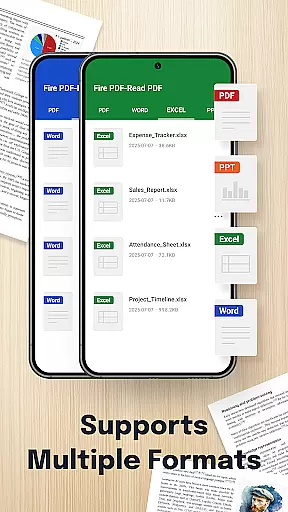
Fire PDF-Read PDF is a versatile document reader designed for business professionals and students who need quick access to various file formats. This app allows users to open and read PDFs directly from their device while supporting multiple formats including DOC, PPT, and Excel files.
With its intuitive interface and smooth navigation features, Fire PDF ensures seamless reading experiences. Whether you're reviewing business reports or studying lecture slides, this app provides the tools necessary to manage your documents efficiently.
The ability to share files quickly makes it an ideal solution for collaborative work environments. By streamlining document management tasks, Fire PDF helps users stay organized and productive on the go.
Fire PDF-Read PDF stands out with its multi-format support, accommodating PDF, DOC, PPT, and Excel files. This versatility allows users to handle all their document types within a single app, eliminating the need for multiple readers.
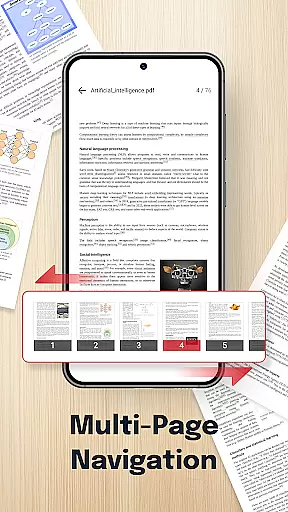
Smooth navigation ensures that users can effortlessly swipe through pages, making reading more enjoyable. The app's clean design prioritizes usability, ensuring that even those unfamiliar with digital document management can easily find their way around.
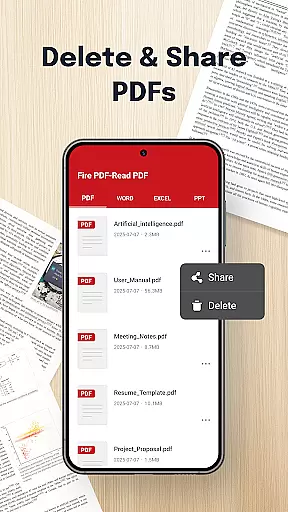
Quick sharing capabilities enhance collaboration by allowing users to send documents to colleagues or friends without hassle. With essential permissions for file management, Fire PDF empowers users to organize, view, and manage their important files securely and efficiently.
In today's fast-paced business environment, the ability to collaborate effectively is crucial. Fire PDF-Read PDF offers a robust platform for teams to access and share documents seamlessly. With support for multiple formats including PDF, DOC, PPT, and Excel, team members can view and discuss documents without compatibility issues.
The app ensures smooth navigation with effortless page swiping, making it easier for teams to review lengthy documents together. This feature significantly enhances collaborative efforts by allowing users to focus on content rather than struggling with cumbersome interfaces.
Quick sharing capabilities further augment the collaborative experience. Users can easily distribute documents to colleagues, ensuring everyone has the latest version. This real-time document sharing not only saves time but also reduces errors associated with outdated files.
By providing a clean and intuitive interface, Fire PDF-Read PDF facilitates efficient teamwork. Its comprehensive file management permissions enable users to organize, view, and even delete files within the app, streamlining project workflows and enhancing overall productivity.
Effective task management is essential for business success, and Fire PDF-Read PDF excels in this area. The app allows users to handle various document types including PDF, DOC, PPT, and Excel, all from one unified platform. This consolidation simplifies task organization and execution, saving valuable time.
With its smooth navigation feature, users can effortlessly swipe through pages, making document review quicker and more efficient. This capability is particularly beneficial when managing multiple tasks that require reviewing extensive materials or reports.
Fire PDF-Read PDF's quick sharing function enhances task coordination among team members. Important documents can be distributed instantly, ensuring all stakeholders have immediate access to critical information. This feature helps maintain momentum in project timelines and decision-making processes.
The app's permission settings for viewing, sharing, and managing files provide additional control over task-related documents. Users can confidently delete or organize files knowing they have full management capabilities, which contributes to maintaining an organized and productive work environment.
User-friendly interface
Multi-format compatibility
Efficient file sharing
Seamless page navigation
Secure document management
Limited advanced editing
No cloud integration
Basic annotation tools
Occasional performance lags
Ads in free version

TurboScan turns your phone into a full-featured PDF document scanner.
 4.80
4.80
Find the right fit, faster.
4.70
Finance, Investing, Stocks, Trading and Stock news
4.60
All your team communication in one place
4.70
Grow your business and connect with more people with Meta Business Suite.
4.60
Make invoices, bills, receipts & estimates on the go with Invoice Generator.
4.70
Ship, Track, Find a Location or Get a Quote with UPS. Anytime. Anywhere.
4.60
Roadie connects people with stuff to send with drivers already going that way.
3.50
We help people get jobs
4.70
Create curriculum vitae, a professional cover letter creator and resume designer
4.80
The MyWalmart App is available for all associates in stores.
4.70
Find jobs and make money fast with JobStack.
4.60
All Your Gig Work. One App.
4.30
Say hello to the mobile work experience built to help you thrive at work.
4.30
Make money as a delivery driver with DoorDash and work when you want as a Dasher
4.30
The All-in-One File Manager for Phone, TV, Watch, Cars, XR / VR, Chromebook
4.10
Get your benefits on-the-go.
3.80
Find part-time earning opportunities near you that pay within days.
3.20
We are a dynamic team of creatives people of design, marketing, web & apps
3.00


User Reviews