
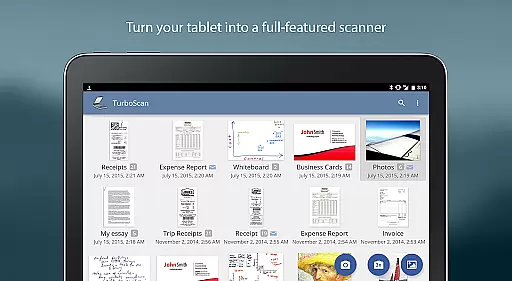
TurboScan Pro is a premier mobile scanning solution that transforms your smartphone into a versatile document scanner. This app allows users to digitize documents, receipts, notes, and more with remarkable clarity. Its advanced algorithms ensure precise edge detection, perspective correction, and optimal contrast for professional-quality scans.
Designed for efficiency, TurboScan Pro offers rapid processing speeds of under three seconds per page. The app supports multipage PDF and JPEG exports, making it ideal for business professionals and students alike. With its offline functionality, users can securely scan and store sensitive documents without needing an internet connection.
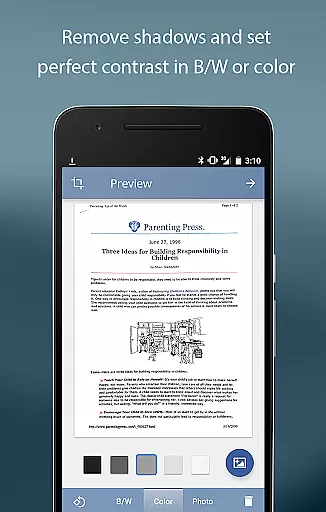
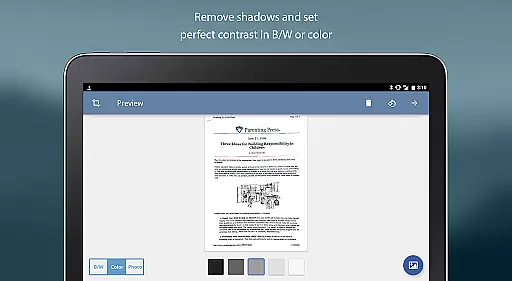
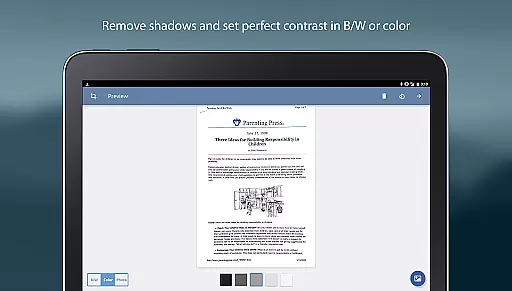
The app's intuitive interface provides instant access to essential editing tools like brightness, rotation, and color controls on a single screen. Whether you're archiving important paperwork or sharing documents with colleagues, TurboScan Pro delivers a seamless scanning experience tailored to modern productivity needs.
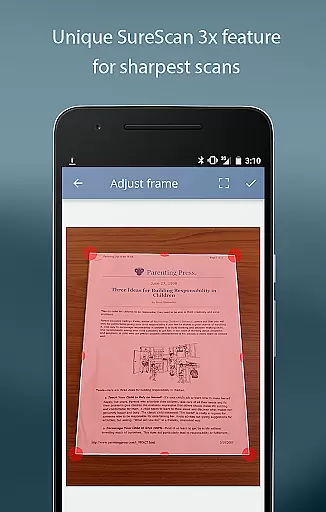
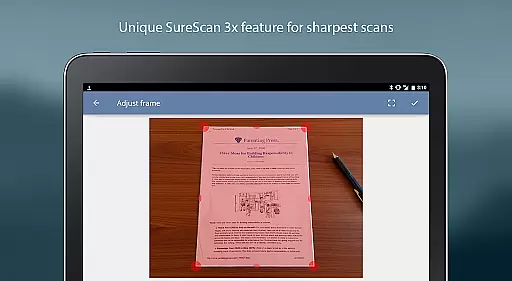
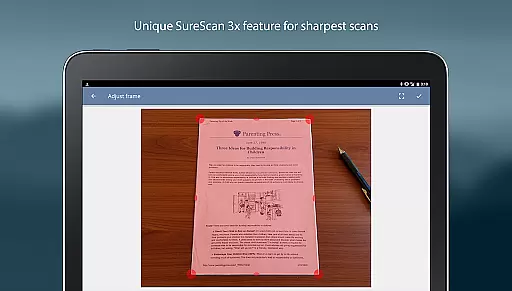
TurboScan Pro stands out with its proprietary SureScan mode, which captures sharper images by taking three consecutive shots of the same document. This feature is particularly beneficial in low-light environments where traditional scanning apps may struggle. Additionally, the app includes automatic edge detection and perspective correction, ensuring every scan looks polished and professional.
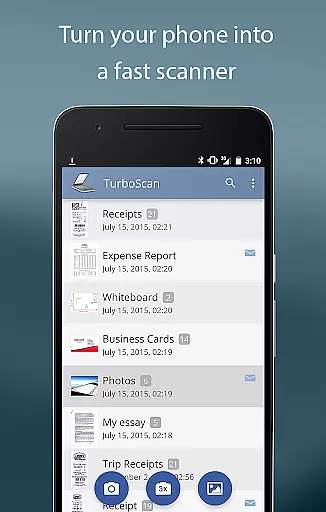
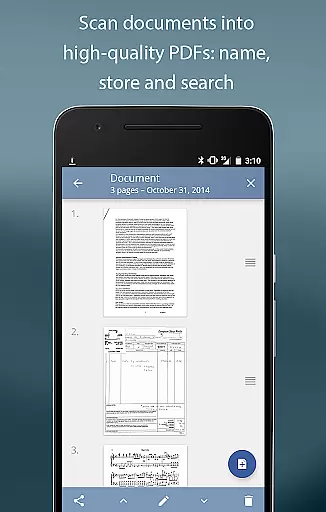
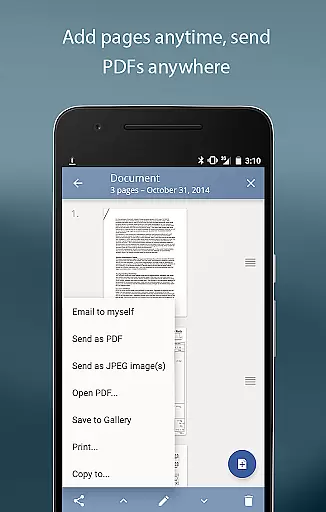
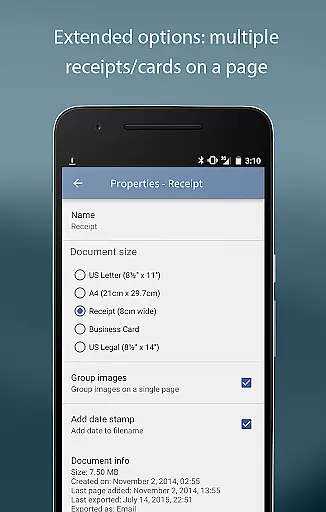
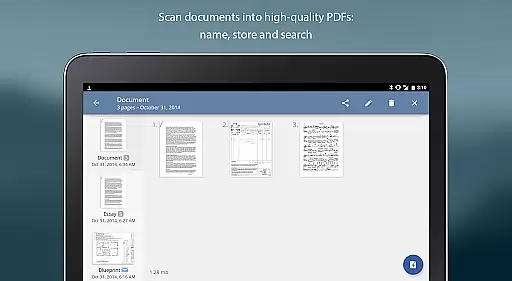
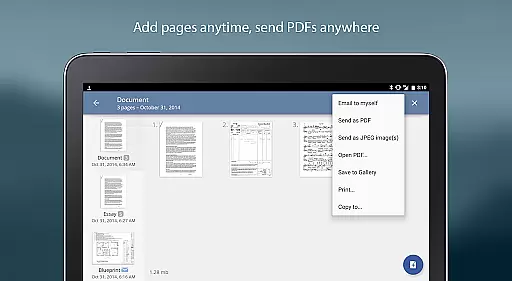
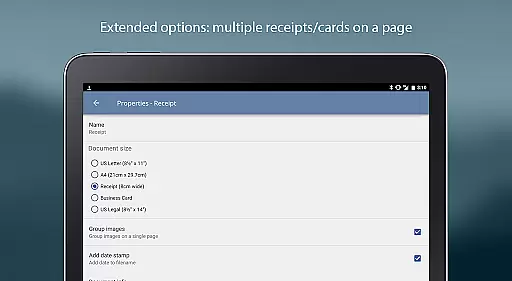
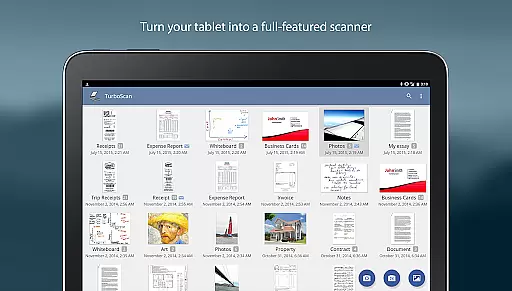
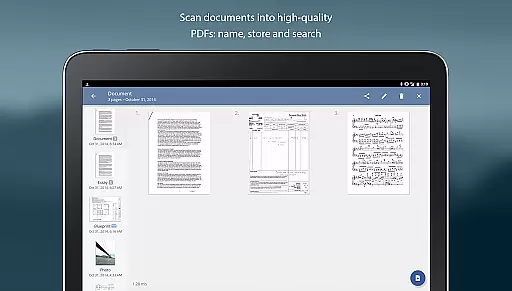
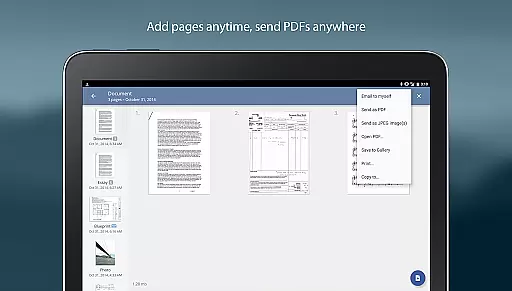
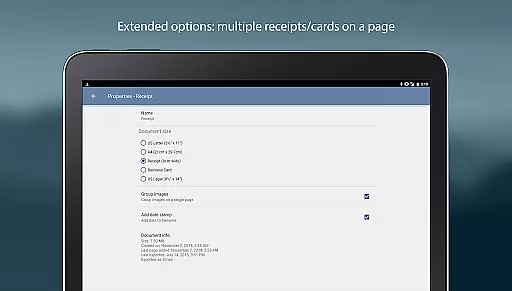
For enhanced organization, TurboScan Pro enables users to name, store, and search for scanned documents within the app. The multipage editing feature allows for adding, reordering, and deleting pages, while the ability to copy pages between scans streamlines document management. Users can also arrange multiple receipts or business cards onto a single PDF page for easy sharing.
Integration with popular cloud services such as Evernote, Google Drive, and Dropbox enhances workflow flexibility. TurboScan Pro further simplifies document handling with its "Email to Myself" function, enabling one-tap email sending. Compact file attachments with adjustable sizes ensure efficient storage and transmission, making this app a comprehensive tool for both personal and professional use.
In today's fast-paced business environment, the ability to collaborate effectively is crucial. TurboScan Pro enhances collaborative efforts by providing tools that make document sharing and editing seamless. With its multipage editing feature, users can add, reorder, and delete pages, ensuring that all team members have the most up-to-date and relevant information at their fingertips.
The app allows for documents to be stored inside the app, named appropriately, and searched easily, which streamlines workflow and saves time. Team members can quickly find and access the documents they need without sifting through emails or shared drives. This organized approach to document management supports a more efficient collaborative process.
TurboScan Pro also facilitates collaboration by enabling documents to be emailed as PDF, JPEG, or PNG files, directly from the app. The 'Email to myself' feature further simplifies this process, allowing users to send documents to a predefined address or upload them to cloud storage sites like Evernote with just one tap. This ensures that documents are accessible to all team members, regardless of location.
Moreover, the app's compatibility with other services such as Dropbox, Google Drive, and OneDrive means that teams can integrate TurboScan Pro into their existing workflows effortlessly. By opening PDFs or JPEGs in these apps, users can send documents to the cloud or fax apps, thus expanding the ways in which teams can work together and share information.
Effective task management is essential for productivity, and TurboScan Pro offers features that significantly aid in managing tasks related to document handling. Its automatic document edge detection and perspective correction ensure that every scanned document is clear and professional, which is vital when these documents are part of task assignments or reports.
The SureScan mode is particularly beneficial for task management as it provides sharper scans, an important feature when dealing with critical documents under low-light conditions. This guarantees that no detail is missed, and all necessary information is captured accurately, which is fundamental for proper task execution and follow-up.
With TurboScan Pro, users can perform ultra-fast processing, taking less than three seconds per page, which accelerates task completion. Time saved in document processing can be redirected towards more strategic activities, enhancing overall productivity. Additionally, the instant one-tap brightness, rotation, and color controls allow users to quickly adjust scans to meet specific task requirements without delay.
Lastly, the app's capability to arrange multiple receipts or business cards on a single PDF page not only declutters your digital workspace but also organizes related tasks neatly. This function is especially useful for professionals who need to manage expenses or contacts efficiently, keeping all pertinent information in one place for easy reference and task management.
Fast scanning speed
Excellent image quality
Offline functionality
Intuitive user interface
Versatile file export options
Premium price point
Occasional flash issues
Limited free features
Requires careful lighting
Advanced tools need learning

Zoom built for Chrome OS
 3.90
3.90
Formerly Facebook Ads Manager. Manage and create ads on the go.
4.20
FX Plus adds media, networking, and cloud capabilities to FX File Explorer.
4.10
Convert Your Lovable.dev Website into a Mobile App Instantly!
4.3
The MyWalmart App is available for all associates in stores.
4.70
Get instant construction estimates: accurate home repair & material calculator.
4.70
Finance, Investing, Stocks, Trading and Stock news
4.60
Drive and earn extra money
4.50
All your team communication in one place
4.70
Start earning fast. Apply Today.
4.80
Mobile POS for any business: sales, invoices, retail, restaurants & appointments
4.60
Earn money with the driver & delivery partner app for Uber, UberEats & Postmates
4.60
Master crypto trading with real-time simulations and exciting challenges!
4.50
The app that lets you deliver with Amazon.
4.50
The revolutionary flexible staffing platform
4.40
Earn crypto with secure cloud mining. Monitor, track & withdraw easily
4.40
Build a store in minutes with our full suite of AI tools. Start for free!
4.20
Smarter career moves start here. AI job alerts, insights & the right tools.
4.20
The All-in-One File Manager for Phone, TV, Watch, Cars, XR / VR, Chromebook
4.10


User Reviews