
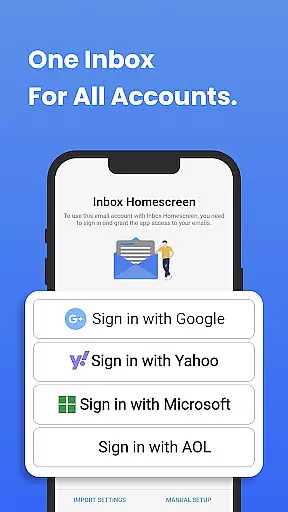
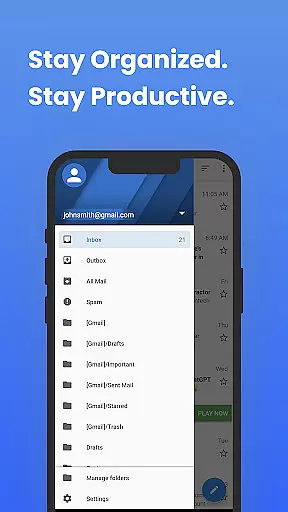
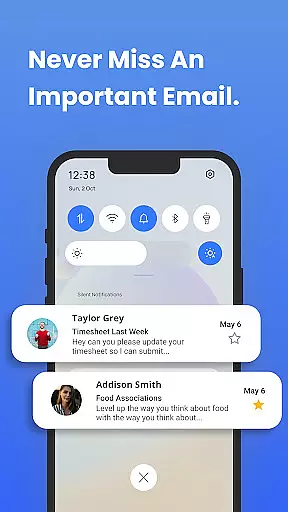
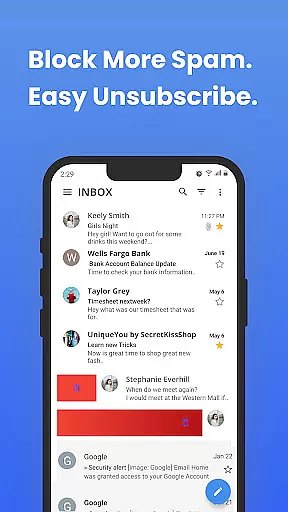
Inbox Homescreen is a communication app designed to streamline email management across multiple platforms. This innovative tool allows users to access all their email accounts from a single interface, supporting services like Gmail, Outlook, and Yahoo. The app's core functionality lies in its ability to integrate seamlessly with various email providers, enabling efficient sending, receiving, and organizing of messages.
Beyond basic email management, Inbox Homescreen offers advanced features such as customizable filters for sorting emails, priority settings for important messages, and scheduling capabilities for future emails. Its user-friendly design includes customizable themes and layouts, enhancing the overall user experience. Whether you're a professional managing multiple accounts or an individual seeking a more organized inbox, this app provides a comprehensive solution.
Inbox Homescreen stands out with its robust feature set tailored for modern email users. One of its key strengths is the seamless integration with multiple email services, including Gmail, Outlook, and Yahoo. This ensures that users can manage all their accounts without switching between different apps or platforms.
The app also offers advanced organizational tools, such as customizable filters that automatically categorize incoming emails. Users can prioritize critical messages and even schedule emails to be sent at optimal times. Additionally, Inbox Homescreen provides a variety of themes and layout options, allowing users to personalize their interface according to their preferences. These features collectively enhance productivity and ensure a smooth, efficient email management experience.
Real-time messaging speed and reliability are crucial for effective communication in today's fast-paced world. Inbox Homescreen excels in this area by providing seamless integration with various email services such as Gmail, Outlook, and Yahoo.
The app ensures that your messages are sent and received instantly without delays, making it easier to stay connected with your contacts. Whether you're at work or on the go, you can trust Inbox Homescreen to deliver your emails promptly.
Inbox Homescreen also offers advanced features like filters and scheduling, which enhance the reliability of message delivery. You can prioritize important emails and set them to be sent at optimal times, ensuring that your communication is both timely and efficient.
Media sharing support is an essential feature for any modern communication app, allowing users to easily exchange photos, videos, and other files. Inbox Homescreen provides robust media sharing capabilities that cater to both personal and professional needs.
With its seamless integration across multiple email platforms, you can attach and send large files without worrying about compatibility issues. The app supports a wide range of file formats, ensuring that you can share any type of media effortlessly.
Moreover, Inbox Homescreenu2019s customizable interface lets you personalize your experience when sharing media. Choose from different themes and layouts to suit your preferences while enjoying the convenience of quick access to commonly used features right from your homescreen.
User-friendly interface
Multi-account support
Customizable themes
Advanced filtering options
Email scheduling capability
Limited third-party integrations
Occasional syncing issues
No offline mode available
Privacy concerns with search changes
Premium features require subscription

 3.90
3.90
Official NDI app: turn your phone into a professional live-streaming IP camera.
3.20
Manage and Fund Calling Accounts and Schedule and Join Video Sessions
3.60
Messenger, an MMS & SMS messages app with Blockers, Driving mode & Private box
4.60
Experience real private browsing without tracking, surveillance, or censorship.
4.50
Smart and simple anti-wiring application - IMSI-catchers catcher
4.40
A softphone with crystal clear SIP Calling & Reliable VoIP dialer
4.00
Auto Reply SMS, Text Messaging, Away SMS Response, Busy SMS messages, Block Text
3.10
Build your web browser around you with private search, and more.
4.60
Read OBD2 data and DTCs Create custom dashboards Enhanced diagnostics available
4.70
Enhance browsing with AI-powered features and Copilot.
4.70
Identify unknown numbers, block spam calls, customize calls with cool themes.
4.60
Welcome to the future of phone service.
4.60
An agentic AI browser for Android, built by Perplexity
4.50
SMS Messenger is a lightning-fast messaging app.
4.20
Messenger app for faster and simpler SMS text messaging, and personalized themes
4.10
Call Forwarding is easy and simple application to use.
3.80
At select facilities, you now have an easy way to video visit your loved ones!
3.30
Watchgram for Telegram: Experience seamless Telegram messaging on your watch
1.80


User Reviews