
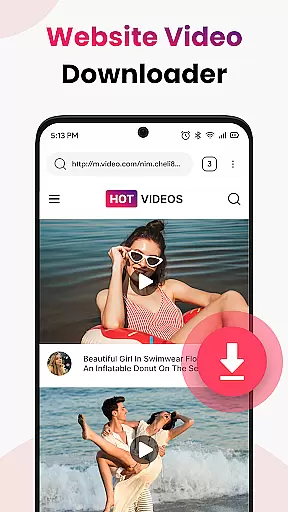
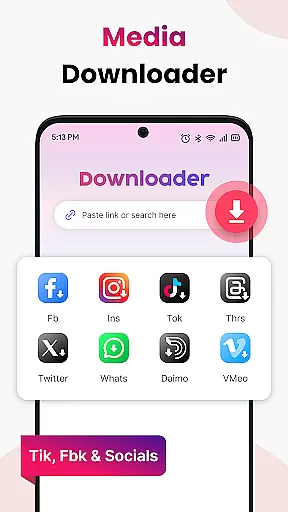
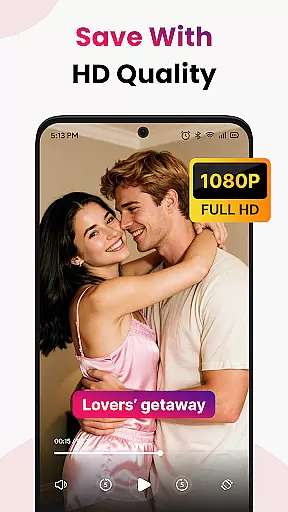
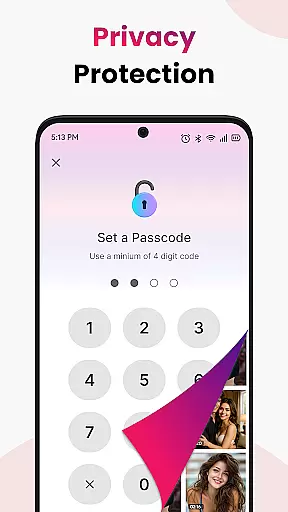

Video Saver All Format is a versatile tool designed to help users download and save videos from various online sources directly to their devices. This app supports multiple video formats including MP4, MOV, MKV, AVI, WMV, FLV, and more, ensuring compatibility across different platforms. With its HD-first approach, users can select high-quality resolutions for optimal playback experience. The app's one-tap workflow simplifies the process of capturing video links, while its optimized engine ensures fast and stable downloads.
Beyond downloading capabilities, Video Saver All Format offers organizational tools that enhance user experience. It allows unlimited saves, enabling users to build extensive personal libraries of HD videos without worrying about storage limits within the device capacity. Lightweight and privacy-focused, this app requires minimal permissions, giving users control over their data. Whether for learning, entertainment, or archiving favorite clips, Video Saver All Format provides a reliable solution for offline video access.
Video Saver All Format stands out with its comprehensive feature set tailored for efficient video management. One of the key highlights is its format-friendly nature, supporting a wide range of video formats such as MP4, MOV, MKV, AVI, WMV, and FLV. This versatility ensures that no matter the source, users can download videos in their preferred format. Additionally, the app prioritizes quality by offering HD resolution options, allowing users to enjoy sharper and clearer video playback.
The app's one-tap workflow streamlines the video downloading process. By auto-detecting video links, it enables instant grabbing with just a single tap. Its speed-optimized engine further enhances this efficiency, providing quick and stable downloads every time. Privacy and control are also at the forefront, as Video Saver All Format operates with minimal permissions, safeguarding user data. These robust features collectively make the app an indispensable tool for anyone looking to manage and enjoy their video content offline.
Video Saver All Format stands out in the realm of tool applications due to its commitment to core function accuracy and effectiveness. This app is designed to facilitate the downloading of videos from various sources with impeccable precision, ensuring that users can capture online content effortlessly. The app supports a wide array of video formats including MP4, MOV, MKV, AVI, WMV, FLV, and more, making it truly versatile for different user needs.
The effectiveness of Video Saver All Format is highlighted by its one-tap workflow which auto-detects video links for instant grabbing. Users simply need to copy a video link from their browser or any website, paste the link into the app, and tap download. This streamlined process eliminates unnecessary steps, providing a fast and reliable way to obtain desired video content. Moreover, the option to choose high-quality resolutions ensures sharper playback, enhancing the overall viewing experience.
For users, this level of functionality translates into tangible benefits. Whether they are looking to build a personal HD video library for entertainment or require offline access to educational content such as tutorials and lectures, Video Saver All Format delivers. Its optimized engine guarantees quick and stable downloads, allowing users to enjoy their videos without buffering or weak connections. With unlimited saves, individuals can store as many videos as their device allows, keeping favorites safe and organized.
A hallmark of an exceptional tool app is an interface that combines simplicity with intuitiveness, and Video Saver All Format excels in this area. The design philosophy behind the app emphasizes ease of use, ensuring that even those who aren't tech-savvy can navigate its features with minimal learning curve. By focusing on clarity and straightforwardness, the app removes barriers that typically hinder the user experience.
Upon opening Video Saver All Format, users are greeted with a clean layout that guides them through the simple steps needed to download videos. Copying a video link and pasting it into the app requires no technical expertise, thanks to the intuitive controls and clear instructions provided at each step. The lightweight nature of the app means it operates smoothly without demanding excessive permissions, thus maintaining user privacy and control over personal data.
This dedication to an uncluttered and instinctive interface pays dividends for users seeking efficiency. They can quickly adapt to the app's environment and take full advantage of its capabilities without distraction or confusion. As a result, whether downloading music clips for enjoyment offline or preserving important reference videos for future use, individuals can do so confidently within an environment crafted for speed and simplicity.
User-friendly interface
HD video downloads
Wide format support
Fast download speeds
Privacy-focused design
Limited advanced editing
No cloud integration
Basic player functionality
Occasional bugs reported
Ads in free version

Change your GPS location instantly. Simulate routes anywhere in the world.
 4.90
4.90
A powerful, easy-to-use flight computer on your phone or tablet!
3.80
Learn the vast amount of system information about device and monitor it's state
4.70
Family Locator, Share location, StayConnect with your family in real time
3.90
Quickly & easily calculate the spacing of handrail balusters
4.20
Making emulation easy for everyone!
4.30
With videos, electrical calculators, and built-in ebook, Ugly’s has your answer.
4.50
NFC Tools can read and write NFC tags.
4.70
Clean up your phone, find files, play media, and share files offline
4.50
Enjoy smooth gameplay with Game Booster
4.90
Navigate with Ease and Style
4.90
The ultimate tool for network analysis, wifi scanning and problem detection.
4.90
Bedrock Together: Join any bedrock server on Xbox/PS
4.80
The one-and-only remote control for PC, Mac, and Linux
4.70
HD Camera captures every special moment.
4.60 4.50
4.50
Screen Mirroring with sound for Samsung TV, LG TV, Sony TV, Smart TV and Browser
4.20
A non-root local ADB shell client. READ BELOW!
3.40
card-reader app
2.20


User Reviews