
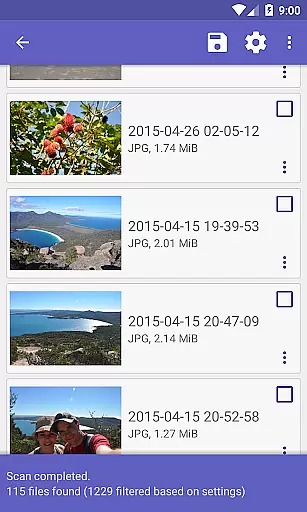
DiskDigger Pro file recovery is a powerful tool designed for rooted Android devices, enabling users to recover lost files including photos, documents, videos, and music. With its advanced scanning capabilities, the app can retrieve deleted files even from reformatted memory cards. The application supports a wide range of file types, making it an essential utility for data recovery.
For non-rooted devices, DiskDigger offers limited functionality, primarily focusing on recovering lower-resolution versions of deleted photos and videos found in cache and thumbnail directories. Despite these limitations, the app provides valuable features such as permanently deleting unwanted items and wiping free space to prevent future recovery of deleted files.
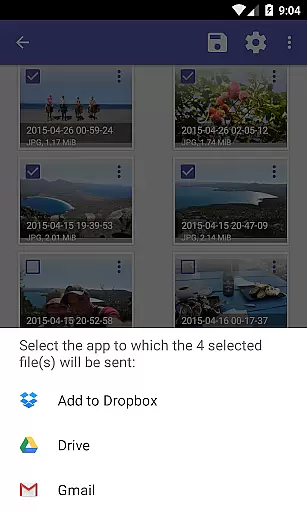
This tool is particularly useful for individuals who have accidentally deleted important files or need to recover data from damaged storage media. By integrating with cloud services like Google Drive and Dropbox, DiskDigger ensures that recovered files can be securely stored and accessed from anywhere.
DiskDigger Pro stands out with its comprehensive data recovery capabilities tailored for rooted Android devices. The app's powerful scanning engine can detect and restore over 30 different file types, including JPG, PNG, MP4, DOCX, PDF, and more. This extensive support ensures that users can recover a wide variety of lost content, from personal photos to critical business documents.
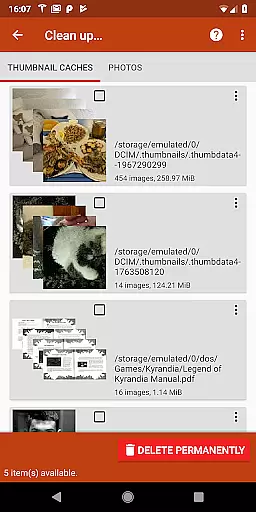
In addition to its core recovery functions, DiskDigger Pro includes practical utilities such as the 'Clean up' feature, which allows users to permanently delete unnecessary files after a scan. Another notable feature is the 'Wipe free space' option, which erases residual data to prevent any chance of file recovery, enhancing user privacy and security.
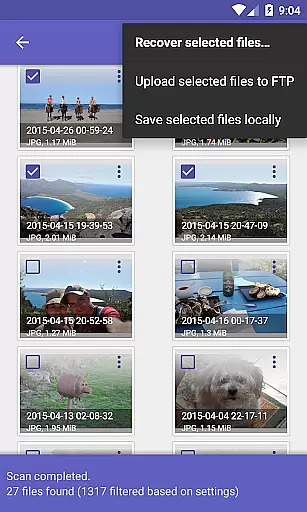
The app also facilitates seamless file management by enabling direct uploads to cloud storage services like Google Drive and Dropbox. Users can alternatively send recovered files via email or save them to a local folder. These versatile export options ensure that recovered data is easily accessible and securely stored, providing peace of mind for users concerned about data loss.
DiskDigger Pro specializes in data recovery with precision and efficiency, making it a reliable tool for retrieving lost files. The app's powerful scanning algorithms can detect traces of deleted files across both internal memory and external storage devices.
For rooted devices, the application offers comprehensive recovery options that span a multitude of file types including photos, documents, videos, and music. Its ability to recover high-resolution files and other complex formats showcases its effectiveness, particularly when full device access is granted through root permissions.
Even on non-rooted devices, DiskDigger Pro provides a valuable service by recovering lower-resolution versions of images from cached data. This ensures that users without advanced technical setups can still benefit from the appu2019s core functionality, albeit in a more limited capacity.
The true value of DiskDigger Pro lies in its dual capability to serve both average users and tech-savvy individuals. By offering features like Google Drive, Dropbox, and FTP integration, it not only recovers files but also facilitates easy backup and transfer, enhancing the overall user experience.
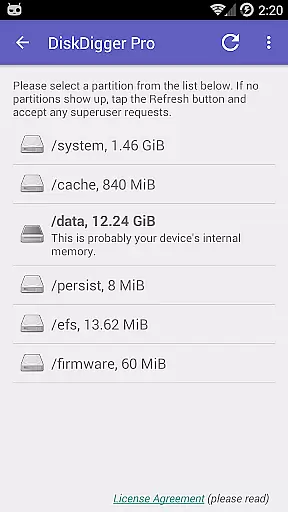
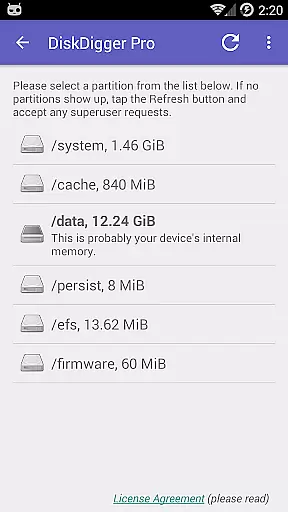
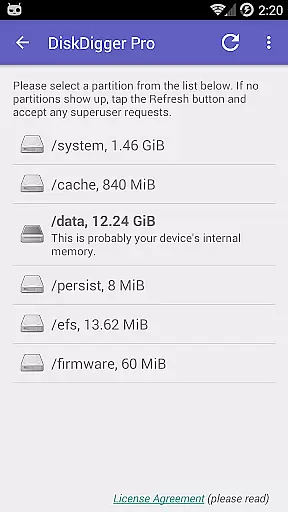
The interface of DiskDigger Pro is designed to simplify the complex process of data recovery, ensuring users can navigate its features with ease. Upon launching the app, users are greeted with straightforward options to initiate scans, which are clearly labeled and easy to understand.
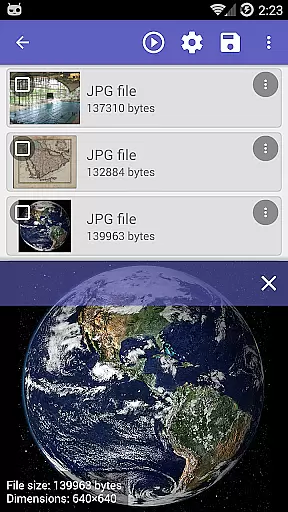
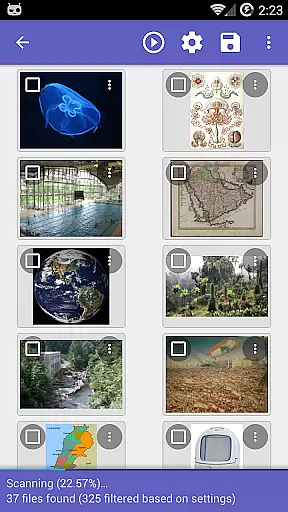
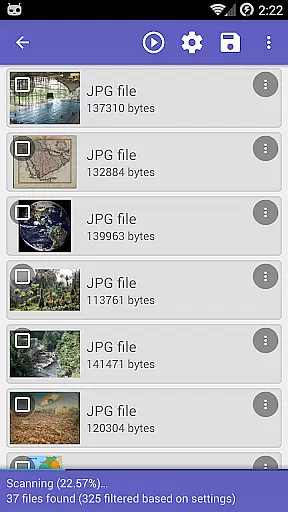
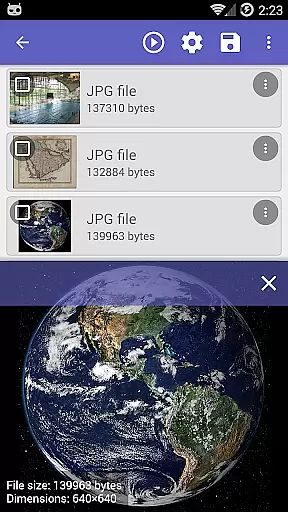
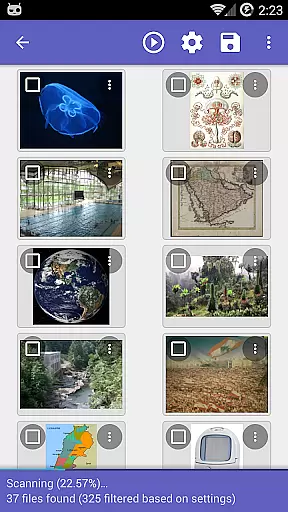
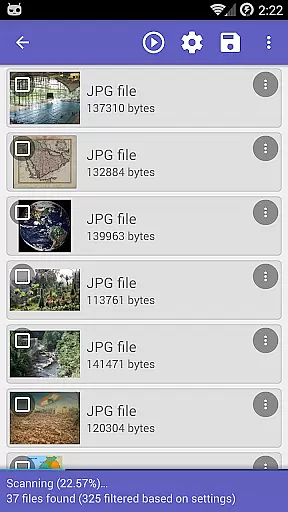
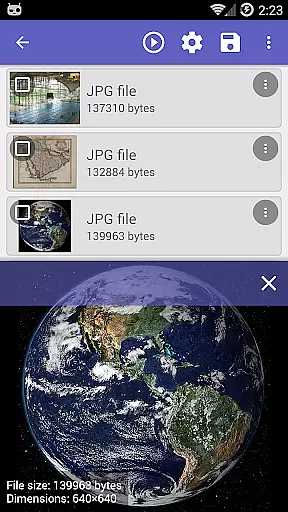
Each step of the recovery process is streamlined, providing clear instructions and feedback. For instance, after completing a scan, the app presents a list of recoverable items, allowing users to preview files before proceeding with recovery. This intuitive design minimizes confusion and helps users make informed decisions.
Additional features such as the 'Clean up' button and 'Wipe free space' option are integrated seamlessly into the interface, maintaining clarity without overwhelming the user. These tools are experimental yet accessible, demonstrating the app's commitment to both functionality and user experience.
Overall, DiskDigger Pro balances powerful capabilities with an approachable interface, catering to users of varying technical backgrounds. Its thoughtful design ensures that even those unfamiliar with data recovery can utilize the app effectively, making it a versatile addition to any toolkit.
Comprehensive file recovery
Supports 30+ file types
Integration with cloud services
Powerful scanning engine
User-friendly interface
Limited functionality on non-rooted devices
Advanced features require technical knowledge
Some features still experimental
Privacy concerns with cached data
Recovery success not guaranteed

A convenient photo, video, and file recovery tool.
 4.00
4.00
A recovery soft,it features photo recovery, video recovery, file recovery.
3.40
ADB support Android 4.X-Android 13(Support wireless pair mode).No root required!
4.70
Excellent scientific calculator with symbolic algebra, integrals, derivatives
4.80
Navigate with Ease and Style
4.90
Create your own custom widget with endless possibilities
3.90
Pro Emulator is an easy to use game console emulator for a range of consoles.
4.40
Protect your device with antivirus, storage cleanup, and system monitoring
4.70
A clean app.
4.50
Enjoy smooth gameplay with Game Booster
4.90
Small and simple app to Verify Root Access and BusyBox Install!
4.70
HD Video player and downloader for all formats, fast & smooth 4K video playback.
4.60
Keep track of your Palia friendships, tasks, and inventory with Palia Notebook
4.60
App to pay for FUTO Keyboard
4.60
Play your X-Box games remotely in 1080p with any controller and zero latency
4.60
Button mapper, mouse toggle, sleep timer and a lot of another features
4.50
App that Recover your pictures, videos or files after you delete them.
4.20 4.10
4.10
Create your own live wallpaper or check out thousands already made presets
3.90


User Reviews