
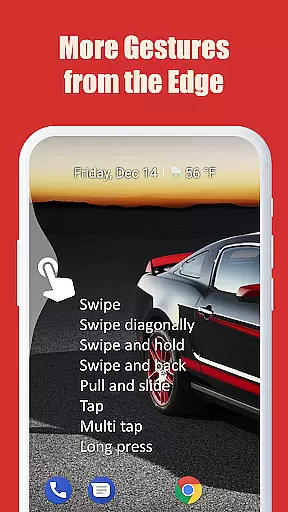
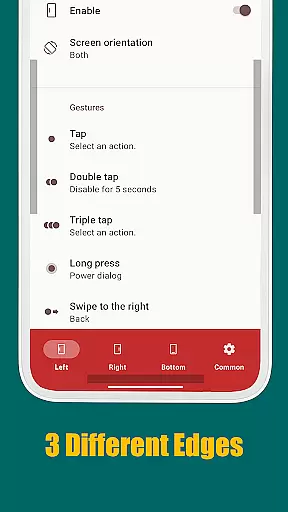
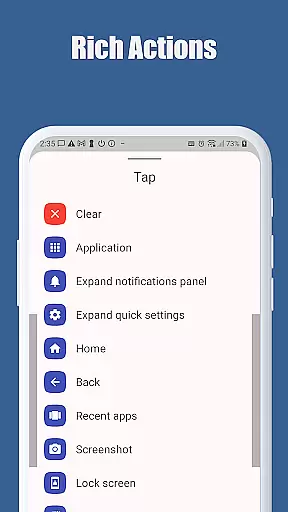
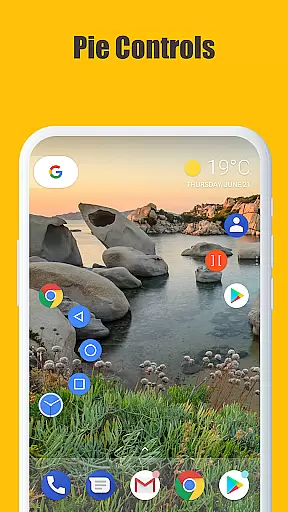
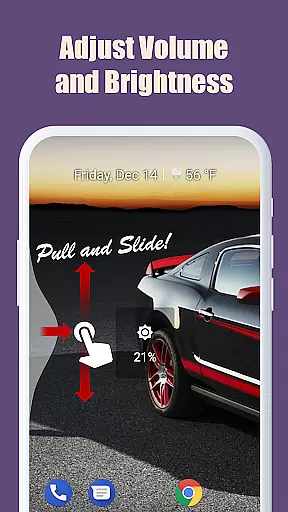
Edge Gestures is a productivity tool designed to enhance your device's navigation through simple screen edge gestures. With support for various gesture types like tap, swipe, and pie controls, it allows users to perform multiple actions quickly. These include launching apps, controlling brightness, accessing notifications, and more. The app is particularly useful for Android 6.0 or higher users who want to optimize their device usage through customizable gestures.
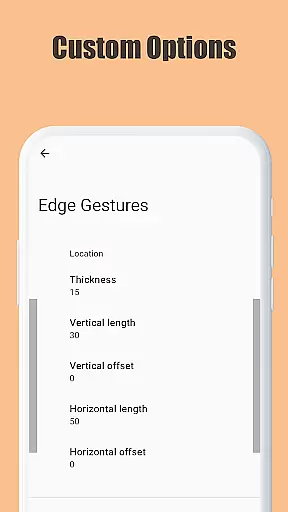
The application stands out with its highly customizable edge areas where users can adjust thickness, length, and position according to their preferences. Whether you're looking to toggle split screens, scroll faster, or switch between apps seamlessly, Edge Gestures provides an intuitive solution that minimizes the need for traditional button navigation.
Edge Gestures offers a comprehensive set of features tailored to improve user interaction with their devices. One notable feature is its support for many gesture types including tap, double tap, long press, swipe, and pie controls. Each gesture can be mapped to specific actions such as launching applications, soft key functions like back and home, expanding the status bar, and even adjusting brightness or media volume.
Another remarkable aspect is the ability to customize the edge area's thickness, length, and position, ensuring that the gestures fit perfectly with your natural hand movements. Additionally, this app uses accessibility service APIs responsibly, only detecting the foreground app and commanding system actions like showing notifications, quick settings, and power dialogs. This ensures minimal intrusion while maximizing functionality.
Edge Gestures provides a highly accurate and effective way to interact with your device through simple gestures on the screen edge. The app supports a wide range of gesture types, including tap, swipe, and long press, each triggering specific actions.
The application's core functions are designed for efficiency. For instance, users can launch applications, adjust brightness, or toggle split screen with minimal effort. These features ensure that users can perform frequent tasks quickly and effortlessly.
One of the standout aspects is its customizability. Users can tailor the edge area's thickness, length, and position, allowing for personalized and comfortable use. This level of customization enhances user experience by catering to individual preferences and device configurations.
Despite its powerful functionality, Edge Gestures maintains a simple and intuitive interface. The straightforward setup process allows users to easily configure their preferred gestures without any technical expertise. Each gesture type is clearly explained, making it accessible even for beginners.
The app's design emphasizes ease of use. With clear categories and logical grouping of actions, users can navigate the settings effortlessly. This ensures that even those unfamiliar with gesture controls can quickly adapt to using Edge Gestures effectively.
Furthermore, the app requires only necessary permissions, ensuring a clutter-free experience. By focusing on essential features and maintaining an uncluttered interface, Edge Gestures delivers an intuitive tool that enhances device interaction without overwhelming the user.
Highly customizable gestures
Wide range of supported actions
User-friendly interface
Optimized for Android 6.0+
Minimal permissions required
Limited to Android devices
Requires accessibility permission
Some features may not work on older OS versions
Gestures might conflict with existing ones
Learning curve for new users

A convenient photo, video, and file recovery tool.
 4.00
4.00
Head tracking for PC sim games such as MSFS 2024 or Elite:Dangerous. No headset!
4.50
Safely recover deleted photos, videos, and files with a single easy tap.
3.70
Monitor car performance in real time and troubleshoot malfunctions.
4.80
Undelete and recover your lost or deleted files with DiskDigger!
3.40
Play your X-Box games remotely in 1080p with any controller and zero latency
4.60
The ultimate tool for network analysis, wifi scanning and problem detection.
4.90
Clean up your phone, find files, play media, and share files offline
4.50
Your personal health butler
3.60
Support Fossify apps with a warm thank you!
5.00
Change your GPS location instantly. Simulate routes anywhere in the world.
4.90
Excellent scientific calculator with symbolic algebra, integrals, derivatives
4.80
Learn the vast amount of system information about device and monitor it's state
4.70
Keep track of your Palia friendships, tasks, and inventory with Palia Notebook
4.60
Game Booster, GFX Tool is now compatible with newer game update
4.50
Screen Mirroring with sound for Samsung TV, LG TV, Sony TV, Smart TV and Browser
4.20
Smart and comfortable browsing experience.
3.80
A non-root local ADB shell client. READ BELOW!
3.40
Save any video in HD - paste the link, download fast and watch offline.
4.4


User Reviews