
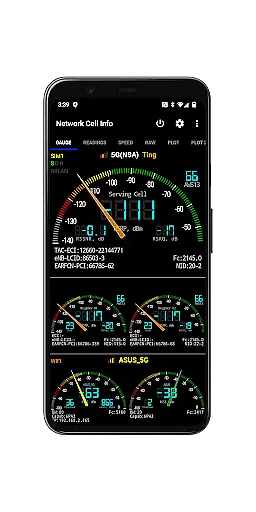
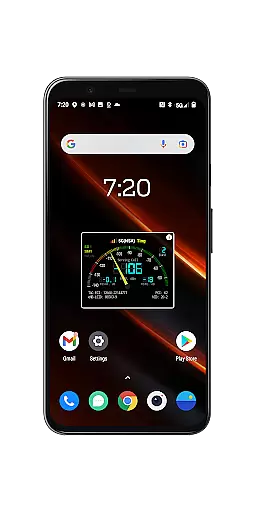
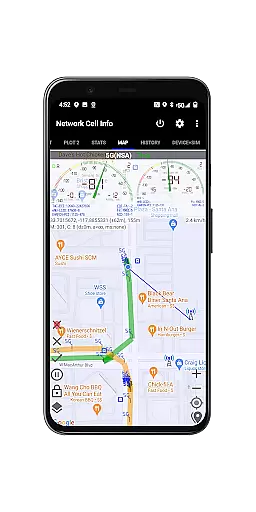
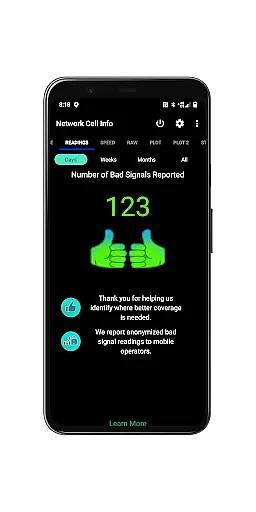
Network Cell Info & Wifi is a comprehensive mobile network monitoring tool designed for users who want to optimize their connectivity experience. This app provides detailed insights into cellular and Wi-Fi signals, supporting technologies like 5G, LTE, CDMA, and GSM. With real-time monitoring and diagnostic tools, it helps troubleshoot reception issues while offering data on signal strength history and connected cell towers.
A standout feature of the app is the Bad Signal Reporter, which allows users to automatically report poor signal areas to their mobile network operators. This crowdsourced data can significantly improve network coverage over time. Additionally, Network Cell Info offers advanced functionalities such as speed tests, dual-SIM support, and signal plots, making it an essential tool for anyone seeking to enhance their mobile and Wi-Fi performance.
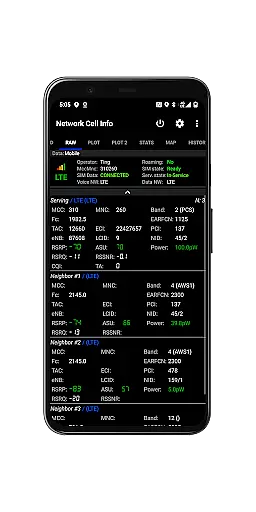
Network Cell Info & Wifi stands out with its robust set of features tailored for network diagnostics and optimization. The app provides almost real-time (1-second intervals) monitoring of cellular and Wi-Fi signals through its Gauge and Raw Tabs, ensuring users have up-to-date information on their connectivity status. It supports multiple network types including 5G, LTE+, and CDMA, catering to a wide range of devices and carriers.
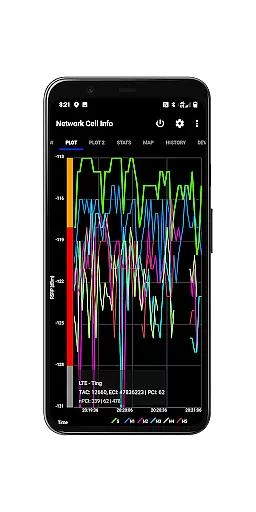
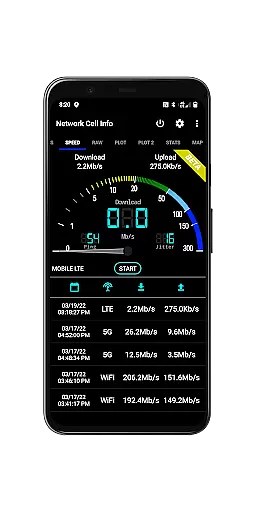
One of the key highlights is the one-tap speed test feature, which measures download, upload, ping, and jitter rates, giving users a clear picture of their internet performance. Other notable features include dual-SIM support, signal plots for up to six cells, and a Personal Best Signal Finder that maps signal strength history by location. These tools empower users to identify optimal network conditions and resolve connectivity challenges effectively.
Network Cell Info is designed to provide precise and effective monitoring of mobile network signals, ensuring users receive accurate real-time data. The app supports a wide range of network types including 5G, LTE+, LTE, CDMA, WCDMA, and GSM, delivering almost real-time (1 sec.) updates on cellular carrier and WiFi signals through its Gauge/Raw Tabs.
The application's one-tap WiFi/mobile internet performance speed test measures download, upload, ping, and jitter, offering comprehensive insights into network performance. With dual-SIM support and up to 5-6 signal-meter gauges for both SIMs and WiFi, users can effortlessly track their connectivity status across different networks and devices.
Additionally, Network Cell Info provides advanced features such as Signal Plots for up to 6 cells, band number details, and a Map with network cellular info and signal-meter gauges. These tools empower users to troubleshoot reception issues effectively and optimize their mobile experience by identifying the strongest available signals in their vicinity.
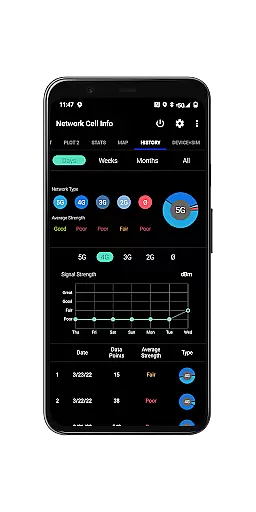
Despite its technical depth, Network Cell Info maintains an intuitive and user-friendly interface that simplifies complex network data for everyday users. The app's design ensures ease of navigation through various tabs like Gauge, Raw, Map, and History Logs, making it accessible even to those who may not be tech-savvy.
Key functionalities are easily accessible with minimal taps required; for instance, conducting a speed test or switching between different views is straightforward thanks to well-organized menus and clear visual indicators. This simplicity extends to more advanced features too, such as the Personal Best Signal Finder map layer which visually represents signal strength history by location without overwhelming the user.
Furthermore, personalization options such as SIM# preference settings allow users to tailor their experience according to specific needs while maintaining overall simplicity. By balancing powerful diagnostic tools with an approachable layout, Network Cell Info ensures that all users can harness its full potential without a steep learning curve.
Comprehensive network monitoring
Real-time signal tracking
Supports multiple network types
User-friendly interface
Free Bad Signal Reporter
Advanced features may overwhelm beginners
Requires technical knowledge
Limited CDMA support in some areas
Occasional bugs in signal plotting
Heavy battery usage during active monitoring

A convenient photo, video, and file recovery tool.
 4.00
4.00
Unit and currency converter with easy and simple UI.
4.80
Optimize your WiFi network, turn your phone into Wifi Analyzer
4.70
eXtended Permission Manager - a small app to manage permissions and AppOps
4.50
Smart and comfortable browsing experience.
3.80
A non-root local ADB shell client. READ BELOW!
3.40
Making emulation easy for everyone!
4.30
The Ultimate Flex Drivers Utility App - Convenient Tapping & Block Filters
4.70
Screen recorder with audio to record high-quality videos and take screenshots.
4.40
Learn the vast amount of system information about device and monitor it's state
4.70
ADB support Android 4.X-Android 13(Support wireless pair mode).No root required!
4.70
NFC Tools can read and write NFC tags.
4.70 4.50
4.50
Use your phone as a webcam on your computer over WiFi or USB.
4.40
Mirror your screen to Fire TV - Super fast and simple
4.40
PC precision for mobile gaming: dominate with keyboard and mouse!
4.30
MS-DOS in your pocket. Play old DOS games anywhere you are ;)
4.10
Unleash gamepad precision for ultimate mobile gaming dominance.
3.90
A powerful, easy-to-use flight computer on your phone or tablet!
3.80


User Reviews